
Introduction
This manual provides essential information for the safe and efficient use of your The Blue Cactus Company 2500mAh Battery Pack for Reclining Furniture. This battery pack is designed to provide a portable, cord-free power solution for your compatible reclining furniture, enhancing flexibility in furniture placement and ensuring continued operation during power outages.
Please read these instructions thoroughly before installation and use, and retain this manual for future reference.
What's in the Box
Your package should contain the following items:
- 1x 2500 mAh Recliner Battery
- 1x Instruction Manual

Image: The 2500mAh battery pack with its integrated cables. Note that the charger is not included with this battery-only product.
Product Features
- 2500mAh Capacity: Provides a reliable and continuous power supply for your reclining furniture.
- 2-Pin Connector: Specifically designed for standard 2-pin connectors found on many power reclining furniture models.
- LCD Display: Integrated display for precise monitoring of the battery's charge level.
- Cord-Free Operation: Eliminates the need for power cords running across your floor, allowing flexible furniture placement.
- Backup Power: Functions as a dependable power source during electrical outages.
Compatibility
This battery pack is designed for reclining furniture with a standard 2-pin connector. It is compatible with many models from brands such as Pride Mobility, OKIN, Cheers (Man Wah Group), and Limoss.
Important: Verify your furniture's input compatibility before connecting. This battery pack does not accommodate USB, 5-pin, or barrel plugs. If your recliner does not have a standard 2-pin male connector, you may need to purchase a separate adapter cable.
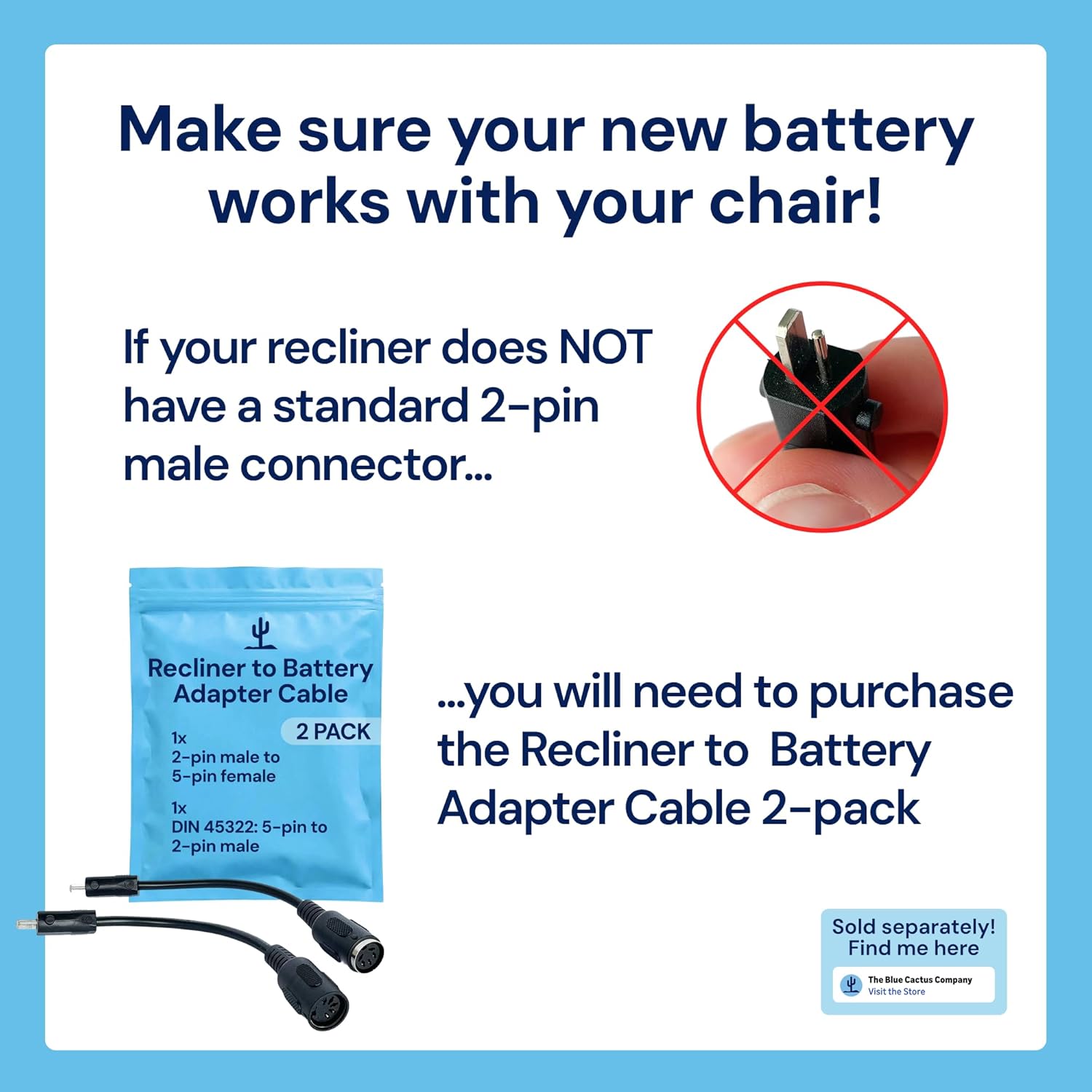
Image: Visual guide illustrating the 2-pin male connector and the need for an adapter cable if your furniture uses a different connector type (e.g., 5-pin or DIN 45322).
Setup and Installation
Follow these steps to install your battery pack:
- Disconnect Existing Power: Unplug your reclining furniture from its wall outlet.
- Connect Battery to Chair: Locate the 2-pin power input on your reclining furniture. Connect the output cable from The Blue Cactus Company battery pack to this input.
- Position Battery: Place the battery pack neatly under your recliner, ensuring it is not pinched or obstructing any moving parts.
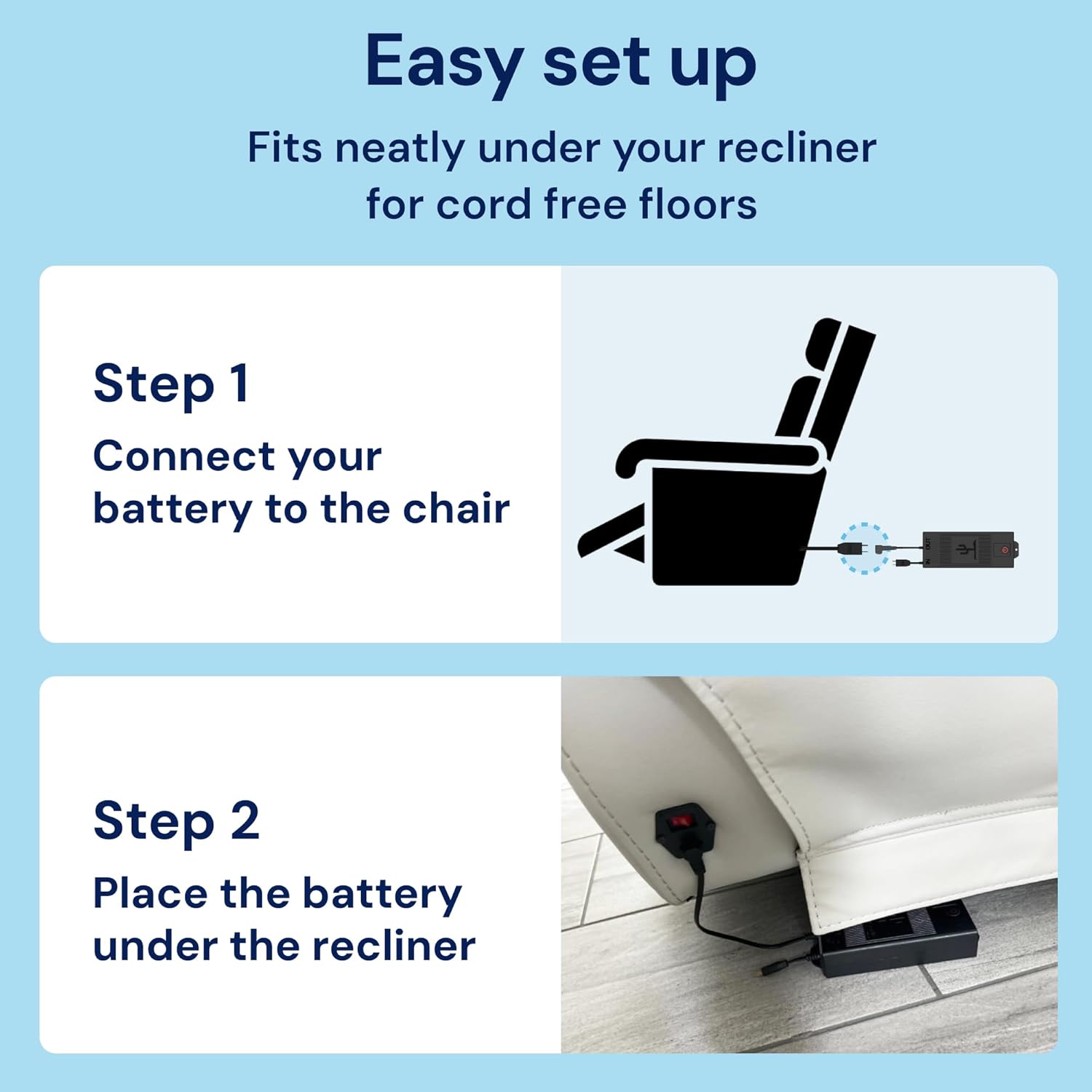
Image: A visual guide demonstrating the two simple steps for connecting the battery pack to your recliner and positioning it discreetly underneath.
Video: Simple Instructions for Charging and Installation
Video: This video provides a step-by-step demonstration of how to connect and install The Blue Cactus Company battery pack to your reclining furniture, as well as instructions for charging.
Charging
To charge your battery pack:
- Connect your existing power transformer and wall plug (not included with this battery-only product) to the "IN" port on the battery pack.
- Plug the wall plug into a standard electrical outlet.
- The LCD display on the battery pack will show the charging progress. A full charge typically takes approximately 4-6 hours.
- You can continue to use your furniture while the battery is charging, or you can remove the battery pack to charge it separately.
The LCD display will indicate when the battery is fully charged.
Operation
Once installed and charged, your reclining furniture will operate normally using the battery pack. The integrated LCD display allows you to monitor the precise battery level, helping you manage power efficiently and plan your relaxation time without interruption.

Image: The battery pack's LED charge monitor provides visual feedback on the battery status, ensuring you are aware of its power level.
Maintenance
To ensure optimal performance and longevity of your battery pack:
- Regular Charging: Recharge the battery when the LCD display indicates a low charge.
- Avoid Deep Discharge: Do not allow the battery to completely drain frequently, as this can reduce its lifespan.
- Proper Storage: If storing the battery for an extended period, ensure it is partially charged (around 50%) and stored in a cool, dry place.
- Clean Connections: Keep the connectors clean and free from dust or debris.
Troubleshooting
Battery Drains Quickly (Ghost Drainage)
Some recliners, especially those with extra features like LED lights or USB ports, draw power continuously even when not in use. This phenomenon, known as "Ghost Drainage" or "Standby Power Loss," is unavoidable for certain furniture models.
If your battery drains faster than expected, it may be due to your furniture's power consumption. You may need to charge your battery more frequently. Consider purchasing a Battery Life Extender Kit if your furniture has additional features that contribute to faster drainage.
Specifications
| Brand | The Blue Cactus Company |
| Model Number | GW-ZA03 |
| Battery Cell Composition | Lithium Ion |
| Battery Capacity | 2500 Milliamp Hours (mAh) |
| Voltage | 25.9 Volts |
| Amperage | 2.5 Amps |
| Reusability | Rechargeable |
| Item Weight | 1.77 Pounds |
| Item Dimensions | 3 x 1.5 x 18 inches |
Warranty and Support
For any questions, concerns, or support needs regarding your The Blue Cactus Company battery pack, please contact our customer service team.