1. Important Safety Information
Please read all instructions carefully before using the appliance. Retain this manual for future reference.
- Ensure the power supply voltage matches the voltage specified on the appliance's rating label.
- Do not operate the refrigerator if the power cord is damaged. Contact qualified service personnel for repair.
- Keep the ventilation openings clear of obstructions.
- Do not use electrical appliances inside the food storage compartments unless they are of the type recommended by the manufacturer.
- Avoid placing the refrigerator in direct sunlight or near heat sources.
- Always disconnect the power supply before cleaning or performing maintenance.
- This appliance is not intended for use by persons (including children) with reduced physical, sensory or mental capabilities, or lack of experience and knowledge, unless they have been given supervision or instruction concerning use of the appliance by a person responsible for their safety.
2. Product Overview
The Outsunny Portable Electric Compressor Refrigerator 35L is designed for versatile use, offering both refrigeration and freezing capabilities. It features a dual-zone design, an LCD control panel, and intelligent battery protection, making it suitable for various environments including cars and trucks.
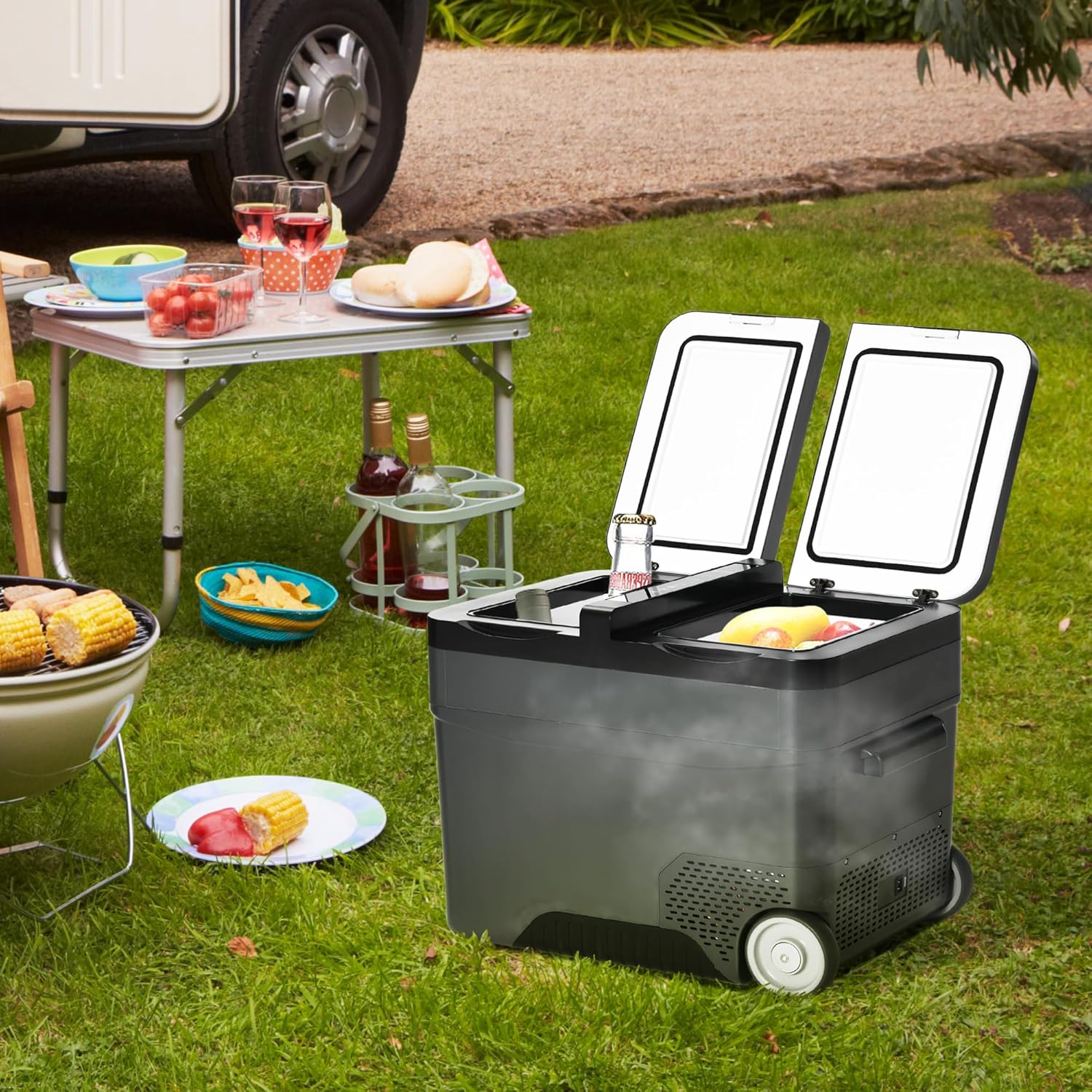
3. Setup and Power Connection
3.1 Unpacking
- Carefully remove the refrigerator from its packaging.
- Inspect the appliance for any damage incurred during transit. If damage is found, do not operate and contact customer support.
- Remove all internal packing materials and protective films.
3.2 Initial Placement
- Place the refrigerator on a flat, stable surface.
- Ensure adequate ventilation around the unit. Maintain at least 10 cm of space from walls or other objects.
3.3 Power Connection
The refrigerator supports both AC and DC power inputs.

- AC Power (110-240V): Connect the 1.8m AC adapter to the refrigerator's AC input port, then plug it into a standard wall outlet.
- DC Power (12/24V): Connect the 3.5m DC power cable to the refrigerator's DC input port, then plug it into a vehicle's 12V or 24V power socket (e.g., cigarette lighter port).
- The unit features an intelligent 3-level battery protection system. If the measured DC voltage drops below a set cut-off value, the refrigerator will automatically shut down to prevent draining the vehicle's battery.
4. Operating Instructions
4.1 Dual Zone and Dual Control
The refrigerator features two independently controlled temperature zones, allowing for flexible storage of various food items.

- Refrigerator Zone: Temperature range from 0°C to 10°C. Capacity: 25 Liters.
- Freezer Zone: Temperature range from 0°C to -22°C. Capacity: 10 Liters.
4.2 LCD Control Panel
The integrated LCD panel allows for easy temperature adjustment and mode selection.
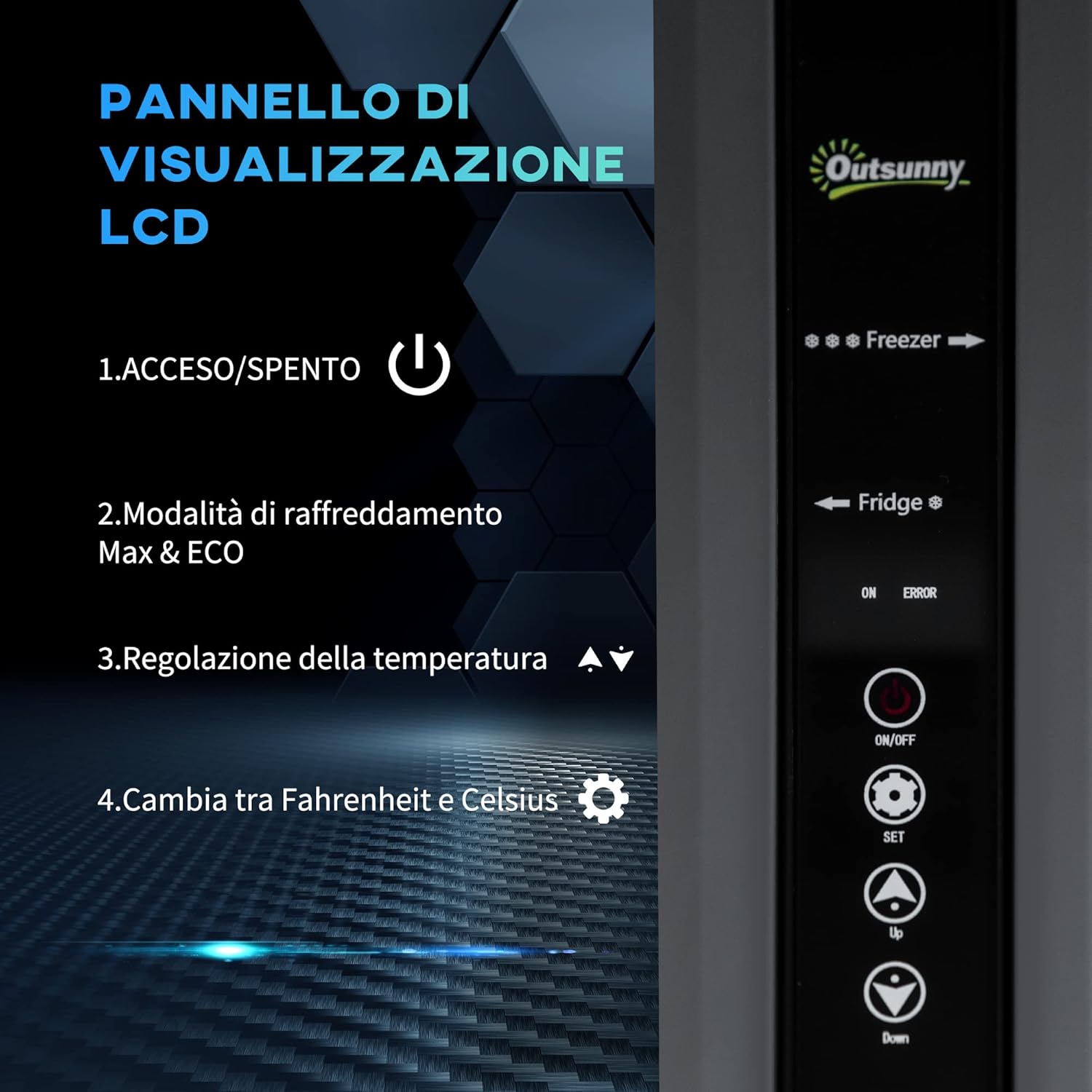
- Power Button: Press to turn the unit ON or OFF.
- Mode Selection: Choose between 'Max' mode for rapid cooling or 'ECO' mode for energy saving. The average power consumption in ECO mode is 47W.
- Temperature Adjustment: Use the Up and Down arrows to set the desired temperature for each zone.
- Unit Conversion: A dedicated button allows switching between Celsius and Fahrenheit.
4.3 Portability Features
The refrigerator is designed for easy transport.
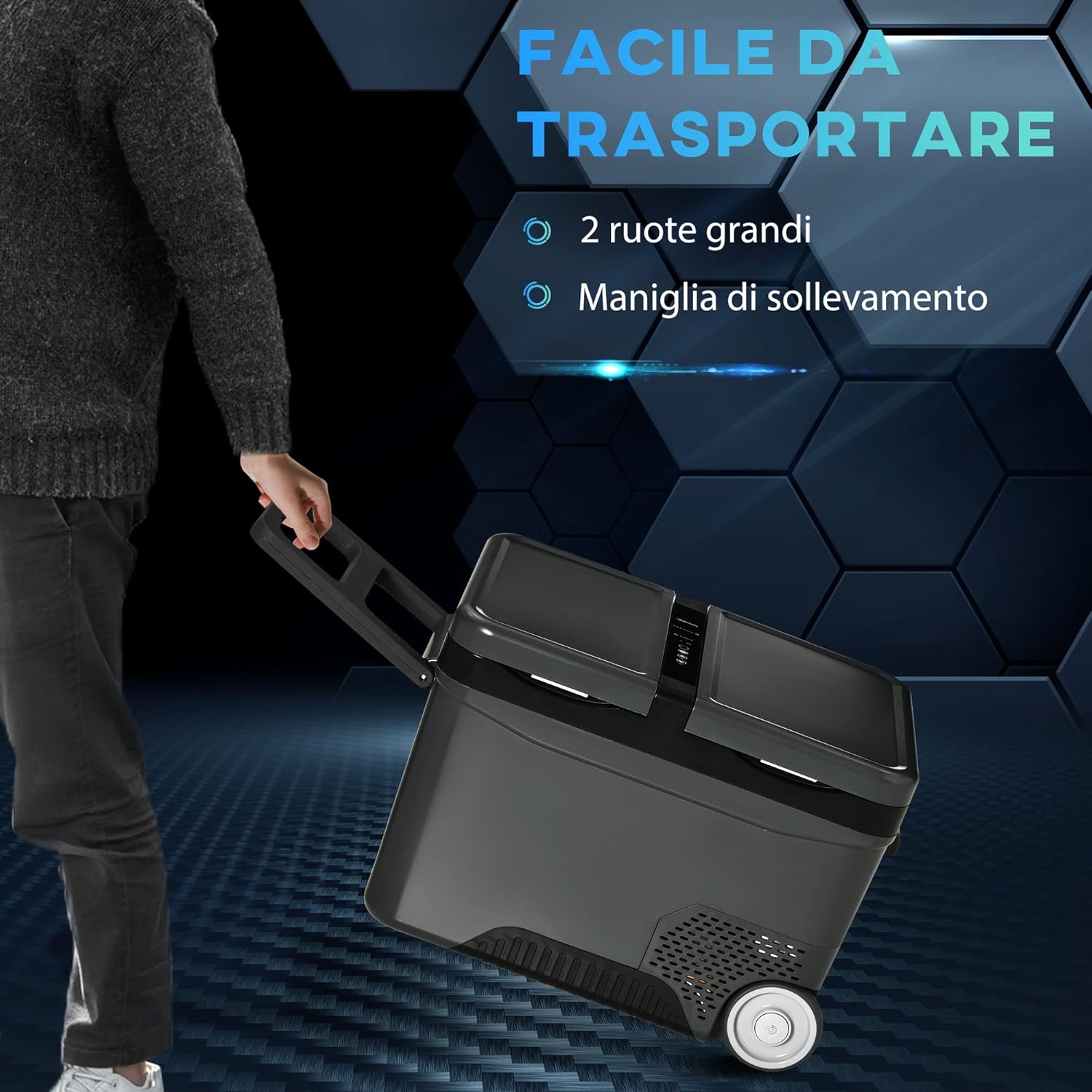
- Large Wheels: Equipped with two large wheels for smooth movement over various terrains.
- Telescopic Handle: An extendable handle allows for comfortable pulling of the unit.
- Side Handles: Integrated ABS handles on the sides provide additional grip for lifting.
5. Maintenance
5.1 Cleaning
- Always unplug the refrigerator before cleaning.
- Clean the interior and exterior surfaces with a soft cloth dampened with mild detergent and warm water.
- Do not use abrasive cleaners, harsh chemicals, or sharp objects, as these can damage the surfaces.
- Ensure the unit is completely dry before reconnecting to power.
- Regularly clean the ventilation grilles to ensure proper airflow and efficiency.
5.2 Storage
- If storing for an extended period, ensure the unit is clean and dry.
- Leave the lid slightly ajar to prevent odors and mold growth.
- Store in a dry, well-ventilated area, away from direct sunlight and extreme temperatures.
6. Troubleshooting
If you encounter issues, refer to the following common problems and solutions:
| Problem | Possible Cause | Solution |
|---|---|---|
| Refrigerator not turning on | No power supply; Damaged power cord; Blown fuse in vehicle (DC); Low battery voltage (DC) | Check power connection; Replace power cord if damaged; Check vehicle fuse; Recharge vehicle battery or adjust battery protection setting. |
| Insufficient cooling | Temperature setting too high; Overloaded with warm items; Poor ventilation; Door not sealed properly | Lower temperature setting; Allow space for air circulation; Ensure ventilation openings are clear; Check door seal for obstructions. |
| Unusual noise | Unit not level; Fan obstruction; Compressor vibration | Place on a level surface; Clear any obstructions from the fan; This is normal during compressor operation. |
| Error code on LCD | Internal fault; Sensor issue | Refer to the specific error code in a more detailed service manual or contact customer support. |
If the problem persists after attempting these solutions, please contact Outsunny customer support for assistance.
7. Specifications
Detailed technical specifications for the Outsunny Portable Electric Compressor Refrigerator 35L.

- Model Number: C00-029V90
- Overall Dimensions (L x W x H): 63.2 cm x 42 cm x 42.8 cm
- Total Capacity: 35 Liters
- Refrigerator Zone Capacity: 25 Liters
- Freezer Zone Capacity: 10 Liters
- Refrigerator Zone Temperature Range: 0°C to 10°C
- Freezer Zone Temperature Range: 0°C to -22°C
- Weight: 16.3 kg
- Material: PP, ABS
- Power Input: 12/24V DC, 110/240V AC
- Average Power Consumption (ECO Mode): 47W
- Included Components: Portable electric refrigerator, AC adapter, DC power cable
8. Warranty and Support
For warranty information, product support, or to purchase replacement parts, please refer to the warranty card included with your product or visit the official Outsunny website. Contact details for customer service can typically be found on the brand's website or on your purchase receipt.


