
POWEROWL MY-C003
POWEROWL MY-C003 Universal Battery Charger User Manual
Model: MY-C003 | Brand: POWEROWL
1. Introduction
This manual provides essential instructions for the safe and efficient operation of your POWEROWL MY-C003 Universal Battery Charger. This intelligent charger is designed to accommodate various rechargeable battery types and sizes, offering convenient and reliable charging.
Package Contents:
- 1 x POWEROWL Universal Battery Charger (Model: MY-C003)
- 4 x POWEROWL C Rechargeable Batteries
- 1 x Micro USB Cable (power adapter not included)
- 1 x User Manual

Image 1.1: The POWEROWL MY-C003 Universal Battery Charger with four C-sized rechargeable batteries. The charger features eight individual charging slots and LED indicators above each slot.
2. Important Safety Instructions
Please read all safety instructions carefully before using the charger. Failure to follow these instructions may result in electric shock, fire, or personal injury.
- This charger is designed exclusively for cylindrical Ni-MH/Ni-Cd and 3.7V Li-ion rechargeable batteries. Do not attempt to charge non-rechargeable batteries, as this may lead to explosion, rupture, or leakage.
- Always remove batteries from the charger once charging is complete. The battery slots are not intended for long-term battery storage when the charger is not in use.
- Do not expose the charger to water, moisture, or fire. Keep it in a dry environment.
- Do not allow children to operate the charger unsupervised.
- Avoid disassembling or modifying the charger. Unauthorized modifications can lead to hazards and void the warranty.
- Ensure proper ventilation during charging. Do not cover the charger.
- If the charger or batteries become excessively hot during charging, discontinue use immediately and unplug the charger.
Integrated Safety Protections:
The POWEROWL MY-C003 charger incorporates multiple safety features to ensure safe operation:
- Over-charge Protection: Prevents batteries from being overcharged.
- Over-current Protection: Safeguards against excessive current flow.
- Short-circuit Protection: Protects against short-circuit conditions.
- Over-temperature Protection: Monitors and prevents overheating.
- Automatic Battery Inspection: Detects damaged or incompatible batteries.
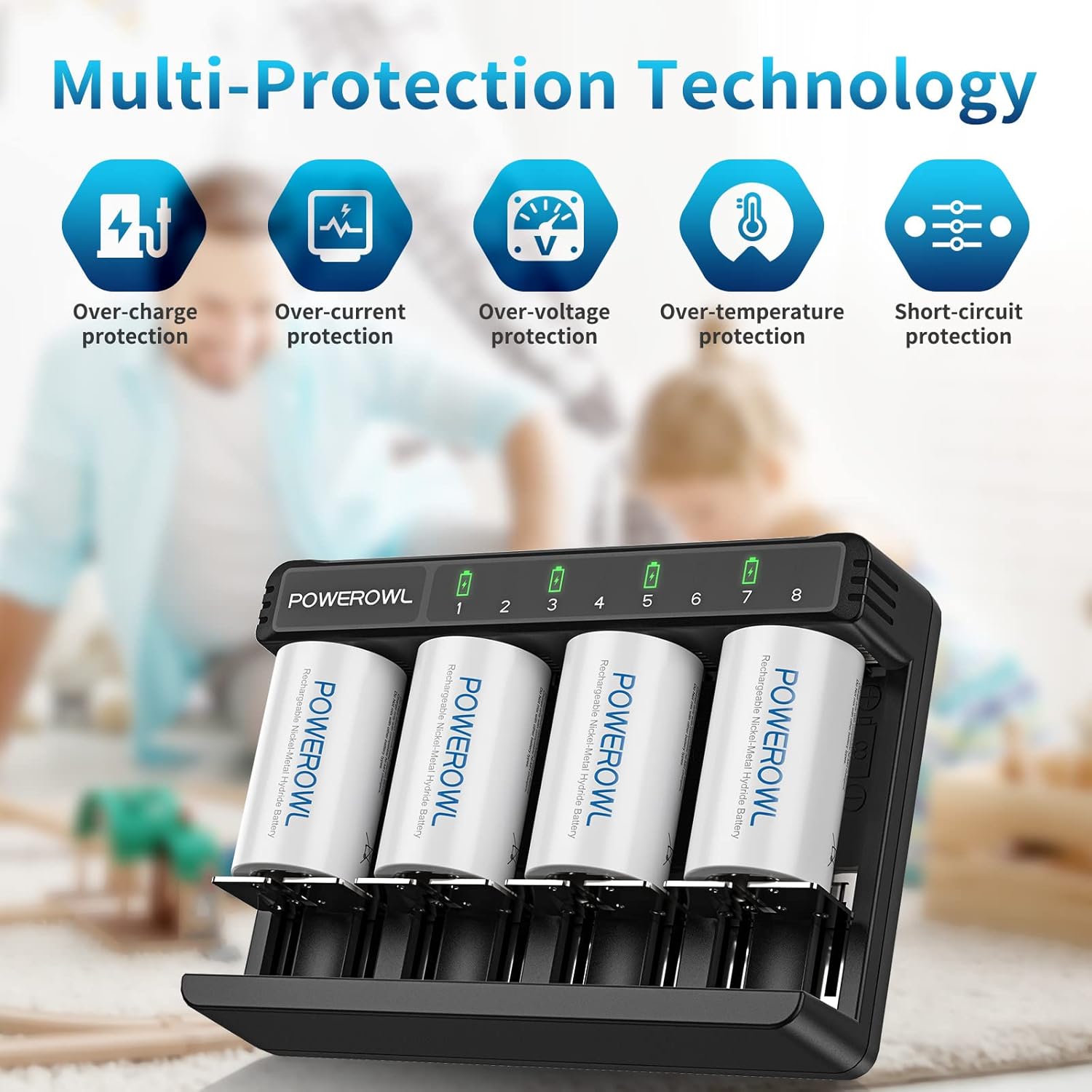
Image 2.1: Visual representation of the multi-protection technology integrated into the charger, including safeguards against over-charge, over-current, over-voltage, over-temperature, and short-circuit conditions.
3. Setup
Connecting the Charger:
- Locate the Micro USB or Type-C input port on the back of the charger.
- Connect the provided Micro USB cable (or a compatible Type-C cable, not included) to the charger's input port.
- Connect the other end of the USB cable to a compatible 5V/2A USB power source (e.g., a USB wall adapter, computer USB port, or power bank). The charger requires a 5V/2A input for optimal performance.
- Once connected, the charger's indicator lights will briefly illuminate, indicating it is powered on and ready for use.

Image 3.1: The back of the product packaging, detailing the charger's model number (MY-C003), input (DC 5V=2A), and output specifications for various battery types. It also lists compatible battery sizes and types.
4. Operating Instructions
Inserting Batteries:
- Ensure the charger is connected to a power source.
- Insert rechargeable batteries into the appropriate slots, observing the correct polarity (+ and - terminals). The charger has 8 bays for AA/AAA batteries and 4 larger slots for C/D/3.7V Li-ion batteries.
- The charger will automatically detect the battery type and begin charging.
Understanding the Smart Screen Indicators:
Each charging slot has an independent LED indicator to display the charging status:
- Red Light: Indicates that the battery is currently charging.
- Green Light: Indicates that the battery is fully charged. The charger will automatically stop charging to prevent overcharging.
- Flashing Red Light: Indicates that the battery is damaged or incompatible. Remove the battery immediately.

Image 4.1: The independent slot smart screen indicators on the POWEROWL charger. The image clearly shows the meaning of red (charging), green (fully charged), and flashing red (damaged battery) lights.
5. Compatible Battery Types
The POWEROWL MY-C003 Universal Battery Charger is designed to charge a wide range of rechargeable batteries:
- Ni-MH / Ni-Cd Batteries: AA, AAA, C, D sizes.
- 3.7V Li-ion Rechargeable Batteries: 18650, 18500, 17670, 17650, 18490, 22650, 26650.
The charger features 8 bays for AA/AAA batteries and 4 larger slots specifically for C, D, and 3.7V Li-ion batteries.

Image 5.1: A diagram illustrating the physical dimensions and capacities of typical Size D (10000mAh) and Size C (5000mAh) rechargeable batteries.

Image 5.2: Examples of common household and electronic devices that can be powered by the rechargeable batteries compatible with this charger, such as drones, flashlights, and radios.
6. Maintenance
Cleaning:
- Always unplug the charger from the power source before cleaning.
- Use a soft, dry cloth to wipe the exterior of the charger.
- Do not use abrasive cleaners, solvents, or immerse the charger in water.
- Keep the charging slots free from dust and debris.
Storage:
- Store the charger in a cool, dry place away from direct sunlight and extreme temperatures.
- Ensure no batteries are left in the charger during storage.
7. Troubleshooting
| Problem | Possible Cause | Solution |
|---|---|---|
| Charger not powering on. | No power supply or faulty cable/adapter. | Ensure the USB cable is securely connected to both the charger and a working 5V/2A power source. Try a different USB cable or power adapter. |
| Battery not charging (no red light). | Incorrect battery insertion, non-rechargeable battery, or damaged battery. | Check battery polarity. Ensure the battery is rechargeable and compatible. If the light flashes red, the battery may be damaged. |
| Flashing red light. | Damaged, incompatible, or short-circuited battery. | Remove the battery immediately. Do not attempt to charge damaged batteries. Replace with a new, compatible rechargeable battery. |
| Batteries getting hot during charging. | Normal heat generation, or potential issue with battery/charger. | Some heat is normal. If batteries become excessively hot, discontinue charging and remove them. Ensure proper ventilation. |
8. Specifications
| Feature | Detail |
|---|---|
| Model Number | MY-C003 |
| Input | DC 5V=2A (via Type-C or Micro USB) |
| Output (Ni-MH/Ni-Cd) | AA/AAA: 1.4V 1000mA x 8 C/D: 1.4V 1000mA x 4 |
| Output (3.7V Li-ion) | 4.2V 1000mA x 4 |
| Compatible Batteries | Ni-MH/Ni-Cd: AA, AAA, C, D 3.7V Li-ion: 18650, 18500, 17670, 17650, 18490, 22650, 26650 |
| Number of Slots | 8 (for AA/AAA) + 4 (for C/D/Li-ion) |
| Product Dimensions | 12 x 16 x 5 cm |
| Item Weight | 0.57 Kilograms |
| Manufacturer | Shenzhen Yameiyuan Technology Co., Ltd. |
| Certifications | UL, CE, RoHS, UK CA (as indicated on packaging) |
9. Warranty and Support
Warranty Information:
The POWEROWL MY-C003 Universal Battery Charger comes with a 24-month warranty from the date of purchase. This warranty covers manufacturing defects and malfunctions under normal use. Please retain your proof of purchase for warranty claims.
Customer Support:
For technical assistance, warranty claims, or any questions regarding your POWEROWL product, please contact the manufacturer or your retailer. Refer to the product packaging or the official POWEROWL website for the most current contact information.
Related documentsMY-C003


Ask a question about this manual
Ask about setup, troubleshooting, compatibility, parts, safety, or missing instructions. Manuals+ will review the question and use this page’s manual context to help answer it.