Introduction
The Oraimo Free Pods Pro are advanced wireless in-ear headphones designed for superior audio experience and convenience. Featuring Bluetooth V5.0 connectivity, these earbuds offer a stable connection and extended playtime. The charging case provides additional battery life, ensuring your music accompanies you throughout the day. This manual provides essential information for setting up, operating, maintaining, and troubleshooting your Free Pods Pro.

Image: Oraimo Free Pods Pro headphones shown with their charging case.
Setup
1. Initial Charging
Before first use, fully charge your Oraimo Free Pods Pro and their charging case. Connect the provided Type-C cable to the charging case and a power source. The indicator lights on the case will show the charging status.
- The headphone case design has 3 small bulbs, which indicate the current charging level of the case.
- Battery Capacity: Earbuds 70mAh, Case 510mAh.
- Case Input: Type-C.
2. Pairing with Your Device
The Free Pods Pro are designed for easy pairing. Follow these steps:
- Ensure your device's Bluetooth is turned on.
- Open the charging case. The earbuds will automatically power on and enter pairing mode.
- On your device, search for "Oraimo Free Pods Pro" in the Bluetooth settings and select it to connect.
- Once connected, a confirmation sound will play, and the earbuds will be ready for use.
For Android users, the Free Pods Pro support Google Fast Pairing, allowing for quick and seamless connection with compatible Android devices (Android 6.0 and above, with Google Play service enabled).

Image: Illustration of Google Fast Pairing notification appearing on a smartphone when the Oraimo Free Pods Pro case is opened.
Operating Instructions
1. Active Noise Cancellation (ANC) and Transparency Mode
The Free Pods Pro feature Hybrid ANC for effective noise cancellation, allowing you to immerse yourself in your audio. They also offer a Transparency mode for ambient awareness, letting you hear your surroundings without removing the earbuds.
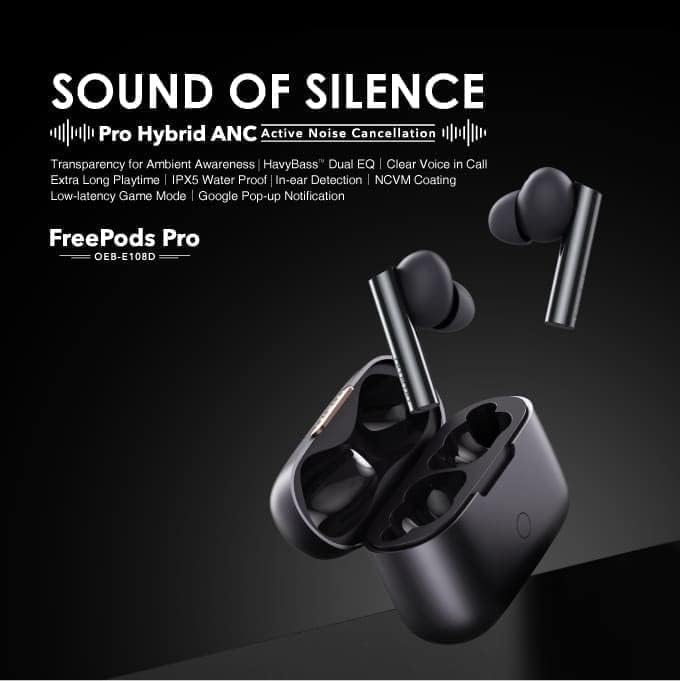
Image: Promotional graphic detailing "SOUND OF SILENCE" with Pro Hybrid ANC, HavyBass Dual EQ, IPX5 Water Proof, and other key features of the Free Pods Pro.
2. HavyBass™ Dual EQ Sound Modes
Switch between HavyBass Mode and Normal Mode to tailor the sound effect to your preference. The 8mm drivers are designed to provide pristine and beautiful signature sound.
To switch modes, tap and hold the left earbud until you hear 4 beeps.

Image: Exploded view of an earbud showing internal components and a diagram illustrating the tap gesture on the left earbud to switch between HavyBass and Normal sound modes.
3. Playtime
- Up to 13 hours of music playtime with ANC OFF.
- The case provides an additional 30 hours of playtime (ANC OFF).
- Up to 9 hours of music playtime with ANC ON.
- The case provides an additional 23 hours of playtime (ANC ON).
Maintenance
1. Cleaning
Regularly clean your Free Pods Pro to ensure optimal performance and hygiene.
- Use a soft, dry, lint-free cloth to wipe the earbuds and charging case.
- For ear tips, remove them and clean with a mild soap solution if necessary, then rinse and dry thoroughly before reattaching.
- Do not use abrasive cleaners or immerse the earbuds or case in water.
2. Storage
Store your Free Pods Pro in their charging case when not in use to protect them and keep them charged.
3. Battery Care
To prolong battery life, avoid exposing the device to extreme temperatures. Charge the device regularly, even if not in frequent use.
Troubleshooting
If you encounter issues with your Oraimo Free Pods Pro, refer to the common solutions below.
1. Earbuds Not Pairing/Connecting
- Ensure both earbuds are in the charging case and have sufficient charge.
- Turn off and on your device's Bluetooth.
- Forget "Oraimo Free Pods Pro" from your device's Bluetooth list and attempt to pair again.
- Ensure the earbuds are properly seated in the case and the case lid is opened to initiate pairing mode.
2. One Earbud Not Charging or Working
- Check that the earbud is correctly placed in its charging slot in the case.
- Clean the charging contacts on both the earbud and inside the case with a dry cotton swab.
- Ensure the charging case itself is charged.
3. Low Volume or Poor Sound Quality
- Adjust the volume on both your connected device and the earbuds.
- Ensure the ear tips are clean and free of debris.
- Try different sized ear tips to ensure a proper seal in your ear canal.
- Check if the HavyBass™ Dual EQ mode is set to your preference.
Specifications
| Feature | Detail |
|---|---|
| Model Name | Free Pods Pro |
| Item Model Number | OEB-E108D |
| Brand | Oraimo |
| BT Version | V5.0 |
| Range | 10m |
| Earbud Battery Capacity | 70mAh |
| Case Battery Capacity | 510mAh |
| Music Playtime (ANC OFF) | Up to 13 hours (earbuds), additional 30 hours (case) |
| Music Playtime (ANC ON) | Up to 9 hours (earbuds), additional 23 hours (case) |
| Case Input | Type-C |
| Product Dimensions | 3.8 x 13 x 41.6 cm; 25 g |
| Color | Silver |
| Coating | NCVM (Non-Conductive Vacuum Metallization) |
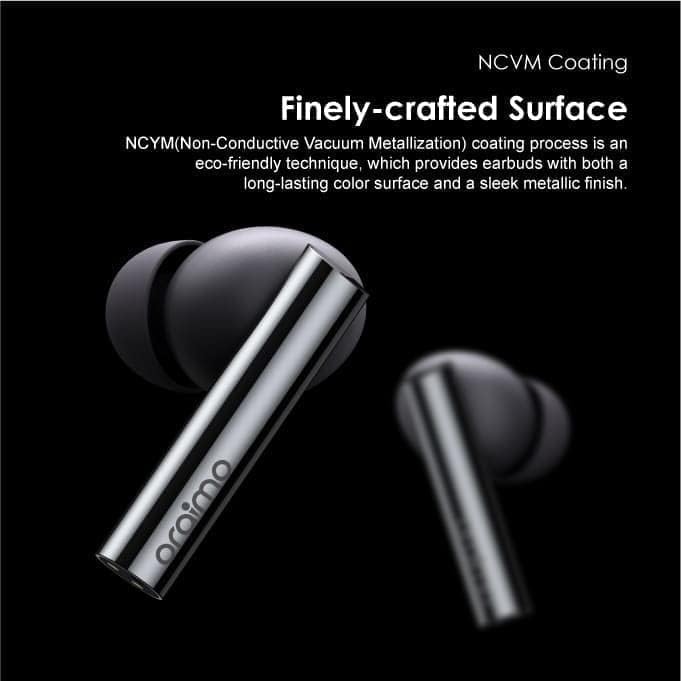
Image: Close-up view of an Oraimo Free Pods Pro earbud, highlighting its finely-crafted surface with NCVM coating for a sleek metallic finish.
Warranty and Support
Warranty Information
Your Oraimo Free Pods Pro are covered by a manufacturer's warranty. For specific warranty terms and conditions, please refer to the documentation included with your purchase or visit the official Oraimo website. Extended warranty options may also be available from third-party providers.
- 1-Year Extended Warranty by Salama Care (E-mail delivery)
- 2-Year Extended Warranty by Salama Care (E-mail delivery)
Customer Support
For further assistance, technical support, or service inquiries, please contact Oraimo customer support through their official channels. Details can typically be found on the product packaging or the Oraimo brand website.