2. System Setup
This section guides you through the initial setup of your ANNKE NCK800 security system.
2.1 Package Contents
Verify that all components are present in your package:
- ANNKE 8-Channel NVR Recorder
- 8 x ANNKE 4K PoE Turret Cameras
- 4TB Hard Disk Drive (pre-installed in NVR)
- Power Adapter for NVR
- Ethernet Cables
- USB Mouse
- Mounting Screws and Plugs
- Quick Start Guide
2.2 Hardware Installation
- NVR Placement: Position the NVR in a secure, well-ventilated area, away from direct sunlight and moisture. Ensure it is connected to a power source and a monitor (via HDMI or VGA) for initial configuration.
- Camera Mounting: Select appropriate locations for your cameras, considering coverage area and power access. The cameras are IP67 weatherproof, suitable for both indoor and outdoor use. Securely mount each camera using the provided screws.
- PoE Connection: Connect each camera to the NVR's PoE ports using Ethernet cables. The NVR will provide both power and data transmission to the cameras.
- Network Connection: Connect the NVR to your router using an Ethernet cable for remote access and notifications.
- Power On: Connect the NVR to a power outlet using the provided power adapter. The system will boot up automatically.

Figure 2.2.1: Overview of the ANNKE NCK800 4K PoE Security Camera System components.
2.3 Initial Configuration
Follow the on-screen prompts on the connected monitor to complete the initial setup wizard. This typically includes setting a password, configuring network settings, and formatting the hard drive if necessary.
3. Operating Your System
This section details how to operate your ANNKE NCK800 system and utilize its advanced features.
3.1 Live View and Playback
- Live View: Access the live feed from all connected cameras via the NVR's monitor output or through the ANNKE mobile application/client software.
- Playback: Use the NVR interface or software to review recorded footage stored on the 4TB HDD. You can search by date, time, and event type.
3.2 4K Ultra HD Video Quality
The NCK800 system records in 4K Ultra HD at 20 frames per second, providing highly detailed and clear video footage. The large 1/1.2'' CMOS sensor enhances light capture for superior image quality.
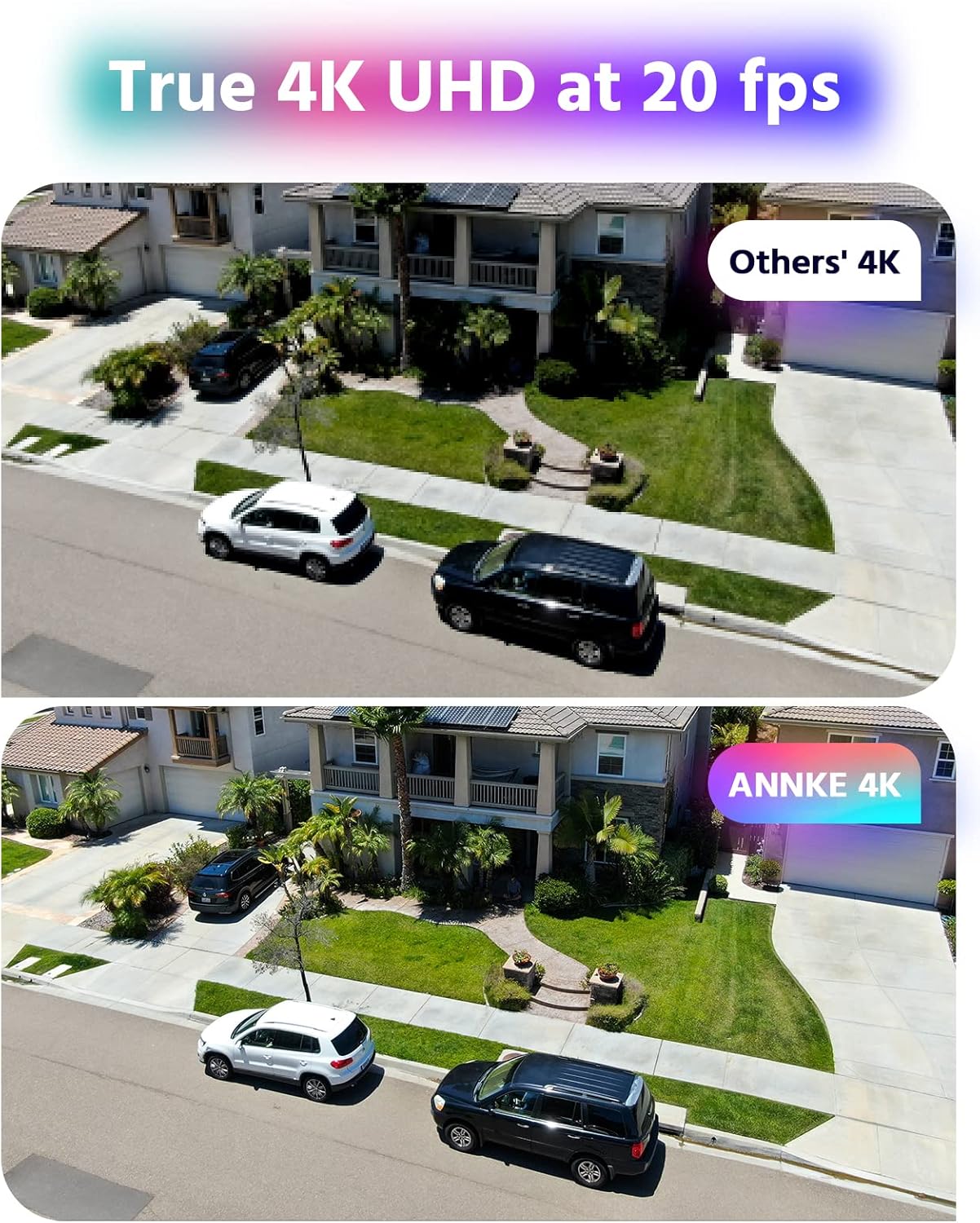
Figure 3.2.1: ANNKE 4K UHD provides superior detail compared to other 4K systems.
3.3 NightChroma 4K Color Night Vision
The NCK800 cameras feature NightChroma technology, providing full-color video even in extremely low-light conditions. This is achieved through an f/1.0 super aperture and advanced image sensors, capturing significantly more light than standard cameras.

Figure 3.3.1: NightChroma Color Night Vision provides detailed, colorful images in darkness.
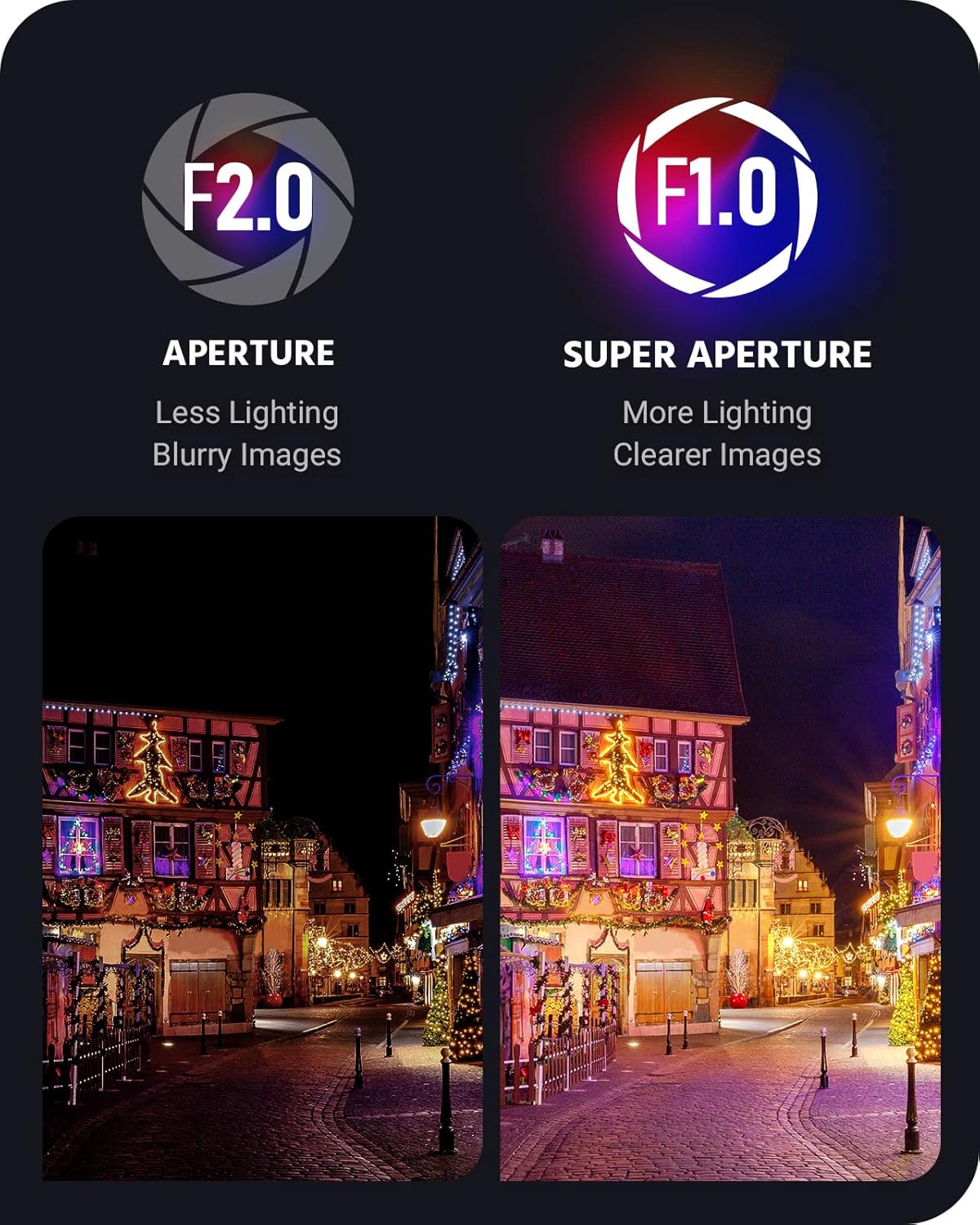
Figure 3.3.2: F1.0 Super Aperture captures more light for enhanced clarity.
3.4 Human & Vehicle Detection
Configure the AI human and vehicle detection settings to receive accurate alerts. This feature minimizes false alarms caused by environmental factors such as swaying trees or rain.
- Configuration: Access the NVR's menu or the ANNKE software to define detection zones and sensitivity levels for human and vehicle recognition.
- Alerts: When a human or vehicle is detected, the system can send instant app pushes and email alerts with snapshots to your registered devices.

Figure 3.4.1: Human and Vehicle Detection in action.
3.5 Wide Dynamic Range (WDR) and Digital Noise Reduction (DNR)
The 130 dB True WDR feature corrects image exposure in scenes with both very bright and very dark areas, ensuring details are visible across the entire frame. 3D DNR reduces visual noise, especially in low-light conditions, for clearer video.

Figure 3.5.1: 130 dB True WDR improves image quality in high-contrast environments.
3.6 Field of View (FoV)
The cameras are equipped with a 2.8 mm lens, providing a wide 124° field of view, allowing for extensive coverage of your monitored area.

Figure 3.6.1: Wider field of view with a 2.8 mm lens.
3.7 H.265+ Video Coding
Your system utilizes H.265+ video compression technology, which significantly reduces file sizes compared to older H.264 standards, allowing for more storage capacity on the 4TB HDD and more efficient bandwidth usage for remote viewing.
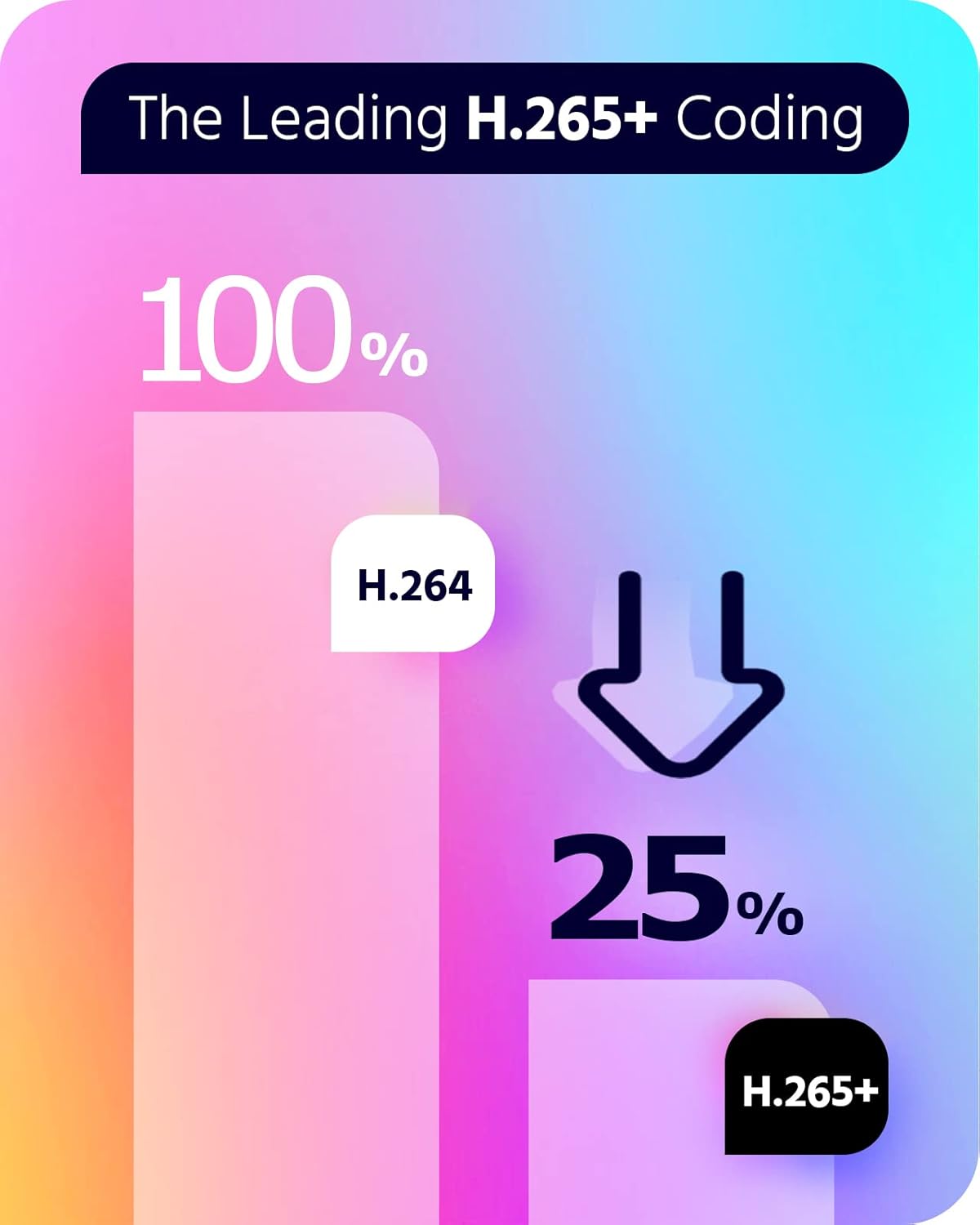
Figure 3.7.1: H.265+ coding provides efficient video storage.
7. Warranty and Support
ANNKE provides customer support and warranty services for its products. For specific warranty terms and conditions, please refer to the warranty card included with your product or visit the official ANNKE website.
7.1 Technical Support
If you require technical assistance, have questions about your system, or need troubleshooting beyond what is covered in this manual, please contact ANNKE customer support. Support contact information can typically be found on the ANNKE official website or in your product's packaging.
Online Resources: For additional guides, FAQs, and software downloads, visit the official ANNKE support page: www.annke.com/support (example link, actual link may vary).


