
1. Introduction
This manual provides essential information for the proper use and maintenance of your VILTROX AF 13mm f/1.4 XF Ultra Wide Angle APS-C Lens. Designed for Fujifilm X-Mount mirrorless cameras, this lens offers a wide field of view and a bright maximum aperture, suitable for various photographic applications including environmental portraits, cityscapes, landscapes, architecture, and macro photography. Please read this manual thoroughly before using the lens to ensure optimal performance and longevity.
2. Product Overview
The VILTROX AF 13mm f/1.4 XF lens is constructed with precision and features an advanced optical design. Key components include the lens barrel, focus ring, aperture ring, lens mount, and lens hood attachment point.

Figure 2.1: Front view of the VILTROX AF 13mm f/1.4 XF lens with its included lens hood.

Figure 2.2: The VILTROX AF 13mm f/1.4 XF lens attached to a Fujifilm X-T2 camera body.
2.1. Optical Design and Features
The lens incorporates a sophisticated optical structure to deliver high image quality. It features a large aperture for shallow depth of field and excellent low-light performance.

Figure 2.3: Illustration of the lens's large aperture, internal construction (Aspheric, ED, and High Refractive Index lenses), and Modulation Transfer Function (MTF) chart.
3. Setup
3.1. Attaching the Lens
- Ensure your camera is turned off.
- Remove the rear lens cap from the VILTROX 13mm f/1.4 lens and the body cap from your Fujifilm X-Mount camera.
- Align the white dot on the lens barrel with the white dot on your camera's lens mount.
- Gently insert the lens into the camera mount and rotate it clockwise until it clicks into place. Do not force the lens.
- Attach the lens hood by aligning its mark with the mark on the front of the lens and twisting until it locks.
3.2. Detaching the Lens
- Ensure your camera is turned off.
- Press and hold the lens release button on your camera body.
- Rotate the lens counter-clockwise until it detaches from the camera body.
- Immediately attach the rear lens cap to the lens and the body cap to the camera to protect the sensors and optics from dust.
4. Operating Instructions
4.1. Autofocus (AF) System
The lens features an STM motor for quick, quiet, and precise autofocus performance. It supports advanced camera features such as eye-focus tracking.
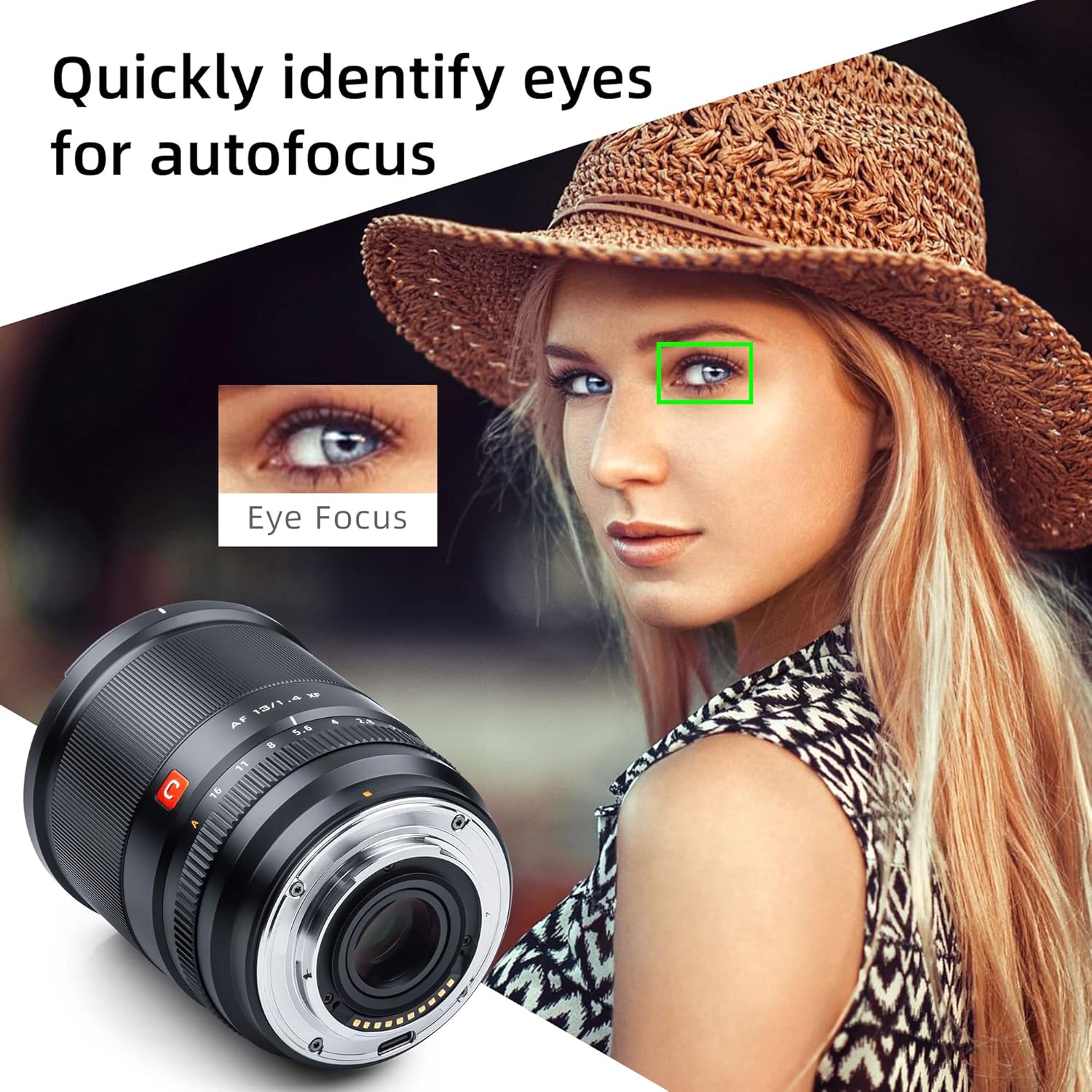
Figure 4.1: The lens's ability to quickly identify and focus on a subject's eyes for accurate portraits.
4.2. Manual Focusing and Aperture Control
The lens includes a manual focusing ring for precise focus adjustments and a manual aperture ring for direct control over depth of field. The aperture ring provides smooth rotation with distinct clicks for each stop, making it suitable for both photography and video recording.
4.3. Minimum Focusing Distance
With a minimum focusing distance of 8.6 inches (22 cm), the lens allows for close-up photography, enabling dynamic compositions by moving closer to your subject.

Figure 4.2: Demonstration of the lens's close-focusing capabilities, highlighting 0.1x maximum magnification and 0.22m closest focusing distance.
4.4. Firmware Updates
The lens supports USB firmware upgrades to improve performance and compatibility. Connect the lens to a computer via its USB port and follow the instructions on the VILTROX official website for the latest firmware and update procedures.

Figure 4.3: Key features of the lens including the USB upgrade port, robust metal construction, and advanced HD Nano Multilayer Coating.
5. Maintenance
5.1. Cleaning the Lens
- Use a blower brush to remove dust and loose particles from the lens surfaces.
- For smudges or fingerprints, apply a small amount of lens cleaning solution to a clean microfiber cloth and gently wipe the lens in a circular motion from the center outwards.
- Never use abrasive materials or harsh chemicals, as these can damage the lens coatings.
5.2. Storage
- When not in use, always attach the front and rear lens caps.
- Store the lens in a cool, dry place, away from direct sunlight and extreme temperatures.
- Consider using a dehumidifying cabinet or silica gel packets in humid environments to prevent mold growth.
6. Troubleshooting
6.1. Lens Not Attaching Properly
- Ensure the lens and camera mount alignment marks are correctly matched.
- Check for any obstructions or debris on the lens mount or camera body mount.
6.2. Autofocus Not Working
- Verify that the camera's autofocus mode is enabled.
- Clean the electronic contacts on both the lens and the camera body with a clean, dry cloth.
- Ensure the lens firmware is up to date.
6.3. Image Quality Issues (e.g., Softness, Aberrations)
- Check if the lens is clean and free from smudges or dust.
- Ensure proper focus. If using autofocus, try manual focus to confirm.
- Review camera settings such as aperture, shutter speed, and ISO.
7. Specifications

Figure 7.1: The complete package contents for the VILTROX AF 13mm f/1.4 XF lens.
| Feature | Detail |
|---|---|
| Brand | VILTROX |
| Model Number | Q-0225-03279 |
| Focal Length | 13mm |
| Maximum Aperture | f/1.4 |
| Lens Type | Ultra Wide Angle, APS-C |
| Compatible Mountings | Fujifilm X-Mount |
| Autofocus Motor | STM |
| Minimum Focusing Distance | 0.22m (8.6 inches) |
| Product Dimensions | 3.54 x 2.91 x 2.91 inches |
| Item Weight | 2.09 pounds |
| Firmware Update | USB Port |
8. Warranty and Support
For warranty information and customer support, please refer to the documentation included with your product or visit the official VILTROX website. You can also find additional resources and contact information on the VILTROX Official Store on Amazon.
Additional safety and compliance documents are available:


