
1. Introduction
Thank you for choosing the Severin HV 7152 Cordless 2-in-1 Stick Vacuum Cleaner. This manual provides important information regarding the safe and efficient use, maintenance, and troubleshooting of your appliance. Please read it thoroughly before first use and keep it for future reference.
The Severin HV 7152 is a versatile 2-in-1 cordless vacuum cleaner designed for general floor cleaning, quick clean-ups, car interior cleaning, and above-floor tasks like furniture and ceiling cobweb removal. It features a high-speed rotating brush with LED lighting and offers up to 40 minutes of runtime.
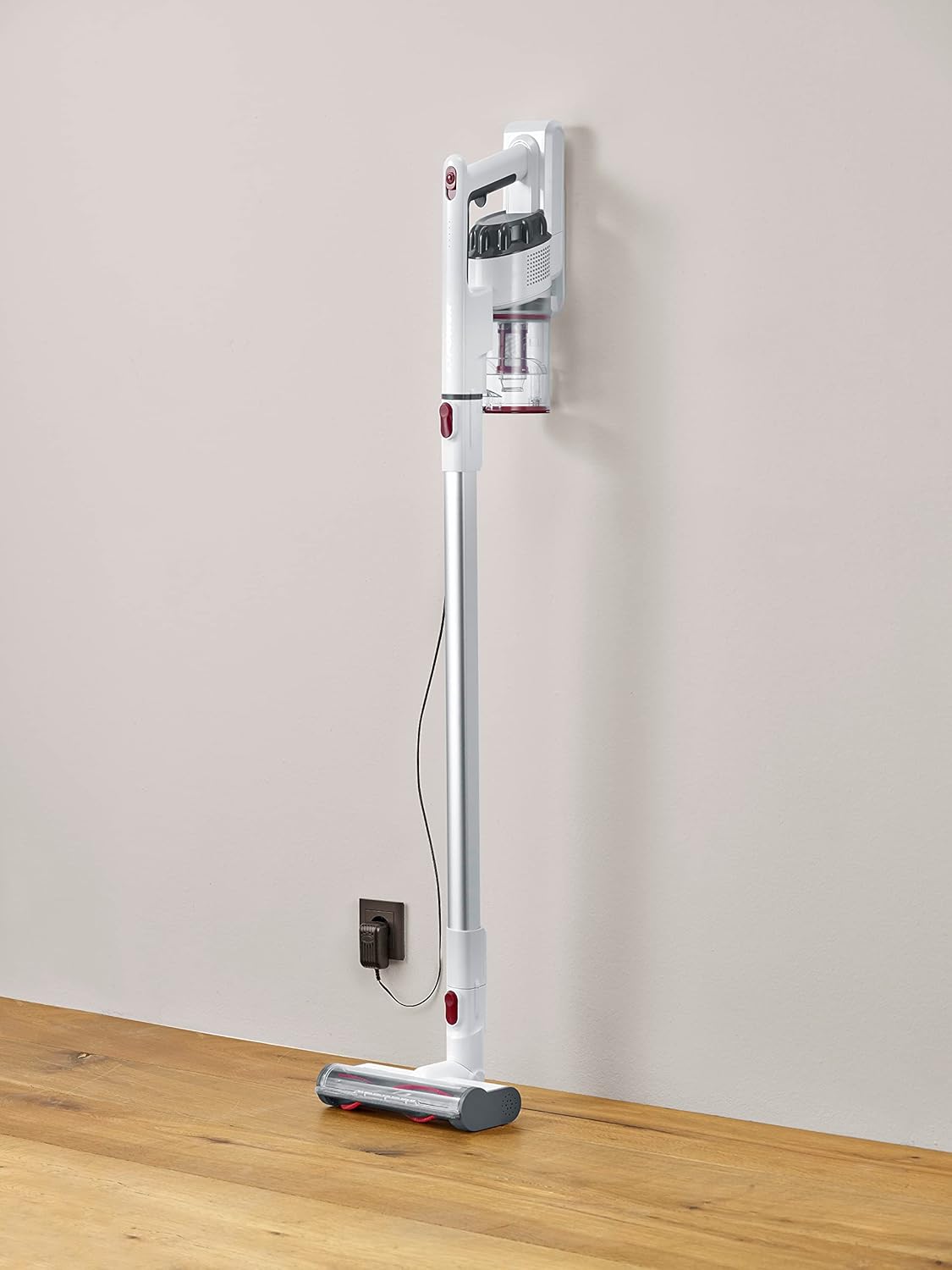
Image 1.1: The Severin HV 7152 Cordless 2-in-1 Stick Vacuum Cleaner in its upright position, charging.
2. Safety Information
- Read all instructions before using the appliance.
- Do not use the vacuum cleaner outdoors or on wet surfaces.
- Do not allow children to operate the appliance. Close supervision is necessary when used near children.
- Do not pick up flammable or combustible liquids, such as gasoline, or use in areas where they may be present.
- Do not pick up anything that is burning or smoking, such as cigarettes, matches, or hot ashes.
- Do not use without the dust cup and/or filters in place.
- Turn off the appliance before connecting or disconnecting the battery charger.
- Use only the charger supplied by the manufacturer.
- Store the appliance indoors in a cool, dry place.
3. Setup and Assembly
The Severin HV 7152 is designed for easy assembly. Follow these steps to prepare your vacuum cleaner for first use:
3.1 Unpacking and Component Identification
Carefully remove all components from the packaging. Ensure all parts listed below are present:
- Main unit (motor and dust container)
- Extension tube
- Motorized floor brush with LED lights
- Crevice tool
- Upholstery brush / 2-in-1 brush
- Wall mount (if included)
- Charging adapter

Image 3.1: Included accessories: crevice tool and upholstery brush.
3.2 Initial Charging
Before first use, fully charge the battery. Connect the charging adapter to the main unit and plug it into a power outlet. The battery indicator lights will show the charging status. A full charge takes approximately 5 hours.
3.3 Assembling the Stick Vacuum
- Attach the extension tube to the main unit until it clicks into place.
- Attach the motorized floor brush to the other end of the extension tube until it clicks into place.
Your stick vacuum is now assembled. For handheld use, detach the extension tube and attach desired accessories directly to the main unit.
Video 3.2: An overview of the cordless vacuum cleaner, demonstrating its features and assembly.
4. Operating Instructions
The Severin HV 7152 offers flexible cleaning options with its 2-in-1 design and multiple power levels.
4.1 Power On/Off and Suction Levels
Press the power button on the main unit to turn the vacuum cleaner on. The appliance has 3 power levels. Press the power button repeatedly to cycle through the suction levels (low, medium, high). The battery level indicators will show the remaining charge.
4.2 Using as a Stick Vacuum
For floor cleaning, use the assembled stick vacuum with the motorized floor brush. The brush features 3 LED lights to illuminate dark areas, making dirt more visible.

Image 4.1: The motorized floor brush with LED lights in action.
4.3 Using as a Handheld Vacuum
To convert to a handheld vacuum, press the release button to detach the extension tube from the main unit. Attach the desired accessory (crevice tool or upholstery brush) directly to the main unit.

Image 4.2: Using the handheld vacuum with the crevice tool for hard-to-reach areas.
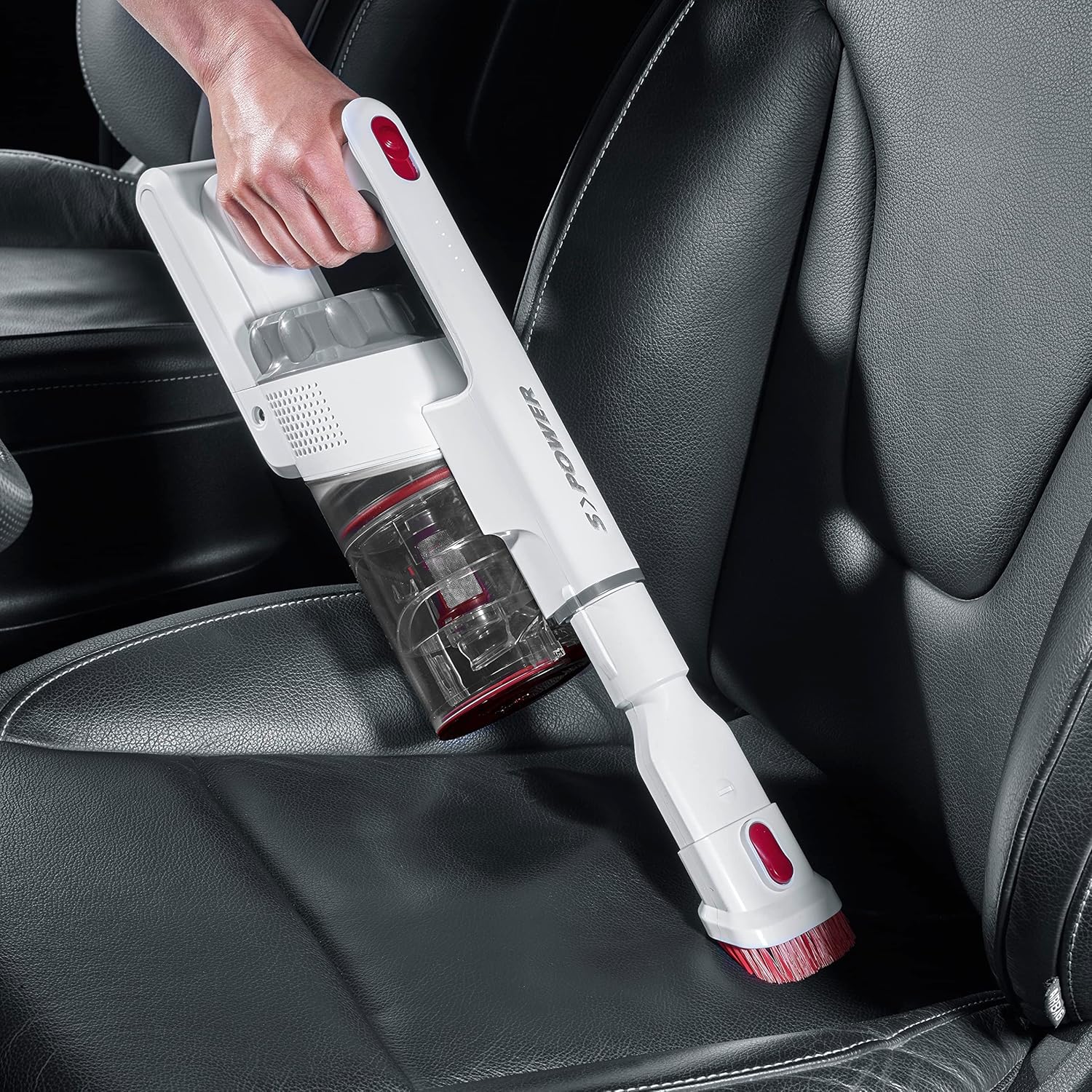
Image 4.3: Cleaning a car interior with the handheld vacuum and upholstery brush.
Video 4.4: Practical product illustration showing various uses and features of the vacuum cleaner.
5. Maintenance
Regular maintenance ensures optimal performance and extends the lifespan of your Severin HV 7152.
5.1 Emptying the Dust Container
The dust container has a capacity of 500 ml. Empty it regularly to maintain suction power.
- Ensure the vacuum cleaner is turned off.
- Press the release button on the dust container to open the bottom flap and empty contents into a waste bin.

Image 5.1: Emptying the dust container.
5.2 Cleaning the Filters
The vacuum cleaner uses a cartridge filter. Clean the filters regularly to prevent clogging and maintain suction.
- Ensure the vacuum cleaner is turned off.
- Remove the dust container from the main unit.
- Twist and pull out the filter assembly from the dust container.
- Separate the individual filter components.
- Tap the filters to remove loose dust. If heavily soiled, rinse them under running water. Ensure they are completely dry before reassembling and placing back into the vacuum cleaner.

Image 5.2: Removing the filter from the dust container.
5.3 Cleaning the Rotating Brush
Periodically check the motorized floor brush for tangled hair or debris.
- Ensure the vacuum cleaner is turned off and disconnected from the extension tube.
- Locate the release mechanism on the side of the brush head.
- Remove the brush roller.
- Use scissors or a brush to remove any tangled hair or fibers.
- Reinsert the brush roller until it clicks into place.

Image 5.3: Underside of the motorized floor brush, showing the brush roller.
Video 5.4: Detailed view of product features, including maintenance aspects like filter cleaning.
6. Troubleshooting
If you encounter issues with your Severin HV 7152, refer to the following table for common problems and solutions.
| Problem | Possible Cause | Solution |
|---|---|---|
| Vacuum cleaner does not turn on. | Battery is discharged. | Charge the battery fully. |
| Low suction power. | Dust container is full. | Empty the dust container. |
| Low suction power. | Filters are clogged. | Clean or replace the filters. |
| Low suction power. | Brush roller is tangled. | Clean the brush roller. |
| Motorized brush does not rotate. | Brush roller is jammed or tangled. | Clean the brush roller and check for obstructions. |
| Battery does not charge. | Charger not properly connected. | Ensure charger is securely connected to both the vacuum and the power outlet. |
| Battery does not charge. | Faulty charger or battery. | Contact customer support for assistance. |
7. Specifications
| Feature | Detail |
|---|---|
| Brand | Severin |
| Model Name | HV7152 |
| Model Number | HV 7152 |
| Special Feature | Bagless |
| Filter Type | Cartridge |
| Recommended Surfaces | Upholstery, General floor cleaning, Quick cleaning, Car interiors, Above-floor cleaning (furniture, cobwebs) |
| Power Source | Battery Powered |
| Capacity | 500 Milliliters |
| Color | White |
| Noise Level | 75 Decibels |
| Number of Speeds/Power Levels | 3 |
| Portable | Yes |
| Indoor/Outdoor Use | Indoor |
| Finish Type | Glossy |
| Cordless | Yes |
| Item Weight | 1.42 Kilograms |
| Item Dimensions (L x W x H) | 28L x 15W x 68H cm |
| Control Type | Manual Control, Touch |
| Form Factor | Stick Vacuum |
| Included Components | Crevice nozzle |
| Voltage | 22.2 Volts |
| Wattage | 120 Watts |
| Battery Charge Time | 5 Hours |
| Battery Life/Runtime | Up to 40 Minutes |
| Connectivity Technology | USB |
8. Warranty and Support
8.1 Warranty Information
This Severin appliance comes with a standard manufacturer's warranty. Please refer to the warranty card included in your product packaging for specific terms, conditions, and duration. Keep your proof of purchase for any warranty claims.
8.2 Customer Support
For technical assistance, spare parts, or any questions regarding your Severin HV 7152, please contact Severin customer support. Contact details can typically be found on the official Severin website or on the product packaging.


