
TEEHO TE002
TEEHO TE002 Fingerprint Door Lock
User Manual
1. Product Overview
The TEEHO TE002 Fingerprint Door Lock is an advanced keyless entry solution designed for enhanced home security and convenience. This electronic keypad deadbolt offers multiple access methods including biometric fingerprint identification, user-defined PIN codes, and traditional physical keys. It features smart functionalities such as auto-locking and one-touch locking, making it an ideal choice for front doors and various residential applications. The lock is built with durable aluminum and is designed for easy installation.

Image: The TEEHO TE002 Fingerprint Door Lock in Satin Nickel, showcasing the keypad, fingerprint sensor, and keyhole.
2. Installation Guide
The TEEHO TE002 lock is designed for straightforward installation, typically requiring only a screwdriver. No drilling is necessary for standard installations. Ensure your door meets the compatibility requirements before beginning.
2.1 Compatibility Requirements
- Door Holes: Compatible only with 2-1/8" (54mm) door holes.
- Door Thickness: Suitable for doors with a thickness between 1-3/8" and 2" (35mm to 50mm).
- Backset: Supports 2-3/8" or 2-3/4" (60mm or 70mm) backsets.

Image: Detailed diagram illustrating the required door hole diameter, door thickness, and backset measurements for proper installation of the TEEHO TE002 lock.
2.2 Basic Installation Steps (Summary)
- Prepare the door: Ensure the door hole and thickness match the specifications.
- Install the latch: Insert the latch into the door edge and secure it.
- Install the exterior assembly: Place the exterior keypad assembly onto the door, aligning it with the latch.
- Install the interior assembly: Attach the interior assembly, ensuring proper cable connection and alignment.
- Secure the lock: Fasten all screws to secure both assemblies.
- Install batteries: Insert 4 AA batteries (not included) into the battery compartment.
- Test the lock: Perform initial tests to ensure all functions operate correctly.
For detailed step-by-step instructions, please refer to the complete installation manual provided with your product or available for download on the TEEHO website.
3. Operating Instructions
The TEEHO TE002 offers multiple convenient ways to access your property.
3.1 Fingerprint Unlock
Unlock your door in approximately 1 second using the integrated biometric fingerprint identification technology. The lock recognizes your fingerprint in as little as 0.3 seconds. You can register up to 20 unique fingerprints for family members.

Image: A user placing their finger on the biometric sensor of the TEEHO TE002 lock for quick unlocking.
3.2 Keypad Entry (PIN Codes)
The electronic keypad allows for secure access using PIN codes. You can create up to 20 user codes for regular access and generate one-time PIN codes for temporary guests or service providers. One-time codes are automatically deleted after a single use, enhancing security.

Image: Visual representation of the various access methods available, including 20 fingerprints, 20 user codes, one-time PIN codes, and physical keys.

Image: A person receiving a one-time password via text message to grant temporary access to another individual.
3.3 Auto-Lock and One-Touch Locking
- Auto-Lock: The lock can be configured to automatically lock after a set period, typically between 10-99 seconds, ensuring your door is always secured after entry or exit.
- One-Touch Auto-Lock: To manually engage the auto-lock feature instantly, simply press and hold any key on the keypad for 2 seconds.
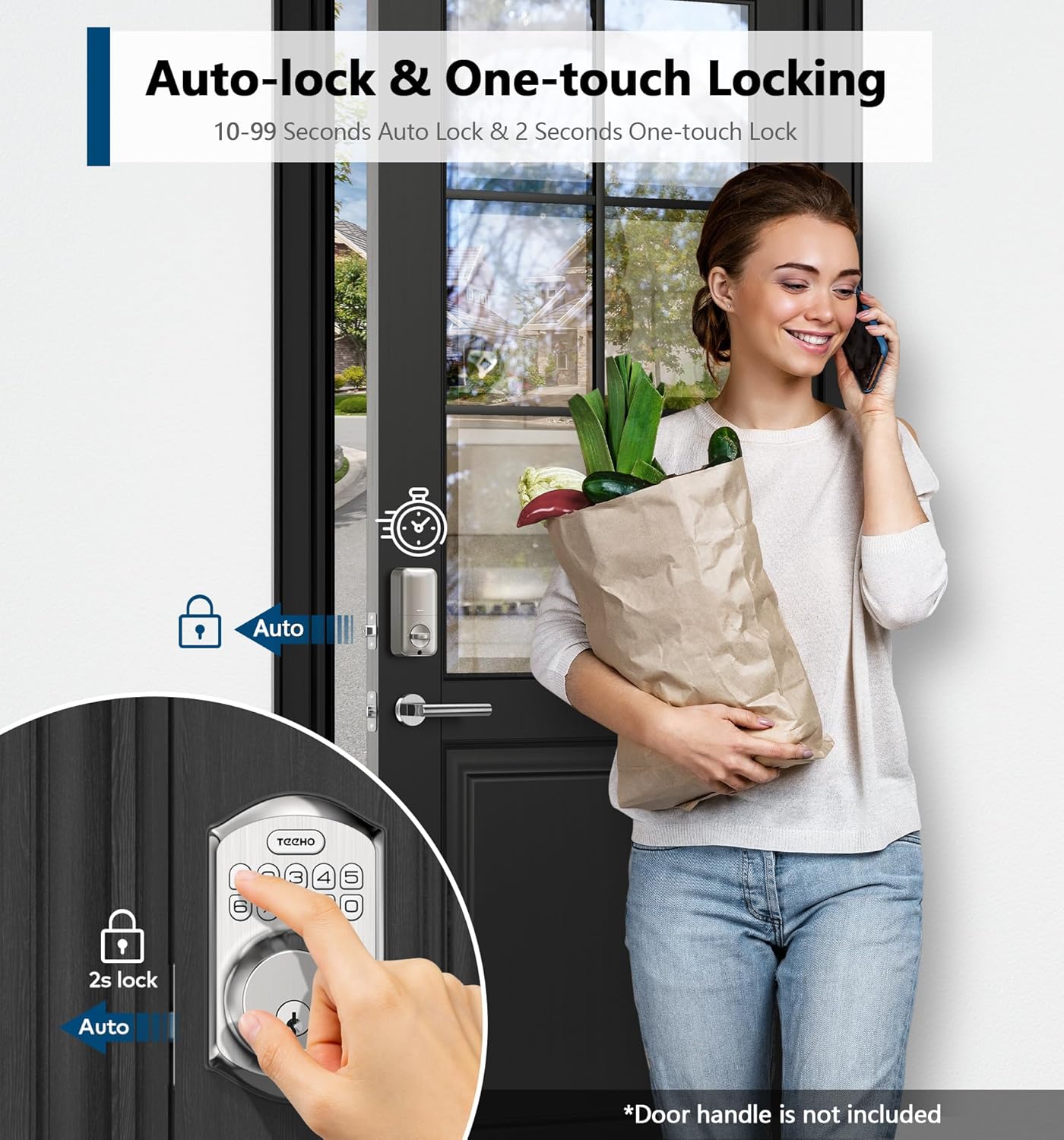
Image: A woman demonstrating the one-touch auto-lock feature by pressing a button on the keypad, with an arrow indicating automatic locking.
3.4 Anti-Peeping Password
To prevent others from guessing your code, you can enter random digits before or after your actual PIN code. As long as the correct sequence of your PIN code is embedded within the longer sequence, the lock will unlock.
4. Maintenance
4.1 Battery Information
The TEEHO TE002 lock operates on 4 AA batteries (not included). For optimal performance, it is recommended to use high-quality alkaline batteries. The lock features a low battery indicator to alert you when the batteries need to be replaced, ensuring continuous operation.

Image: Illustration of the lock's energy conservation features, including up to 6 months of battery life and a visible low battery indicator on the keypad.
4.2 General Care
- Clean the lock surface with a soft, damp cloth. Avoid abrasive cleaners or solvents.
- Ensure the fingerprint sensor and keypad are free from dirt or debris for optimal performance.
- The lock has an IP54 waterproof rating, providing protection against dust and splashing water, suitable for indoor and outdoor use.
5. Troubleshooting
If you encounter issues with your TEEHO TE002 lock, consider the following general troubleshooting tips:
- Lock not responding: Check battery levels and replace if necessary. Ensure batteries are inserted correctly.
- Fingerprint not recognized: Ensure your finger is clean and dry. Try re-registering your fingerprint if issues persist.
- Keypad not responding: Verify that the keypad is clean. Re-enter the code carefully.
- Auto-lock not engaging: Check the auto-lock settings to ensure it is enabled and the delay time is configured as desired.
- Lock mechanism issues: Ensure the door frame and strike plate are properly aligned and not obstructing the deadbolt.
For more specific troubleshooting steps or persistent issues, please refer to the comprehensive troubleshooting section in the full user manual or contact TEEHO customer support.
6. Specifications
| Feature | Detail |
|---|---|
| Brand | TEEHO |
| Model Number | TE002 |
| Lock Type | Keypad/Fingerprint Deadbolt Lock |
| Special Features | Fingerprint unlock, Passcode One-time Access, Auto Lock, One-touch Anti-peeping Password, IP54 Waterproof |
| Material | Aluminum |
| Color | Satin Nickel |
| Item Dimensions (L x W x H) | 5.12 x 2.95 x 1.3 inches |
| Item Weight | 1 Pounds |
| Power Source | 4 AA Batteries (not included) |
| Control Method | Touch (Keypad, Fingerprint) |
| Connectivity Protocol | Nonconnected |
| Recommended Uses | Indoor door lock, Outdoor door lock |
7. Warranty and Support
TEEHO stands behind its products with comprehensive customer support and warranty coverage:
- Warranty: TEEHO offers a 1-year product support on all parts.
- Customer Commitment: Enjoy a 30-day customer commitment period.
- Lifetime After-Sales Service: TEEHO provides lifetime after-sales customer service.
- Support Channels: This includes online phone support from Monday to Friday, 9 AM to 5 PM PST, and 24/7 online email service.
For assistance, please visit the official TEEHO website or refer to the contact information provided in your product packaging.
Related documentsTE002


Ask a question about this manual
Ask about setup, troubleshooting, compatibility, parts, safety, or missing instructions. Manuals+ will review the question and use this page’s manual context to help answer it.