1. Product Overview
The BOIFUN Motorcycle Drive Recorder is a comprehensive recording system designed for motorcycles, featuring a 4-inch LCD touch panel, front and rear 1080P Full HD cameras, and advanced recording functionalities. It is built to withstand various weather conditions and provides reliable incident recording.

Image: The BOIFUN Motorcycle Drive Recorder display unit mounted on a motorcycle, illustrating its compact size and clear screen.
2. Package Contents
Please verify that all items listed below are included in your package:
- Main Display Unit (4-inch LCD)
- Front Camera
- Rear Camera
- GPS Module
- Wired Remote Control
- Power Adapter
- Camera Extension Cables (2 pieces)
- Mounting Bracket Set
- USB Cable
- User Manual (Japanese)

Image: A complete set of components for the drive recorder, including the main unit, cameras, cables, and accessories.
3. Setup and Installation
3.1 MicroSD Card Insertion
- Ensure the device is powered off.
- Locate the microSD card slot on the main unit.
- Insert a compatible microSD card (8GB to 128GB, Class 10, U3 recommended) firmly into the slot until it clicks.
Note: The microSD card is not included. Locked files are not overwritten, so ensure sufficient memory to prevent recording issues.
3.2 Camera Installation
Mount the front and rear cameras securely on your motorcycle. The 140° wide-angle lenses provide extensive coverage. Ensure the cameras are positioned to capture clear views without obstruction.

Image: A motorcycle demonstrating the optimal placement of the front and rear cameras for maximum field of view.
3.3 Power Connection
Connect the drive recorder directly to your motorcycle's battery. This direct power supply eliminates the need for frequent charging. Pay close attention to connecting the positive and negative terminals correctly.
The power adapter requires a voltage output of DC5V/2A or higher for proper operation. Using standard 5V/1A or 5V/1.5A power adapters may lead to startup failures or repeated reboots.
3.4 GPS Module and Remote Control Installation
Install the GPS module in a location with a clear view of the sky for accurate speed and location data. Mount the wired remote control in an easily accessible position on your handlebars for quick access to recording functions.

Image: A detailed wiring diagram and an example installation on a motorcycle, showing connections for the main unit, cameras, GPS, and remote control.
4. Operating Instructions
4.1 Automatic Recording
The device automatically starts recording when the motorcycle engine is turned ON and stops when the engine is turned OFF. This ensures continuous recording during your rides.
4.2 Loop Recording
The drive recorder supports loop recording, which overwrites the oldest footage when the microSD card is full. You can set recording segments to 1, 3, 5, or 10 minutes. This ensures that you always have the most recent footage available.

Image: The drive recorder screen displaying continuous loop recording, with a visual representation of older files being overwritten.
4.3 G-Sensor (Impact Recording)
The built-in G-Sensor detects sudden impacts or vibrations. In the event of an accident or strong shock, the device automatically records and locks the footage, preventing it from being overwritten by loop recording. This ensures critical evidence is preserved.

Image: An illustration of an accident scenario, highlighting how the G-Sensor function automatically secures video evidence.
4.4 Wired Remote Control
The wired remote control provides convenient access to key functions without needing to interact with the main display unit. You can use it to:
- Lock the current recording file.
- Start/stop recording.
- Capture still images.
- Turn WiFi ON/OFF.
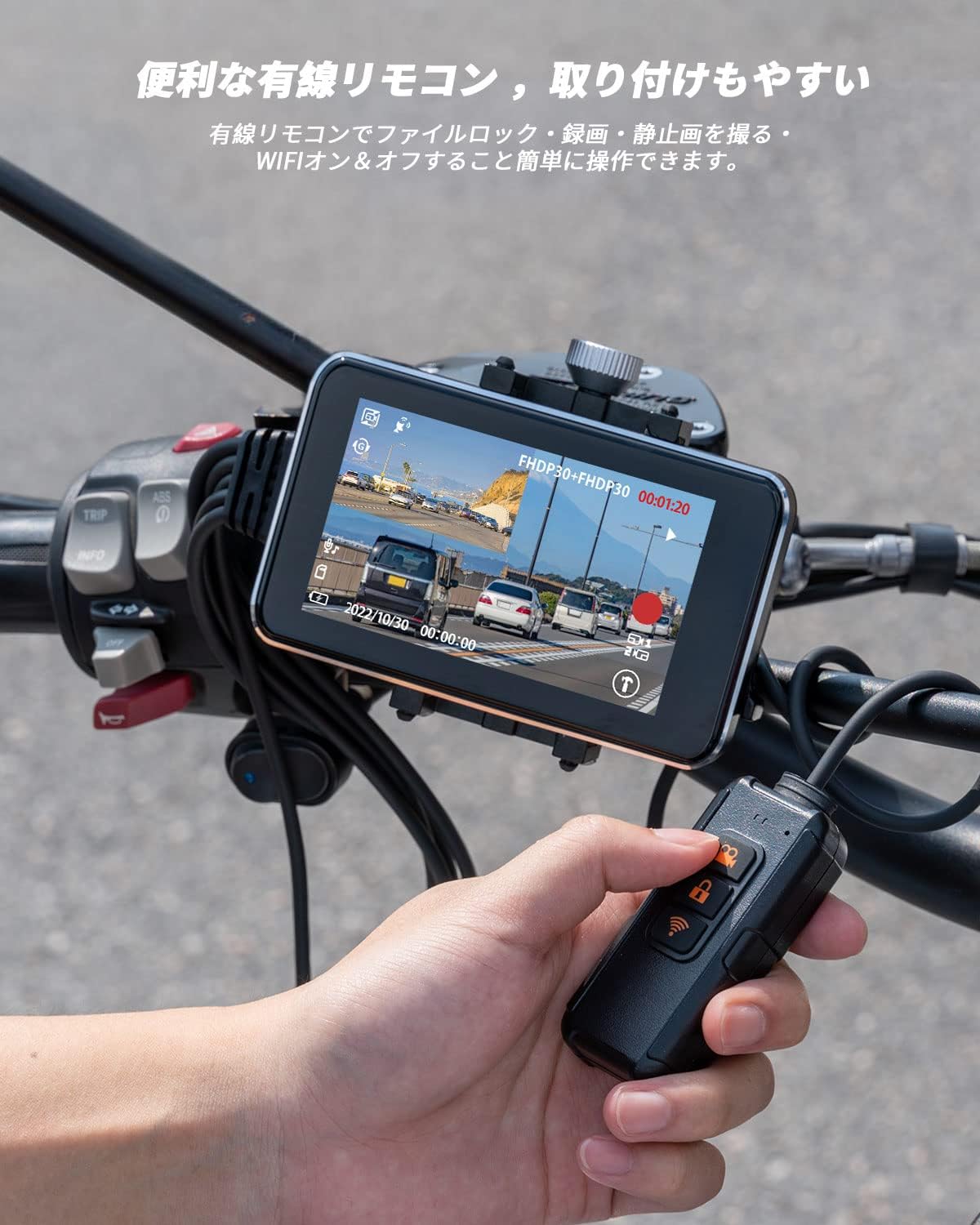
Image: A user demonstrating the wired remote control, showing its buttons for file lock, recording, and WiFi control.
4.5 Smartphone Integration (WiFi Function)
Connect your smartphone to the drive recorder via WiFi using the dedicated 'KYCAM2' app. This allows you to:
- View live footage from the cameras.
- Adjust camera positions for optimal recording.
- Download recorded videos and photos to your phone.
- Share your touring memories on social media platforms.
When connecting, ensure your smartphone is within 1 meter of the recorder for a stable WiFi connection.
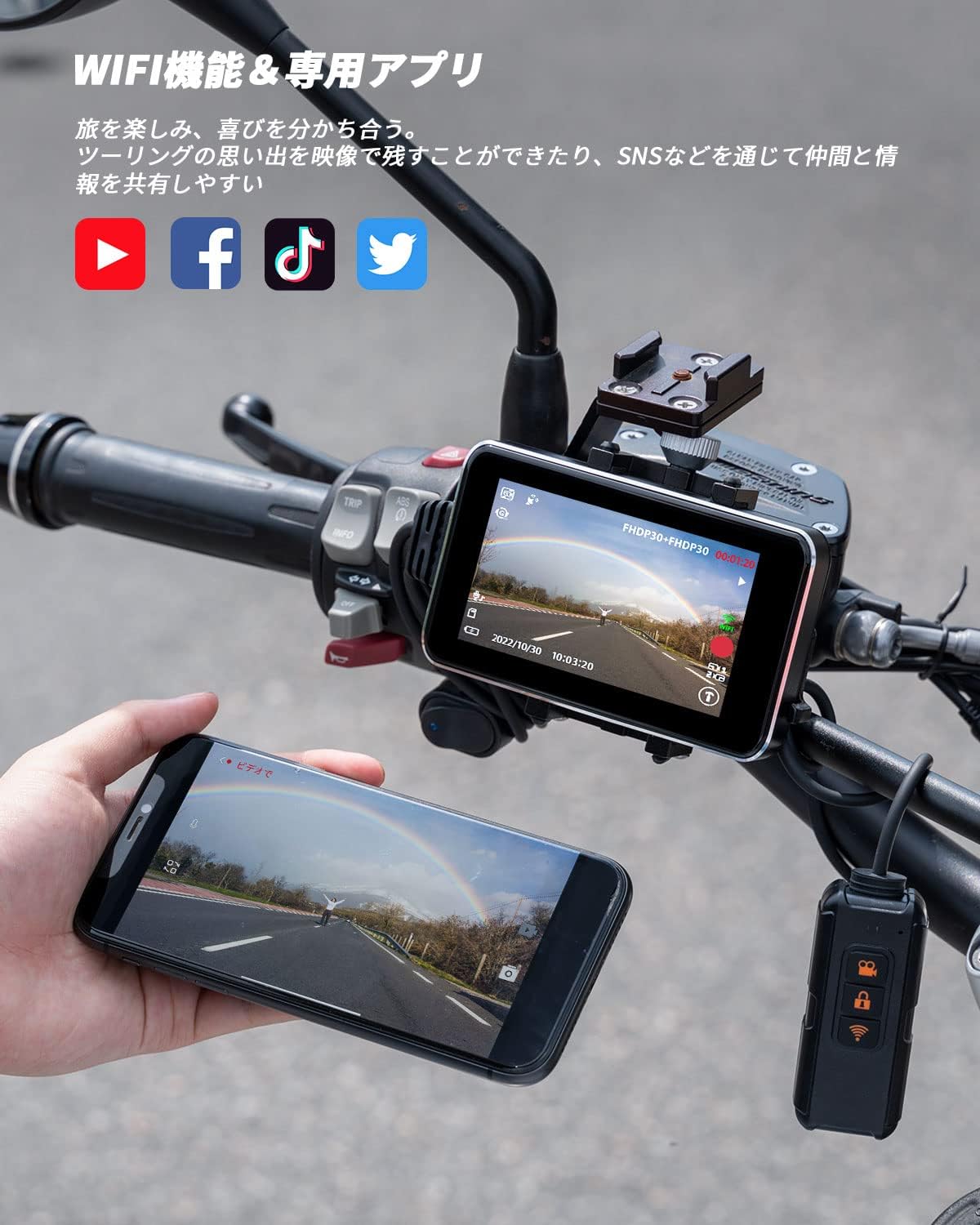
Image: A smartphone connected to the drive recorder, showing the live view from the camera and options for sharing on social media.
4.6 GPS Functionality
The integrated GPS function records your motorcycle's speed and location data. This information can be crucial for documenting travel routes and providing context in case of an incident. The GPS module is external, not built-in.

Image: A smartphone displaying a recorded route on a map, illustrating the GPS tracking feature.
5. Features
- 4-inch LCD Touch Panel: Large, clear display for easy operation and viewing.
- Front & Rear 1080P Full HD Recording: Captures high-quality video from both directions.
- HDR/WDR Image Correction: Prevents underexposure and overexposure in challenging lighting conditions (e.g., tunnels, bright sunlight).
- 140° Wide-Angle Cameras: Provides a broad field of view to capture more of the road and surroundings.
- IP65 (Main Unit) & IP67 (Cameras) Waterproof and Dustproof: Designed for durability and reliable performance in various weather conditions, including rain.
- Direct Power Supply: Connects directly to the motorcycle battery for continuous operation without internal battery concerns.
- G-Sensor & Impact Recording: Automatically locks video files upon detecting collisions to secure evidence.
- Loop Recording: Ensures continuous recording by overwriting the oldest files when the memory card is full.
- GPS Function: Records speed and location data for comprehensive trip logging.
- WiFi Function & Smartphone App ('KYCAM2'): Allows for live viewing, file management, and sharing via smartphone.
- Wired Remote Control: Offers convenient control over recording, file locking, and WiFi functions.

Image: An overview graphic showcasing the main features of the BOIFUN Motorcycle Drive Recorder, such as its display, camera resolution, and connectivity options.
6. Maintenance
6.1 MicroSD Card Management
Regularly check the microSD card for locked files. While locked files are protected from overwriting, they can accumulate and fill the card. If the card becomes full, the device may stop recording or reboot unexpectedly. Periodically back up important footage and format the card to ensure optimal performance.
6.2 Waterproofing
The main unit is IP65 rated, and the cameras are IP67 rated. To maintain their waterproof integrity, ensure all connectors are securely fastened. Avoid submerging the main unit in water. In rainy conditions, the device is designed to function reliably.

Image: The drive recorder monitor and its waterproof connectors on a motorcycle during rain, demonstrating its weather resistance.
7. Troubleshooting
7.1 Device Not Powering On or Repeatedly Rebooting
This issue is often related to insufficient power supply. Ensure your power adapter provides DC5V/2A or higher. Standard 5V/1A or 5V/1.5A adapters are not sufficient to power the device correctly and can cause instability.
7.2 Recording Stops or Device Reboots Due to SD Card Issues
If the microSD card's memory is full, especially with many locked files, the drive recorder may stop recording or reboot. Regularly back up and format your microSD card. Ensure you are using a compatible card (8GB-128GB, Class 10, U3 recommended).
7.3 WiFi Connection Problems
For a stable WiFi connection between the drive recorder and your smartphone, ensure the devices are within 1 meter of each other. Check that the 'KYCAM2' app is correctly installed and updated on your smartphone.
7.4 GPS Signal Issues
If the GPS module is not acquiring a signal or providing inaccurate data, ensure it is mounted in a location with a clear, unobstructed view of the sky. Verify that the connection to the main unit is secure. Strong vibrations might affect the GPS unit over time; ensure it is mounted firmly.
8. Specifications
| Feature | Specification |
|---|---|
| Screen Size | 4 inches |
| Color | Black |
| Waterproof Rating | Main Unit: IP65, Cameras: IP67 |
| Battery Use | No (Direct power from motorcycle) |
| Brand Name | BOIFUN |
| Included Components | Car mount, User manual, Charging cable |
| Other Functions | G-Sensor |
| Connectivity Technology | Wired, Wireless |
| Display Type | LCD |
| Material | Metal |
| Mounting Type | Adhesive mount |
| Video Capture Resolution | 1080p |
| Field of View | 140 degrees |
| Control Method | Touch |
9. Warranty and Support
BOIFUN provides a 1-year quality warranty and dedicated customer support for this motorcycle drive recorder. The product has obtained TELEC (Mark No: 210-181571) and PSE certifications, ensuring compliance with relevant standards.
If you encounter any quality issues or require assistance, please contact us through one of the following channels:
- Official Email: admin@boifun.net
- Amazon Order History: Contact us via your Amazon order history for prompt support.
We are committed to providing the best possible support and continuously improving product quality.


