
1. Introduction
The YOJOCK USB 3.0 Tester Multimeter is designed for real-time detection and quality inspection of 3C digital peripheral products. It provides essential data such as voltage, current, power, capacity, and other indicators, making it a valuable tool for digital enthusiasts and professionals.
2. Setup
The YOJOCK USB Tester is a plug-and-play device. No software installation is required for basic operation.
2.1 Connecting the Tester
- Identify the USB-A male connector on the tester.
- Plug the USB-A male connector of the tester into the USB port of a power source (e.g., wall charger, power bank, computer USB port).
- Connect the device you wish to test (e.g., smartphone, tablet, USB fan) to the USB-A female port on the tester.
- The IPS color display will automatically illuminate and begin displaying real-time measurement data.

Image: The YOJOCK USB Tester connected to a laptop, showing its display with various electrical parameters.
3. Operating Instructions
The tester features a 0.96-inch IPS high-definition color LCD display that shows various indicators at a glance. It offers 4-bit accuracy for precise measurements and a 160-degree wide viewing angle.
3.1 Display Modes and Navigation
The tester supports 6 different display modes. A single physical button, labeled 'Key', is used to cycle through these interfaces.
- Short Press: Press the 'Key' button briefly to switch between the different display interfaces. Each interface presents a unique combination or layout of measurement data.
- Long Press: Press and hold the 'Key' button to reset stored capacity and energy data. This is useful when starting a new measurement cycle for a power bank or device.

Image: The USB Tester displaying various interface options and highlighting the 'Key' button for navigation.
3.2 Real-time Monitoring
Once connected, the tester continuously displays real-time data for the connected device. This includes:
- Voltage (V): The electrical potential difference.
- Current (A): The flow rate of electric charge.
- Power (W): The rate at which electrical energy is transferred.
- Capacity (mAh/Ah): The total amount of charge stored or delivered.
- Energy (Wh): The total amount of electrical energy consumed or delivered.
- Equivalent Impedance (Ω): The total opposition to alternating current.
- Temperature (°C/°F): Internal temperature of the tester.

Image: A close-up of the tester's display, illustrating the various parameters measured and shown.
3.3 Fast Charge Protocol Identification
The tester can identify various fast charging protocols, providing insight into the charging status of your devices. Supported protocols include:
- QC2.0, QC3.0
- iPhone 2.4A/2.1A/1A/0.5A
- Android DCP/AFC
- FCP (9V/2A) / SCP (4.5V/5A)

Image: The tester identifying various fast charging protocols when connected to a power adapter.
3.4 Power-off Storage Function
The device includes a power-off storage function that retains capacity and energy data even when the mobile power source is disconnected. This allows for convenient review of accumulated data and accurate measurement of mobile power bank capacity and energy over time.
3.5 Measuring Charger Quality
To assess the quality of a charger, connect the same load to it both directly and through the USB tester. Observe the voltage drop:
- A larger voltage drop indicates poorer charger capacity and quality.
- If the voltage drop is minimal or the voltage rises under load, it suggests better load capacity and higher quality for that charger.

Image: The tester actively monitoring the charging process of a smartphone, displaying real-time data.
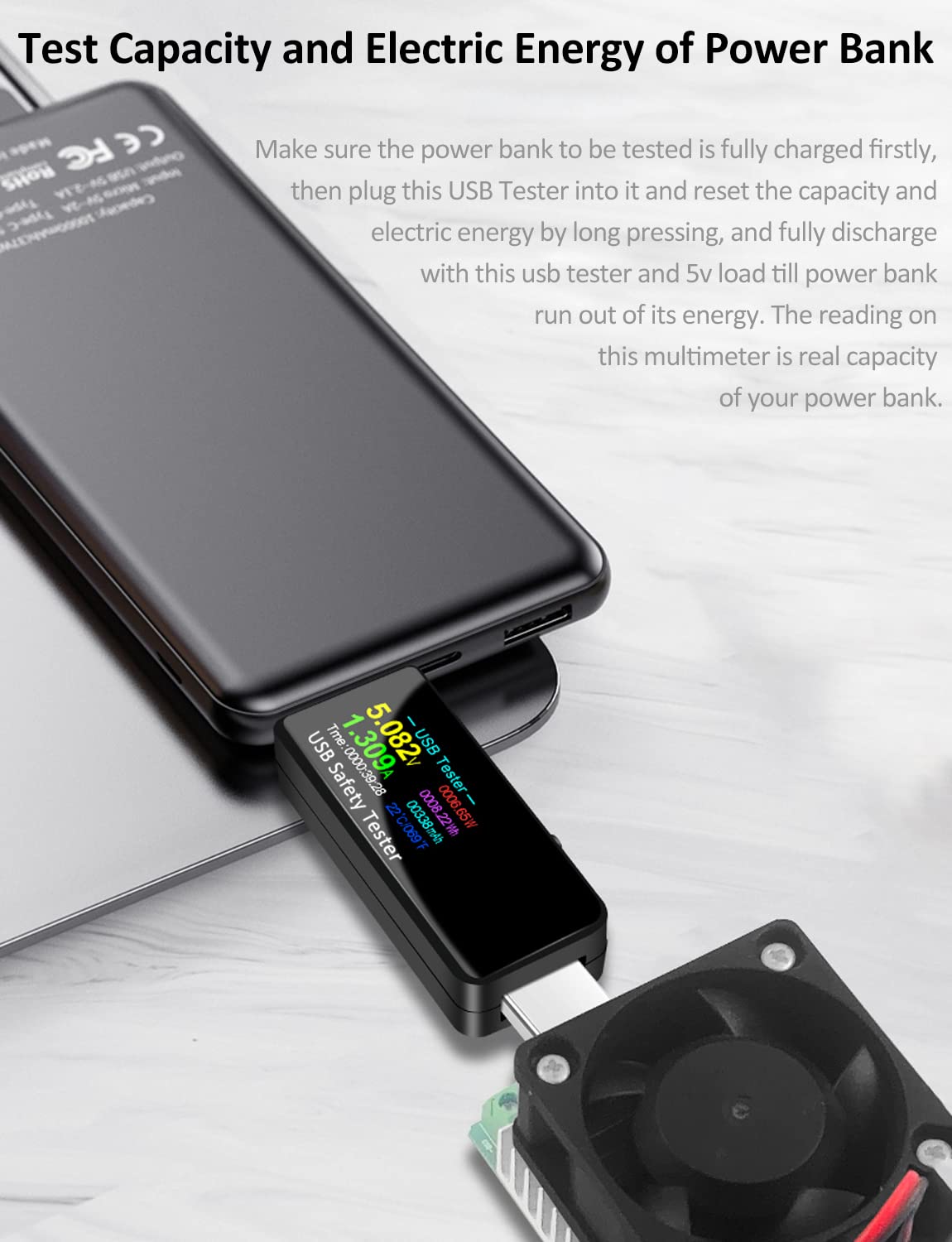
Image: The tester being used to measure the capacity and energy of a power bank by connecting it to a load.
4. Maintenance
To ensure the longevity and accurate performance of your YOJOCK USB Tester, follow these maintenance guidelines:
- Cleaning: Use a soft, dry cloth to clean the device. Avoid using liquid cleaners or solvents, as they may damage the display or internal components.
- Storage: Store the tester in a cool, dry place away from direct sunlight and extreme temperatures.
- Handling: Handle the device with care. Avoid dropping it or subjecting it to strong impacts, which can damage the internal circuitry or the display.
- Moisture: Keep the tester away from water and high humidity to prevent electrical damage.
5. Troubleshooting
If you encounter issues with your YOJOCK USB Tester, refer to the following common problems and solutions:
- No Display/Device Not Powering On:
- Ensure the tester is securely plugged into a functioning USB power source.
- Verify that the power source itself is active and providing power.
- Inaccurate Readings:
- Check all connections to ensure they are firm and free from debris.
- Test with different USB cables and devices to rule out faulty accessories.
- Ensure the power source is stable and within the tester's operating voltage range (3.7V-32V).
- Display Not Changing:
- Short press the 'Key' button to cycle through display interfaces.
- If the display is frozen, disconnect and reconnect the tester to reset it.
- Capacity/Energy Data Not Storing:
- The power-off storage function is automatic. Ensure the device was powered off correctly (e.g., by disconnecting the power bank).
- If you are trying to reset the data, perform a long press on the 'Key' button.
6. Specifications
Detailed technical specifications for the YOJOCK USB 3.0 Tester Multimeter:
| Feature | Specification |
|---|---|
| Brand | YOJOCK |
| Model | USB 3.0 Tester Multimeter |
| Measuring Voltage Range | 3.7V - 32V |
| Measuring Current Range | 0 - 5.1A |
| Min. Operating Voltage | 3.7 Volts |
| Measurement Type | Ammeter, Multimeter, Voltmeter |
| Display | 0.96-inch IPS Color LCD |
| Power Source | Battery Powered (internal, for display) |
| Item Weight | 1.41 ounces (approx. 40g) |
| Package Dimensions | 3.35 x 2.87 x 0.83 inches |

Image: Product dimensions of the USB Tester.
7. Warranty and Support
For warranty information and customer support, please refer to the documentation provided with your purchase or contact the seller directly. You may also visit the official YOJOCK store on Amazon for additional product information and support resources:


