
1. Introduction
This manual provides detailed instructions for the installation, operation, and maintenance of your NITEBIRD SL2 LED Light Strip. The SL2 is a 5-meter RGBIC LED strip designed for indoor decorative lighting, featuring smart control via a mobile application and voice assistants.

Image 1.1: Overview of the NITEBIRD SL2 LED Light Strip and its components.
2. Package Contents
- 1 x NITEBIRD SL2 LED Light Strip (5 meters / 16.4 feet)
- 1 x Controller Box
- 1 x ETL-Certified Power Adapter
- Several Mounting Clips for extra adhesion
3. Safety Information
- Ensure the power supply is disconnected before installation or maintenance.
- This product is designed for indoor use only. Do not expose to water or high humidity.
- Do not cut the LED strip while it is connected to power.
- Use only the provided power adapter. Using an incompatible adapter may damage the product or pose a safety risk.
- Keep out of reach of children.
4. Setup and Installation
Follow these steps to properly install your NITEBIRD SL2 LED Light Strip:
- Prepare the Surface: Clean the desired installation surface thoroughly to ensure it is dry and free of dust or grease.
- Apply the Strip: Peel off the protective backing from the 3M adhesive tape on the back of the LED strip. Carefully press the strip onto the cleaned surface, ensuring firm contact along its entire length.
- Connect Components: Connect the LED strip to the controller box, and then connect the controller box to the ETL-certified power adapter. Plug the power adapter into a standard electrical outlet.
- Secure with Clips: For additional adhesion and stability, use the provided mounting clips at regular intervals or in areas where the strip might experience more stress.
- Customization (Optional): The LED strip can be cut at designated marks (usually indicated by a copper pad) to fit specific lengths. Ensure the strip is unplugged before cutting.

Image 4.1: Visual guide for the installation process.
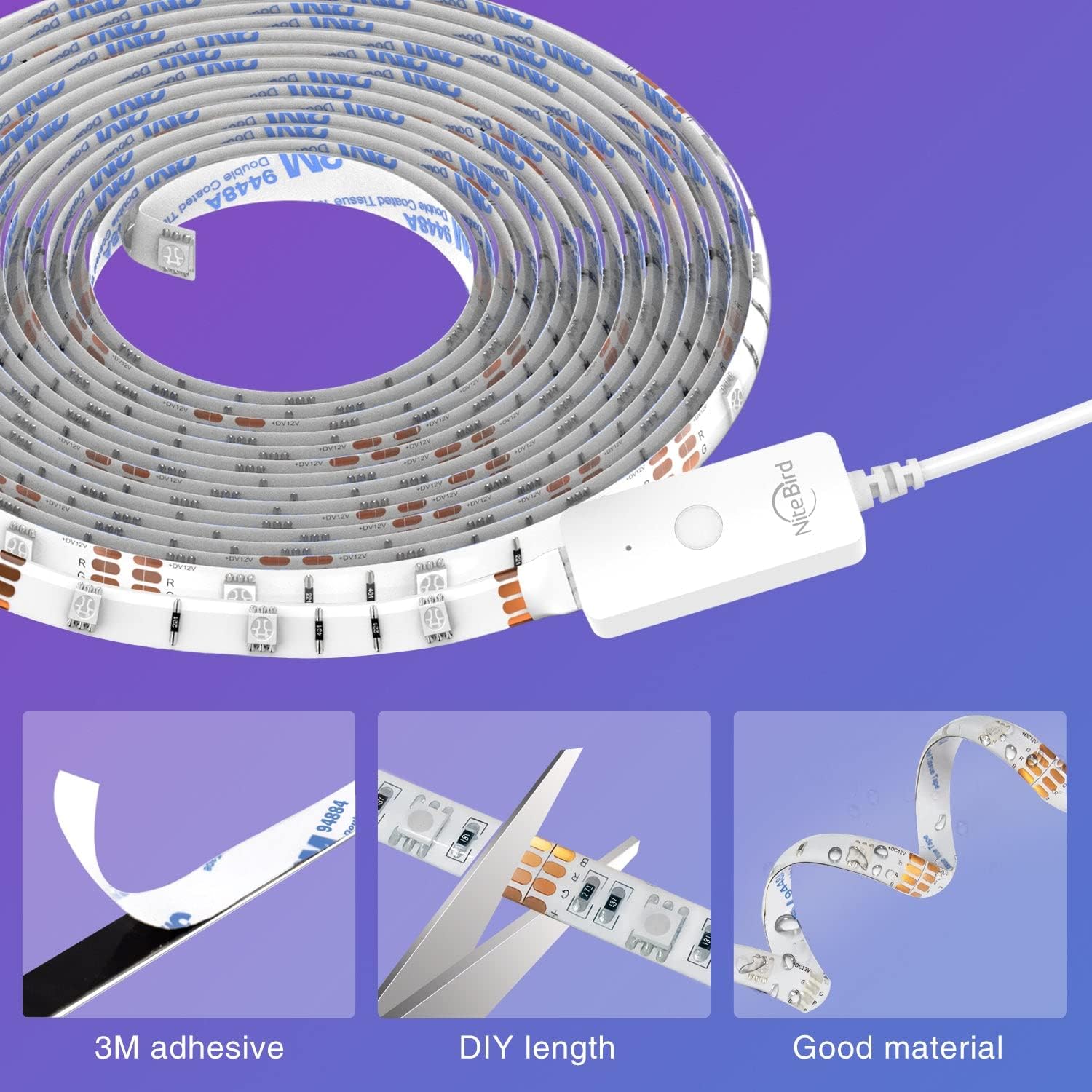
Image 4.2: Details on the 3M adhesive, DIY length cutting capability, and material quality.
5. App Control
The NITEBIRD SL2 LED Light Strip can be controlled wirelessly via a smartphone application. This allows for comprehensive customization and remote operation.
5.1. App Download and Setup
- Download the App: Search for the 'Gosund' or 'NITEBIRD' app in your device's app store (available for iOS and Android).
- Register/Log In: Create an account or log in if you already have one.
- Connect to Wi-Fi: Ensure your smartphone is connected to a 2.4GHz Wi-Fi network. The light strip is not compatible with 5GHz networks.
- Add Device: Follow the in-app instructions to add your NITEBIRD SL2 LED Light Strip. This typically involves putting the device into pairing mode (refer to the app for specific instructions, often by cycling power or holding a button on the controller).
5.2. App Functions
- On/Off Control: Turn the light strip on or off from anywhere.
- Color Adjustment: Select from 16 million colors (no pure white light) and adjust brightness and saturation.
- Scene Selection: Choose from 8 pre-set scenes or customize your own to match different moods or occasions.
- Scheduling: Set timers for the light strip to automatically turn on or off at specific times.

Image 5.1: Remote app control demonstrating color selection and scene changes.

Image 5.2: Scheduling feature for automatic light operation.
6. Voice Control
Integrate your NITEBIRD SL2 LED Light Strip with popular voice assistants for hands-free control.
6.1. Compatible Voice Assistants
- Amazon Alexa (e.g., Alexa Echo Dot)
- Google Home / Google Assistant
6.2. Integration Steps
- Ensure your NITEBIRD SL2 is successfully connected to the mobile app and your 2.4GHz Wi-Fi network.
- Open the Alexa or Google Home app on your smartphone.
- Navigate to the 'Skills & Games' (Alexa) or 'Works with Google' (Google Home) section.
- Search for and enable the 'Gosund' or 'NITEBIRD' skill/service.
- Link your Gosund/NITEBIRD account with your voice assistant account.
- Discover devices. Your NITEBIRD SL2 LED Light Strip should now appear in your voice assistant's device list.
6.3. Voice Commands (Examples)
- "Alexa, turn on the [Light Strip Name]."
- "Hey Google, set [Light Strip Name] to blue."
- "Alexa, dim [Light Strip Name] to 50%."
- "Hey Google, change [Light Strip Name] to party mode."

Image 6.1: Voice control integration with Amazon Alexa and Google Assistant.
7. Operating Modes
The NITEBIRD SL2 LED Light Strip offers various modes to enhance your environment.
7.1. RGBIC Lighting
Utilizing special built-in IC chips, the strip can display multiple colors simultaneously, creating dynamic and vibrant lighting effects. You can select from 16 million colors and adjust their brightness and saturation via the app.
7.2. Scene Modes
The app provides 8 pre-defined scenes, which can be customized to suit your preferences. These scenes offer various color combinations and effects for different atmospheres.
7.3. Music Sync Mode
The built-in advanced sensitive microphone allows the light strip to synchronize with music. The light colors will change and pulse according to the beats and rhythm of the music, creating an immersive audio-visual experience.

Image 7.1: Examples of the NITEBIRD SL2 LED Light Strip in various applications.
8. Maintenance
To ensure the longevity and optimal performance of your LED light strip, follow these simple maintenance guidelines:
- Cleaning: Gently wipe the LED strip with a dry, soft cloth to remove dust. Do not use liquid cleaners or abrasive materials.
- Avoid Water: As this product is for indoor use, keep it away from water and high humidity to prevent damage.
- Power Disconnection: Always disconnect the power adapter from the outlet before performing any cleaning or maintenance.
9. Troubleshooting
If you encounter issues with your NITEBIRD SL2 LED Light Strip, refer to the following common problems and solutions:
| Problem | Possible Cause | Solution |
|---|---|---|
| Light strip does not turn on. | No power, loose connection, faulty adapter. | Check if the power adapter is securely plugged into the outlet and the controller. Ensure the strip is correctly connected to the controller. Test the outlet with another device. |
| Cannot connect to Wi-Fi. | Incorrect Wi-Fi band, wrong password, device too far from router. | Ensure your Wi-Fi network is 2.4GHz. Double-check the Wi-Fi password. Move the light strip closer to your router. Try resetting the light strip and attempting the pairing process again. |
| App control is unresponsive. | No internet connection, app glitch, device offline. | Check your phone's internet connection. Close and reopen the app. Verify the light strip is still connected to your Wi-Fi network. |
| Voice control not working. | Incorrect voice command, skill not enabled, account not linked. | Ensure the correct voice commands are used. Verify the 'Gosund' or 'NITEBIRD' skill is enabled and your account is linked in the Alexa/Google Home app. |
10. Specifications
| Model Number | SL2 (29735) |
| Length | 5 meters (16.4 feet) |
| Light Source | RGBIC LED (5050 type) |
| Power Source | Corded Electric |
| Control Method | App (Bluetooth + 2.4GHz Wi-Fi), Voice (Alexa, Google Home) |
| Wi-Fi Compatibility | 2.4GHz only |
| Batteries Required | No |
| Package Dimensions | 16.6 x 13.7 x 3.9 cm |
| Item Weight | 218 g |
11. Warranty and Support
For warranty information, please refer to the documentation included with your purchase or visit the official NITEBIRD website. For technical assistance or customer support, please contact NITEBIRD customer service through their official channels.


