
Introduction
This manual provides essential information for the proper use and maintenance of your RemotesReplaced compatible remote control, designed specifically for QILIVE 146373/Q32-0095B devices. This remote is an electronically identical replacement, offering all the functionalities of the original without requiring complex setup codes.
Setup
1. Battery Installation
The remote control requires two AAA batteries (not included). Follow these steps to install them:
- Locate the battery compartment cover on the back of the remote control.
- Slide the cover downwards or press the latch to open it.
- Insert two AAA batteries, ensuring the positive (+) and negative (-) terminals align correctly with the markings inside the compartment.
- Replace the battery compartment cover, sliding it back into place until it clicks securely.

Image: Bottom view of the remote control, showing the battery compartment cover. This is where batteries are inserted or replaced.
2. Initial Use
No setup codes are required for this remote control. Once the batteries are correctly installed, the remote is ready for immediate use with your QILIVE 146373/Q32-0095B device. Simply point the remote towards your device and begin operating it.
Operating Instructions
The remote control provides full functionality for your QILIVE device. Below is a general overview of the buttons and their functions:

Image: This image displays the front of the remote control, highlighting the layout of all functional buttons including power, input selection, number pad, navigation, volume, channel, and media playback controls. The brand 'RemotesReplaced' and model 'RRS41' are visible at the bottom.
- POWER: Turns the device on or off.
- MUTE: Mutes or unmutes the audio.
- TV/SAT/DVD/AUX: Selects the input source.
- MENU: Accesses the device's main menu.
- EXIT: Exits the current menu or function.
- SHIFT: May activate secondary functions for certain buttons.
- Number Pad (0-9): Direct channel selection or data entry.
- SOURCE: Cycles through available input sources.
- -/--: Toggles between single and double-digit channel entry.
- GUIDE: Displays the electronic program guide.
- VOL +/-: Adjusts the volume level.
- CH +/-: Changes the channel up or down.
- Navigation (Up, Down, Left, Right, OK): Navigates through menus and confirms selections.
- BACK: Returns to the previous screen or menu.
- SLEEP: Sets a sleep timer for the device.
- TV/DTV: Switches between TV and Digital TV modes.
- INFO: Displays information about the current program or input.
- EPG: Electronic Program Guide.
- FAV: Accesses favorite channels list.
- NET TV / SMART: Accesses smart TV features or streaming apps.
- Color Buttons (Red, Green, Yellow, Blue): Functions vary depending on the device and current menu.
- Media Playback Controls (Rewind, Play/Pause, Fast Forward, Stop): Controls media playback.

Image: This image shows the top end of the remote control, where the infrared (IR) emitter is located. This part should be pointed towards the device being controlled.


Images: Side profile views of the remote control, illustrating its ergonomic design and comfortable grip.
Maintenance
Battery Replacement
Replace batteries when the remote's response becomes sluggish or stops working. Always replace both batteries at the same time with new AAA batteries. Do not mix old and new batteries, or different types of batteries.
Cleaning
To clean the remote control, use a soft, dry cloth. Do not use liquid cleaners, abrasive pads, or chemical solvents, as these can damage the remote's surface or internal components.
Troubleshooting
- Remote not responding:
- Check if the batteries are inserted correctly with the correct polarity.
- Replace old batteries with new ones.
- Ensure there are no obstructions between the remote control and the device's IR receiver.
- Make sure you are within the effective range of the device.
- Limited range or intermittent response:
- Replace batteries.
- Ensure the remote's IR emitter (top end) is clean and unobstructed.
- Avoid strong light sources (like direct sunlight or bright fluorescent lights) that might interfere with the IR signal.
Specifications
| Brand | RemotesReplaced |
| Model Number | 146373/Q32-0095B |
| Compatible With | QILIVE 146373/Q32-0095B |
| Battery Type | 2 x AAA (not included) |
| Weight | 120 Grams |

Image: The back of the remote control, featuring the battery compartment cover at the bottom. Regulatory markings are visible near the top.
Warranty and Support
Warranty Information
This RemotesReplaced remote control comes with a 1-year warranty from the date of purchase, covering manufacturing defects. Please retain your proof of purchase for warranty claims.
Customer Support
For any questions, technical assistance, or warranty inquiries, please contact RemotesReplaced customer support through the retailer where the product was purchased or visit the official RemotesReplaced website for contact details.
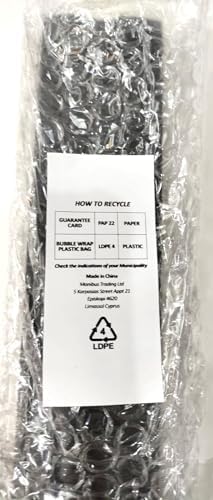
Image: The remote control wrapped in bubble wrap, with a label detailing recycling instructions for the packaging materials (paper and plastic) and manufacturing information. It indicates 'Made in China'.