
1. Introduction
Thank you for choosing the Gravity Warzone 8-inch 1200 Watt Dual Voice Coil (DVC) Car Audio Subwoofer. This manual provides essential information for the proper installation, operation, and maintenance of your subwoofer. Please read this manual thoroughly before installation and retain it for future reference.
Key Features:
- Gravity Warzone Dual Voice Coil Subwoofer Configuration
- Engineered for deep, dynamic, and powerful bass response
- Competition Grade Pressed Paper Cone / High Roll Foam Surround
- Powerful High Flux motor performance with advanced air Flow Cooling Design
2. Safety Information
Observe the following safety precautions during installation and operation to prevent injury or damage to the product and vehicle.
- Electrical Safety: Disconnect the vehicle's negative battery terminal before beginning any electrical work to prevent short circuits.
- Proper Wiring: Ensure all wiring connections are secure and insulated to prevent shorts and electrical hazards. Use appropriate gauge wire for power and speaker connections.
- Ventilation: Ensure the subwoofer and amplifier have adequate ventilation to prevent overheating.
- Mounting: Securely mount the subwoofer to prevent it from becoming a projectile in the event of a sudden stop or accident.
- Volume Levels: Prolonged exposure to high volume levels can cause hearing damage. Adjust volume to a safe level.
3. Package Contents
Verify that all items are present in the package:
- 2 x Gravity Warzone 8-Inch Subwoofer
- User Manual (this document)
4. Product Overview
The Gravity Warzone subwoofer is designed for robust bass reproduction in automotive audio systems. It features a durable construction for consistent performance.

Figure 1: Front view of the Gravity Warzone 8-inch subwoofer, showing the cone and surround.
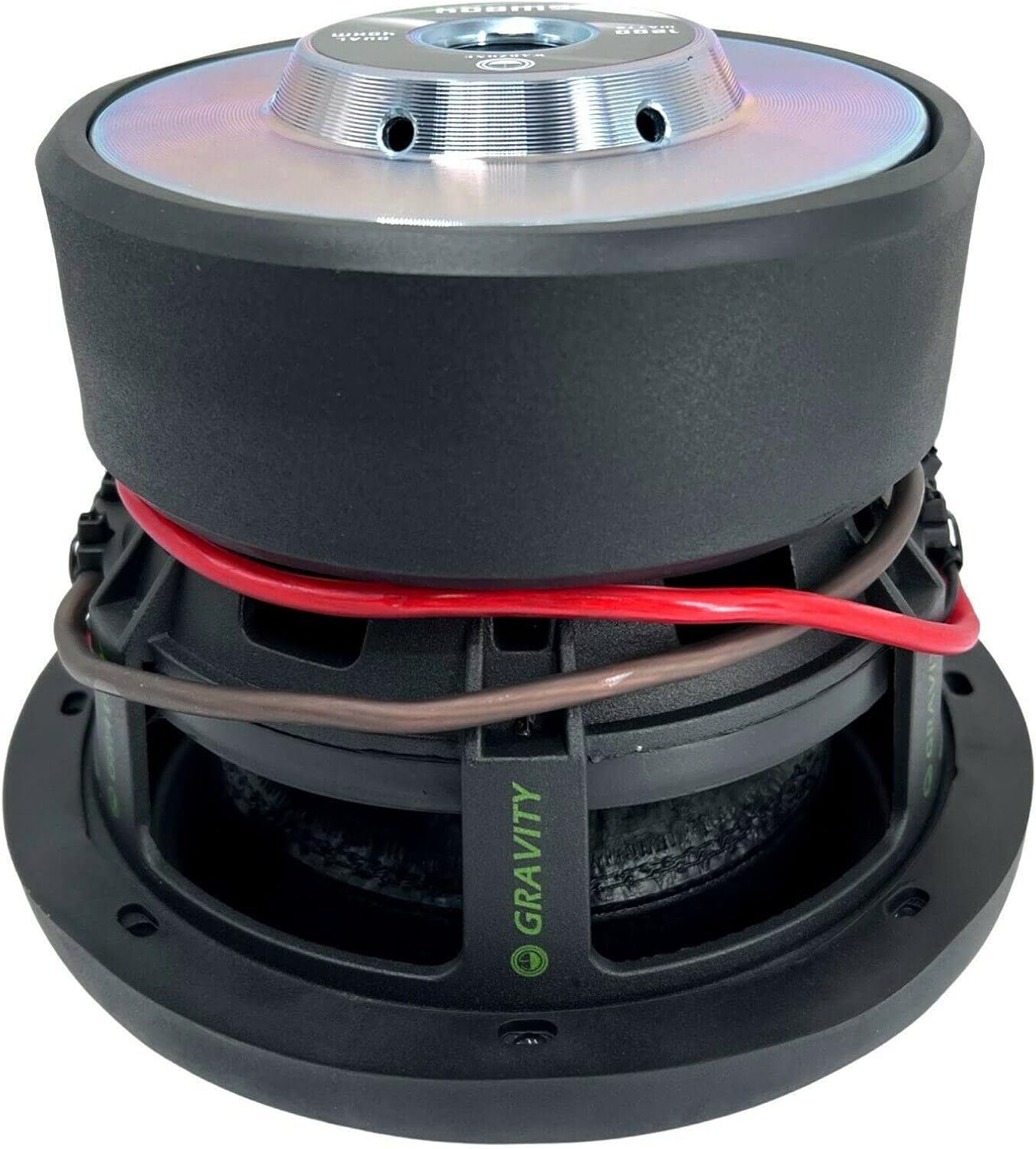
Figure 2: Rear view of the Gravity Warzone 8-inch subwoofer, highlighting the magnet structure and wiring terminals.
5. Installation (Setup)
Proper installation is crucial for optimal performance and longevity of your subwoofer. If you are unsure about any step, consult a professional car audio installer.
5.1 Pre-Installation Checks
- Ensure the vehicle's electrical system can support the power requirements of the subwoofer and amplifier.
- Verify that the enclosure (if used) is appropriately sized and constructed for an 8-inch subwoofer.
- Gather all necessary tools and wiring materials.
5.2 Mounting the Subwoofer
- Carefully place the subwoofer into the designated mounting hole in the enclosure.
- Align the mounting holes on the subwoofer frame with the holes in the enclosure.
- Secure the subwoofer using appropriate screws, ensuring even pressure around the frame. Do not overtighten.
5.3 Wiring the Dual Voice Coil (DVC) Subwoofer
The Gravity Warzone subwoofer features a Dual Voice Coil (DVC) design, offering wiring flexibility. Each voice coil has an impedance of 4 Ohms. You can wire the voice coils in series or parallel to achieve different final impedances at the amplifier.
5.3.1 Parallel Wiring (2 Ohms Total Impedance)
Connect the positive terminal of Voice Coil 1 to the positive terminal of Voice Coil 2. Connect the negative terminal of Voice Coil 1 to the negative terminal of Voice Coil 2. Then, connect the combined positive to the amplifier's positive output and the combined negative to the amplifier's negative output. This configuration results in a 2 Ohm load.
5.3.2 Series Wiring (8 Ohms Total Impedance)
Connect the positive terminal of Voice Coil 1 to the amplifier's positive output. Connect the negative terminal of Voice Coil 1 to the positive terminal of Voice Coil 2. Connect the negative terminal of Voice Coil 2 to the amplifier's negative output. This configuration results in an 8 Ohm load.

Figure 3: Top view of the subwoofer, showing the dual voice coil terminals for wiring.
5.4 Connecting to the Amplifier
- Ensure the amplifier is powered off.
- Connect the subwoofer's wired output (from your chosen DVC configuration) to the appropriate speaker output terminals on your amplifier.
- Double-check all connections for polarity and security.
6. Operation
6.1 Initial Power-Up and Settings
- After installation, reconnect the vehicle's negative battery terminal.
- Turn on your car audio system with the volume set to minimum.
- Gradually increase the volume and adjust the amplifier's gain, crossover, and bass boost settings according to your preferences and the amplifier's recommendations. Start with low gain and a low-pass filter (LPF) setting appropriate for a subwoofer (e.g., 80-120 Hz).
6.2 Break-In Period
Allow a break-in period of approximately 10-20 hours of normal listening before operating the subwoofer at maximum output. This allows the suspension components to loosen and achieve optimal performance.
7. Maintenance
The Gravity Warzone subwoofer requires minimal maintenance. Follow these guidelines to ensure its longevity:
- Cleaning: Use a soft, dry cloth to wipe down the subwoofer cone and surround. Avoid using harsh chemicals or excessive moisture.
- Inspection: Periodically check all wiring connections for tightness and signs of corrosion. Inspect the subwoofer cone and surround for any tears or damage.
- Environment: Keep the subwoofer in a dry environment, away from direct sunlight and extreme temperatures.
8. Troubleshooting
If you experience issues with your subwoofer, refer to the following common problems and solutions:
| Problem | Possible Cause | Solution |
|---|---|---|
| No sound from subwoofer |
|
|
| Distorted or unclear bass |
|
|
| Subwoofer overheating |
|
|
9. Specifications
Detailed technical specifications for the Gravity Warzone 8-inch subwoofer:
| Feature | Specification |
|---|---|
| Brand | Gravity |
| Model Name | Warzone |
| Speaker Type | Subwoofer |
| Speaker Size | 8 Inches |
| Woofer Diameter | 8 Inches |
| Speaker Maximum Output Power | 1200 Watts |
| Impedance | 4 Ohms (Dual Voice Coil) |
| Connectivity Technology | Wired |
| Audio Output Mode | Stereo (when paired with appropriate amplifier) |
| Mounting Type | Car Mount |
| Enclosure Material (Cone) | Paper |
| Additional Features | Lightweight design |
| Specific Uses For Product | Music in car, ATV, Van |
| Water Resistance Level | Not Water Resistant |
| Power Source | Corded Electric (via amplifier) |
10. Warranty Information
Gravity products are designed and manufactured to the highest quality standards. This product is covered by a limited warranty against defects in materials and workmanship under normal use. The warranty period typically begins from the date of original purchase. Please retain your proof of purchase for warranty claims. For specific warranty terms and conditions, refer to the documentation provided with your purchase or contact Gravity customer support.
11. Customer Support
If you have any questions, require technical assistance, or need to report an issue with your Gravity Warzone subwoofer, please contact our customer support team. For the most up-to-date contact information, please visit the official Gravity website or refer to your purchase documentation.
Online Support: Visit the official Gravity website for FAQs, product registration, and support resources.
Email Support: Refer to your product packaging or the Gravity website for the customer service email address.