
1. Introduction and Safety Information
This manual provides essential information for the safe and effective operation, maintenance, and troubleshooting of your ORFELD 850W Jigsaw. Please read all instructions carefully before use and retain this manual for future reference. Failure to follow all instructions may result in electric shock, fire, and/or serious injury.
General Power Tool Safety Warnings
- Work Area Safety: Keep your work area clean and well-lit. Cluttered or dark areas invite accidents. Do not operate power tools in explosive atmospheres, such as in the presence of flammable liquids, gases, or dust. Power tools create sparks which may ignite the dust or fumes.
- Electrical Safety: Power tool plugs must match the outlet. Never modify the plug in any way. Do not use any adapter plugs with earthed (grounded) power tools. Unmodified plugs and matching outlets will reduce risk of electric shock. Avoid body contact with earthed or grounded surfaces such as pipes, radiators, ranges and refrigerators. There is an increased risk of electric shock if your body is earthed or grounded.
- Personal Safety: Always wear eye protection. Use personal protective equipment such as dust masks, non-skid safety shoes, hard hats, or hearing protection when appropriate. Stay alert, watch what you are doing, and use common sense when operating a power tool.
- Tool Use and Care: Do not force the power tool. Use the correct power tool for your application. It will do the job better and safer at the rate for which it was designed. Disconnect the plug from the power source and/or remove the battery pack, if detachable, from the power tool before making any adjustments, changing accessories, or storing power tools.
2. Product Overview
The ORFELD 850W Jigsaw is a versatile power tool designed for precise cutting of various materials. It features an 850W motor, a laser guide for accuracy, a quick blade change system, 6 speed settings, and 4 orbital action positions.
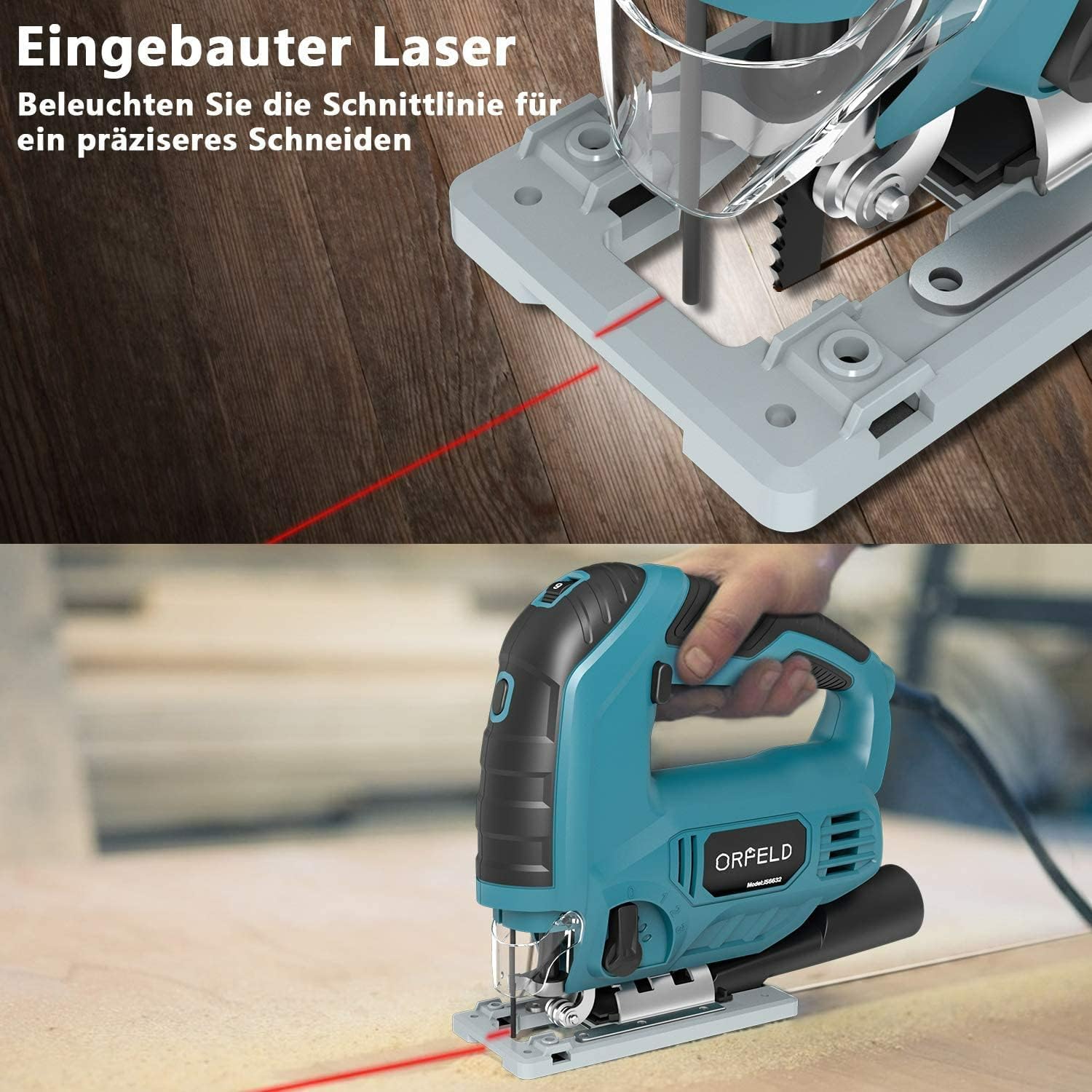
Figure 2.1: Main view of the ORFELD 850W Jigsaw, highlighting its ergonomic design and key components.
Key Components
- Motor: Powerful 850W motor for efficient cutting.
- Blade Clamp: Tool-less system for quick blade changes.
- Base Plate: Adjustable for bevel cuts up to 45 degrees.
- Speed Dial: 6 variable speed settings for different materials.
- Orbital Selector: 4 orbital action positions for optimized cutting performance.
- Laser Guide: Projects a laser line for enhanced cutting accuracy.
- Lock-On Switch: Allows for continuous operation without holding the trigger.
- Dust Port: Connects to a vacuum cleaner for efficient dust extraction.
- Ergonomic Grip: Rubberized handle for comfortable and secure handling.
3. Setup
3.1 Blade Installation and Removal
The ORFELD Jigsaw features a tool-less blade change system for convenience.
- Ensure the jigsaw is unplugged from the power source.
- Locate the quick-release knob on the blade clamp.
- To install a blade, rotate the quick-release knob to open the clamp. Insert the blade fully into the slot with the teeth facing forward. Release the knob to secure the blade.
- To remove a blade, rotate the quick-release knob and pull the blade out.

Figure 3.1: Illustration of the tool-less blade change process. Step 1 shows rotating the knob, and Step 2 shows inserting or removing the blade.
3.2 Base Plate Adjustment (Bevel Cutting)
The aluminum base plate can be adjusted for angled cuts up to 45 degrees in both directions.
- Unplug the jigsaw.
- Loosen the screws that secure the base plate to the main body of the jigsaw.
- Tilt the base plate to the desired angle (0-45 degrees). Use a protractor for precise angles if needed.
- Tighten the screws firmly to secure the base plate in position.
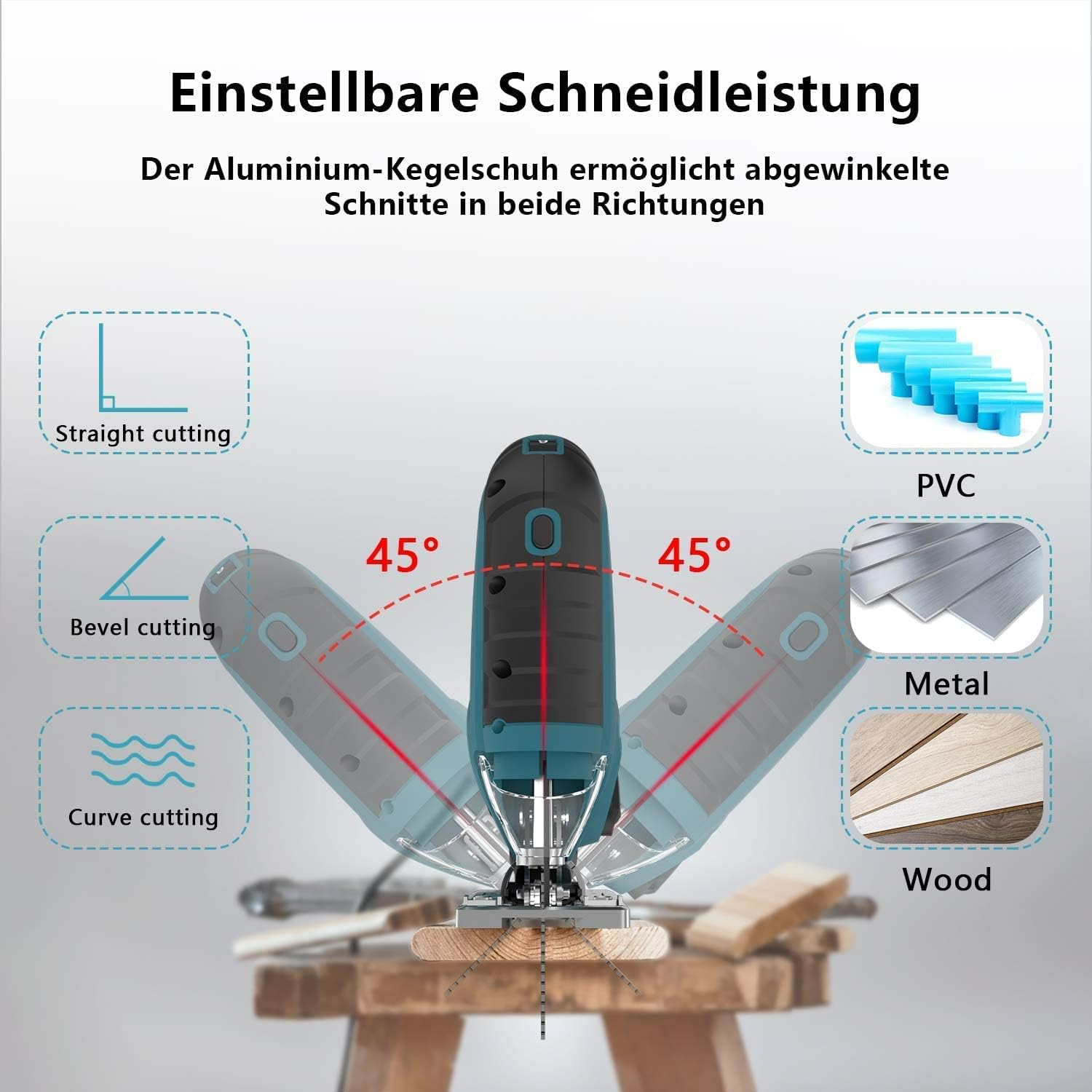
Figure 3.2: The adjustable aluminum base plate allows for straight, bevel (up to 45 degrees), and curve cutting.
3.3 Dust Extraction Connection
For a cleaner work environment and improved visibility of the cutting line, connect a vacuum cleaner to the dust extraction port located at the rear of the jigsaw.
4. Operating Instructions
4.1 Powering On/Off and Lock-On Switch
To start the jigsaw, press the trigger switch. To stop, release the trigger. For continuous operation, engage the lock-on switch.
- To turn on, press the trigger switch.
- For continuous operation, press the trigger switch and then press the lock-on button. Release the trigger switch.
- To turn off from continuous operation, press the trigger switch again and then release it.

Figure 4.1: Close-up of the lock-on switch, designed for continuous operation and improved control.
4.2 Speed Control
The jigsaw features 6 variable speed settings, allowing you to match the cutting speed to the material and blade type.
- Rotate the speed dial to select the desired speed from 1 (lowest) to 6 (highest).
- Recommended Speed Settings:
- Plastic: Mode 1-4
- Steel Plate: Mode 2-3
- Stainless Steel Plate: Mode 3-4
- Aluminum: Mode 3-6
- Wood: Mode 5-6
4.3 Orbital Action Control
The 4-position orbital selector adjusts the blade's cutting action. Higher orbital settings provide faster, more aggressive cuts, while lower settings offer finer, smoother cuts.
- Position 0: Straight cutting (no orbital action) for fine, precise cuts in all materials.
- Position 1: Small curve cutting, suitable for delicate curves.
- Position 2: Medium curve cutting, for general curve cutting.
- Position 3: Large curve cutting, for fast, aggressive cuts in wood and soft materials.

Figure 4.2: The speed dial (top) and orbital action selector (bottom) for adjusting cutting performance.
4.4 Laser Guide Operation
The integrated laser guide projects a red line onto the workpiece, assisting in maintaining a straight and accurate cut line.
- Ensure the laser guide is clean and unobstructed.
- Activate the laser guide (if it has a separate switch, otherwise it may activate with the tool).
- Align the projected laser line with your marked cutting line on the workpiece.
- Maintain alignment during cutting for optimal precision.

Figure 4.3: The ORFELD Jigsaw in operation, demonstrating its use for cutting wood products. The laser guide assists in precise cutting.
5. Maintenance
Regular maintenance ensures the longevity and safe operation of your jigsaw.
- Cleaning: After each use, unplug the tool and clean dust and debris from the ventilation openings and around the blade clamp area using a brush or compressed air. Do not use solvents or abrasive cleaners.
- Blade Inspection: Regularly inspect blades for sharpness and damage. Replace dull or damaged blades immediately to ensure efficient and safe cutting.
- Power Cord: Check the power cord for any signs of damage, cuts, or fraying. If damaged, have it repaired by a qualified technician.
- Storage: Store the jigsaw in a dry, secure place out of reach of children.
6. Troubleshooting
If you encounter issues with your ORFELD Jigsaw, refer to the following common problems and solutions:
| Problem | Possible Cause | Solution |
|---|---|---|
| Jigsaw does not start | No power supply; Faulty switch; Damaged power cord | Check power connection; Inspect power cord; Contact service center if switch is faulty. |
| Blade not cutting efficiently | Dull or incorrect blade; Incorrect speed/orbital setting; Material too thick | Replace blade; Use appropriate blade for material; Adjust speed and orbital setting; Do not force the tool. |
| Excessive vibration | Loose blade; Damaged blade; Worn internal components | Ensure blade is securely clamped; Replace damaged blade; Contact service center. |
| Laser guide not visible/aligned | Laser lens dirty; Laser module misaligned | Clean laser lens; Refer to manual for laser alignment (if adjustable) or contact support. |
7. Specifications
| Feature | Specification |
|---|---|
| Manufacturer | ORFELD |
| Model Number (ASIN) | B09SPYJ6G |
| Power Source | Corded Electric |
| Voltage | 230 Volts |
| Wattage | 850 Watts |
| Product Dimensions | 21 x 5.08 x 11 cm |
| Product Weight | 3.75 kg |
| Speed Settings | 6 Variable Speeds (up to 3000 SPM) |
| Orbital Settings | 4 Positions |
| Max Cutting Depth | 100 mm (wood) |
| Bevel Cutting Angle | Up to 45 degrees (left/right) |
| Cable Length | 3 meters |
8. Warranty and Support
ORFELD products are manufactured to high-quality standards and are warranted against defects in materials and workmanship. For specific warranty terms and conditions, please refer to the warranty card included with your product or contact ORFELD customer support.
For technical assistance, spare parts, or service inquiries, please contact ORFELD customer support through the retailer where the product was purchased or visit the official ORFELD website for contact information.