
SYPOM A16
SYPOM A16 Portable Car Jump Starter User Manual
Model: A16
1. Introduction
Thank you for choosing the SYPOM A16 Portable Car Jump Starter. This device is designed to provide a reliable solution for starting vehicles with dead batteries, offering a peak current of 4150A suitable for all gasoline engines and diesel engines up to 12L. Additionally, it functions as a portable power bank and an emergency LED light. Please read this manual thoroughly before use to ensure safe and optimal operation.
2. Safety Information
WARNING: Read all safety warnings and instructions. Failure to follow the warnings and instructions may result in electric shock, fire, and/or serious injury.
- Always connect the red clamp to the positive (+) terminal and the black clamp to the negative (-) terminal.
- Do not touch the red and black clamps together to prevent short circuits.
- Do not jump start a vehicle if the jump starter is damaged or the cables are frayed.
- Keep the device away from children.
- Operate in a well-ventilated area.
- Do not expose the device to rain or extreme temperatures.
- The device includes multiple protection features: overcurrent protection, overload protection, overvoltage protection, reverse polarity protection, high-temp protection, low-temp protection, spark-proof, short-circuit protection, AI-software protection, and reverse-charge protection.
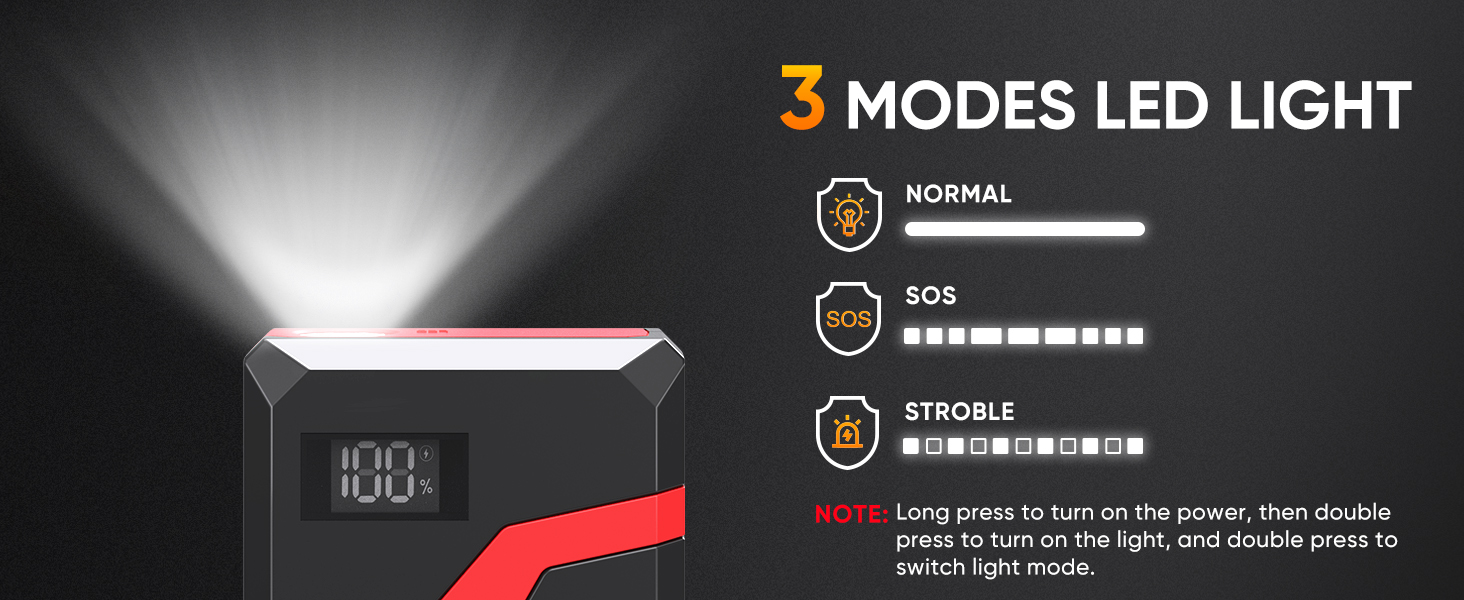
Figure 2.1: SYPOM A16 10-Type Protection System
3. Package Contents
Verify that all items are present in the package:
- SYPOM A16 Car Jump Starter
- Intelligent Heavy Duty Jumper Cables (Clamps)
- Type-C Charging Cable
- User Manual
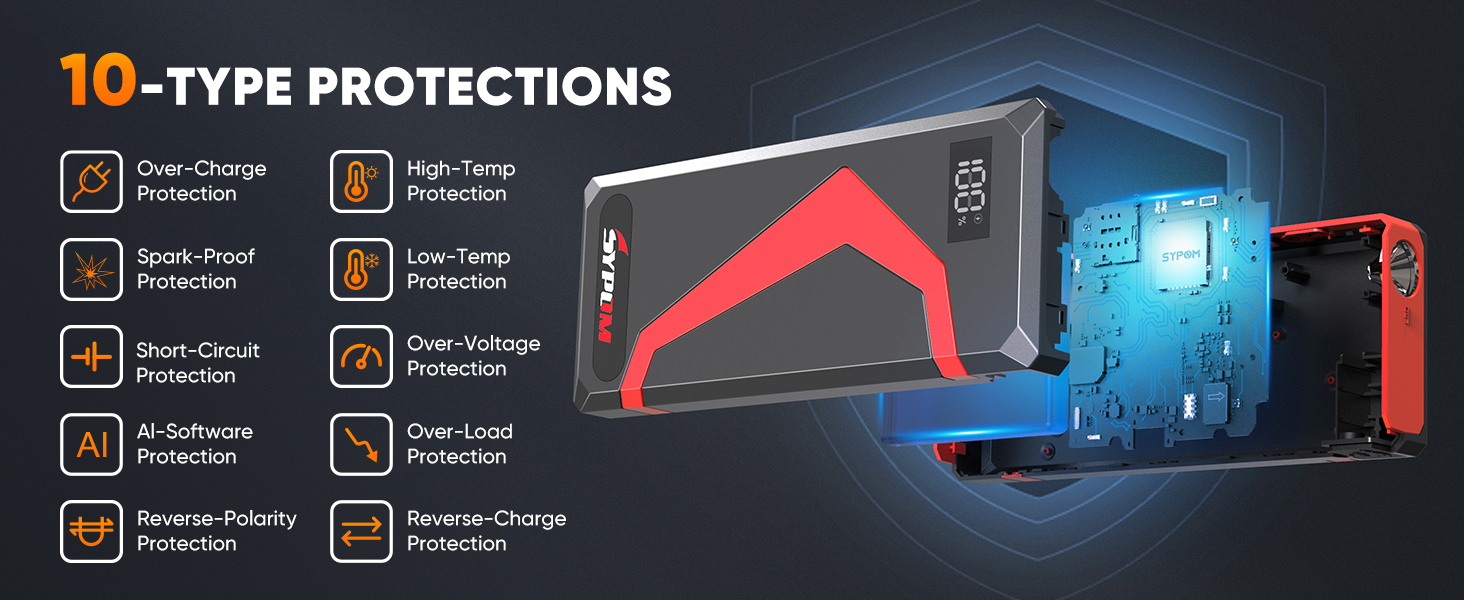
Figure 3.1: What's in the Box
4. Product Overview
Familiarize yourself with the components and ports of your SYPOM A16 jump starter.

Figure 4.1: SYPOM A16 Jump Starter Unit
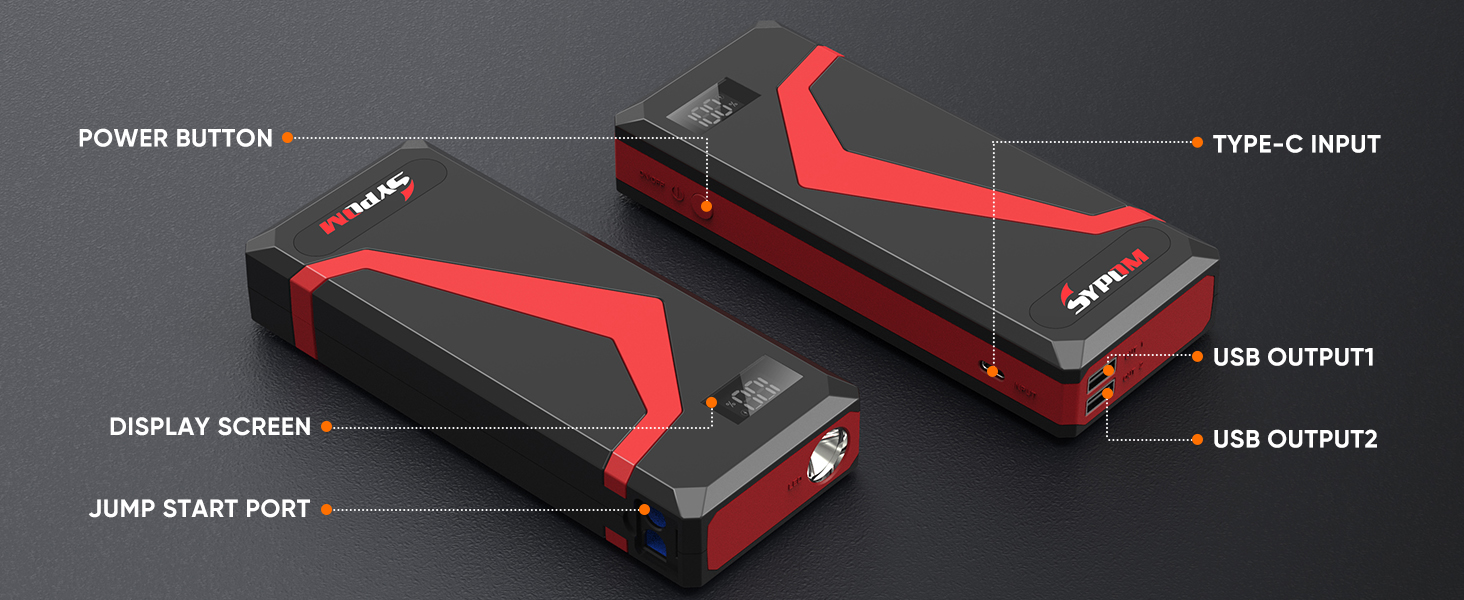
Figure 4.2: Component Diagram
- Power Button: Used to turn the device on/off and activate the LED light.
- Display Screen: Shows battery percentage and operational status.
- Jump Start Port: Connects to the intelligent jumper cables.
- Type-C Input: For charging the jump starter unit.
- USB Output 1 & 2: For charging external electronic devices.
5. Setup
5.1 Initial Charging
Upon receiving the jump starter or before its first use, it is essential to fully charge the battery to calibrate its charging mechanism. Use the provided Type-C charging cable to charge the unit until the display shows 100%.
5.2 Charging the Jump Starter
Connect the Type-C charging cable to the Type-C input port on the jump starter and plug the other end into a suitable USB power adapter (not included). The display screen will show the charging progress. A full charge is indicated by 100% on the display.
6. Operating Instructions
6.1 Jump Starting a Vehicle
Follow these steps to safely jump start your vehicle:
- Insert Jumper Cable: Plug the intelligent jumper cable connector into the jump start port on the SYPOM A16 unit. Ensure a secure connection.
- Connect Clamps: Attach the red (+) clamp to the positive terminal of your vehicle's battery and the black (-) clamp to the negative terminal.
- Start Vehicle: Once the clamps are securely connected, start your car engine.
- Remove Clamps: After the vehicle starts, immediately remove the jumper clamps from the car battery, then disconnect the intelligent jumper cable from the jump starter unit.
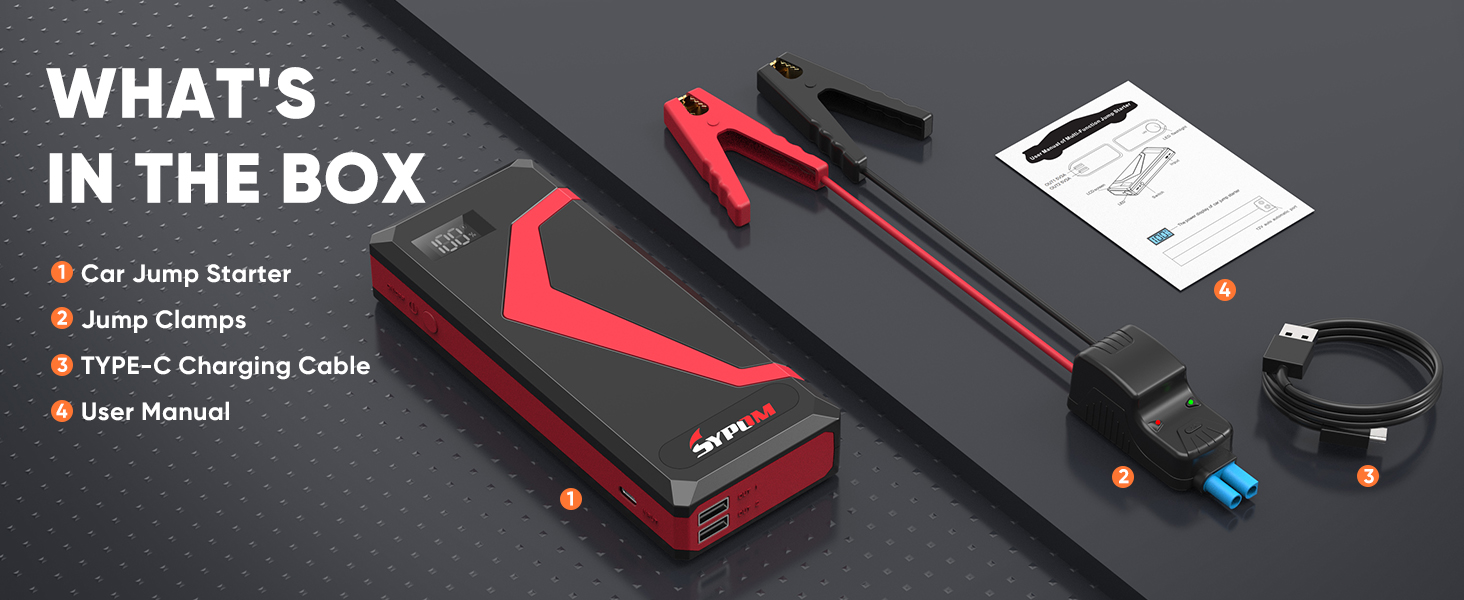
Figure 6.1: How to Start Your Vehicle

Figure 6.2: Jump Starter in Use
6.2 Using as a Portable Power Bank
The SYPOM A16 features two USB output ports for charging electronic devices.
- Connect your device's USB charging cable to either USB Output 1 or USB Output 2 on the jump starter.
- The jump starter will automatically begin charging your device.
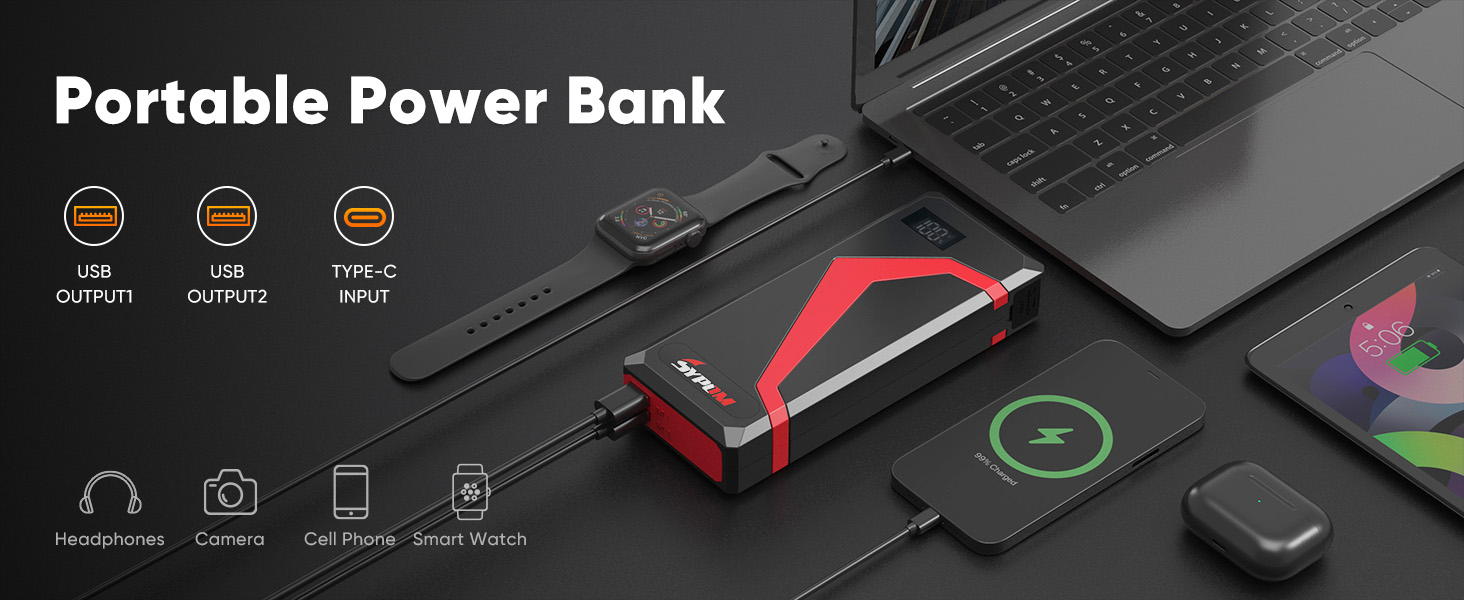
Figure 6.3: Portable Power Bank Functionality
6.3 Using the LED Flashlight
The integrated LED flashlight has three modes: normal, SOS, and strobe.
- Turn On/Off: Long press the power button to turn on the jump starter. Then, double-press the power button to turn on the LED light.
- Change Modes: With the LED light on, double-press the power button again to cycle through the modes (Normal > SOS > Strobe).

Figure 6.4: LED Light Modes
7. Maintenance
Proper maintenance ensures the longevity and performance of your SYPOM A16 jump starter.
- Regular Charging: For long-lasting effectiveness, charge the battery at least once every 3 months, even if not in use. This prevents deep discharge and maintains battery health.
- Storage: Store the jump starter in a cool, dry place, away from direct sunlight and extreme temperatures.
- Cleaning: Use a soft, dry cloth to clean the unit. Do not use harsh chemicals or abrasive materials.
- Cable Inspection: Periodically inspect the jumper cables and clamps for any signs of damage, fraying, or corrosion. Replace if necessary.
8. Troubleshooting
If you encounter issues with your SYPOM A16 jump starter, refer to the following common problems and solutions:
| Problem | Possible Cause | Solution |
|---|---|---|
| Vehicle does not start | Jump starter battery is low or dead. | Recharge the jump starter fully. |
| Clamps are not properly connected. | Ensure clamps are securely attached to the correct battery terminals (red to +, black to -). | |
| Vehicle battery is severely damaged. | Consult a professional mechanic. | |
| LED light does not turn on or change modes | Incorrect button press sequence. | Long press the power button to turn on the unit, then double-press to activate the light. Double-press again to cycle modes. |
| Jump starter not charging | Charging cable or adapter is faulty. | Try a different Type-C cable and USB power adapter. |
| Charging port is dirty or damaged. | Clean the port carefully or contact support if damaged. |
9. Specifications
| Feature | Specification |
|---|---|
| Brand | SYPOM |
| Model Number | A16 |
| Peak Output Current | 4150 Amps (Note: Product title states 4150A, specifications state 4500 Amps. Please refer to product packaging for definitive value.) |
| Amperage | 4500 Amps |
| Product Dimensions | 10.63"D x 7.87"W x 2.36"H |
| Item Weight | 1.63 pounds |
| Battery Type | Lithium Polymer (1 required, included) |
| Engine Compatibility | All gasoline vehicles, diesel vehicles up to 12L |
| USB Output | Dual USB ports |
| LED Light Modes | Flashlight, Strobe, SOS |
10. Warranty and Support
For warranty information or technical support, please refer to the documentation included with your product or visit the official SYPOM website. Keep your purchase receipt as proof of purchase for any warranty claims.
Ask a question about this manual
Ask about setup, troubleshooting, compatibility, parts, safety, or missing instructions. Manuals+ will review the question and use this page’s manual context to help answer it.