Introduction
The Sony WF-C500 Truly Wireless in-Ear Bluetooth Earbud Headphones offer wireless connectivity with a compact design. These earbuds combine sound quality with extended battery life, personalization options, and IPX4 water resistance, making them suitable for various activities.
This manual provides essential information for setting up, operating, maintaining, and troubleshooting your WF-C500 earbuds.

Image: Sony WF-C500 Truly Wireless Earbuds (Black)
Setup
1. Initial Charging
Before first use, fully charge the earbuds and the charging case. Place the earbuds into the charging case. Connect the charging case to a USB power source using the provided USB-C cable. The indicator light on the case will show charging status.
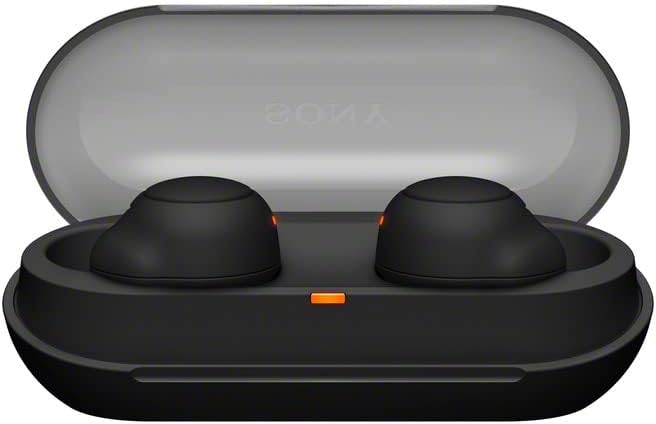
Image: Sony WF-C500 Earbuds in Charging Case
2. Bluetooth Pairing
- Ensure both earbuds are in the charging case and the lid is open.
- On your device (smartphone, tablet, etc.), enable Bluetooth.
- Select "WF-C500" from the list of available Bluetooth devices.
- Once connected, a voice prompt will confirm successful pairing.
Operating Instructions
Wearing the Earbuds
Insert the earbuds firmly into your ears. The ergonomic design ensures a snug fit for comfort and optimal sound performance. The earbuds are marked 'L' for left and 'R' for right.
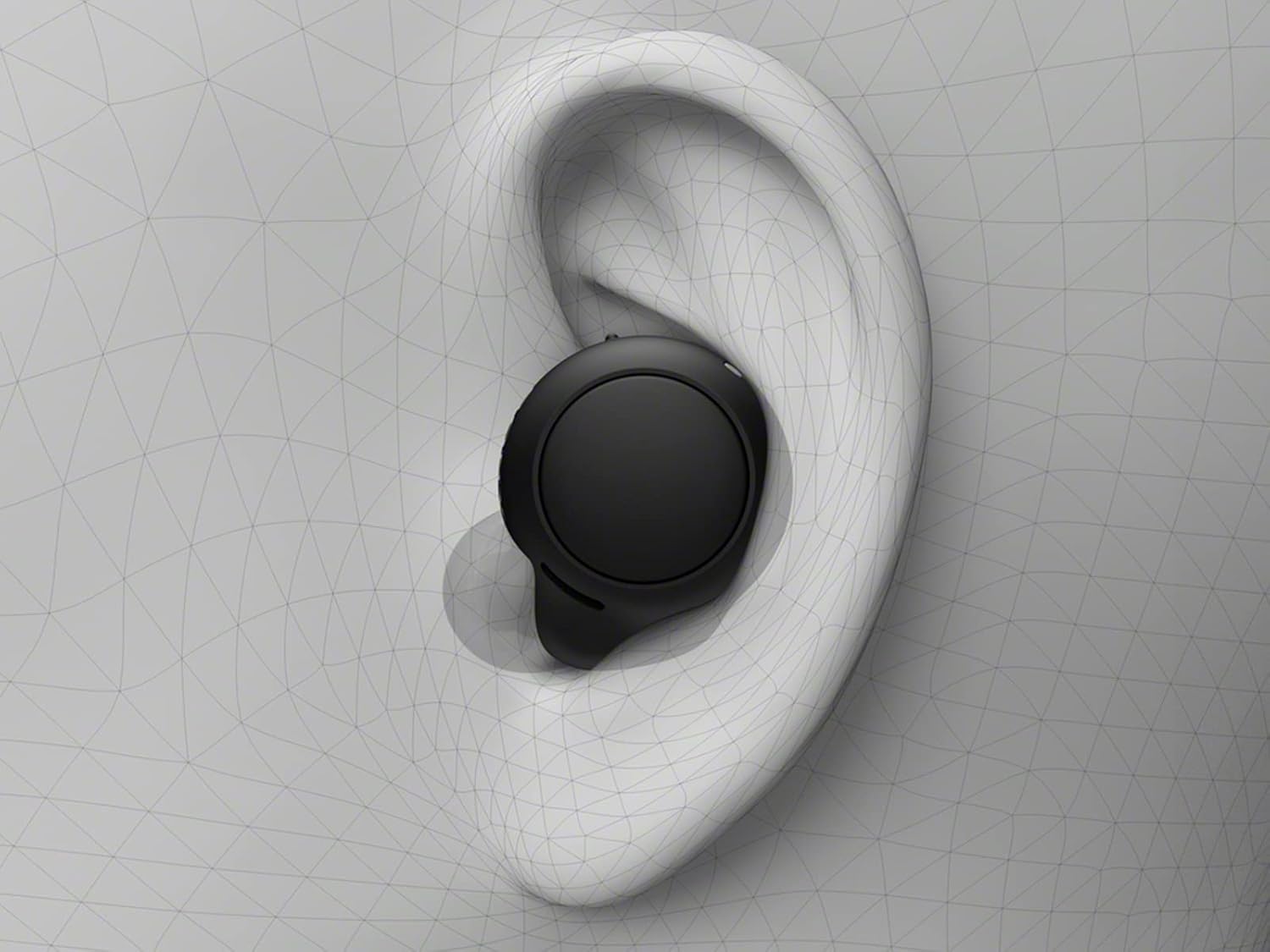
Image: Proper Earbud Placement
Basic Controls (Touch)
- Play/Pause: Single tap on either earbud.
- Next Track: Double tap on the right earbud.
- Previous Track: Double tap on the left earbud.
- Answer/End Call: Single tap on either earbud during an incoming call.
- Reject Call: Press and hold either earbud for 2 seconds during an incoming call.
- Activate Voice Assistant: Triple tap on either earbud.
Hands-Free Calling
The built-in microphone allows for clear hands-free calling. You can answer or end calls directly from the earbuds without needing to access your phone.
Single Earbud Use
The WF-C500 earbuds support optional use of a single earbud. Simply remove one earbud from the case and leave the other in, or put one away during use. The active earbud will automatically connect.
Battery Life & Charging
The earbuds provide up to 10 hours of listening time on a single charge. The compact charging case extends the total listening time to up to 20 hours.

Image: Battery Life and Quick Charging Information
Quick Charge Feature
A 10-minute quick charge provides up to an hour of additional playback time, ideal for when you're in a hurry.
Charging Indicators
The charging case features an LED indicator that shows the battery status. A red light typically indicates low battery or charging in progress, while a green light indicates a full charge.
Design & Durability
The WF-C500 earbuds are designed to be small, lightweight, and comfortable for all-day wear. Their ergonomic surface design is crafted to fit most ear shapes securely.

Image: Single Sony WF-C500 Earbud
Water Resistance
With an IPX4 water resistance rating, these earbuds are protected against splashes and sweat. This makes them suitable for workouts and outdoor activities, but they are not designed for submersion in water.
Sound Quality & Features
The WF-C500 earbuds deliver high-quality audio with features designed to enhance your listening experience.
DSEE (Digital Sound Enhancement Engine)
DSEE technology restores high-frequency sounds lost in compression, providing a richer and more natural sound experience.

Image: DSEE Technology Logo
360 Reality Audio
Immerse yourself in sound all around you with 360 Reality Audio. This feature creates an immersive audio experience, making music feel as real as if you were at a live concert or in a recording studio.
Customizable Sound
Fine-tune your sound preferences using the Sony Headphones Connect app, which allows for sound customization and equalizer adjustments.
Video: Overview of Sony WF-C500 Truly Wireless Earbuds features, including sound customization and design. (Source: Amazon Videos)
Specifications
| Feature | Detail |
|---|---|
| Model Name | WFC500/B |
| Connectivity Technology | Bluetooth 5.0 |
| Wireless Communication Technology | Bluetooth |
| Battery Life (Earbuds) | Up to 10 Hours |
| Total Battery Life (with Case) | Up to 20 Hours |
| Quick Charge | 10 min charge for 1 hour playback |
| Water Resistance Level | IPX4 (Splash-proof and sweat-resistant) |
| Control Method | Touch |
| Microphone | Included for hands-free calling |
| Ear Placement | In Ear |
| Form Factor | In Ear |
| Dimensions | 3.9 x 2.2 x 2.9 inches |
| Item Weight | 1 pounds |
| Included Components | Headphones, Charging Case |
Troubleshooting
No Sound or Intermittent Connection
- Ensure both earbuds are charged.
- Check that Bluetooth is enabled on your device and the earbuds are selected.
- Move your device closer to the earbuds to avoid interference.
- Try unpairing and re-pairing the earbuds with your device.
- Restart your device and the earbuds.
Charging Issues
- Verify the USB-C cable is securely connected to both the charging case and the power source.
- Ensure the power source is active.
- Clean the charging contacts on both the earbuds and inside the case with a dry, soft cloth.
- If the charging indicator light is not behaving as expected, refer to the full product manual for specific light patterns.
Warranty & Support
This product is a Certified Refurbished item. It is manufacturer refurbished, shows limited or no wear, and includes all original accessories. It comes with a 90-day limited hardware warranty.
For further support, please refer to the official Sony support website or contact your retailer.


