1. Product Overview
The NineLeaf SF31 Extra Remote Control is designed to provide convenient wireless control for compatible NineLeaf bicycle taillights, specifically the SF31 model (ASIN B09GPHLBJ6). This compact, handlebar-mountable remote allows users to manage various functions of their taillight, such as alarm activation/deactivation, light modes, and sound adjustments, enhancing both security and visibility during cycling.
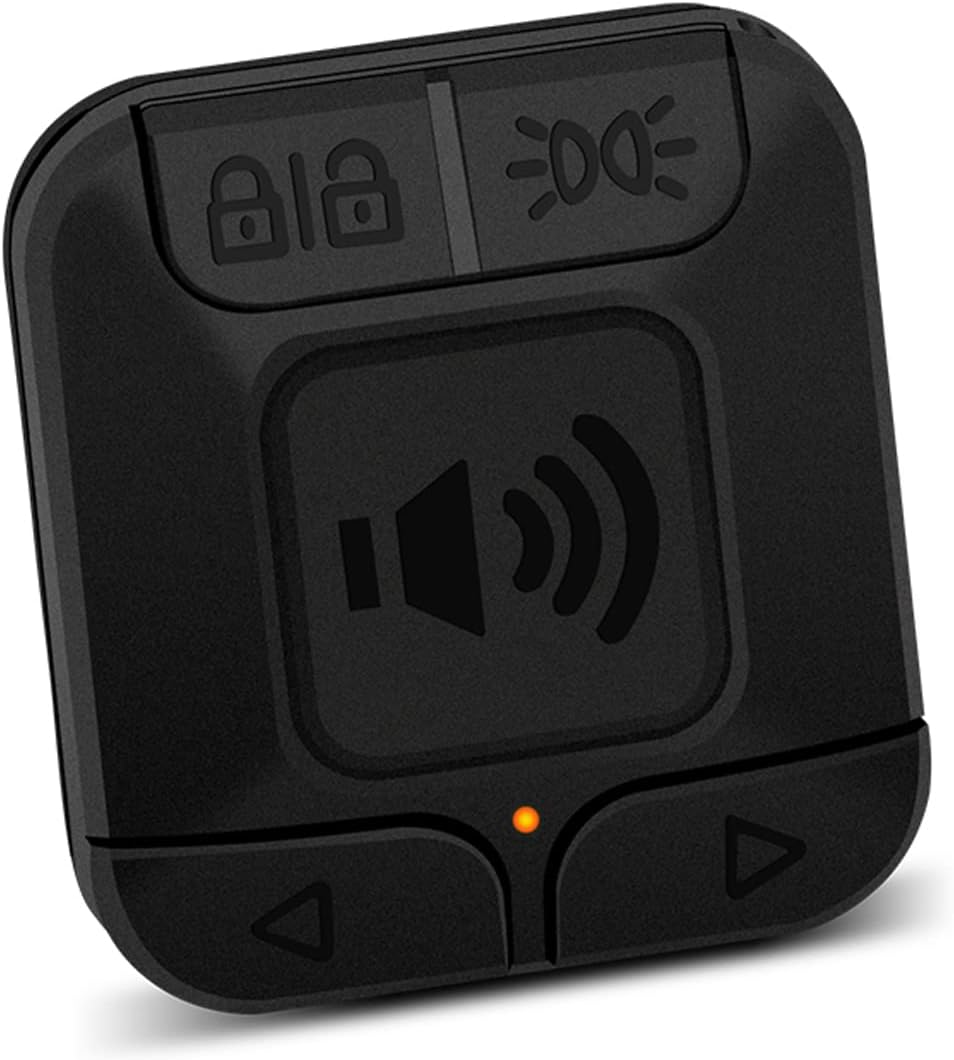
Image: The NineLeaf SF31 remote control, a black square device with four buttons: lock, light, speaker, and two arrow buttons, and a small orange indicator light.
2. Setup and Installation
Follow these steps to properly install your NineLeaf SF31 Extra Remote Control on your bicycle handlebar:
- Prepare the Handlebar: Identify a suitable, clear section on your bicycle handlebar for mounting the remote control.
- Position the Silicone Ring: Place the provided silicone ring at the chosen position on the handlebar. This ring helps secure the remote and prevents slippage.
- Attach the Remote Control Holder: Place the remote control holder around the silicone ring. Ensure the contours on the holder align with the silicone ring for a snug fit.
- Secure with Screw: Use the provided screw to firmly fasten the remote control holder to the handlebar. Do not overtighten.
- Insert the Remote: Gently press the remote control down into the holder. Then, turn the remote control counter-clockwise until it clicks securely into place. This ensures the remote is locked into its mount.
The remote control is designed to easily clamp onto handlebars with a diameter between 0.78 and 0.94 inches (approximately 20-24 mm).
3. Operating Instructions
The NineLeaf SF31 remote control is designed to work seamlessly with the NineLeaf SF31 Bicycle Taillight (ASIN B09GPHLBJ6). A single taillight can be paired with up to 8 remote controls.
Pairing the Remote Control
To pair the remote control with your NineLeaf SF31 taillight, refer to the specific pairing instructions provided with your taillight unit. Typically, this involves putting the taillight into a pairing mode and then pressing a button on the remote control.
Button Functions
The remote control features several buttons for various functions:
- Lock Button (Padlock Icon): Activates or deactivates the alarm function of the taillight.
- Light Button (Light Bulb Icon): Cycles through different light modes (e.g., steady, flashing, slow flash).
- Speaker Button (Speaker Icon): Adjusts the volume or sound settings of the taillight's alarm.
- Arrow Buttons (Up/Down Arrows): Used for navigation or fine-tuning settings, such as alarm sensitivity or specific light patterns, depending on the taillight's capabilities.
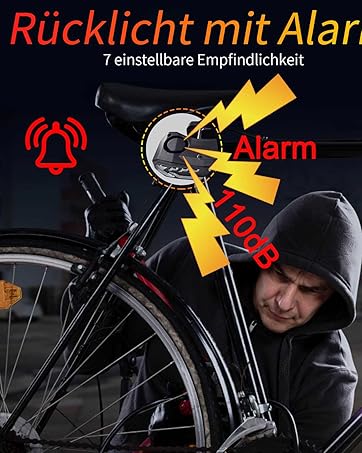
Image: A bicycle with an alarm icon and 110dB text, indicating the alarm function of the associated taillight.
4. Maintenance
To ensure the longevity and optimal performance of your remote control, follow these maintenance guidelines:
- Cleaning: Wipe the remote control with a soft, damp cloth. Avoid using harsh chemicals or abrasive cleaners.
- Battery Replacement: The remote control is powered by a small button-cell battery. If the remote's indicator light does not illuminate or its range decreases, replace the battery. Refer to the battery compartment for the correct battery type and polarity.
- Storage: Store the remote control in a cool, dry place when not in use, away from direct sunlight and extreme temperatures.
5. Troubleshooting
If you encounter issues with your NineLeaf SF31 Extra Remote Control, consider the following:
- Remote Not Responding:
- Check the battery. Replace if necessary.
- Ensure the remote is within range of the taillight.
- Re-pair the remote control with the taillight according to the taillight's instructions.
- Intermittent Functionality:
- Verify there are no obstructions between the remote and the taillight.
- Ensure the remote's battery is not low.
- Mounting Issues:
- Ensure the silicone ring and holder are correctly positioned and tightened.
- Confirm your handlebar diameter is within the specified range (0.78-0.94 inches).
6. Specifications
| Feature | Specification |
|---|---|
| Model | SF31 (Extra Remote Control) |
| Compatibility | NineLeaf SF31 Bicycle Taillight (ASIN B09GPHLBJ6) |
| Color | Black |
| Material | Plastic |
| Handlebar Clamp Size | 0.78 - 0.94 inches (20-24 mm) |
| Max Remotes per Taillight | Up to 8 remote controls |
7. Warranty and Support
For information regarding warranty coverage, technical support, or replacement parts, please contact NineLeaf customer service directly. Refer to the product packaging or the NineLeaf official website for contact details.
NineLeaf Official Store: Visit the NineLeaf Store on Amazon


