
1. Introduction
Thank you for choosing the Ingco FCLI2001 20V Rapid Battery Charger. This manual provides essential information for the safe and efficient operation, maintenance, and troubleshooting of your charger. Please read this manual thoroughly before first use and keep it for future reference.
The Ingco FCLI2001 is designed to charge Ingco 20V Lithium-Ion batteries. It features advanced technology to monitor current, voltage, and battery temperature, contributing to improved battery life and efficient charging.
2. Safety Instructions
Always observe basic safety precautions when using electrical appliances to reduce the risk of fire, electric shock, and personal injury.
- Read all instructions: Before using the charger, read all instructions and cautionary markings on the charger, battery, and product using the battery.
- Indoor use only: Do not expose the charger to rain or wet conditions. It is designed for indoor use only.
- Proper voltage: Ensure the power supply voltage matches the voltage specified on the charger's rating label (220V-240V ~ 50/60Hz).
- Avoid charging non-rechargeable batteries: This charger is specifically designed for Ingco 20V Lithium-Ion batteries. Do not attempt to charge non-rechargeable batteries or other battery types, as this may cause them to burst, leading to personal injury and damage.
- Ventilation: Ensure adequate ventilation during charging. Do not cover the charger.
- Damaged cords: Never operate the charger if the cord or plug is damaged. Replace immediately.
- Avoid short circuits: Do not short-circuit the battery terminals.
- Children and untrained persons: This appliance is not intended for use by persons (including children) with reduced physical, sensory or mental capabilities, or lack of experience and knowledge, unless they have been given supervision or instruction concerning use of the appliance by a person responsible for their safety.
- Disconnect power: Always disconnect the charger from the power outlet before attempting any maintenance or cleaning.
3. Product Overview
The Ingco FCLI2001 charger is a compact and efficient unit designed for rapid charging of Ingco 20V batteries. It features indicator lights to communicate charging status.

Figure 1: Angled view of the Ingco FCLI2001 20V Rapid Battery Charger, showing the battery slot and indicator lights.
Components:
- Battery Slot: Area where the 20V Ingco battery is inserted for charging.
- Power Cord: Connects the charger to a standard electrical outlet.
- Indicator Lights: LEDs that display the charging status (e.g., charging, fully charged, error).
4. Setup
Follow these steps to set up your Ingco FCLI2001 battery charger:
- Unpack: Carefully remove the charger from its packaging. Inspect for any damage.
- Placement: Place the charger on a stable, flat, non-flammable surface in a well-ventilated area. Ensure it is away from direct sunlight, heat sources, and moisture.
- Connect to Power: Plug the charger's power cord into a standard 220V-240V ~ 50/60Hz electrical outlet. The charger may have a power indicator light that illuminates to show it is ready.

Figure 2: Top view of the Ingco FCLI2001 20V Rapid Battery Charger, showing the battery connection terminals.
5. Operating Instructions
To charge an Ingco 20V Lithium-Ion battery:
- Insert Battery: Align the battery with the battery slot on the charger. Slide the battery firmly into the charger until it clicks into place.
- Monitor Charging: The indicator lights on the charger will illuminate to show the charging status. Typically:
- Solid Red/Orange: Battery is charging.
- Solid Green: Battery is fully charged.
- Flashing Red/Error: Indicates a problem (e.g., battery too hot/cold, defective battery). Refer to the Troubleshooting section.
- Remove Battery: Once the battery is fully charged (indicated by a solid green light), press the battery release button (if present) and slide the battery out of the charger.
- Disconnect Charger: Unplug the charger from the power outlet when not in use.
Note: The charger is designed to monitor battery temperature and voltage to optimize charging and prevent overcharging. Charging time will vary depending on the battery's capacity and its current charge level.
6. Maintenance
Proper maintenance ensures the longevity and safe operation of your charger.
- Cleaning: Disconnect the charger from the power supply before cleaning. Use a soft, dry cloth to wipe the exterior of the charger. Do not use water or chemical cleaners. Keep the charging terminals clean and free of debris.
- Storage: Store the charger in a dry, cool place, away from direct sunlight and moisture. When not in use, unplug it from the power outlet.
- Inspection: Regularly inspect the power cord and charger housing for any signs of damage. If damage is found, discontinue use and have it repaired by a qualified service technician.
7. Troubleshooting
If you encounter issues with your Ingco FCLI2001 charger, refer to the following common problems and solutions:
| Problem | Possible Cause | Solution |
|---|---|---|
| Charger indicator lights do not illuminate. | No power to the charger; faulty outlet; damaged power cord. | Check power connection. Try a different outlet. Inspect power cord for damage. |
| Battery not charging (e.g., flashing red light). | Battery too hot or too cold; battery not properly inserted; defective battery. | Allow battery to reach room temperature. Re-insert battery firmly. Test with a different battery if available. If problem persists, battery may be faulty. |
| Charging takes too long. | Battery deeply discharged; environmental temperature. | This is normal for deeply discharged batteries. Ensure charger is in a well-ventilated area. |
If the problem persists after attempting these solutions, contact Ingco customer support for further assistance.
8. Specifications
Key technical specifications for the Ingco FCLI2001 20V Rapid Battery Charger:
| Feature | Specification |
|---|---|
| Model Number | FCLI2001 |
| Input Voltage | 220V-240V ~ 50/60Hz |
| Output Voltage | 20V |
| Input Power | 50W |
| Compatible Battery Type | Ingco 20V Lithium-Ion |
| Item Weight | 370 g (0.37 kg) |
| Product Dimensions | 10 x 20 x 37 cm |
| Color | Black/Yellow |
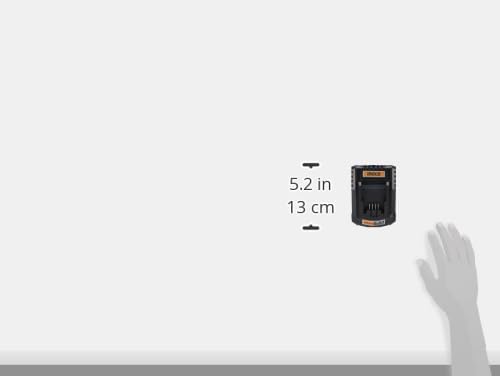
Figure 3: Illustrative image showing the approximate dimensions of the Ingco FCLI2001 charger.
9. Warranty and Support
For warranty information and customer support, please refer to the documentation provided with your purchase or visit the official Ingco website. Keep your proof of purchase for warranty claims.
If you require technical assistance or have questions regarding the operation of your Ingco FCLI2001 charger, please contact Ingco customer service.


