
1. Introduction
Thank you for choosing the AEG AP81UB25GG Cordless Handheld Vacuum Cleaner. This manual provides essential information for the safe and efficient use, maintenance, and troubleshooting of your new appliance. Please read these instructions carefully before first use and keep them for future reference.
2. Safety Information
Always observe basic safety precautions when using electrical appliances to reduce the risk of fire, electric shock, or injury.
- This appliance is intended for domestic use only. Do not use it for commercial or industrial purposes.
- Do not use the vacuum cleaner to pick up water, wet substances, hot ashes, sharp objects, or flammable liquids.
- Keep hair, loose clothing, fingers, and all parts of the body away from openings and moving parts.
- Ensure the appliance is switched off before cleaning or performing maintenance.
- Only use the original charger and battery provided by AEG.
- Do not operate the vacuum cleaner if it is damaged or malfunctioning. Contact authorized service for repair.
- This appliance can be used by children aged 8 years and above and persons with reduced physical, sensory or mental capabilities or lack of experience and knowledge if they have been given supervision or instruction concerning use of the appliance in a safe way and understand the hazards involved.
3. Package Contents
Carefully unpack all items and ensure you have received all components as listed below:
- AEG AP81UB25GG Main Vacuum Unit
- Extension Tube
- Floor Nozzle with LED Front Light
- Charging Stand/Dock
- Crevice Tool
- Dusting Brush
- Power Adapter
- User Manual (this document)
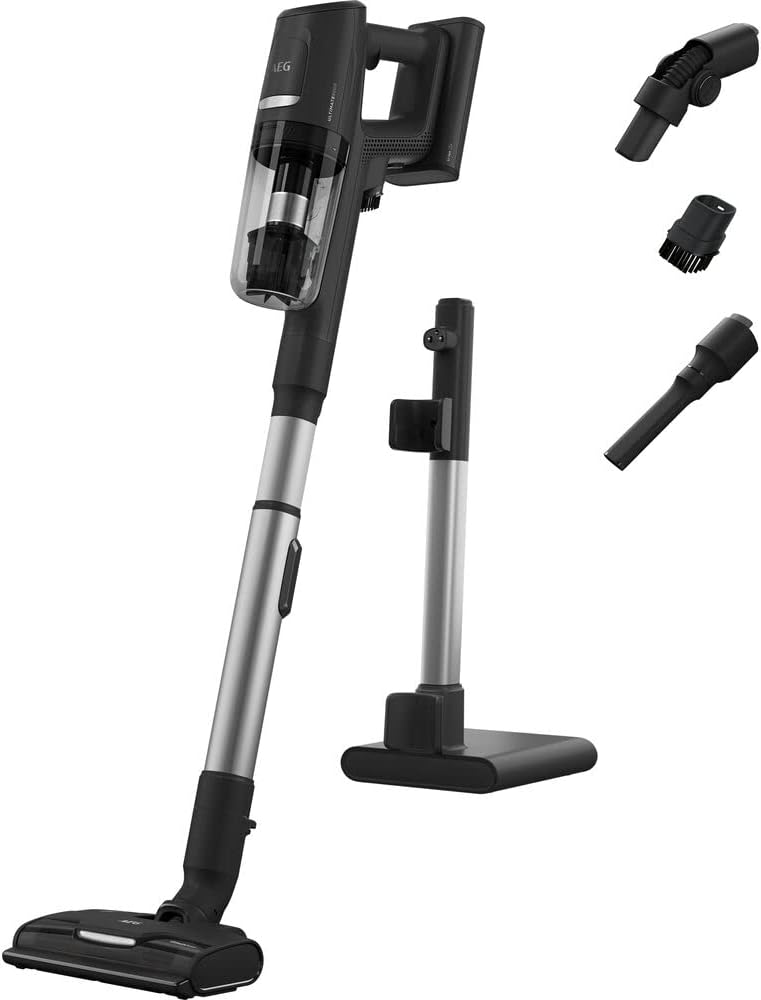
Image: All components included with the AEG AP81UB25GG cordless vacuum cleaner, including the main unit, extension tube, floor nozzle, charging stand, and various attachments.
4. Product Overview
Familiarize yourself with the main parts of your vacuum cleaner before use.
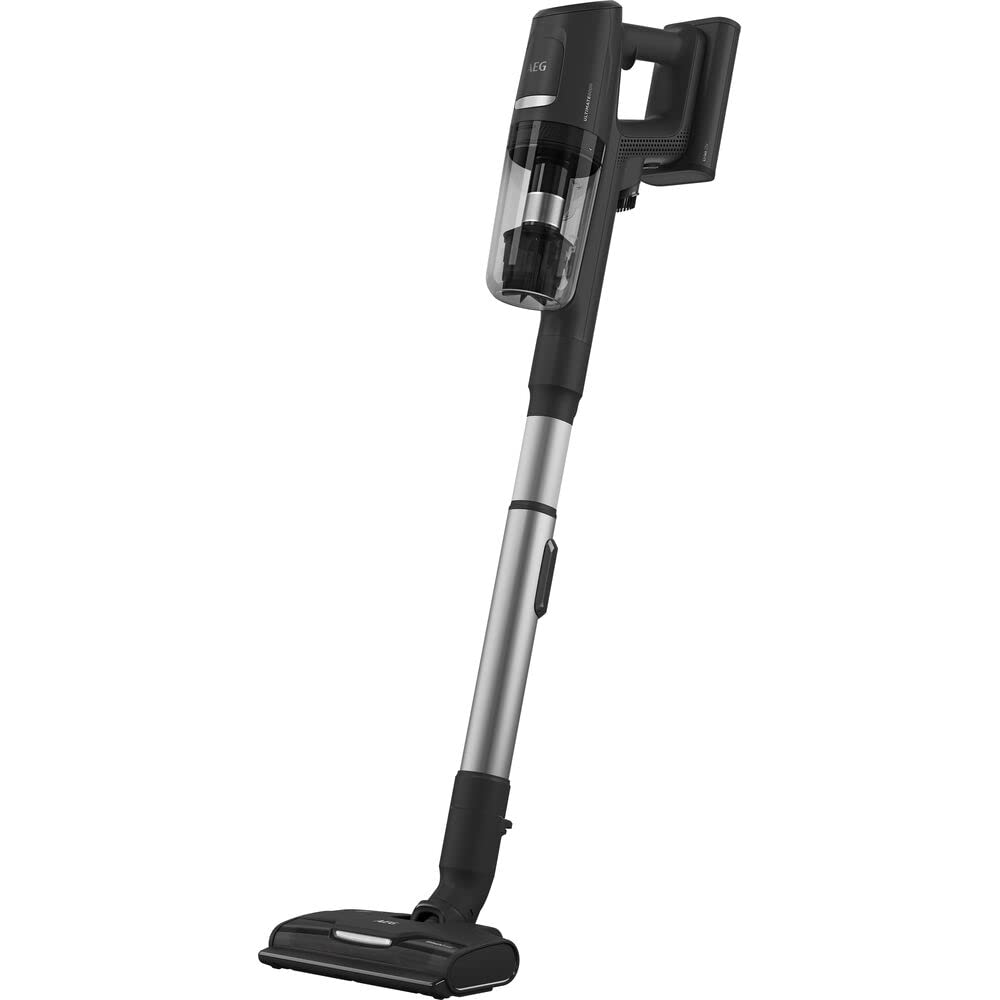
Image: The AEG AP81UB25GG cordless vacuum cleaner fully assembled, showing the main unit, extension tube, and floor nozzle.
- Main Unit: Contains the motor, dustbin, and controls.
- Dustbin: Transparent container for collected dust and debris.
- Extension Tube: Connects the main unit to the floor nozzle or other attachments for extended reach.
- Floor Nozzle: Equipped with a brush roll and LED front lights for effective cleaning on various surfaces.
- Hand Piece: The main unit can be detached for quick, handheld cleaning.
5. Setup
5.1 Assembly
- Insert the extension tube into the main vacuum unit until it clicks securely into place.
- Attach the floor nozzle to the other end of the extension tube, ensuring it is firmly connected.
- For handheld use, detach the extension tube and attach desired accessories (crevice tool, dusting brush) directly to the main unit.
5.2 Initial Charging
- Place the assembled vacuum cleaner onto the charging stand.
- Connect the power adapter to the charging stand and plug it into a wall outlet.
- Allow the vacuum cleaner to charge fully before its first use. The charging indicator light will show the charging status. A full charge can take several hours.
6. Operating Instructions
6.1 Powering On/Off

Image: Close-up view of the main unit of the AEG AP81UB25GG, highlighting the power button and mode selection controls.
- Press the power button located on the main unit to turn the vacuum cleaner on.
- Press the power button again to turn the vacuum cleaner off.
6.2 Mode Selection
The vacuum cleaner features different power modes for various cleaning tasks:
- Automatic Mode: Provides energy-saving operation by adjusting suction power based on the surface.
- Strong Aspiration Mode: Delivers maximum suction for stubborn dirt and deep cleaning.
Use the mode selection button on the main unit to switch between available modes.
6.3 Using Attachments
- Floor Nozzle: Ideal for hard floors and carpets. The LED front lights illuminate the cleaning path.
- Crevice Tool: Perfect for narrow gaps, corners, and hard-to-reach areas.
- Dusting Brush: Suitable for delicate surfaces, upholstery, and removing dust from furniture.
Attach the desired tool directly to the main unit for handheld use, or to the extension tube for floor cleaning.
7. Maintenance
Regular maintenance ensures optimal performance and extends the lifespan of your vacuum cleaner.
7.1 Emptying the Dustbin
- Ensure the vacuum cleaner is switched off.
- Press the quick-release button to detach the dustbin from the main unit.
- Empty the contents of the dustbin into a waste bin.
- Reattach the dustbin securely to the main unit.
7.2 Cleaning Filters
The vacuum cleaner uses cartridge and cloth filters. Clean them regularly to maintain suction power.
- Remove the dustbin as described above.
- Carefully remove the filters from the dustbin.
- Tap the filters gently over a waste bin to remove loose dust. For thorough cleaning, rinse the filters under cold running water.
- Allow the filters to air dry completely for at least 24 hours before reinserting them. Do not use a dryer or heat to dry them.
- Reassemble the filters and dustbin, then attach them to the main unit.
7.3 Cleaning the Floor Nozzle
- Ensure the vacuum cleaner is switched off and disconnected from the charger.
- Detach the floor nozzle from the extension tube.
- Inspect the brush roll for tangled hair or debris. Use scissors or a brush to carefully remove any obstructions.
- Wipe the exterior of the nozzle with a damp cloth. Do not immerse in water.
8. Troubleshooting
If you encounter any issues with your vacuum cleaner, refer to the table below for common problems and solutions.
| Problem | Possible Cause | Solution |
|---|---|---|
| Vacuum cleaner does not turn on. | Battery is depleted. | Charge the battery fully. |
| Reduced suction power. | Dustbin is full. | Empty the dustbin. |
| Reduced suction power. | Filters are clogged. | Clean or replace the filters. |
| Reduced suction power. | Nozzle or tube is blocked. | Check for and remove any blockages. |
| Brush roll not rotating. | Hair or debris tangled in brush roll. | Clean the brush roll. |
| Short battery runtime. | Battery not fully charged or aging. | Ensure full charge. If battery life significantly decreases, consider battery replacement (contact support). |
9. Specifications
| Feature | Detail |
|---|---|
| Model Number | AP81UB25GG |
| Manufacturer | AEG |
| Product Dimensions (L x W x H) | 50 x 50 x 28 cm |
| Item Weight | 8.36 kilograms |
| Color | Multicolor |
| Power Source | Battery Powered |
| Voltage | 25.2 Volts |
| Power | 25.2 Watts |
| Noise Level | 75 Decibels |
| Battery Runtime | Up to 60 minutes |
| Special Features | Energy-saving automatic mode, strong aspiration, quick-release hand piece, floor nozzle with LED front light |
| Filter Type | Cartridge, Cloth |
| Surface Recommendation | Hard floor, Upholstery |
| Included Components | 1 piece (main unit, accessories sold separately or as part of a kit) |
| Cordless | Yes |
10. Warranty and Support
For warranty information, please refer to the warranty card included with your purchase or visit the official AEG website. Spare parts availability information is currently unavailable through standard product listings. For technical support, service, or to inquire about spare parts, please contact AEG customer service directly through their official channels.


