
Introduction
Thank you for choosing the Electactic EL-Z5845 Commercial Ice Maker. This manual provides essential information for the safe and efficient operation, maintenance, and troubleshooting of your new ice machine. Please read all instructions carefully before initial use and retain this manual for future reference.
The Electactic EL-Z5845 is a high-capacity commercial ice machine designed for various settings including restaurants, bars, homes, and offices. It features a powerful compressor capable of producing up to 100 pounds of ice per day with a storage capacity of 48 pounds. Its durable stainless steel construction ensures hygiene and longevity.
Safety Information
- Ensure the ice maker is placed on a stable, level surface.
- Keep the unit upright for at least 24 hours before first use to allow the refrigerant to settle.
- Do not connect the external water source when the internal valve is open, as this will cause an overflow.
- Regularly clean the ice maker as instructed to maintain hygiene and optimal performance.
- This appliance is not a refrigerator; transfer ice to a freezer for long-term storage.
- Ensure proper ventilation around the unit.
Product Features
- Powerful Ice Production: Produces up to 100 pounds of ice per day, with 48 pieces per cycle in 12-18 minutes.
- Large Storage Capacity: Stores up to 48 pounds of ice.
- Durable Construction: Made from hygienic stainless steel for enhanced durability and service life.
- Intelligent LCD Control Panel: Features indicators for water and ice production, adjustable ice thickness, and automatic cleaning.
- Adjustable Ice Thickness: Customize ice thickness to suit various needs.
- Automatic Cleaning Function: Simplifies maintenance and ensures hygiene.
- Freestanding Design: Easy to install in various settings.
Setup Instructions
Proper setup is crucial for the optimal performance of your ice maker. Follow these steps carefully:
- Unpacking and Placement:
Remove all packaging materials. Place the ice maker on a firm, level surface. Ensure there is adequate ventilation around the unit. Allow the unit to stand upright for 24 hours before plugging it in to allow the refrigerant to stabilize.

Image: The Electactic Commercial Ice Maker positioned next to kitchen cabinetry, demonstrating its freestanding design and compact footprint. This image shows the unit's stainless steel front and black top, blending into a modern kitchen environment.
- Water Connection:
Your ice maker can be connected to a direct water supply or use bottled water. Locate the water intake and drain pipe connections at the back of the unit.
Video: This video demonstrates the process of connecting the water supply and drain lines to the commercial ice maker. It shows how to attach the water intake hose and the drain pipe, ensuring secure connections to prevent leaks. The video also highlights the option for using bottled water or a direct tap water connection.
- For Tap Water: Connect the provided water supply hose to the water intake port on the back of the machine and to your tap water source. Ensure the blue switch inside the unit is set to the horizontal position.
- For Bottled Water: Insert the silicone tube into the water intake port and place the other end into a bottle of drinking water. Ensure the blue switch inside the unit is set to the vertical position.
Ensure all connections are secure to prevent leaks. Do not connect an external water source if the internal valve is open, as this may cause overflow.
- Power Connection:
Plug the power cord into a grounded electrical outlet. Ensure the voltage matches the specifications of the ice maker (120 Volts).
Operating Instructions
The Electactic EL-Z5845 features an intuitive LCD control panel for easy operation.

Image: A detailed view of the intelligent LCD control panel, showing buttons for Timer, Clean, On/Off, and plus/minus controls. The digital display shows temperature and ice production settings.
- Turning On/Off:
Press the ON/OFF button to start or stop the ice making process.
- Adjusting Ice Thickness:
After pressing ON/OFF, use the + or - buttons to adjust the ice making time, which directly affects the ice thickness. A longer time results in thicker ice.
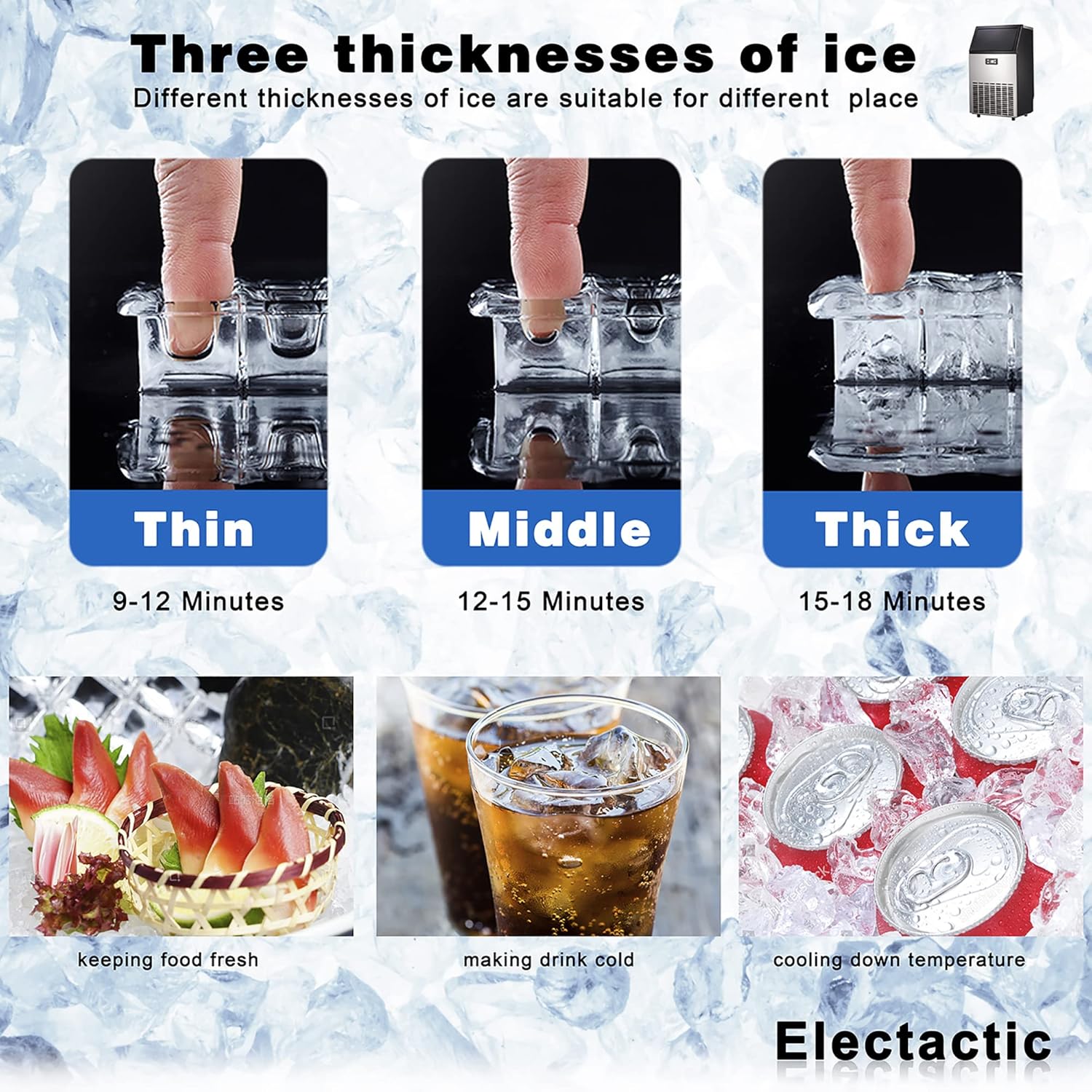
Image: This diagram illustrates the three available ice thicknesses (Thin, Medium, Thick) and their respective production times (9-12 minutes, 12-15 minutes, 15-18 minutes). It also shows examples of use for each thickness, such as keeping food fresh, making cold drinks, and cooling down temperatures.
- Ice Production Cycle:
The machine produces 48 pieces of ice per cycle, typically taking 12-18 minutes depending on the selected thickness and ambient temperature.
Video: This video provides a tutorial on the commercial ice maker's operation, including how to turn it on, adjust settings, and observe the ice production cycle. It highlights the multi-function control panel and the process of ice formation and dropping into the storage bin.
- Timer Function:
Press the TIMER button to set a delayed start or stop time for the ice maker.
- Ice Storage:
The ice maker can store up to 48 pounds of ice. Use the provided ice scoop to retrieve ice. For longer storage, transfer ice to a freezer as the ice maker's bin is insulated but not refrigerated.
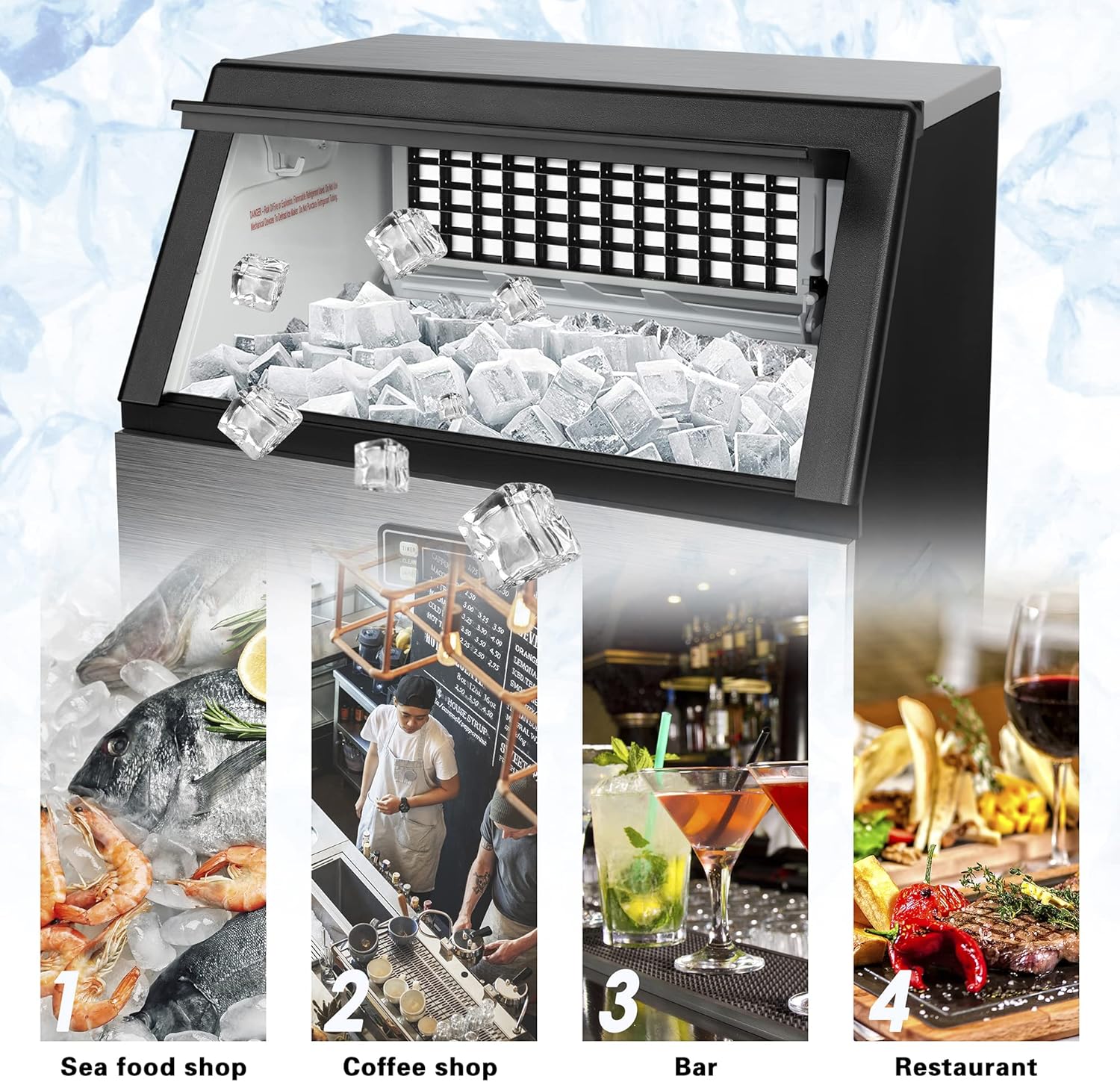
Image: The interior of the ice maker's storage bin, showing a large quantity of clear ice cubes. The ice is collected below the ice-making grid, ready for scooping.
Maintenance
Regular maintenance ensures the longevity and hygienic operation of your ice maker.
- Initial Cleaning:
Before first use, clean the ice maker thoroughly. The unit is equipped with an automatic cleaning function.
- Automatic Cleaning:
To activate the automatic cleaning mode, long press the CLEAN button (often combined with the Timer button) for 5 seconds. Follow the instructions on the LCD display. Ensure the drain pipe is properly connected to allow water to exit during cleaning.
- Manual Cleaning:
For a more thorough cleaning, unplug the unit, drain any remaining water, and wipe down the interior surfaces with a mild detergent and water. Rinse thoroughly and ensure all detergent residue is removed.
- Draining the Unit:
When not in use for an extended period, or for cleaning, ensure the unit is drained. Locate the drain plug at the back of the unit and remove it to allow water to flow out. Reinsert the plug once draining is complete.
Troubleshooting
Here are some common issues and their potential solutions:
| Problem | Possible Cause | Solution |
|---|---|---|
| Ice maker not producing ice. | No water supply, water intake blocked, or unit not powered. | Check water connections and supply. Ensure the unit is plugged in and turned on. Verify water intake is clear. |
| "E2" error displayed. | Water supply issue (e.g., no water, pump issue). | Unplug the unit for a few minutes, then plug it back in. Check water supply and ensure the water pump is functioning. If using bottled water, ensure the bottle is not empty. |
| Ice is too thin/thick. | Ice thickness setting needs adjustment. | Use the + or - buttons on the control panel to adjust the ice making time. |
| Ice is melting in the storage bin. | The storage bin is insulated, not refrigerated. | This is normal. Transfer ice to a freezer for long-term storage. Empty the bin if not using for an extended period. |
| Unit is noisy. | Normal operation sounds (compressor, ice dropping). | Some noise is normal during operation. Ensure the unit is on a stable surface to minimize vibrations. |
Specifications
| Feature | Detail |
|---|---|
| Brand | Electactic |
| Model Name | ICE91122 |
| Model Number | EL-Z5845 |
| Product Dimensions | 31.4"D x 11.7"W x 17.6"H |
| Ice Production Capacity | 100 Pounds/Day |
| Ice Storage Capacity | 48 Pounds |
| Wattage | 120 watts |
| Voltage | 120 Volts |
| Refrigerant | R600a |
| Material | Stainless Steel |
| Installation Type | Freestanding |
| Item Weight | 60.9 pounds |
| UPC | 757837926866 |

Image: A visual representation of the ice maker's dimensions, showing a height of 31.4 inches, width of 17.6 inches, and depth of 11.7 inches. It also illustrates the size of a single ice cube (0.9 x 0.9 x 0.9 inches).
Warranty and Support
For customer support or warranty inquiries, please refer to the contact information provided at the point of purchase or visit the official Electactic website. Keep your purchase receipt for warranty validation.
The product description mentions: "It is our honor that you can choose our products, we will provide you with the best products and services."


