
Introduction
The PETLIBRO Automatic Pet Feeder is designed to provide convenient and reliable feeding for your cats and dogs. With advanced features like Wi-Fi connectivity, customizable meal schedules, and freshness preservation, this feeder ensures your pet receives their meals on time, every time. The intuitive app control allows you to manage feeding from anywhere, providing peace of mind for pet owners.
Product Overview & Components
The PETLIBRO Automatic Pet Feeder consists of several key components designed for optimal functionality and ease of use.
- Wi-Fi Automatic Pet Feeder Unit
- Stainless Steel Food Bowl
- Charger (Power Adapter)
- Desiccant Bag
- User Manual
- Quick Guide

This image displays the PETLIBRO Automatic Pet Feeder in black, alongside a smartphone showing the feeder's control application. The feeder features a transparent window to view food levels and a stainless steel bowl.
This diagram illustrates the internal design of the feeder, highlighting the secure twist-lock lid, desiccant bag compartment, silicone sealing strip, and patent rotor design, all contributing to food freshness.
Setup
- Unpack and Assemble: Remove all components from the packaging. Place the stainless steel bowl into its designated slot on the feeder base.
- Power Connection: Connect the power adapter to the feeder and plug it into a wall outlet. For power outage backup, insert 3 D-size batteries (not included) into the battery compartment at the bottom of the feeder.
- Install Desiccant Bag: Open the lid of the food tank and place the desiccant bag into its holder to maintain food freshness.
- Fill Food Tank: Pour dry kibble into the food tank. Ensure the kibble size is between 2-15mm to prevent jamming. Securely close the twist-lock lid.
- App Download & Connection: Download the PETLIBRO App from your smartphone's app store (iOS or Android). Follow the in-app instructions to connect the feeder to your home Wi-Fi network. The feeder supports both 5GHz and 2.4GHz Wi-Fi networks.

The feeder supports both 2.4GHz and 5GHz Wi-Fi networks for flexible connectivity options.
Operating Instructions
Scheduling Meals via App
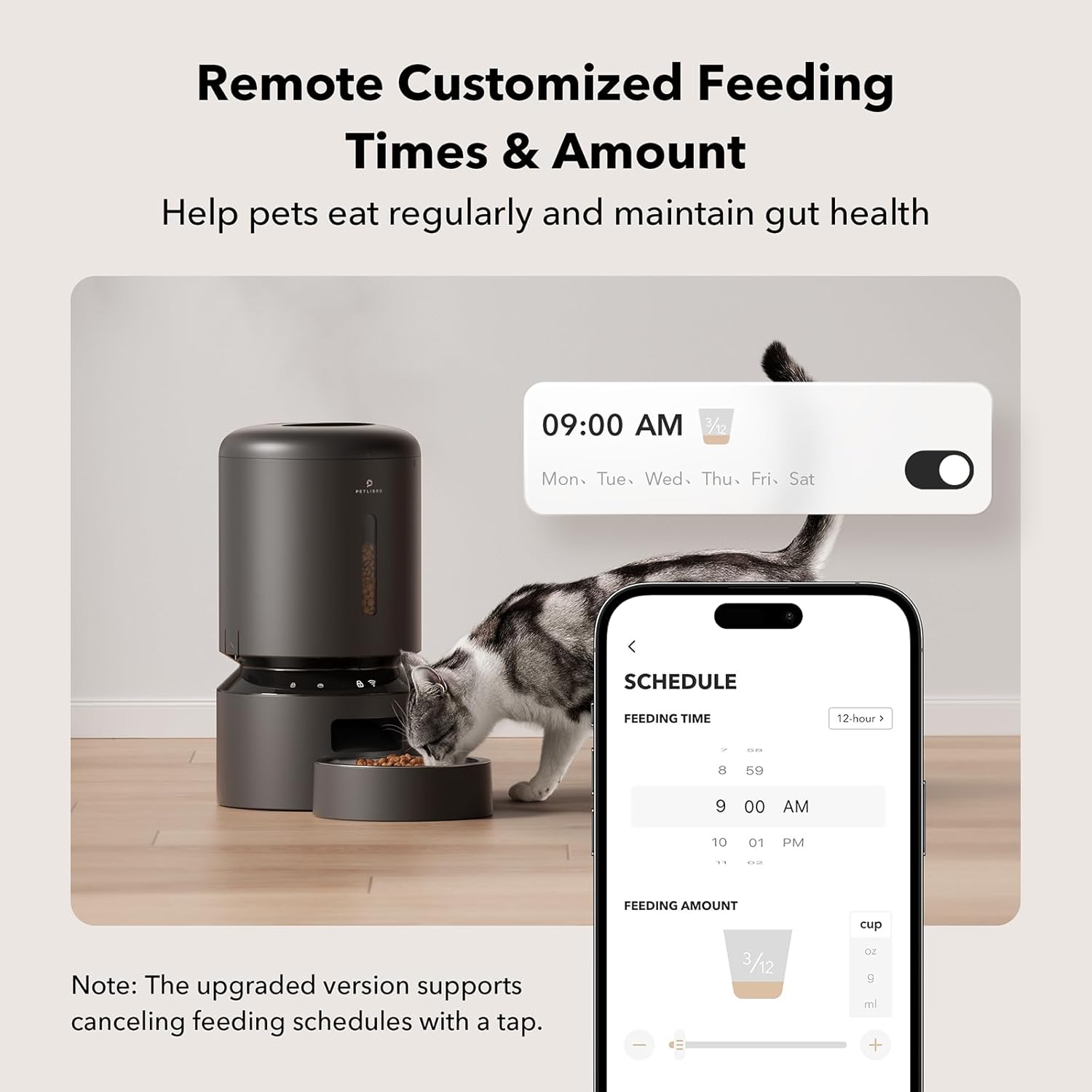
The PETLIBRO App allows you to create a customized feeding schedule for your pet. You can schedule up to 10 meals per day, with each meal consisting of 1 to 48 portions (1/12 cup per portion). The app also provides feeding records to track your pet's intake.

This image shows the feeder in use with a cat, and a smartphone screen demonstrating how to remotely customize feeding times and amounts via the app.
Personalized Meal Call
Record a voice message of up to 10 seconds through the app. This message will play at each scheduled feeding time, allowing your pet to hear your voice and feel your presence even when you're away. You can adjust the volume of the meal call as needed.
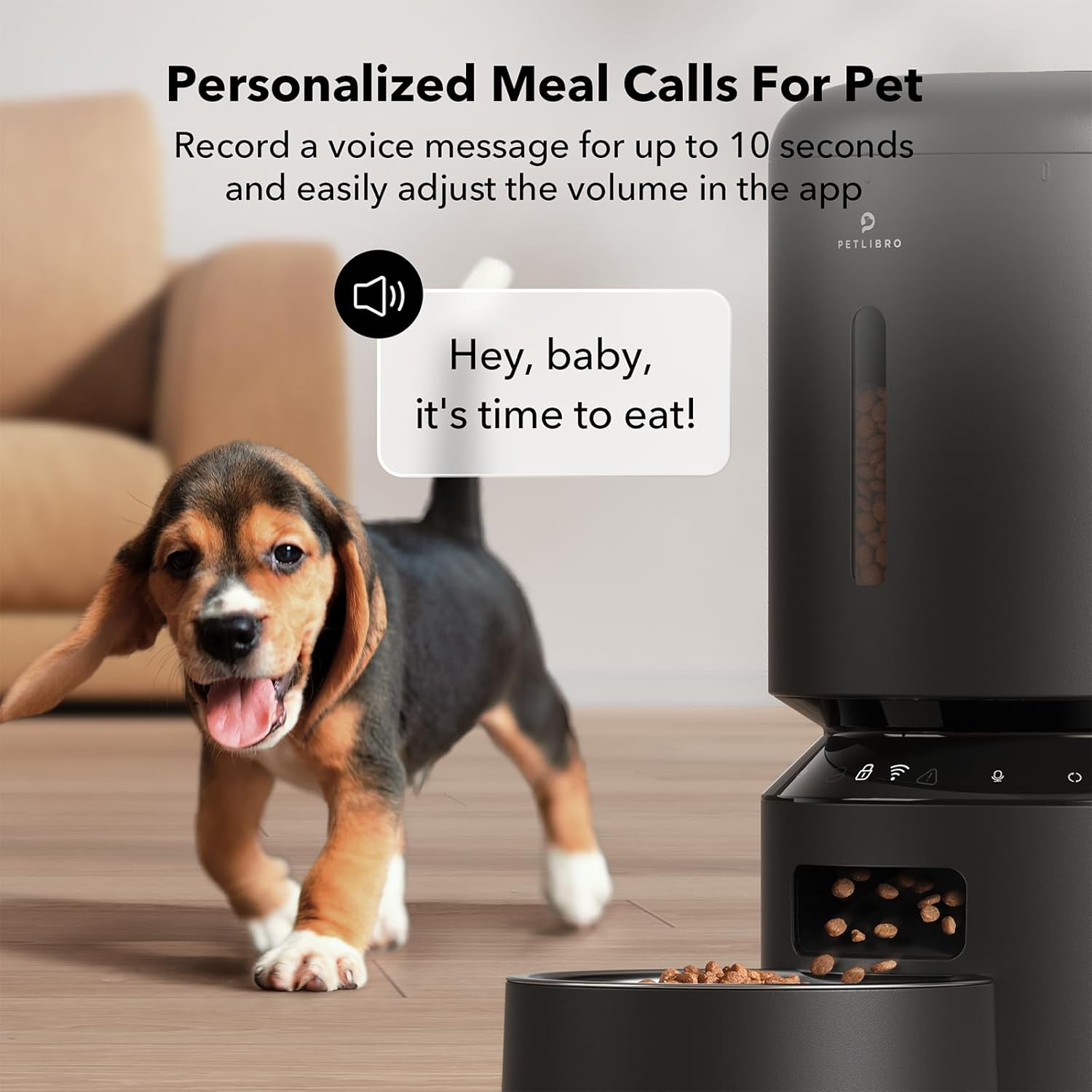
The feeder allows recording a personalized voice message up to 10 seconds, which plays at each feeding time to call your pet.
Smart Notifications
The feeder is equipped with sensors that provide important notifications directly to your smartphone and via indicators on the device. You will be alerted if the food tank is empty, if food gets jammed, or if the battery is low. An infrared sensor continuously monitors the food outlet to prevent blockages.

The feeder provides smart notifications on your phone and via indicators on the device for low food storage, low battery, and other operational issues.
Official Product Video
This video provides an overview of the PETLIBRO Automatic Pet Feeder, demonstrating its features and how to control it using the 5G WiFi enabled app.
Maintenance
Cleaning Instructions
Regular cleaning is essential for hygiene and proper functioning. The feeder features a detachable design for easy cleaning of the food tank and stainless steel bowl. The feeder base should not be washed; wipe it clean with a damp cloth.
- Detach the food tank and stainless steel bowl from the base.
- Wash the food tank and bowl with water and mild detergent.
- Ensure all parts are completely dry before reassembling.
- Replace the desiccant bag every two weeks to maintain food freshness.

The feeder features a detachable design for easy and thorough cleaning of its components, including the food container and stainless steel bowl.
Kibble Compatibility
For optimal performance and to prevent jamming, use dry kibble with a diameter between 2-15mm. The feeder is compatible with various dry food types, including freeze-dried, air-dried, and mixed food. Do not use wet pet food or kibble with a diameter over 15mm.

This image illustrates the recommended kibble size (2-15mm) and compatible food types (dry, freeze-dried, air-dried, mixed food) to prevent food jamming.
Troubleshooting
Food Jamming
The feeder is designed with an anti-stuck structure and a wide food outlet to minimize jamming. An infrared sensor at the food outlet detects blockages and stops dispensing to prevent motor strain. If a jam occurs, the app will send a 'Rotor Stuck' notification. Clear any obstructions from the food outlet and ensure kibble size is within the recommended range.
Connectivity Issues
Ensure your Wi-Fi network is stable and within range. The feeder supports both 2.4GHz and 5GHz networks. If connection issues persist, try restarting your router and the feeder. Refer to the app's troubleshooting guide for specific connection steps.
Power Outage
In case of a power outage, if D-size batteries are installed, the feeder will continue to dispense meals as scheduled. The app will notify you of low battery levels when the backup power source is running low.
Specifications
| Feature | Detail |
|---|---|
| Model Name | automatic cat food dispenser |
| Item Model Number | PLAF103 |
| Item Weight | 4.09 pounds |
| Color | Black |
| Size | 5L-with WiFi |
| Material | Stainless Steel |
| Style | WiFi |
| Number of Items | 1 |
| Age Range Description | All Life Stages |
| Breed Recommendation | All Breed Sizes |
| Specific Uses for Product | Pet daily feeding, Suitable for pets, App Control, Help pets on a healthy diet, Wi-Fi Connection |
| Special Feature | Supports 2.4G & 5G Wi-Fi Network |
Warranty and Support
The PETLIBRO Automatic Pet Feeder comes with a 24 Months Warranty from the date of purchase. For any support inquiries, troubleshooting assistance, or warranty claims, please refer to the official PETLIBRO customer service channels.
You can also download the comprehensive User Manual in PDF format for detailed instructions and information:


