
1. Introduction
The Nitecore P20iX is an i-Generation tactical flashlight designed for high performance and reliable operation. It features advanced technology for enhanced functionality and durability.
Equipped with four CREE XP-L2 V6 LEDs, the P20iX delivers a maximum output of 4,000 lumens and a beam distance of up to 221 meters. Its constant current circuit ensures stable output for extended periods.

Image 1.1: Nitecore P20iX Xtreme Performance i-Generation 21700 Tactical Flashlight. This image highlights the product name and key features like 4000 lumens, Strobe Ready technology, and USB-C rechargeability.
The flashlight incorporates a dual tail switch design for intuitive control, allowing for momentary-on, constant-on, and direct access to STROBE or TURBO modes. It offers two distinct user modes: Daily Mode and Tactical Mode, catering to various operational needs.
Power is supplied by an i Series Battery, a proprietary rechargeable Li-ion battery with dual-way output and high energy density. The integrated USB-C charging port provides convenient and reversible charging. The P20iX is constructed from aero-grade aluminum alloy with a HA III military-grade hard-anodized finish, ensuring durability. It is IP68 rated for waterproofing (2 meters submersible) and impact resistant up to 2 meters.
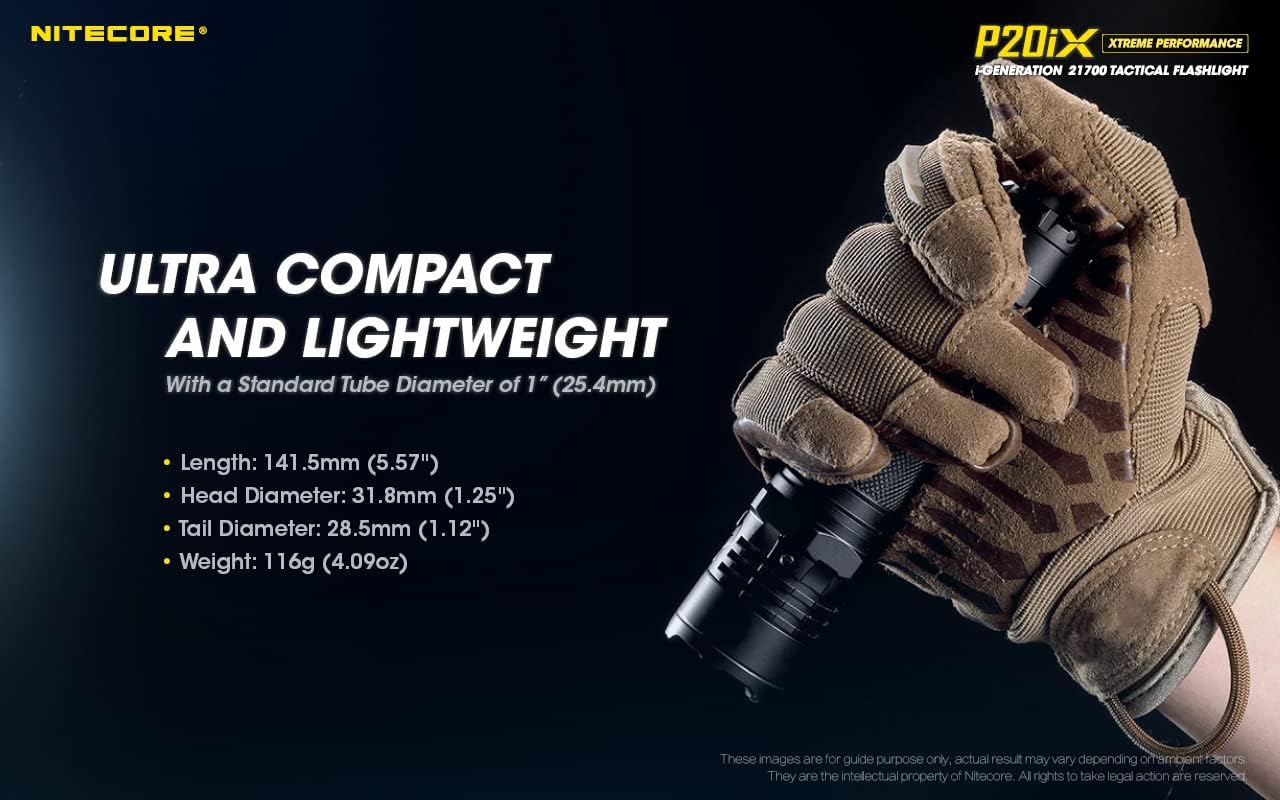
Image 1.2: Ultra Compact and Lightweight Design. This image shows the Nitecore P20iX being held, illustrating its compact and lightweight design with a standard 1-inch tube diameter.
2. Package Contents
Verify that all items listed below are included in your package:
- Nitecore P20iX Flashlight
- Nitecore NL2150i 5000mAh Battery
- 2x Nitecore NL2150HPi Rechargeable Batteries
- Battery Magazine
- NTH20 Holster
- USB-C Charging Cable
- Lanyard
- Clip
- Spare O-ring

Image 2.1: Nitecore P20iX Flashlight and accessories. This image displays the flashlight, three NL2150HPi batteries, a USB-C charging cable, and the NTH20 holster, representing the complete bundle.
3. Setup
3.1 Battery Installation
The P20iX is designed to operate with one Nitecore i Series 21700 battery (NL2150i or NL2150HPi) or two CR123/RCR123 batteries using the included battery magazine.
- Unscrew the tail cap counter-clockwise.
- Insert the 21700 i Series battery with the positive (+) end facing the head of the flashlight. If using two CR123/RCR123 batteries, place them into the battery magazine with the positive (+) ends facing the head, then insert the magazine into the flashlight.
- Screw the tail cap back on clockwise until securely tightened.

Image 3.1: Nitecore 21700 i Series Battery. This image illustrates the unique dual-polarity design of the i Series battery, showing both positive and negative terminals at each end.
3.2 Charging
The P20iX features a built-in USB-C charging port for convenient recharging of the i Series battery.
- Locate the USB-C charging port cover near the head of the flashlight.
- Lift the cover to expose the USB-C port.
- Connect the included USB-C charging cable to the flashlight and a USB power source (e.g., wall adapter, computer, power bank).
- The power indicator beside the charging port will provide charging status. A solid blue light indicates charging in progress, and a fully charged battery is indicated by a steady green light.
- Once charging is complete, disconnect the cable and securely close the USB-C port cover to maintain water and dust resistance.
The power indicator can also display the battery voltage with an accuracy of ±0.1V when the flashlight is off and the tail switch is pressed.
4. Operating Instructions
4.1 Dual Tail Switch Operation
The P20iX utilizes a dual tail switch system for intuitive control:
- Power Button (Main Tail Switch): Used for momentary-on and constant-on illumination.
- Mode Button (STROBE READY™ Button): Used for output adjustment and instant access to STROBE / TURBO modes.
4.2 User Modes
The P20iX offers two user modes: Daily Mode and Tactical Mode. To switch between modes, ensure the flashlight is off. Press and hold the Mode Button while simultaneously tightening the tail cap. The flashlight will flash once to indicate Daily Mode or twice to indicate Tactical Mode.

Image 4.1: Daily Mode and Tactical Mode. This image visually represents the different brightness levels and their lumen outputs available in both Daily Mode (Ultralow, Low, Mid, High, Higher, Turbo, Strobe) and Tactical Mode (Turbo, High, Mid, Low, Strobe).
4.2.1 Daily Mode (Default)
Designed for general use, offering 6 brightness levels and memory function.
- Turn On/Off: Fully press the Power Button to turn on/off.
- Momentary On: Half-press and hold the Power Button. Release to turn off.
- Brightness Adjustment: When on, short press the Mode Button to cycle through brightness levels: ULTRALOW → LOW → MID → HIGH → HIGHER → TURBO. The flashlight will memorize the last selected brightness level (excluding TURBO and STROBE).
- Instant STROBE: When off, press and hold the Mode Button to access STROBE. Release to turn off. When on, long press the Mode Button to access STROBE. Short press the Mode Button to exit STROBE and return to the previous brightness level.
- Instant TURBO: When off, half-press and hold the Power Button, then short press the Mode Button to access TURBO.
4.2.2 Tactical Mode
Optimized for self-defense and tactical operations, offering 4 brightness levels and instant access to TURBO/STROBE.
- Turn On/Off: Fully press the Power Button to turn on/off.
- Momentary On: Half-press and hold the Power Button. Release to turn off.
- Brightness Adjustment: When on, short press the Mode Button to cycle through brightness levels: TURBO → HIGH → MID → LOW. The flashlight will memorize the last selected brightness level (excluding STROBE).
- Instant STROBE: When off, press and hold the Mode Button to access STROBE. Release to turn off. When on, long press the Mode Button to access STROBE. Short press the Mode Button to exit STROBE and return to the previous brightness level.
- Instant TURBO: When off, half-press or full-press the Power Button to directly access TURBO (if STROBE is not memorized).
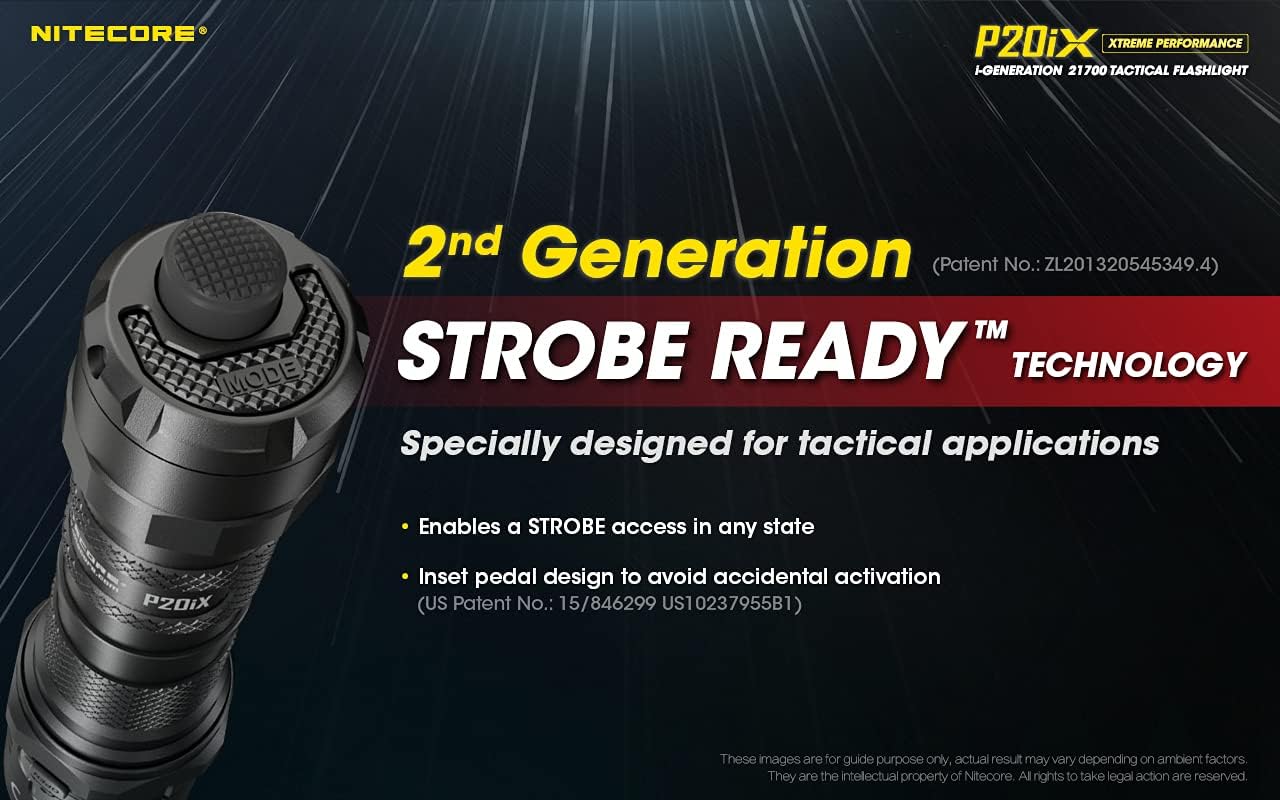
Image 4.2: STROBE READY™ Technology. This image focuses on the tail cap of the P20iX, highlighting the inset design of the Mode Button (STROBE READY™) to prevent accidental activation while allowing quick access to strobe mode.
4.3 Power Indicator
The power indicator located beside the charging port displays the remaining battery power:
- Solid Blue: Battery level is sufficient.
- Flashing Blue: Battery level is low and requires charging.
- Rapid Flashing Blue: Battery level is critically low.
When the flashlight is off, a short press of the Mode Button will activate the power indicator to display the battery voltage for approximately 2 seconds.
5. Maintenance
- Cleaning: Periodically clean the threads and O-rings with a clean cloth. Lubricate threads with silicone grease to maintain water resistance.
- Battery Care: If the flashlight is to be stored for an extended period, remove the battery to prevent leakage. Recharge batteries regularly if not in use to maintain optimal performance.
- Water Resistance: Ensure the USB-C port cover is securely closed and O-rings are intact and lubricated to maintain the IP68 waterproof rating.
6. Troubleshooting
- Flashlight not turning on:
- Check if the battery is inserted correctly with the positive (+) end facing the head.
- Ensure the tail cap is fully tightened.
- Verify the battery has sufficient charge using the power indicator. Recharge if necessary.
- Intermittent operation or dim light:
- Clean battery contacts and threads with an alcohol swab.
- Ensure the battery is fully charged.
- Replace the battery if it is old or damaged.
- Charging issues:
- Ensure the USB-C cable is properly connected to both the flashlight and the power source.
- Try a different USB-C cable or power adapter.
- Check the USB-C port for any debris or damage.
If problems persist, please contact Nitecore customer support.
7. Specifications
| Max Output | 4,000 Lumens |
| Max Beam Distance | 221 meters (725 ft) |
| Max Beam Intensity | 12,200 cd |
| Max Runtime | 350 hours (on ULTRALOW mode) |
| LEDs | 4 x CREE XP-L2 V6 LEDs |
| Battery Type | 1 × 21700 i Series Battery (NL2150i/NL2150HPi) or 2 × CR123/RCR123 Batteries |
| Special Modes | Strobe |
| Beam Color | White Light |
| Length | 141.5 mm (5.57") |
| Head Diameter | 31.8 mm (1.25") |
| Tube Diameter | 25.4 mm (1.00") |
| Weight | 116 g (4.09 oz) (without battery) |
| Material | Aero-grade Aluminum Alloy, HA III Military Grade Hard-Anodized Finish |
| Waterproof Rating | IP68 (2 meters submersible) |
| Impact Resistance | 2 meters |
| Charging Port | USB-C |

Image 7.1: Technical Data. This table provides detailed performance specifications for the Nitecore P20iX, including lumen output, beam distance, and runtime for various modes when using a 5000mAh 21700 Li-ion battery and two CR123 batteries.
8. Warranty and Support
Nitecore products are typically covered by a warranty. For specific warranty terms and conditions, please refer to the warranty card included with your product or visit the official Nitecore website. For technical support, troubleshooting assistance, or service inquiries, please contact Nitecore customer service directly.
You can find more information and contact details on the official Nitecore website: www.nitecore.com


