
Carrera 370240011
Carrera RC 370240011 Mini Turnator Instruction Manual
Model: 370240011
1. Introduction
This manual provides essential information for the safe and effective operation of your Carrera RC 370240011 Mini Turnator. The Mini Turnator is a remote-controlled stunt car designed for dynamic play, featuring 360-degree flip action, LED lights, and 2.4GHz technology for multi-player racing. Please read these instructions carefully before first use and retain them for future reference.
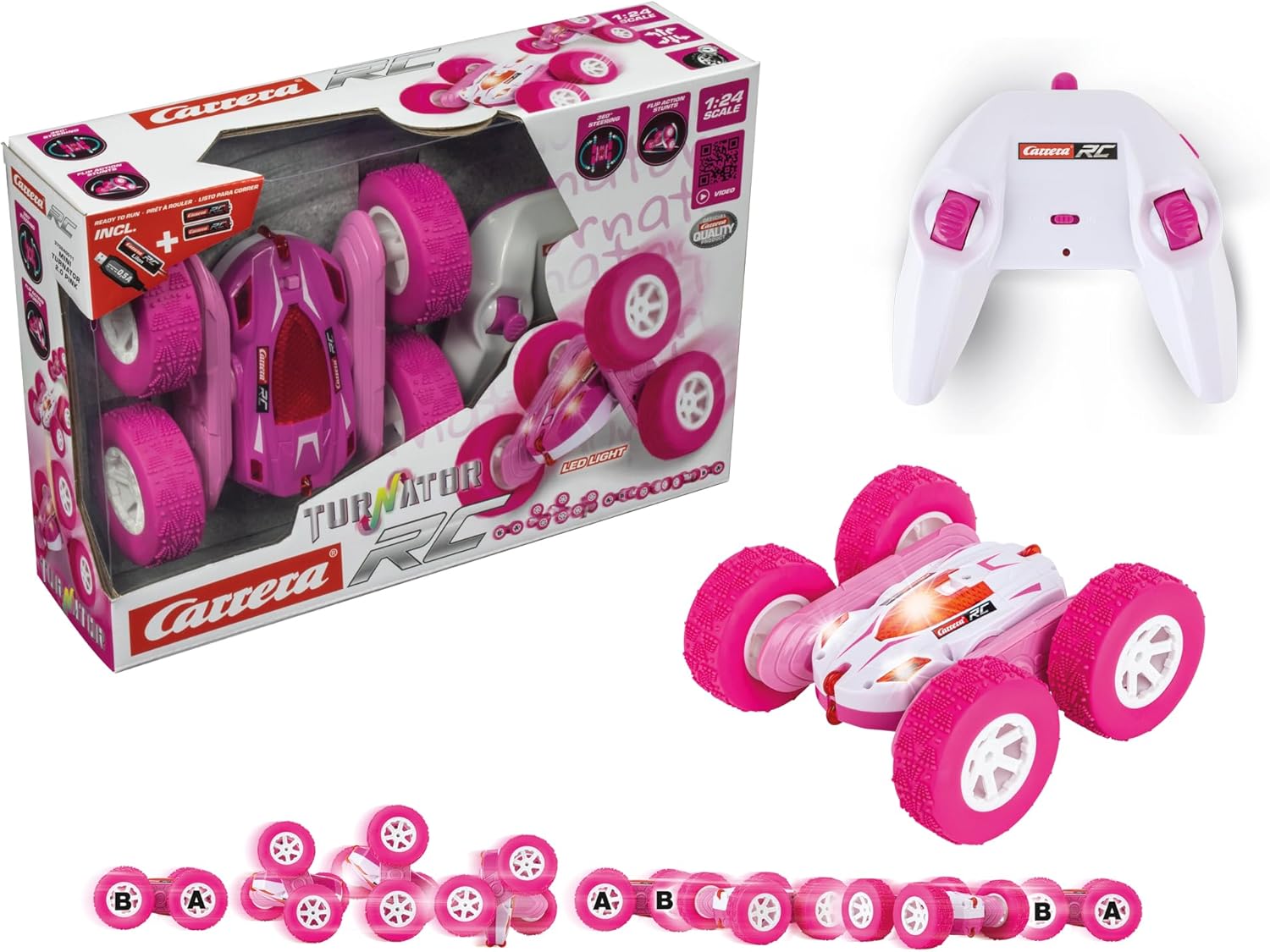
Image 1.1: Carrera RC Mini Turnator product packaging, showing the car and remote control.
2. Package Contents
Ensure all items listed below are present in your package:
- 1x Carrera RC Mini Turnator Vehicle
- 1x 2.4 GHz Remote Control
- 1x Rechargeable Li-Ion Battery (3.7V 500mAh) for the vehicle
- 1x USB Charging Cable
- 2x AAA Batteries for the remote control
- 1x Instruction Manual (this document)
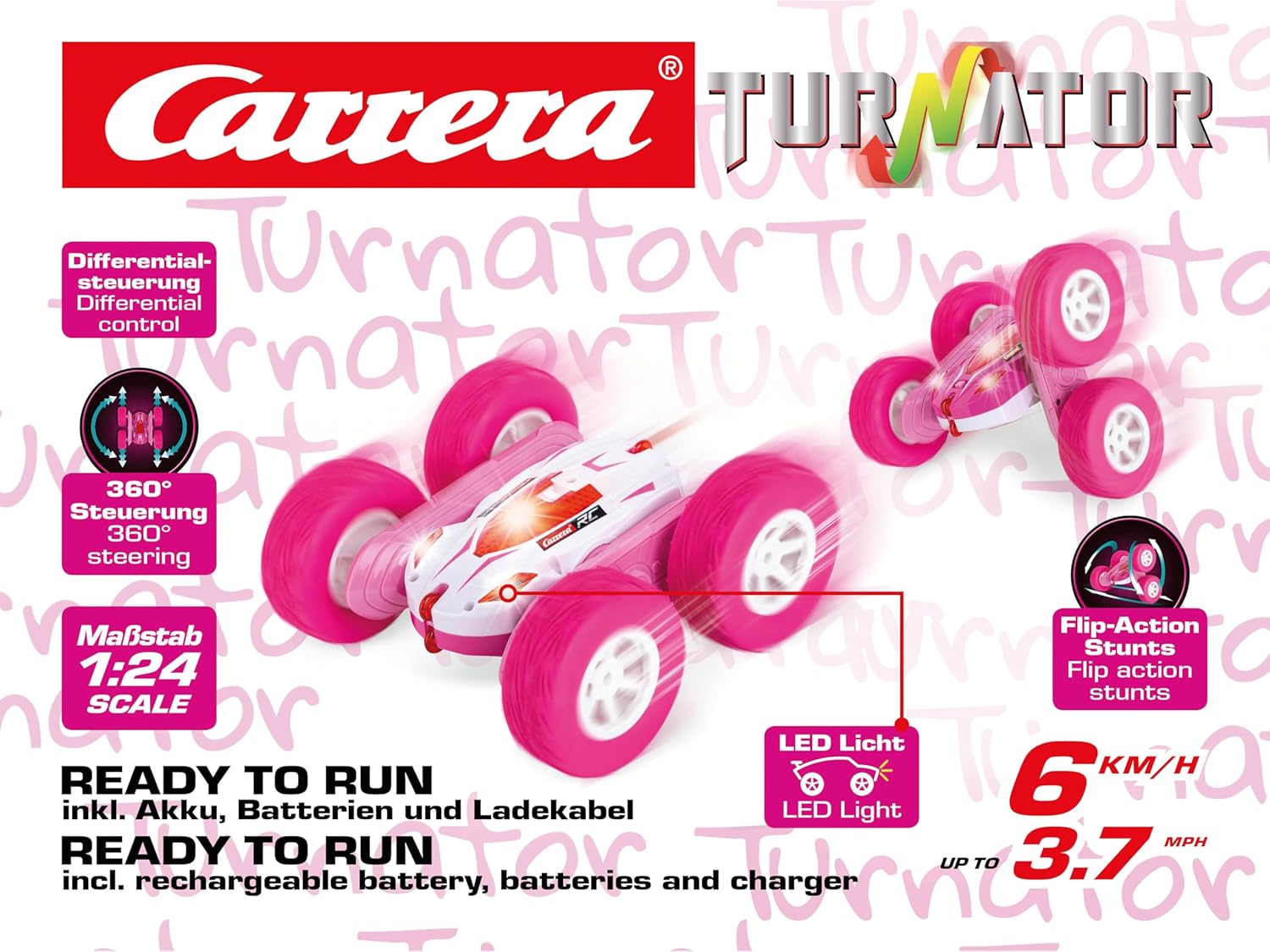
Image 2.1: The Carrera RC Mini Turnator vehicle and its remote control, removed from packaging.
3. Safety Information
Recommended Age: This product is suitable for users aged 6 years and older.
- Always operate the vehicle in a safe environment, away from people, pets, and obstacles.
- Do not operate near roads, water, or in adverse weather conditions.
- Keep fingers, hair, and loose clothing away from moving parts, especially the wheels.
- Do not modify the vehicle or remote control. Unauthorized modifications may impair safety and void the warranty.
- Batteries should be handled by adults or under adult supervision.
- Do not mix old and new batteries, or different types of batteries.
- Remove batteries from the vehicle and remote control when not in use for extended periods.
- Dispose of batteries responsibly according to local regulations.
4. Setup
4.1. Charging the Vehicle Battery
- Locate the battery compartment on the Carrera RC Mini Turnator vehicle.
- Connect the rechargeable Li-Ion battery to the vehicle's battery connector.
- Connect the USB charging cable to the vehicle's charging port.
- Plug the other end of the USB charging cable into a standard USB power adapter (not included) or a computer USB port.
- The charging indicator light will illuminate during charging. A full charge typically takes approximately 60 minutes.
- Once fully charged, disconnect the USB charging cable and secure the battery compartment.
Note: A fully charged battery provides approximately 15 minutes of operation time.
4.2. Installing Remote Control Batteries
- Open the battery compartment on the back of the 2.4 GHz remote control.
- Insert 2x AAA batteries, ensuring correct polarity (+/-).
- Close the battery compartment securely.

Image 4.1: The 2.4 GHz remote control for the Carrera RC Mini Turnator.
4.3. Pairing the Vehicle and Remote Control
- Ensure both the vehicle and remote control are switched OFF.
- Switch ON the vehicle. The LED on the vehicle will flash.
- Switch ON the remote control. The LED on the remote control will flash.
- Within a few seconds, the LEDs on both the vehicle and remote control will stop flashing and remain solid, indicating successful pairing.
- If pairing fails, switch both devices OFF and repeat the process.
5. Operating the Mini Turnator
The Carrera RC Mini Turnator is designed for intuitive control and exciting stunts. It can reach speeds of up to 6 km/h.
5.1. Basic Controls
- Left Joystick: Controls the left side wheels. Push forward for forward motion, pull back for backward motion.
- Right Joystick: Controls the right side wheels. Push forward for forward motion, pull back for backward motion.
- Forward: Push both joysticks forward.
- Backward: Pull both joysticks back.
- Turning: To turn left, push the right joystick forward and/or pull the left joystick back. To turn right, push the left joystick forward and/or pull the right joystick back.
- Spinning: Push one joystick forward and the other backward simultaneously to make the vehicle spin in place.
5.2. Stunt Functions (360° Flip Action)
The Mini Turnator's unique wheel design allows for impressive 360-degree flip actions and maneuvers. Experiment with different joystick combinations and speeds to discover various stunts.
- The vehicle can drive on both sides. If it flips over, simply continue driving.
- Pushing both joysticks in opposite directions (one forward, one backward) will cause the car to rotate rapidly, creating dynamic spins.
- Utilize obstacles or ramps to initiate flips and rolls.

Image 5.1: The Mini Turnator demonstrating its 360-degree flip action capability.

Image 5.2: The Mini Turnator executing a stunt, highlighting its reversible driving capability.

Image 5.3: The Mini Turnator in motion, showcasing its side profile.

Image 5.4: The Mini Turnator from the front, with its LED lights illuminated during operation.
5.3. Multi-Player Operation
Thanks to 2.4GHz technology, up to 16 Carrera RC vehicles can be operated simultaneously without interference. Ensure each vehicle and remote control is paired individually before starting a multi-player session.
6. Maintenance
6.1. Cleaning
- Turn off the vehicle and remote control before cleaning.
- Use a soft, dry cloth to wipe down the vehicle and remote control.
- For stubborn dirt, a slightly damp cloth can be used, but ensure no water enters electronic components.
- Do not use chemical cleaners or solvents, as these can damage the plastic parts.
- Regularly check wheels and axles for trapped debris (e.g., hair, dust) and remove carefully.
6.2. Storage
- Store the vehicle and remote control in a cool, dry place, away from direct sunlight and extreme temperatures.
- Remove all batteries from both the vehicle and remote control if storing for an extended period to prevent leakage.
- Keep the original packaging for safe storage and transport if desired.
7. Troubleshooting
| Problem | Possible Cause | Solution |
|---|---|---|
| Vehicle does not respond to remote control. |
|
|
| Short operating time. |
|
|
| Vehicle moves erratically or slowly. |
|
|
8. Specifications
| Feature | Detail |
|---|---|
| Model Number | 370240011 |
| Brand | Carrera |
| Product Dimensions | 26.5 x 15.9 x 12 cm |
| Weight | 461 g |
| Scale | 1:24 |
| Recommended Age | 6 years and older |
| Vehicle Battery | Li-Ion AKKU 3.7V 500mAh (rechargeable, included) |
| Remote Control Batteries | 2x AAA batteries (included) |
| Charging Time | Approx. 60 minutes |
| Operating Time | Approx. 15 minutes |
| Max Speed | Up to 6 km/h |
| Remote Control Type | 2.4 GHz |
| Material | Plastic |
| Number of Players | Up to 16 simultaneously |
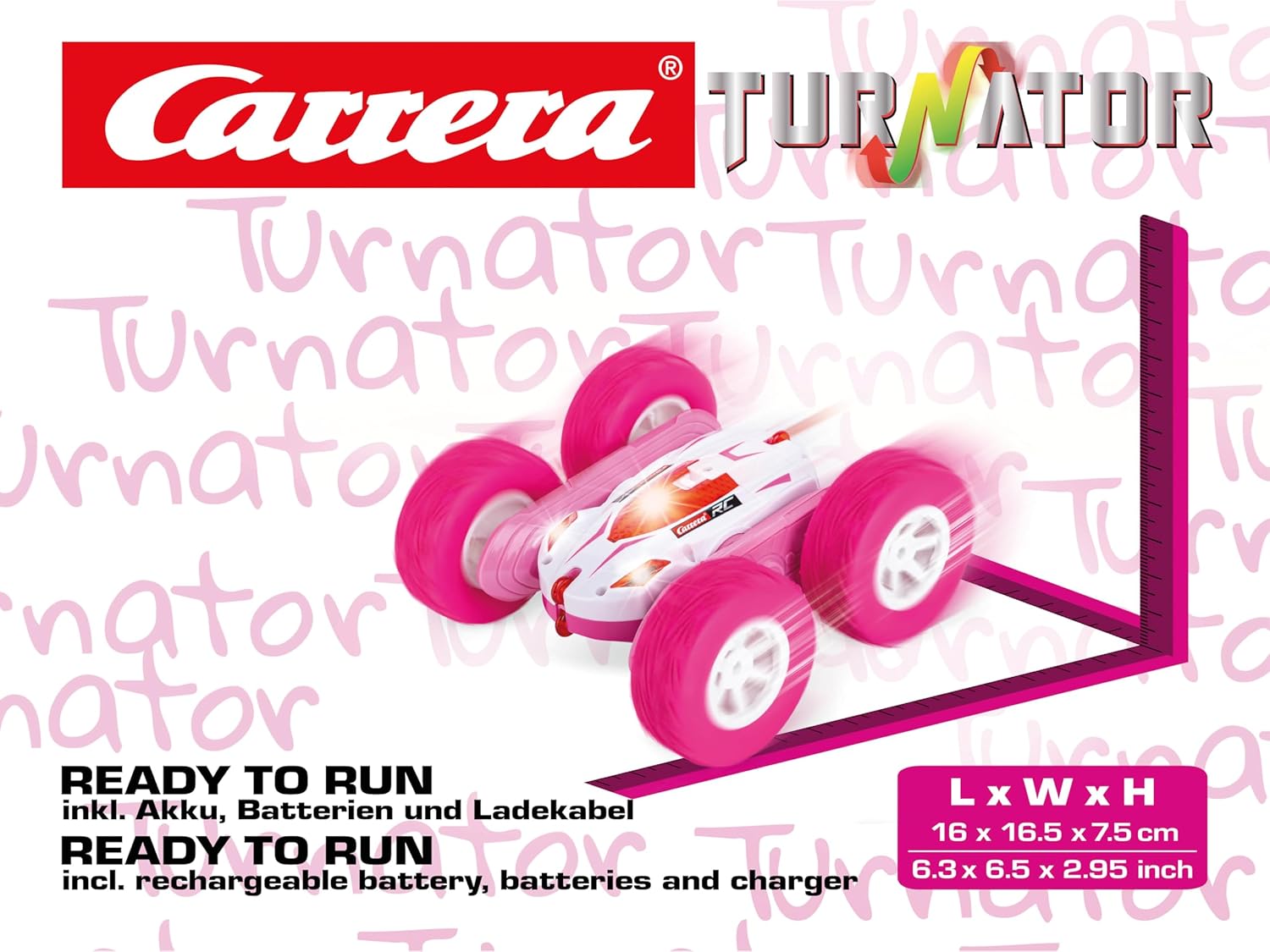
Image 8.1: The Mini Turnator vehicle with its approximate dimensions.
9. Warranty and Support
For warranty information, technical support, or spare parts, please contact Carrera customer service. Details can typically be found on the product packaging or the official Carrera website.
Please have your model number (370240011) and proof of purchase ready when contacting support.
Ask a question about this manual
Ask about setup, troubleshooting, compatibility, parts, safety, or missing instructions. Manuals+ will review the question and use this page’s manual context to help answer it.