
1. Introduction
Thank you for choosing the Kastar Li-10B Lithium-ion replacement battery. This manual provides essential information for the safe and effective use of your new battery. Please read it carefully before use and retain it for future reference.
2. Product Overview
The Kastar Li-10B battery is a high-capacity replacement designed to power various Olympus MJU and Camedia camera models. It features built-in safety protections for reliable performance.
Key Features:
- High Capacity: Designed to provide extended power for your camera.
- Safety Standards: Meets UL1642 & CE safety standards.
- Protection Circuit: Includes built-in over-charge, over-discharge, over-voltage, over-current, and over-heating protection.
Compatible Camera Models:
This battery is compatible with the following Olympus camera models:
- Olympus MJU 10, MJU 15, MJU 20, MJU 25, MJU 30, MJU 40, MJU 300, MJU 400, MJU 410, MJU 500, MJU 600, MJU 800, MJU 810, MJU 1000
- Olympus Stylus 300, Stylus 300 Digital, Stylus 400, Stylus 400 Digital, Stylus 410, Stylus 410 Digital, Stylus 500, Stylus 500 Digital, Stylus 600, Stylus 600 Digital, Stylus 800, Stylus 810, Stylus 810 Digital, Stylus 1000, Stylus Verve 800
- Olympus Camedia C-50 Zoom, C-60 Zoom, C-70 Zoom, C-470 Zoom, C-760 Ultra Zoom, C-765 Ultra Zoom, C-770 Ultra Zoom, C-5000 Sport Zoom, C-5000 Zoom, C-7000 Zoom, D-590
- Olympus Camedia X-1, X-2, X-3, X-500
- Olympus IR-500, FE-200
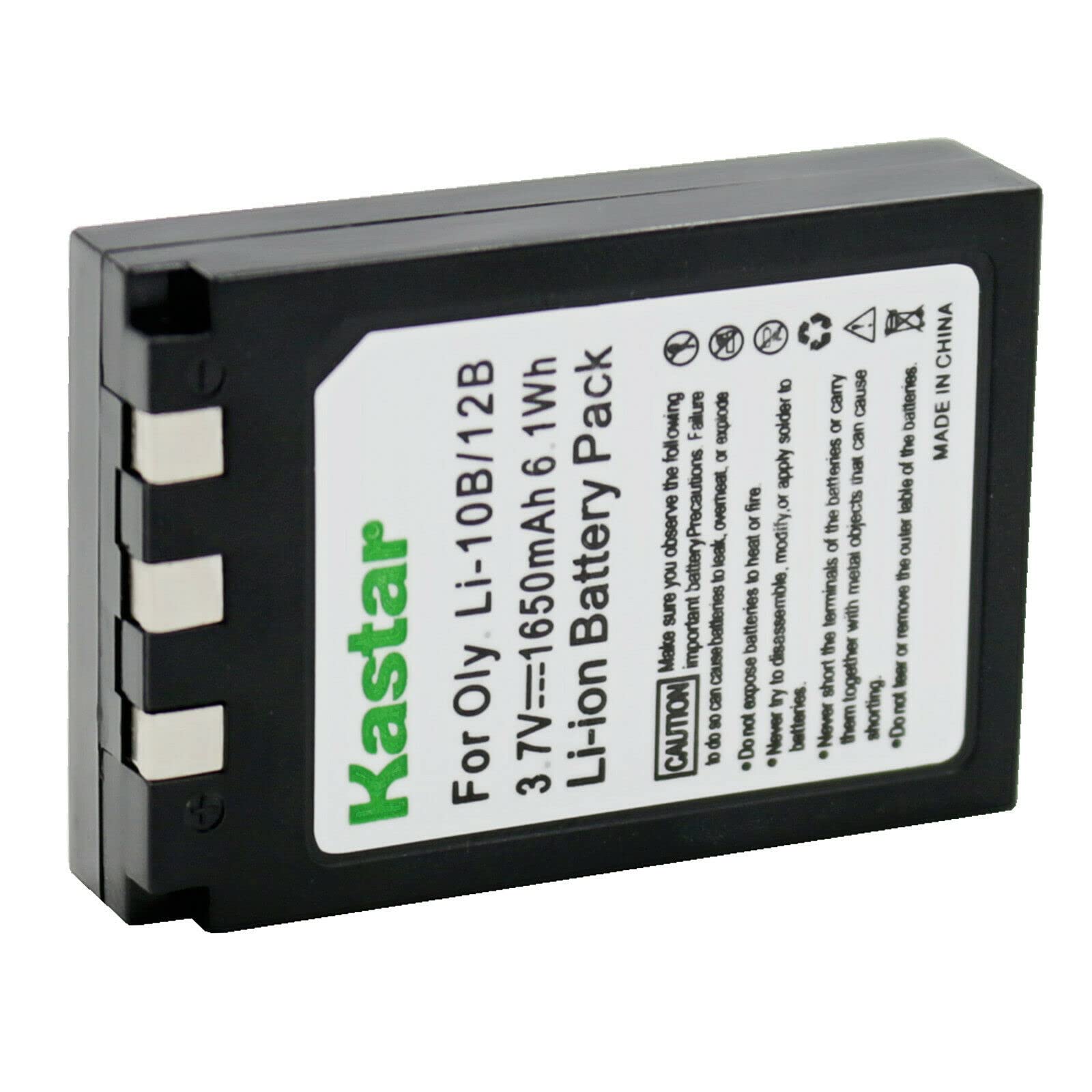
Figure 1: Kastar Li-10B Lithium-ion Battery. This image shows the compact, rectangular black battery with 'Li-ion Battery' text and a triangular indicator on its surface.
3. Setup
Initial Charging:
- Upon receiving your new Kastar Li-10B battery, it is recommended to fully charge it before first use.
- Insert the battery into a compatible Olympus Li-10C or Li-10CN charger (charger not included).
- Connect the charger to a power source. Refer to your charger's manual for specific charging indicators and times.
Inserting the Battery into Your Camera:
- Ensure your camera is turned off before inserting or removing the battery.
- Locate the battery compartment on your camera, typically on the bottom or side.
- Open the battery compartment cover.
- Align the Kastar Li-10B battery according to the polarity indicators (+/-) inside the compartment.
- Gently push the battery into place until it clicks or is securely seated.
- Close the battery compartment cover firmly.
4. Operating Instructions
General Usage:
- Always ensure the battery is fully charged for optimal performance and extended shooting time.
- Monitor your camera's battery level indicator to avoid unexpected power loss.
- For prolonged camera use, consider carrying a spare charged battery.
Charging the Battery:
When the battery level is low, remove the battery from the camera and place it into a compatible external charger (e.g., Olympus Li-10C or Li-10CN). Follow the charger's instructions for proper charging. Do not attempt to charge the battery with incompatible chargers.
5. Maintenance
Storage:
- Store the battery in a cool, dry place, away from direct sunlight and extreme temperatures.
- For long-term storage, charge the battery to approximately 50% capacity.
- Avoid storing the battery completely discharged or fully charged for extended periods.
Cleaning:
- Keep the battery terminals clean. Use a dry, soft cloth to wipe off any dust or dirt.
- Do not use liquid cleaners or solvents on the battery.
General Care:
- Do not disassemble, crush, puncture, or short-circuit the battery.
- Avoid exposing the battery to water or high humidity.
- Dispose of depleted batteries according to local regulations for lithium-ion batteries.
6. Troubleshooting
Camera Does Not Power On:
- Ensure the battery is fully charged.
- Verify that the battery is inserted correctly into the camera's battery compartment, observing polarity.
- Check the battery terminals for any dirt or corrosion and clean if necessary.
- If possible, test with another known-good battery to rule out a camera issue.
Battery Not Charging:
- Confirm that the charger is compatible with the Kastar Li-10B battery (e.g., Olympus Li-10C/Li-10CN).
- Ensure the charger is properly connected to a working power outlet.
- Check the battery and charger terminals for any obstructions or damage.
- If the issue persists, the charger or battery may be faulty.
7. Specifications
| Battery Type | Lithium-ion |
| Battery Voltage | 3.6V |
| Battery Capacity | 1650mAh |
| Model Number | BA-1B-LI10B-B |
| Product Dimensions | 1.25 x 0.39 x 1.8 inches |
| Item Weight | 1 ounce |
| Safety Standards | UL1642 & CE compliant |
8. Warranty and Support
Kastar products are manufactured to high-quality standards and include built-in safety features to protect your device. For specific warranty information or technical support, please refer to the product packaging or contact Kastar customer service directly through their official website or the retailer where the product was purchased.

Figure 2: Kastar Li-10B Battery Packaging. The packaging highlights 'High Capacity' and '100% Compatible' features, along with an 18-month warranty icon.