
LMP W126584806
LMP USB-C Numeric Keyboard 106 User Manual
Model: W126584806
Introduction
This manual provides comprehensive instructions for the setup, operation, and maintenance of your LMP USB-C Numeric Keyboard 106. Please read this manual thoroughly before using the product to ensure proper functionality and longevity. Keep this manual for future reference.
Package Contents
Verify that all items are present in the package:
- LMP USB-C Numeric Keyboard 106
- Integrated USB-C Cable
Setup
Follow these steps to connect your keyboard to a compatible device:
- Unpack the Keyboard: Carefully remove the keyboard from its packaging.
- Identify the USB-C Connector: Locate the USB-C connector at the end of the integrated cable.
- Connect to Device: Plug the USB-C connector into an available USB-C port on your computer, tablet, or smartphone.
- Driver Installation (if necessary): Most modern operating systems will automatically detect and install the necessary drivers. If prompted, follow the on-screen instructions.
- Verify Connection: Once connected, the keyboard should be ready for use. Test by typing in a text editor.
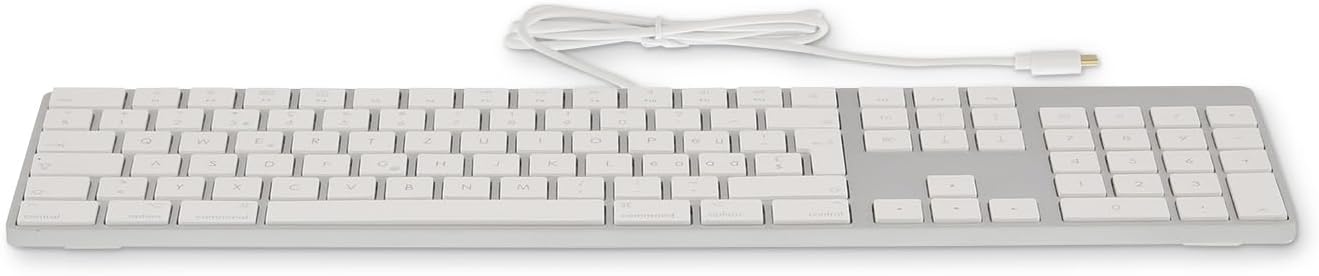
Image: Front view of the LMP USB-C Numeric Keyboard 106, showing the full layout including the numeric keypad.

Image: Left side view of the LMP USB-C Numeric Keyboard 106, highlighting the integrated USB-C cable extending from the keyboard.
Operating Instructions
The LMP USB-C Numeric Keyboard 106 functions as a standard 106-key layout keyboard. It is designed for ease of use with various operating systems that support USB-C input devices.
Basic Key Functions
- Alphanumeric Keys: Standard typing keys for letters, numbers, and symbols.
- Numeric Keypad: Dedicated section for numerical input and calculations.
- Function Keys (F1-F12): Perform various system-specific functions, often in combination with the Fn key.
- Modifier Keys: Includes Shift, Control, Option/Alt, and Command/Windows keys for system commands and shortcuts.
- Navigation Keys: Arrow keys, Home, End, Page Up, Page Down for document navigation.
Ergonomic Design
The keyboard features an ergonomic design intended to provide a comfortable typing experience during extended use. The key layout and profile are optimized to reduce strain.

Image: The LMP USB-C Numeric Keyboard 106 integrated into a complete desktop workstation, demonstrating its use with a monitor, tablet, and other accessories.
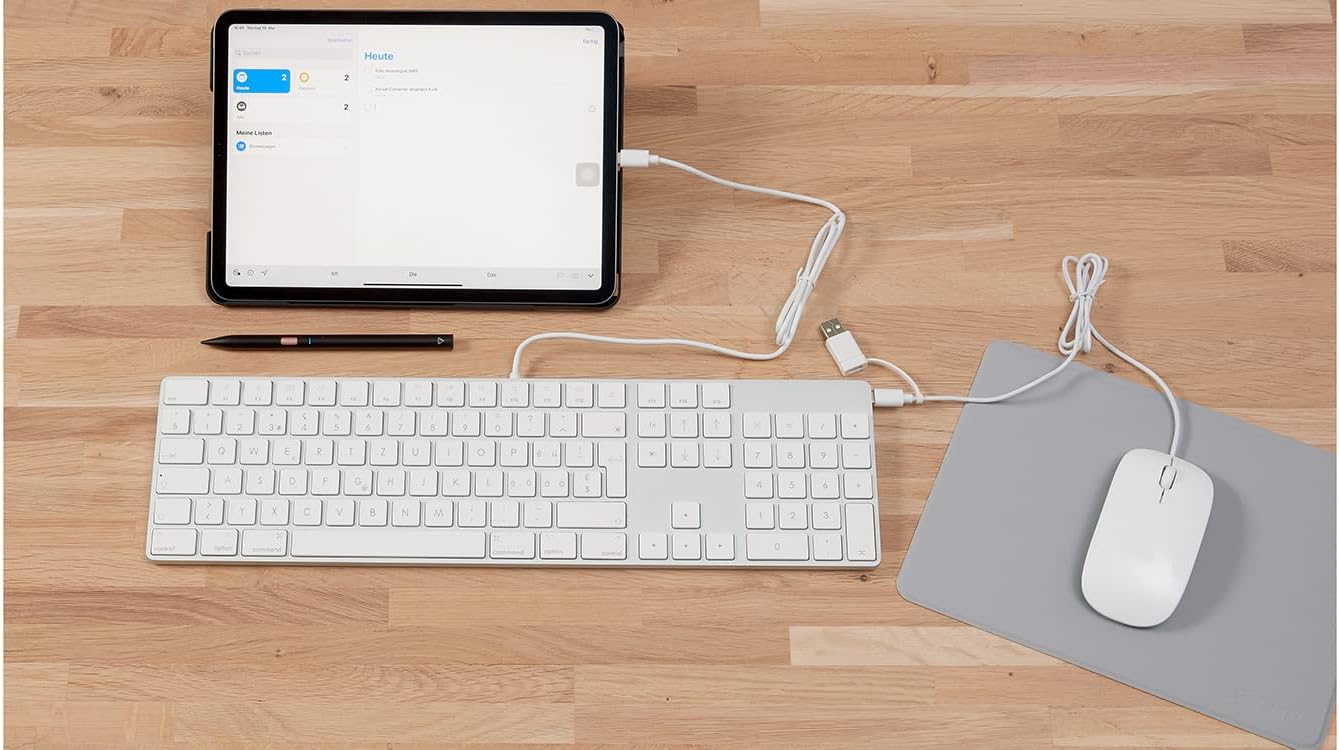
Image: The LMP USB-C Numeric Keyboard 106 connected via its USB-C cable to an iPad, illustrating its compatibility with tablet devices.
Maintenance and Care
Proper maintenance ensures the longevity and optimal performance of your keyboard.
- Cleaning: Use a soft, lint-free cloth slightly dampened with water or a mild cleaning solution to wipe the surface of the keyboard. Avoid harsh chemicals, abrasive cleaners, or excessive moisture.
- Dust Removal: Use compressed air to remove dust and debris from between the keys.
- Storage: When not in use, store the keyboard in a clean, dry environment away from direct sunlight and extreme temperatures.
- Avoid Spills: Keep liquids away from the keyboard to prevent damage to internal components.
Troubleshooting
If you encounter issues with your LMP USB-C Numeric Keyboard 106, refer to the following common solutions:
| Problem | Solution |
|---|---|
| Keyboard is not recognized by the device. |
|
| Keys are not responding or typing incorrectly. |
|
| Numeric keypad is not working. |
|
Specifications
| Feature | Detail |
|---|---|
| Brand | LMP |
| Model Number | W126584806 |
| Connectivity Technology | USB-C |
| Number of Keys | 106 |
| Material | Aluminum |
| Color | Silver / black |
| Special Features | Ergonomic |
| Compatible Devices | Smartphone, Tablet, Computer (via USB-C) |
| USB 2.0 Ports | 1 (Passthrough, if available) |
Warranty and Support
For warranty information and technical support, please refer to the documentation provided with your purchase or visit the official LMP website. Do not attempt to repair the device yourself, as this may void your warranty.
For further assistance, please contact LMP customer service.
Related documentsW126584806


Ask a question about this manual
Ask about setup, troubleshooting, compatibility, parts, safety, or missing instructions. Manuals+ will review the question and use this page’s manual context to help answer it.