
Introduction
The Farberware Dual Brew Coffee Maker offers versatile brewing options, allowing you to enjoy a freshly brewed full pot of coffee or a quick single serving using your favorite capsule or ground coffee. Its stylish design, featuring black housing with stainless steel accents and an intuitive touchscreen display, makes it a convenient addition to any kitchen. This manual provides detailed instructions for setup, operation, maintenance, and troubleshooting to help you get the most out of your appliance.
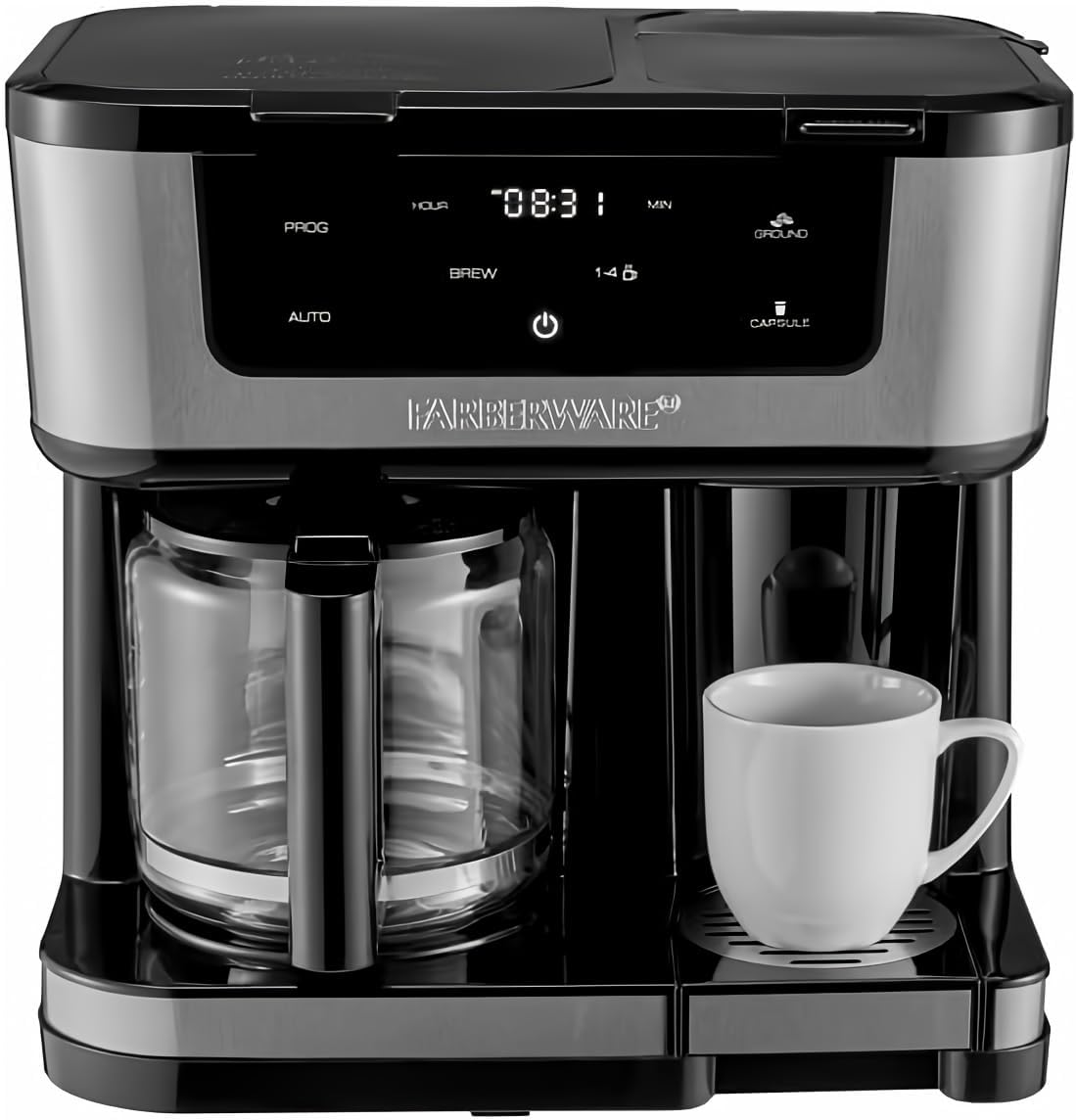
Figure 1: Front view of the Farberware Dual Brew Coffee Maker, showcasing its dual brewing capabilities with a glass carafe on the left and a single-serve platform on the right, accompanied by a white coffee mug.
Setup
Before first use, ensure all packaging materials are removed. Wash the carafe, lid, and reusable filter basket in warm, soapy water. Wipe the exterior of the coffee maker with a damp cloth. Perform an initial cleaning cycle by filling the water reservoir to the maximum level and running a brew cycle without coffee. Discard the water after this cycle.

Figure 2: The Farberware Dual Brew Coffee Maker displayed with its removable components, including the glass carafe, the single-serve capsule holder, and the ground coffee filter, ready for assembly or cleaning.
Operating Instructions
Brewing a Full Pot (Carafe)
- Open the lid of the carafe side and fill the water reservoir with fresh, cold water to your desired level, up to 12 cups.
- Place a paper filter (cone-shaped) into the reusable filter basket, or use the reusable filter directly. Add your desired amount of ground coffee.
- Close the lid and ensure the glass carafe is properly seated on the warming plate.
- Press the 'BREW' button on the touchscreen. For a smaller pot (1-4 cups), select the '1-4 CUP' setting before pressing 'BREW'.
- The coffee maker will begin brewing. The 'AUTO' function can be used to program a specific start time for brewing.
Brewing a Single Serving (Capsule or Ground Coffee)
- Open the lid of the single-serve side.
- For capsules: Insert a coffee capsule into the capsule holder.
- For ground coffee: Place the single-serve ground coffee filter into the holder and add your desired amount of ground coffee.
- Close the lid. Place your mug on the removable drip tray. The drip tray can be removed to accommodate taller travel mugs (up to 7 inches).
- Press the 'CAPSULE' or 'GROUND' button on the touchscreen, depending on your selection.
- The coffee maker will begin brewing your single serving.
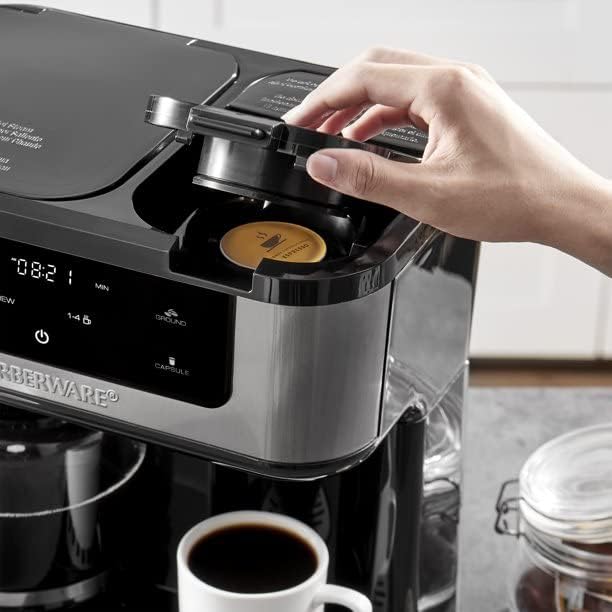
Figure 3: A hand demonstrating the insertion of a coffee capsule into the dedicated single-serve compartment of the coffee maker.
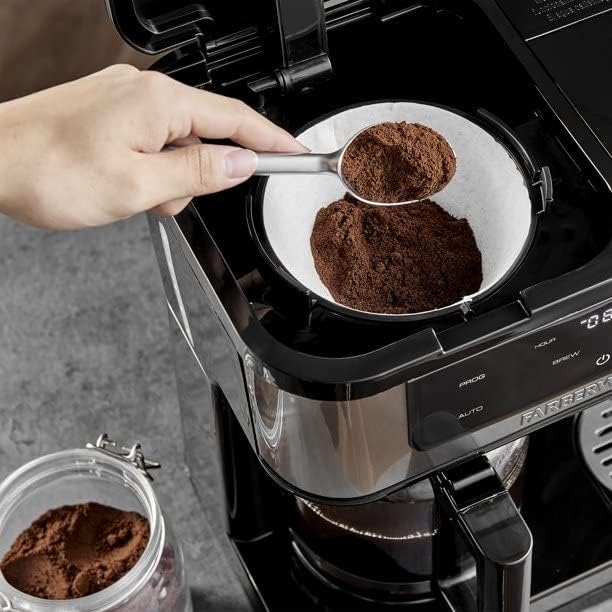
Figure 4: A close-up view of a hand adding ground coffee with a scoop into the reusable single-serve filter, highlighting the flexibility of brewing options.

Figure 5: Freshly brewed coffee being dispensed from the single-serve spout into a white mug, illustrating the brewing process in action.
Maintenance
Regular cleaning ensures optimal performance and extends the life of your coffee maker.
Daily Cleaning
- Carafe and Lid: Wash with warm, soapy water after each use.
- Filter Basket and Single-Serve Components: Rinse thoroughly after each use. These parts are generally top-rack dishwasher safe, but hand washing is recommended for longevity.
- Removable Drip Tray: Empty and rinse daily.
- Exterior: Wipe down the exterior and touchscreen panel with a damp cloth. Do not use abrasive cleaners.
Descaling (Monthly or as needed)
Mineral deposits from water can build up over time, affecting performance. Descale your coffee maker regularly:
- Fill the water reservoir with a mixture of white vinegar and water (1:2 ratio).
- Place the empty carafe on the warming plate.
- Run a full brew cycle.
- After the cycle, let the solution sit in the carafe for 15-20 minutes.
- Discard the solution and run 2-3 cycles with fresh, clean water to rinse thoroughly.
Troubleshooting
| Problem | Possible Cause | Solution |
|---|---|---|
| Coffee not brewing | No water in reservoir; not plugged in; brew button not pressed. | Fill reservoir; check power connection; press appropriate brew button. |
| Weak coffee | Insufficient coffee grounds; too much water; clogged filter. | Add more coffee; use less water; clean filter/descaling. |
| Coffee overflows | Too many coffee grounds; filter basket clogged; carafe not properly seated. | Reduce coffee grounds; clean filter; ensure carafe is correctly placed. |
| Leaking | Water reservoir overfilled; components not properly assembled. | Do not overfill; ensure all parts are securely in place. |
Specifications
- Brand: Farberware
- Model Number: 005577202932
- Product Dimensions: 9.2"D x 13.5"W x 13.5"H
- Coffee Maker Type: Drip Coffee Machine
- Filter Type: Reusable
- Included Components: Carafe, Filter
- Operation Mode: Fully Automatic
- Human Interface Input: Touchscreen
- Coffee Input Type: Capsule, Ground Coffee
- Item Weight: 8.58 pounds
- Voltage: 120 Volt
- Wattage: 1000 Watts
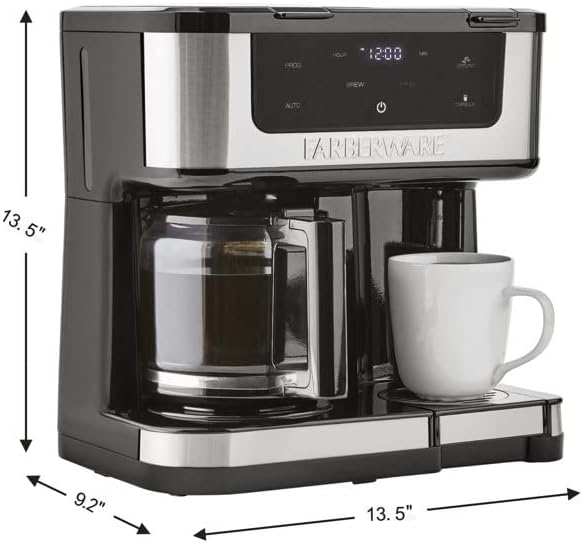
Figure 6: A visual representation of the coffee maker's dimensions, indicating its depth, width, and height for placement considerations.
Warranty and Support
For warranty information or technical support, please refer to the warranty card included with your product or visit the official Farberware website. You may also contact Farberware customer service directly for assistance with product inquiries, troubleshooting, or replacement parts.
Visit the Farberware Store for more information.

