
Sades TWS01-PRO
SADES Wings 100 Pro Wireless Gaming Earbuds User Manual
Model: TWS01-PRO
1. Introduction
This manual provides instructions for the proper use and maintenance of your SADES Wings 100 Pro Wireless Gaming Earbuds. Please read this manual thoroughly before using the product to ensure optimal performance and longevity.

Image 1.1: SADES Wings 100 Pro Wireless Gaming Earbuds and Charging Case. The image displays the black earbuds with blue LED accents and their matching black charging case, also featuring blue LED lighting.
2. Package Contents
Ensure all items are present in the package:
- SADES Wings 100 Pro Wireless Gaming Earbuds (Left and Right)
- Charging Case
- USB Type-C Charging Cable
- Additional Ear Tips (Small, Medium, Large)
- User Manual (this document)

Image 2.1: Package contents including the SADES Wings 100 Pro earbuds, charging case, USB-C cable, and various ear tip sizes. The image also highlights the immersive 3D sound experience with dynamic bass and crystal-clear highs.
3. Setup and Initial Use
3.1 Charging the Earbuds and Case
Before first use, fully charge the earbuds and the charging case.
- Place both earbuds into the charging case.
- Connect the USB Type-C charging cable to the charging port on the case and the other end to a USB power source (e.g., computer, wall adapter).
- The LED indicators on the case and earbuds will illuminate to show charging status.
- A full charge for the earbuds takes approximately 1 hour, and the charging case takes approximately 2 hours.

Image 3.1: The charging case with earbuds inside, highlighting the USB Type-C charging port. The image indicates a 400mAh battery capacity for the case and fast charging capabilities.
The charging case features futuristic blue LED indicators that show the battery level. Observe the flash intervals to determine the charging status of both the earbuds and the case.

Image 3.2: Close-up of the SADES Wings 100 Pro charging case and earbuds, showcasing the blue LED lights that indicate charging status and battery levels.
3.2 Pairing with a Device
For initial pairing, or if you are connecting to a new device:
- Open the charging case. The earbuds will automatically enter pairing mode.
- On your device (smartphone, tablet, computer), enable Bluetooth.
- Search for "Wings 100 Pro" in the list of available Bluetooth devices.
- Select "Wings 100 Pro" to connect. Once connected, you will hear an audible confirmation.
- The earbuds will automatically connect to the last paired device when the case is opened.

Image 3.3: Demonstrates opening the charging case to automatically connect the earbuds to a previously paired device, and closing the case to initiate charging.

Image 3.4: Illustrates the Bluetooth 5.0 pairing process on a smartphone, showing "Wings 100 Pro" as an available device for connection.
3.3 Adjusting Fit and Comfort
For optimal sound quality and comfort, choose the ear tips that best fit your ears. The package includes small, medium, and large sizes.
- Gently pull off the pre-installed ear tips.
- Select a new pair of ear tips and push them onto the earbud nozzles until securely attached.
- Test different sizes to find the most comfortable and secure fit.
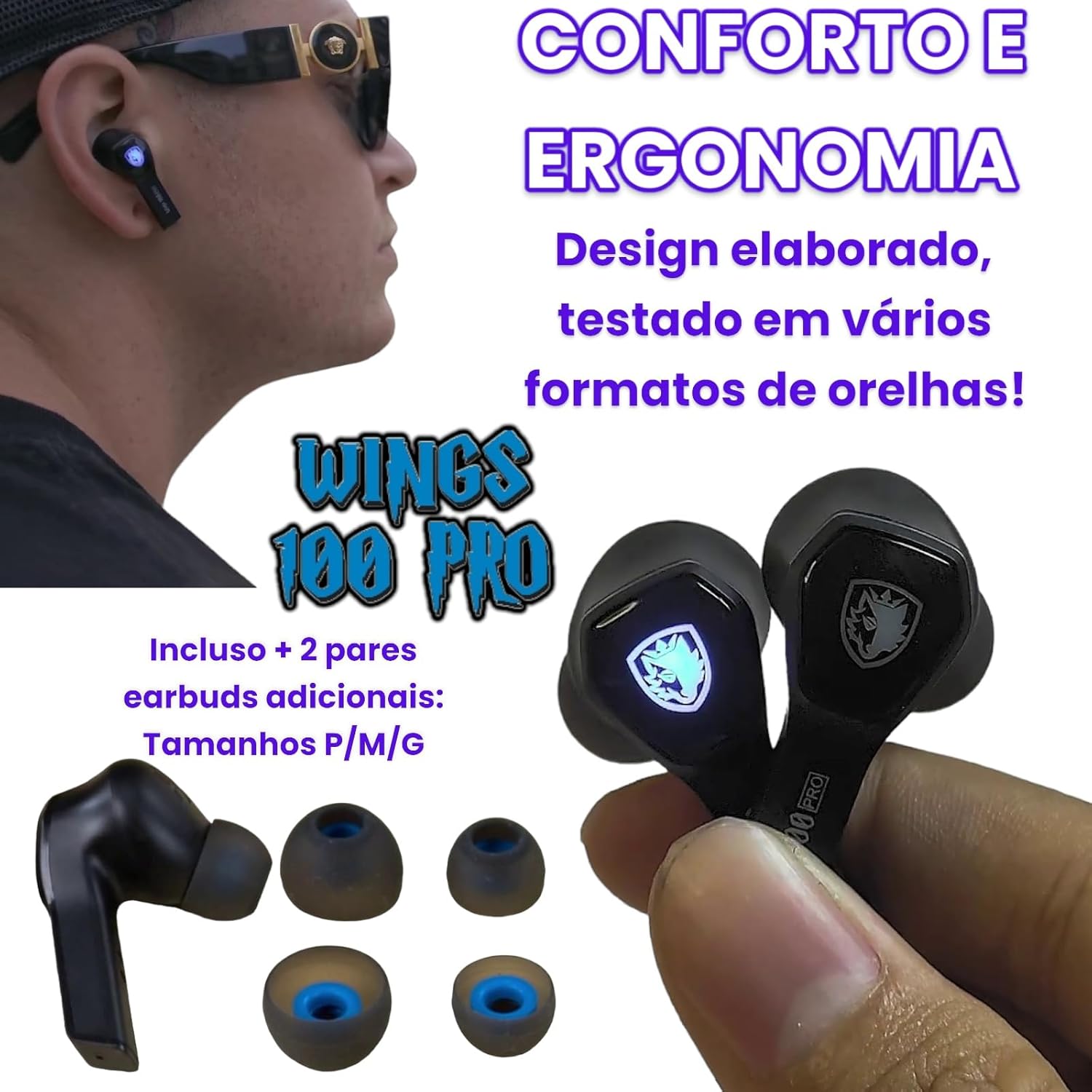
Image 3.5: Shows the SADES Wings 100 Pro earbuds and the included additional ear tip sizes (S, M, L) for personalized comfort and ergonomic fit.
4. Operating Instructions
4.1 Smart Touch Controls
The SADES Wings 100 Pro earbuds feature touch-sensitive controls on each earbud for managing audio playback, calls, and game mode.
| Action | Left Earbud (L) | Right Earbud (R) |
|---|---|---|
| Music Playback: | ||
| Play/Pause | Single Tap | Single Tap |
| Previous Track | Tap and Hold (2 seconds) | N/A |
| Next Track | N/A | Tap and Hold (2 seconds) |
| Volume Down | Double Tap | N/A |
| Volume Up | N/A | Double Tap |
| Phone Calls: | ||
| Answer/Hang Up Call | Single Tap | Single Tap |
| Reject Call | Tap and Hold (2 seconds) | Tap and Hold (2 seconds) |
| Game Mode: | ||
| Activate/Deactivate Game Mode | Double Tap | Double Tap |
Image 4.1: Diagram illustrating the smart touch control functions for music, phone calls, and game mode on the SADES Wings 100 Pro earbuds.
4.2 Game Mode and Low Latency
The SADES Wings 100 Pro earbuds are designed for an immersive gaming experience with a dedicated Game Mode that offers low latency.
- Activating Game Mode: Double-tap the touch control on either the left or right earbud.
- Benefits: In Game Mode, you will experience authentic 3D audio with surround sound. Shot and footstep effects are amplified for enhanced precision.
- Low Latency: Game Mode provides a low latency of approximately 40ms, ensuring perfect synchronization between video and audio for an immersive 3D experience.

Image 4.2: Depicts a user playing a mobile game with the SADES Wings 100 Pro earbuds, illustrating the activation of Game Mode via double-tap for high-performance audio.

Image 4.3: A user enjoying a game on a mobile device while connected to a laptop, demonstrating the low latency feature (40ms) of the SADES Wings 100 Pro for synchronized audio and video.
5. Maintenance
- Cleaning: Regularly clean the earbuds and charging case with a soft, dry, lint-free cloth. Do not use harsh chemicals or abrasive materials.
- Ear Tips: Remove and clean the ear tips periodically with water and mild soap. Ensure they are completely dry before reattaching.
- Charging Port: Keep the USB Type-C charging port free of dust and debris.
- Storage: When not in use, store the earbuds in their charging case to protect them and keep them charged.
- Water Resistance: The earbuds are not waterproof. Avoid exposure to water, rain, or excessive moisture.
6. Troubleshooting
- Earbuds not charging:
- Ensure the charging cable is securely connected to both the case and the power source.
- Check that the earbuds are correctly seated in the charging case.
- Verify that the charging case has sufficient battery power.
- Earbuds not pairing:
- Make sure Bluetooth is enabled on your device.
- Ensure the earbuds are out of the charging case and in pairing mode (LEDs flashing).
- Try turning Bluetooth off and on again on your device.
- If previously paired, try "forgetting" the device in your Bluetooth settings and re-pairing.
- No sound or low volume:
- Check the volume levels on both your device and the earbuds.
- Ensure the earbuds are properly connected to your device.
- Try resetting the earbuds by placing them back in the case and closing the lid, then reopening.
- Intermittent connection:
- Ensure there are no obstructions between the earbuds and your device.
- Avoid using the earbuds in environments with strong electromagnetic interference.
- Keep your device within the effective Bluetooth range.
7. Specifications
| General Specifications | |
|---|---|
| Model Number | TWS01-PRO |
| Brand | SADES |
| Weight | 50 Grams (total) |
| Form Factor | In-Ear |
| Water Resistance | Not waterproof |
| Special Features | With microphone, wireless, low latency Game Mode |
| Noise Cancellation | Active Noise Suppression (as per product spec, specific ANC features not detailed) |
| Audio Specifications | |
|---|---|
| Driver Size | 10 mm dynamic with neodymium magnets |
| Sensitivity | 106 ± 3 dB / 1 kHz |
| Frequency Response | 50 ~ 3000 Hz |
| Impedance | 32 Ω ± 15 % / 1 kHz |
| Microphone Specifications | |
|---|---|
| Direction | Omnidirectional |
| Sensitivity | -41 ± 1 dB / 1 kHz |
| Frequency Range | 100 Hz ~ 8 kHz |
| Impedance | 400 Ω / 1 kHz |
| Battery & Charging | |
|---|---|
| Earbud Battery | DC 5 V 30 mAh |
| Charging Case Battery | DC 5 V 400 mAh |
| Bluetooth Version | 5.0 |
| Bluetooth Protocols | HFP V1.7, A2DP V1.3, AVRCP V1.6, HID V1.0 |
| Earbud Charge Time | 1 hour |
| Case Charge Time | 2 hours |
| Charging Port | USB Type-C |
| Battery Life (50% volume, single earbud) | 18 hours (33 hours with charging case) |
| Battery Life (50% volume, stereo earbuds) | 12 hours (20 hours with charging case) |
| Standby Time | > 200 hours |
8. Warranty and Support
For warranty information and technical support, please refer to the warranty card included in your product package or visit the official SADES website.
Please retain your proof of purchase for any warranty claims.
Related documentsTWS01-PRO

Ask a question about this manual
Ask about setup, troubleshooting, compatibility, parts, safety, or missing instructions. Manuals+ will review the question and use this page’s manual context to help answer it.