
MSI GL76 12UEK-052
MSI Pulse GL76 12UEK-052 Gaming Laptop User Manual
Model: GL76 12UEK-052
1. Introduction
This manual provides essential information for the setup, operation, maintenance, and troubleshooting of your MSI Pulse GL76 12UEK-052 gaming laptop. Please read this manual thoroughly to ensure proper use and to maximize the performance and longevity of your device.

Image: MSI Pulse GL76 laptop with branding and 'Pulsating Power' tagline.
2. Initial Setup
2.1 Unpacking
Carefully remove all components from the packaging. The box should contain the MSI Pulse GL76 laptop and its power adapter. Inspect all items for any signs of damage. If any items are missing or damaged, contact your retailer or MSI support immediately.
2.2 Connecting Power
- Connect the power adapter to the DC-In port on the laptop.
- Plug the power cord into a wall outlet.
- The laptop is designed to operate on 230 Volts. Ensure your power source matches this requirement.
2.3 First Boot and Operating System Setup
Press the power button to turn on the laptop. Follow the on-screen instructions to complete the initial setup of Windows 11 Home. This process typically involves setting up your region, language, network connection, and user account.
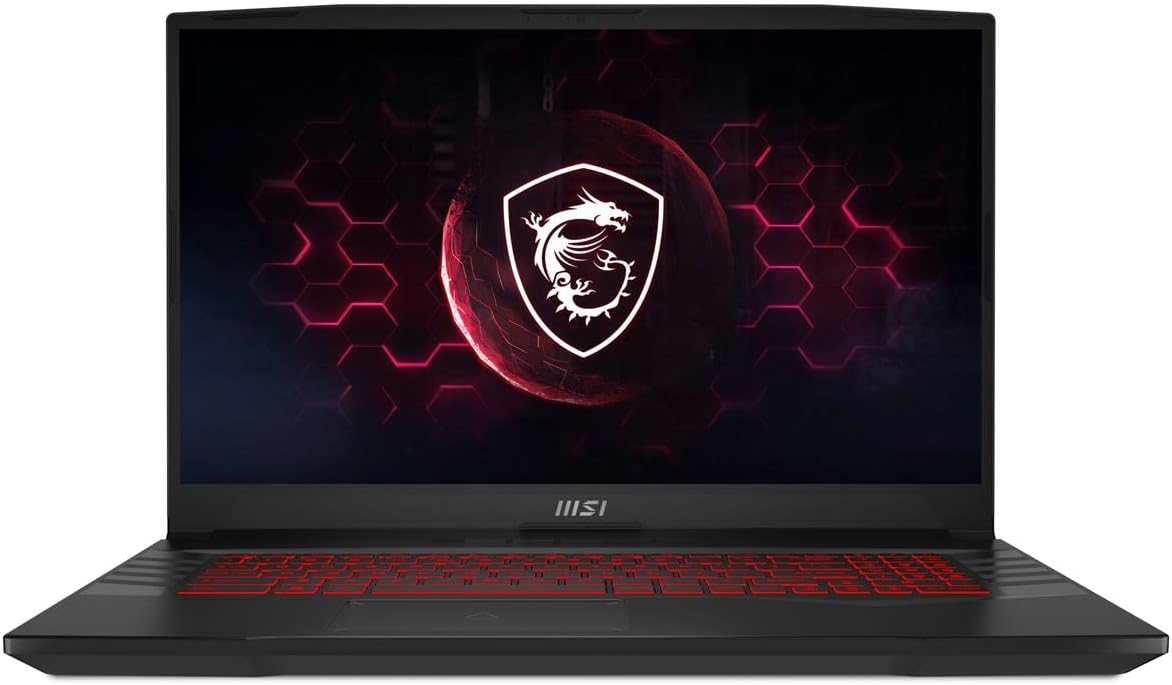
Image: Front view of the MSI Pulse GL76 laptop, ready for initial setup.
3. Operating Your Laptop
3.1 Keyboard and Input
The MSI Pulse GL76 features an RGB Gaming Keyboard. You can customize the backlighting effects through the pre-installed MSI software. The laptop also includes a precision touchpad for navigation.

Image: Close-up view of the RGB gaming keyboard on the MSI Pulse GL76.
3.2 Display
The laptop is equipped with a 17.3-inch Full HD (1920x1080 pixels) display with a 144Hz refresh rate, providing a smooth visual experience for gaming and general use.
3.3 Performance Components
Your MSI Pulse GL76 is powered by a 12th Gen Intel Core i7-12700H processor and an NVIDIA GeForce RTX 3060 Laptop GPU. This configuration is designed for demanding applications and gaming.

Image: Laptop screen highlighting the Intel Core i7 processor.

Image: Laptop screen highlighting the NVIDIA GeForce RTX graphics.
3.4 Cooling System
The laptop incorporates Cooler Boost 5 technology, featuring dedicated thermal solutions for both the CPU and GPU to ensure optimal performance under heavy loads.

Image: Diagram showing the Cooler Boost 5 cooling system with heat pipes and dual fans.
3.5 Ports and Connectivity
The MSI Pulse GL76 offers various ports for connectivity:
- 1x USB 2.0 Type-A port
- 3x USB 3.0 Type-A ports
- 1x USB 3.2 Gen 1 Type-C port
- 1x HDMI port (supports 4K@60Hz)
- 1x RJ45 Ethernet port
- 1x Audio Combo Jack

Image: Detailed diagram illustrating the location and type of ports on the laptop.
3.6 Audio Features
Experience enhanced audio with Hi-Res Audio support and Nahimic audio technology, providing immersive sound for gaming and multimedia.


Image: Logos for Hi-Res Audio and Nahimic, indicating advanced audio capabilities.
3.7 Pre-installed Software
The laptop comes with MSI Center and MSI App Player. MSI Center allows for system monitoring, performance tuning, and customization. MSI App Player enables running mobile games on your laptop.


Image: Logos for MSI Center and MSI App Player software.
4. Maintenance
4.1 Cleaning
- Use a soft, lint-free cloth to clean the screen and exterior surfaces.
- For stubborn smudges, slightly dampen the cloth with water or a screen-safe cleaner.
- Regularly clean the cooling vents located on the bottom and sides of the laptop to prevent dust buildup, which can affect performance.
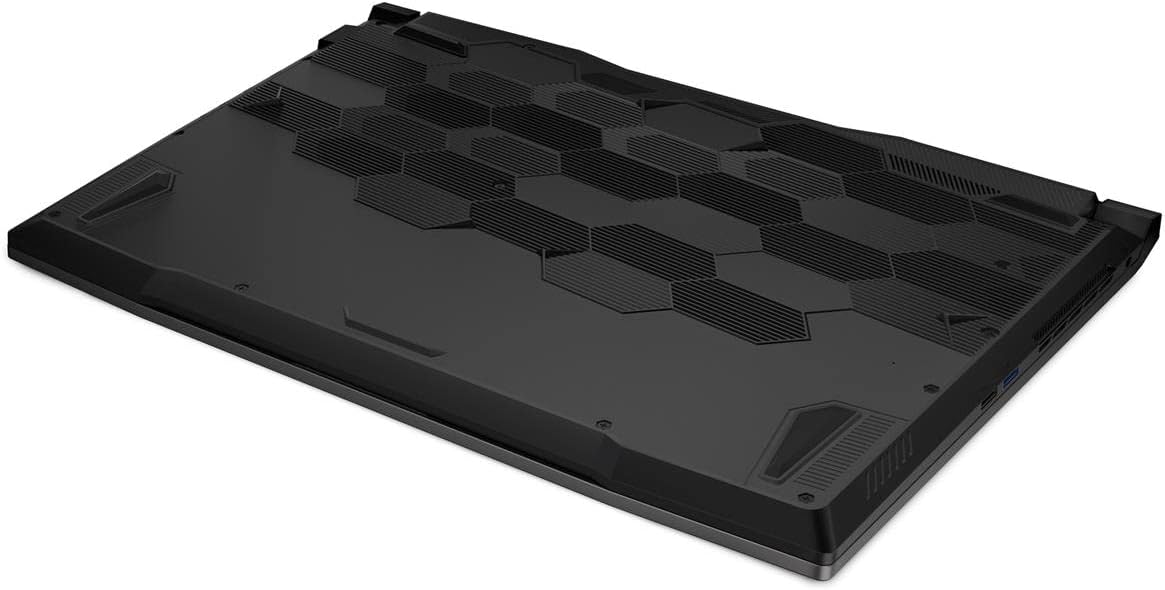
Image: Bottom view of the laptop, highlighting the cooling vents.
4.2 Battery Care
The laptop includes a Lithium Polymer battery. To prolong battery life:
- Avoid fully discharging the battery frequently.
- Store the laptop in a cool, dry place if not used for extended periods.
- If the laptop is primarily used while plugged in, consider using battery health management features (if available in MSI Center) to limit charging to 80% or 60%.
4.3 Software Updates
Regularly update your operating system, drivers, and MSI software to ensure optimal performance, security, and compatibility. You can check for updates through Windows Update and MSI Center.
5. Troubleshooting
This section addresses common issues you might encounter with your MSI Pulse GL76 laptop.
5.1 Power Issues
- Laptop does not turn on: Ensure the power adapter is securely connected to both the laptop and a working power outlet. Try a different outlet.
- Battery not charging: Verify the power adapter connection. Check if the battery indicator light is on. If the issue persists, contact support.
5.2 Display Problems
- No display on screen: Connect an external monitor to the HDMI port to check if the issue is with the laptop's internal display. Press Fn + F2 (or the appropriate function key for display toggle) to switch display outputs.
- Screen flickering or distorted: Update your graphics drivers. Reduce the display refresh rate in Windows settings to see if it resolves the issue.
5.3 Performance Issues
- Slow performance: Close unnecessary applications. Check Task Manager for high CPU/RAM usage. Ensure Cooler Boost 5 is functioning correctly and vents are clear.
- Overheating: Ensure the laptop is on a flat, hard surface to allow proper airflow. Clean cooling vents. Use MSI Center to monitor temperatures and adjust fan speeds.
6. Specifications
| Feature | Specification |
|---|---|
| Model Name | Pulse GL76 12UEK-052 |
| Processor | Intel Core i7-12700H (1.7 GHz) |
| Graphics Card | NVIDIA GeForce RTX 3060 (6 GB GDDR6 Dedicated) |
| Display | 17.3 Inches, FHD (1920x1080), 144Hz |
| RAM | 16 GB DDR4 (3200 MHz) |
| Storage | 512 GB NVMe SSD (Solid State) |
| Operating System | Windows 11 Home |
| Wireless Connectivity | Bluetooth |
| USB Ports | 1x USB 2.0, 3x USB 3.0, 1x USB 3.2 Gen 1 Type-C |
| HDMI Port | Yes (supports 4K@60Hz) |
| Ethernet Port | RJ45 |
| Audio Port | Audio Combo Jack |
| Optical Drive | No Optical Drive |
| Item Weight | 7.49 pounds |
| Product Dimensions | 22.13 x 3.94 x 13.94 inches |
| Battery | 1 Lithium Polymer battery (included) |
7. Warranty and Support
For warranty information and technical support, please refer to the documentation included with your product or visit the official MSI website. You can typically find support resources, driver downloads, and contact information for customer service there.
MSI Official Website: www.msi.com
Related documentsGL76 12UEK-052


Ask a question about this manual
Ask about setup, troubleshooting, compatibility, parts, safety, or missing instructions. Manuals+ will review the question and use this page’s manual context to help answer it.