
1. Introduction
Thank you for choosing the cellularline Power Bank Thunder 20000. This portable power bank is designed to provide reliable and fast charging for your mobile devices, including the latest iPhone models, thanks to its Power Delivery 20W technology. Its compact design, enabled by 21700 cylindrical cells, ensures excellent portability. Please read this manual carefully before using the product to ensure safe and optimal performance.
2. Safety Information
To prevent damage to the device or injury to yourself or others, please observe the following safety precautions:
- Do not expose the power bank to extreme temperatures (above 45°C or below 0°C), direct sunlight, or high humidity.
- Do not disassemble, modify, or attempt to repair the device. This will void the warranty and may cause damage.
- Keep the power bank away from water and other liquids.
- Do not drop, puncture, or apply excessive force to the device.
- Use only certified cables and chargers for charging the power bank and your devices.
- Keep out of reach of children.
- Dispose of the power bank responsibly according to local regulations. Do not dispose of it in household waste.
3. Package Contents
The cellularline Power Bank Thunder 20000 package includes:
- 1 x cellularline Power Bank Thunder 20000 (Portable Charger)
- 1 x USB-C to USB-C Cable
- 1 x Instruction Manual
4. Product Overview
Familiarize yourself with the components of your Power Bank Thunder 20000:

Figure 4.1: Front view of the cellularline Power Bank Thunder 20000, showcasing its sleek blue design and LED indicator strip.
- USB-C Input/Output Port (20W PD): Located at one end of the power bank, this versatile port supports Power Delivery for fast charging both the power bank itself and compatible devices.
- USB Output Port (18W): Located on the side, this standard USB-A port provides 18W output for charging a wide range of devices.
- LED Charge Indicator Lights: A series of small LED lights on the top surface indicate the remaining battery level and charging status.
- Power Button: A small button near the LED indicators, used to check battery status or initiate charging.

Figure 4.2: Close-up view highlighting the 20W PD USB-C input/output port and the 18W USB output port, demonstrating the ability to charge two devices simultaneously.

Figure 4.3: Illustration of the LED charge indicator lights, showing how 1 to 4 illuminated dots correspond to battery levels from 1%-25% up to 76%-100%.

Figure 4.4: Image emphasizing the soft-touch material of the power bank's casing, providing a comfortable grip.
5. Setup
Before first use, it is recommended to fully charge your power bank.
- Connect the provided USB-C to USB-C cable to the USB-C port on the power bank.
- Connect the other end of the USB-C cable to a compatible USB-C wall charger (not included) or a computer's USB-C port. For fastest charging, use a Power Delivery compatible charger.
- The LED indicator lights will illuminate and blink to show the charging progress. All four lights will be solid when the power bank is fully charged.
6. Operating Instructions
The Power Bank Thunder 20000 can charge two devices simultaneously.
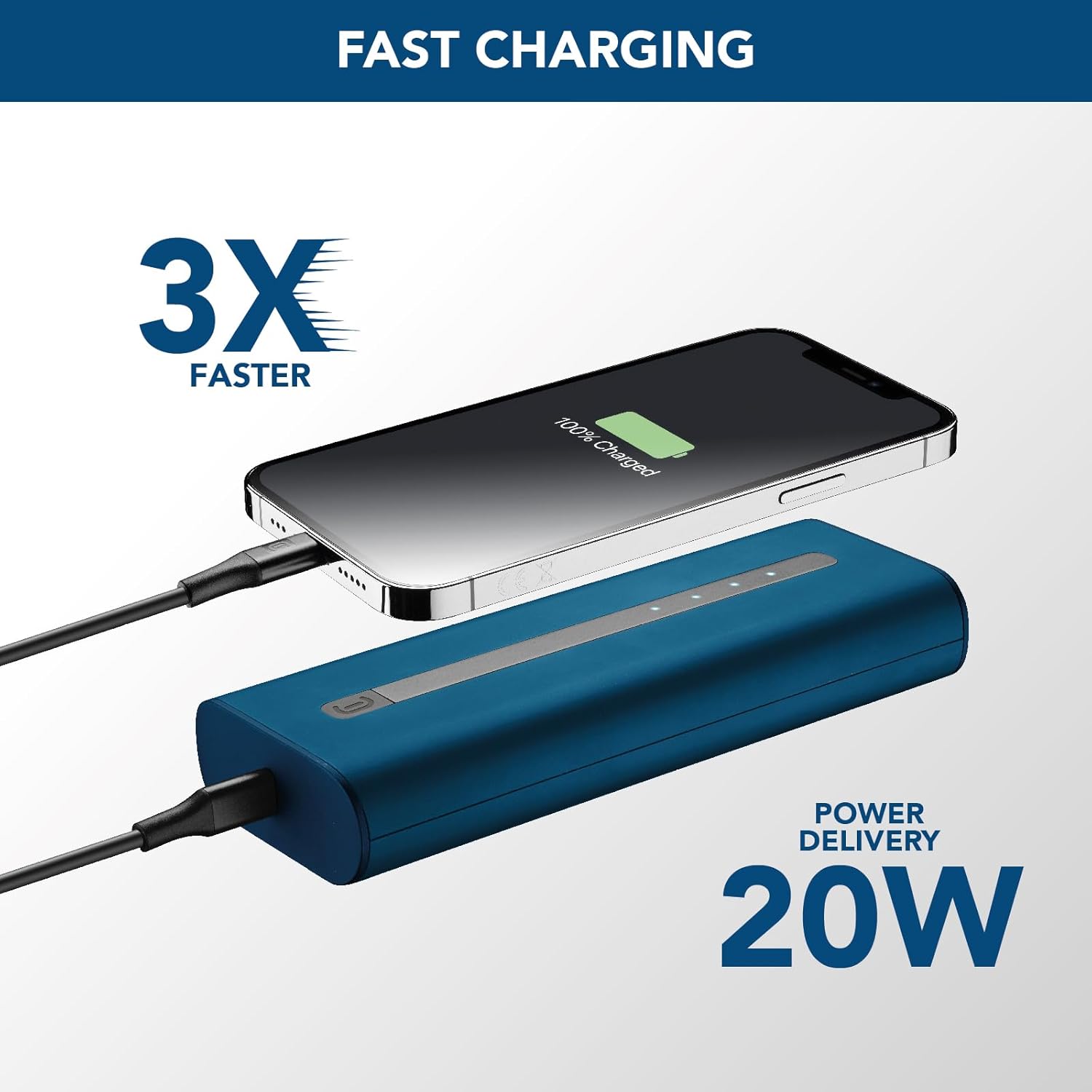
Figure 6.1: The power bank connected to an iPhone via USB-C, illustrating the 20W Power Delivery fast charging capability.
6.1 Charging a Single Device
- Connect your device's charging cable to either the USB-C port or the USB-A port on the power bank.
- Connect the other end of the cable to your device.
- The power bank will automatically begin charging your device. The LED indicators will show the power bank's remaining battery level.
6.2 Charging Two Devices Simultaneously
- Connect the first device's charging cable to the USB-C port on the power bank.
- Connect the second device's charging cable to the USB-A port on the power bank.
- Connect the other ends of both cables to your respective devices.
- Both devices will charge simultaneously. Note that the total output power will be shared between the two ports.
6.3 Checking Battery Level
Press the power button once to check the remaining battery level of the power bank. The LED indicators will light up to show the current charge:
- 1 LED: 1% - 25%
- 2 LEDs: 26% - 50%
- 3 LEDs: 51% - 75%
- 4 LEDs: 76% - 100%
7. Maintenance
Proper care will extend the life of your power bank:
- Clean the power bank with a soft, dry cloth. Do not use abrasive cleaners or solvents.
- Store the power bank in a cool, dry place when not in use.
- Avoid fully discharging the power bank for extended periods. Recharge it at least once every three months to maintain battery health.
- Do not expose the power bank to extreme temperatures or direct sunlight.
8. Troubleshooting
If you encounter issues with your power bank, refer to the table below:
| Problem | Possible Cause | Solution |
|---|---|---|
| Power bank not charging | Cable is faulty or not properly connected. Charger is not powerful enough. | Ensure cable is securely connected. Try a different USB-C cable. Use a wall charger with sufficient output (e.g., 20W PD charger). |
| Device not charging from power bank | Power bank is depleted. Cable is faulty or not properly connected. Device is incompatible. | Recharge the power bank. Ensure cable is securely connected to both power bank and device. Try a different charging cable. Verify device compatibility. |
| Slow charging | Using a non-fast charging port/cable. Device does not support fast charging. | Ensure you are using the USB-C PD port for fast charging compatible devices. Use a high-quality, fast-charging cable. |
| LED indicators not working | Power bank is completely discharged. Malfunction. | Charge the power bank for a few hours. If problem persists, contact customer support. |
9. Specifications
| Feature | Specification |
|---|---|
| Model Name | PBNEWTANK20000B |
| Brand | cellularline |
| Battery Capacity | 20000 Milliampere-hour (mAh) |
| Battery Composition | Lithium-ion |
| Type of Connector | USB (USB-C, USB-A) |
| Special Feature | Compact |
| Color | Blue |
| Voltage | 12 Volts (Output) |
| Recommended Uses | iPhone, Smartphones, Tablets, other USB-powered devices |
| Power Source | Cable Electric |
10. Warranty and Support
For information regarding warranty coverage, technical support, or service, please refer to the warranty card included in your product packaging or visit the official cellularline website. Keep your proof of purchase for warranty claims.
Official cellularline website: www.cellularline.com


