
Introduction
This manual provides comprehensive instructions for the installation, operation, and maintenance of your Brio 700 Series Moderna 3-Stage Filter Touch-Less Countertop Bottle-Less POU Tri-Temperature Digital Water Cooler Dispenser. Please read this manual thoroughly before using the appliance to ensure safe and efficient operation.
The Brio Moderna water cooler offers filtered water at three temperatures: hot, cold, and room temperature. Its touch-less dispensing feature enhances hygiene, and the integrated 3-stage filtration system reduces contaminants, including PFAS and microplastics, from your tap water. The unit also includes a child safety lock for hot water and a UV light self-cleaning function.
Safety Information
Always observe the following safety precautions to reduce the risk of fire, electric shock, or injury:
- Ensure the appliance is properly grounded.
- Do not operate the dispenser with a damaged power cord or plug.
- Keep the dispenser away from direct sunlight and heat sources.
- Do not immerse the dispenser, cord, or plug in water or other liquids.
- Supervise children when they are near the dispenser, especially when dispensing hot water. The hot water faucet is equipped with a child safety lock.
- Only use the dispenser with potable tap water.
- Unplug the dispenser before cleaning or performing any maintenance.
What's in the Box
Upon unpacking, verify that all the following components are present:
- Brio Moderna Countertop Touchless 3-Stage Water Cooler Dispenser
- Set of 3 Water Filters (Sediment, Pre-Carbon Block, Post-Carbon Block)
- Installation Kit (includes necessary tubing and connectors for POU setup)
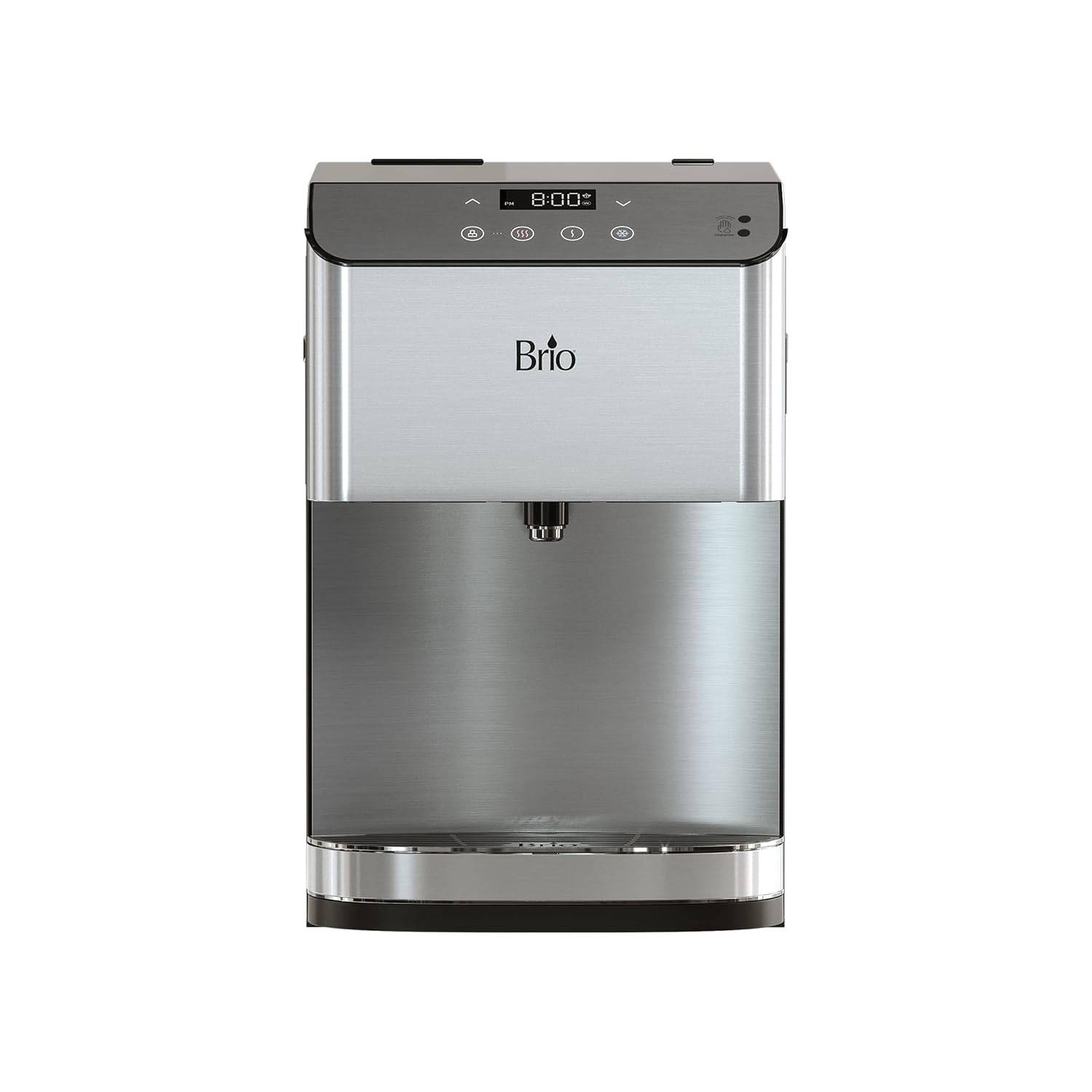
Image: The Brio Moderna Countertop Water Cooler Dispenser, showing its sleek stainless steel and black design with a digital display.
Setup
- Unpacking: Carefully remove the dispenser from its packaging. Place it on a flat, stable countertop surface.
- Positioning: Ensure there is adequate space around the unit for ventilation (at least 4 inches from walls). Avoid placing it near direct heat sources or in direct sunlight.
- Water Line Connection (Point-of-Use):
- Locate your cold water supply line under the sink.
- Install the provided T-valve or saddle valve onto the cold water line.
- Connect one end of the water tubing from the installation kit to the valve.
- Route the tubing to the back of the dispenser and connect it to the water inlet port. Ensure all connections are secure to prevent leaks.
- Filter Installation:
- Open the filter compartment (refer to the diagram on the unit or in the full user guide).
- Insert the three filters (Sediment, Pre-Carbon Block, Post-Carbon Block) into their respective housings. Ensure they are securely twisted into place.

Image: Diagram illustrating the three stages of the Brio advanced water filters: Stage 1 Sediment, Stage 2 Premium Quality Carbon Block, and Stage 3 Refining Coconut Carbon Filter.
- Flushing the System: Before initial use, flush the system by dispensing several cups of water from both the hot and cold faucets until the water runs clear and free of air bubbles. This removes air from the lines and any carbon fines from the new filters.
- Power Connection: Plug the dispenser into a grounded electrical outlet.
Operating Instructions
Digital Display and Controls

Image: Close-up of the Brio Moderna's electronic display panel, showing the digital clock, temperature controls, and dispensing icons. It also highlights the LED Night Light and LED Digital Clock features.
The top panel features a digital display and touch controls for various functions:
- Digital Clock: Displays the current time.
- Temperature Indicators: Icons for Hot, Room, and Cold water.
- Temperature Adjustment: Use the up/down arrows to set desired hot and cold water temperatures. Cold water can be adjusted from 39°F to 59°F, and hot water from 174°F to 194°F.
- Child Safety Lock: A dedicated button to activate/deactivate the hot water safety lock.
- Touch-Less Dispensing Sensor: Located on the right side of the control panel.
Dispensing Water

Image: An illustration demonstrating the touch-less cold water dispensing feature, where a hand waves over a sensor to activate water flow into a glass.
- Place your cup or container under the dispensing nozzle.
- For Cold or Room Temperature Water: Wave your hand in front of the touch-less sensor on the control panel. The water will dispense. Wave your hand again to stop the flow.
- For Hot Water: First, press the child safety lock button (usually indicated by a lock icon). Then, wave your hand in front of the touch-less sensor. The hot water will dispense. Wave your hand again to stop.

Image: Icons representing the three available water temperatures: Hot (red wavy lines), Room (single wavy line), and Cold (blue snowflake). This highlights the tri-temperature dispensing capability.
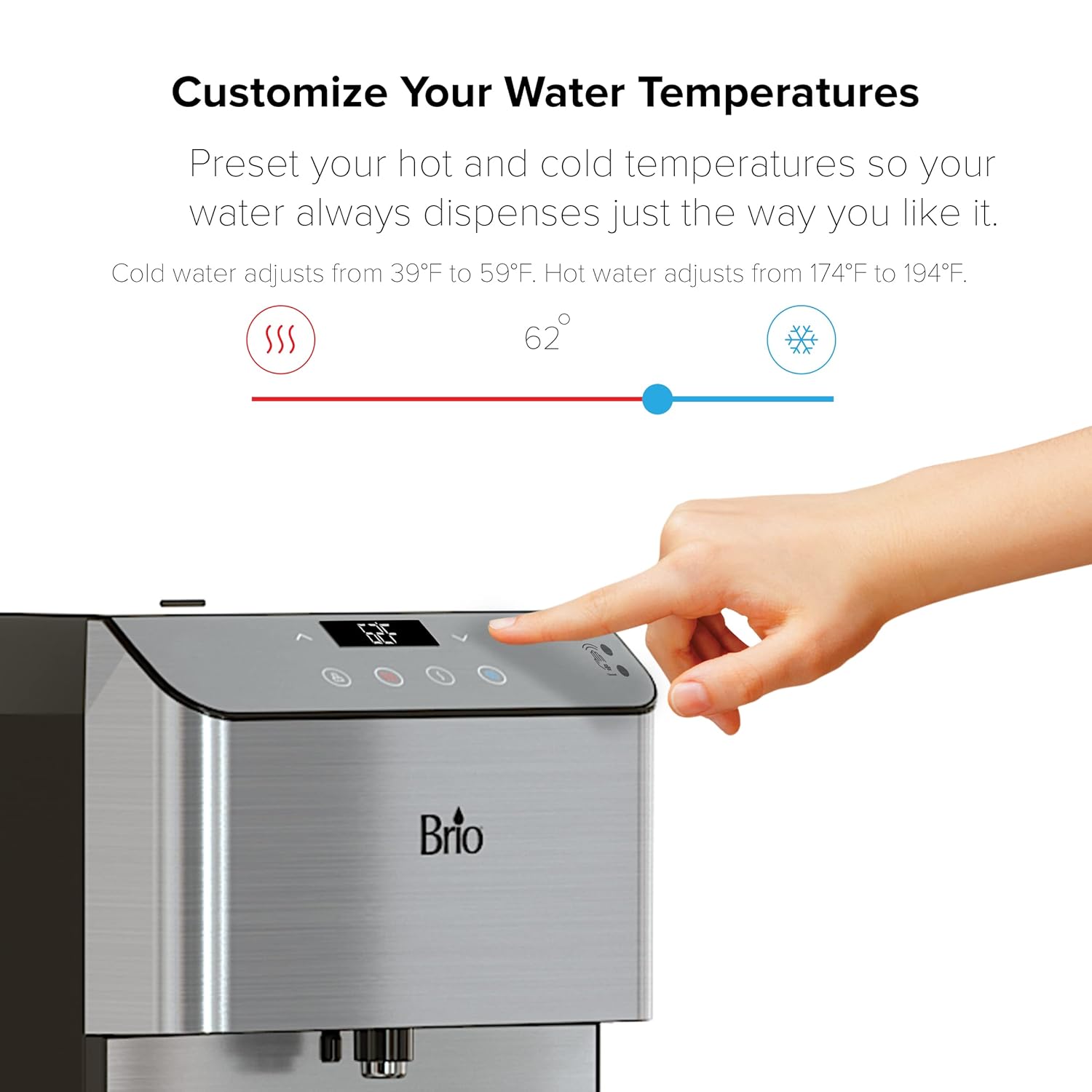
Image: A hand interacting with the digital control panel to adjust water temperatures, showing a temperature slider for hot and cold settings.
Maintenance
Filter Replacement
The 3-stage filters should be replaced every 3-6 months, depending on water quality and usage. For replacement filters, search for "Brio MIB300PKF".
- Turn off the water supply to the dispenser.
- Unplug the dispenser from the power outlet.
- Open the filter compartment.
- Twist and pull out the old filters.
- Insert new filters, ensuring they are securely twisted into place.
- Turn on the water supply and check for leaks.
- Plug in the dispenser and flush the system as described in the Setup section.
Self-Cleaning (UV Light)
The Brio Moderna features an automated UV light self-cleaning function to sanitize the water cooler. Refer to the digital display or full user guide for specific instructions on activating or scheduling this feature, if manual activation is required.
Exterior Cleaning
Wipe the exterior surfaces with a soft, damp cloth. Do not use abrasive cleaners or solvents.
Troubleshooting
| Problem | Possible Cause | Solution |
|---|---|---|
| No water dispensing | Water supply off; clogged filter; air in lines; power issue. | Check water supply valve; replace filters; flush system; ensure unit is plugged in. |
| Water not cold/hot enough | Temperature settings incorrect; cooling/heating system malfunction. | Adjust temperature settings on the digital display; allow time for unit to reach desired temperature. If problem persists, contact customer support. |
| Leaking | Loose water line connection; improperly installed filter. | Check all water line connections for tightness; ensure filters are correctly seated. |
| Unusual noise | Compressor operation (normal); unit not level; air in lines. | Ensure unit is on a level surface; flush system to remove air. Some compressor noise is normal. |
| Hot water not dispensing | Child safety lock engaged. | Press the child safety lock button before attempting to dispense hot water. |
Specifications

Image: A diagram showing the dimensions of the Brio Moderna water cooler (Height 19.3 in, Depth 18.5 in, Width 12.5 in) and highlighting its certifications (ETL Sanitation Listed, Energy Star, UL Listed).
- Model Number: CLCTPOU720UVF3X
- Product Dimensions (D x W x H): 18.5" x 12.5" x 19.3" (46.9 cm x 31.7 cm x 49.0 cm)
- Weight: Approximately 34 lbs
- Color: Stainless Steel
- Material: Plastic, Stainless Steel
- Water Temperatures: Cold (39°F - 59°F), Hot (174°F - 194°F), Room Temperature
- Filtration: 3-Stage (Sediment, Pre-Carbon Block, Post-Carbon Block)
- Special Features: Touch-less Dispensing, Digital Display, Child Safety Lock, UV Self-Cleaning, LED Night Light, LED Digital Clock
- Certifications: ETL Sanitation Listed, Energy Star, UL Listed
Warranty and Support
For warranty information and customer support, please refer to the official Brio website or contact Brio customer service directly. Keep your purchase receipt as proof of purchase for warranty claims.
Manufacturer: Brio
Contact Information: Please visit the Brio Store on Amazon or the official Brio website for the most current support details.


