
Lenco DIR-141
Lenco DIR-141 Wood Internet Radio User Manual
Model: DIR-141
1. Introduction and Overview
Thank you for choosing the Lenco DIR-141 Wood Internet Radio. This device offers a comprehensive audio experience, combining traditional radio functionalities with modern streaming capabilities. With its elegant wood finish, the DIR-141 seamlessly integrates into any home environment while providing access to thousands of internet radio stations, DAB+ digital radio, FM radio, and Bluetooth audio streaming.
Key features include:
- Internet Radio for global station access
- DAB+ for crystal clear digital radio reception
- FM radio tuner
- Bluetooth 5.0 for wireless audio streaming from your devices
- Wi-Fi connectivity (2.4 GHz)
- Two alarm times, sleep timer, and snooze function
- Output power: 2 x 5 watts (RMS)
- Spotify Connect support
2. Safety Information
Please read these safety instructions carefully before operating the device and retain them for future reference. Incorrect use may result in electric shock, fire, or other hazards.
- Do not expose the unit to rain or moisture to prevent fire or shock hazards.
- Ensure proper ventilation. Do not block any ventilation openings.
- Do not place the unit near heat sources such as radiators, heat registers, stoves, or other apparatus (including amplifiers) that produce heat.
- Protect the power cord from being walked on or pinched, particularly at plugs, convenience receptacles, and the point where they exit from the apparatus.
- Only use attachments/accessories specified by the manufacturer.
- Unplug this apparatus during lightning storms or when unused for long periods of time.
- Refer all servicing to qualified service personnel. Servicing is required when the apparatus has been damaged in any way.
3. Package Contents
Please check that all items are present and in good condition upon unpacking:
- Lenco DIR-141 Wood Internet Radio Unit
- Remote Control
- Power Adapter
- Quick Start Guide
If any items are missing or damaged, please contact your retailer.
4. Controls and Connections
Front Panel Controls
The front panel features a clear display, two speakers, and various control buttons and knobs for easy navigation and operation.

Image: Front view of the Lenco DIR-141 Wood Internet Radio.

Image: Close-up of the display and main control area.
- Display Screen: Shows current mode, station information, time, and menu options.
- Power Button: Turns the unit on/off or puts it into standby.
- Mode Button: Switches between Internet Radio, DAB+, FM, Bluetooth, and Auxiliary modes.
- Navigate/OK/Volume Knob: Rotate to navigate menus or adjust volume. Press to confirm selection (OK) or play/pause.
- Menu Button: Accesses the main menu for settings and options.
- Info Button: Displays additional information about the current station or track.
- FAV Button: Accesses or saves favorite stations.
- Back Button: Returns to the previous menu or screen.
Top Panel Preset Buttons
The top panel features five dedicated preset buttons for quick access to your favorite stations.
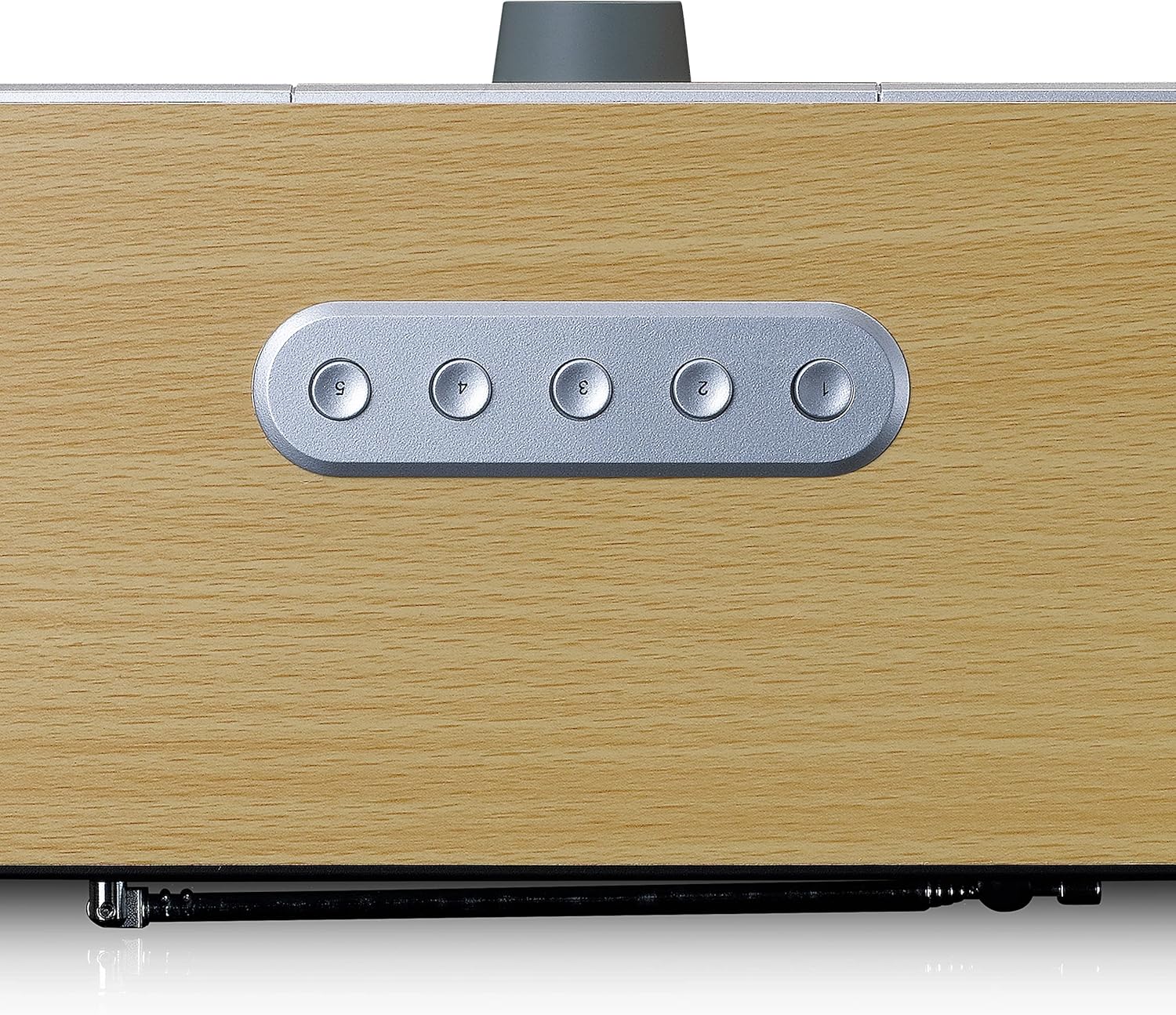
Image: Top view showing preset buttons.
Rear Panel Connections
The rear panel provides essential connections for power and external audio devices.

Image: Rear view of the Lenco DIR-141.
- Telescopic Antenna: For DAB+ and FM radio reception. Extend fully for best signal.
- DC IN: Connect the supplied power adapter here.
- AUX IN: 3.5mm jack for connecting external audio devices.
- Headphone Jack: 3.5mm jack for private listening.
Remote Control
The included remote control provides convenient access to all functions from a distance.

Image: Lenco DIR-141 Remote Control.
Familiarize yourself with the buttons on the remote control, which mirror most of the functions available on the unit itself, along with additional controls like EQ, Dimmer, Sleep, and Alarm settings.
5. Setup
5.1 Initial Placement
Place the Lenco DIR-141 on a stable, flat surface. Ensure there is adequate ventilation around the unit. For optimal radio reception, extend the telescopic antenna fully.
5.2 Power Connection
- Connect the supplied power adapter to the DC IN port on the rear of the unit.
- Plug the power adapter into a wall outlet.
5.3 First Power On and Wi-Fi Setup
Upon first power on, the unit will guide you through the initial setup process, including language selection and network configuration.
- Press the Power button to turn on the unit.
- Follow the on-screen prompts to select your preferred language.
- The unit will then prompt you to set up the network connection. Select Wi-Fi Network.
- The radio will scan for available Wi-Fi networks. Select your network from the list.
- Enter your Wi-Fi password using the navigation knob and OK button. Rotate the knob to select characters and press OK to confirm each character.
- Once connected, the radio will display a confirmation message.
Note: A stable 2.4 GHz Wi-Fi connection is essential for Internet Radio functionality. If you experience connection issues, ensure your router is within range and the password is correct.
5.4 Time and Date Setting
The time and date will typically synchronize automatically via the internet connection. If not, you can manually set them through the system settings menu.
6. Operating Instructions
6.1 Switching Modes
Press the Mode button repeatedly to cycle through the available modes: Internet Radio, DAB+, FM, Bluetooth, and AUX In.
6.2 Internet Radio
In Internet Radio mode, you can access thousands of stations worldwide.
- Select Internet Radio mode.
- Use the navigation knob to browse stations by location, genre, or search.
- Press OK to select a station and begin playback.
- To save a station as a favorite, tune to the station and press the FAV button. Follow the on-screen instructions to assign it to a preset number.
- To recall a favorite, press the FAV button and select the desired preset, or use the numeric buttons on the remote control.
6.3 DAB+ / FM Radio
For digital (DAB+) and analog (FM) radio broadcasts.
- Select DAB+ or FM mode.
- For DAB+, the radio will automatically scan for available stations on first use. For FM, you can manually tune or auto-scan.
- Use the navigation knob to select stations.
- Save and recall favorite stations using the FAV button as described for Internet Radio.
6.4 Bluetooth Streaming
Connect your smartphone, tablet, or other Bluetooth-enabled device to stream audio wirelessly.
- Select Bluetooth mode on the radio. The display will show "Pairing".
- On your Bluetooth device, enable Bluetooth and search for "Lenco DIR-141".
- Select the radio from the list to pair. Once connected, the display will show "Connected".
- Play audio from your device, and it will stream through the radio.
6.5 Auxiliary Input (AUX In)
Connect external audio sources like MP3 players or CD players.
- Connect a 3.5mm audio cable (not supplied) from your external device's headphone or line-out jack to the AUX IN port on the rear of the radio.
- Select AUX In mode on the radio.
- Play audio from your external device.
6.6 Alarm, Sleep Timer, and Snooze
The radio features dual alarms, a sleep timer, and a snooze function.
- Alarm: Press the Alarm button on the remote or navigate through the menu to set up two independent alarms with customizable sources (buzzer, Internet Radio, DAB+, FM) and volumes.
- Sleep Timer: Press the Sleep button on the remote or navigate through the menu to set a timer for the radio to automatically turn off after a set period (e.g., 15, 30, 60 minutes).
- Snooze: When an alarm sounds, press the Snooze button (usually the OK/Navigate knob) to temporarily silence the alarm for a few minutes.
7. Maintenance
7.1 Cleaning
To clean the unit, use a soft, dry cloth. Do not use abrasive cleaners, waxes, or solvents as these may damage the finish. Ensure the unit is unplugged before cleaning.
7.2 Storage
If you plan to store the unit for an extended period, unplug it from the power outlet and store it in a cool, dry place, away from direct sunlight and extreme temperatures.
8. Troubleshooting
If you encounter issues with your Lenco DIR-141, please refer to the following common problems and solutions:
| Problem | Possible Cause | Solution |
|---|---|---|
| No power / Unit does not turn on. | Power adapter not connected properly; Power outlet not working. | Ensure the power adapter is securely connected to the unit and the wall outlet. Try a different outlet. |
| No sound. | Volume too low; Mute function active; Incorrect mode selected. | Increase the volume. Check if the unit is muted. Ensure the correct input mode (Internet Radio, DAB+, FM, Bluetooth, AUX) is selected. |
| Cannot connect to Wi-Fi / Wi-Fi connection drops frequently. | Incorrect Wi-Fi password; Router too far; Network interference; Router settings. | Double-check the Wi-Fi password. Move the radio closer to the router. Ensure your router is broadcasting on 2.4 GHz. Restart your router and the radio. |
| Poor DAB+ / FM reception. | Antenna not extended; Weak signal area. | Fully extend the telescopic antenna. Try repositioning the radio to find a better signal. Perform a new station scan. |
| Bluetooth pairing issues. | Device not in pairing mode; Radio not in Bluetooth mode; Device already paired with another unit. | Ensure the radio is in Bluetooth pairing mode. Make sure Bluetooth is enabled on your device. Disconnect from other Bluetooth devices. |
| Remote control not working. | Batteries depleted; Obstruction between remote and unit. | Replace the batteries in the remote control. Ensure there is a clear line of sight between the remote and the radio's sensor. |
If the problem persists after trying these solutions, please contact Lenco customer support or your retailer for further assistance.
9. Specifications
| Feature | Specification |
|---|---|
| Model Number | DIR-141 |
| Product Dimensions (L x W x H) | 28 x 14 x 11.3 cm |
| Weight | 1.5 kg |
| Output Power | 2 x 5 Watts (RMS) |
| Connectivity Technology | Bluetooth 5.0, Wi-Fi (2.4 GHz), Auxiliary |
| Tuner Technology | Internet Radio, DAB+, FM |
| Special Features | Internet radio, DAB+, FM, Bluetooth, Spotify Connect, Dual Alarms, Sleep Timer, Snooze |
| Included Components | Quick Start Guide, Remote Control |

Image: Lenco DIR-141 Product Dimensions.
10. Warranty and Support
Lenco products are covered by a warranty in accordance with European law. For detailed warranty terms and conditions, please refer to the warranty card included with your product or visit the official Lenco website. For technical support, troubleshooting assistance beyond this manual, or spare parts, please contact Lenco customer service or your local retailer.
You can find more information and support resources on the official Lenco website: www.lenco.com
Related documentsDIR-141


Ask a question about this manual
Ask about setup, troubleshooting, compatibility, parts, safety, or missing instructions. Manuals+ will review the question and use this page’s manual context to help answer it.