
1. Introduction
This manual provides essential information for setting up, operating, maintaining, and troubleshooting your Acer Predator Orion 5000 PO5-640-UR11 Gaming Desktop. This powerful gaming PC features a 12th Gen Intel Core processor and high-performance NVIDIA GeForce RTX 3080 graphics, designed to deliver an exceptional gaming experience.
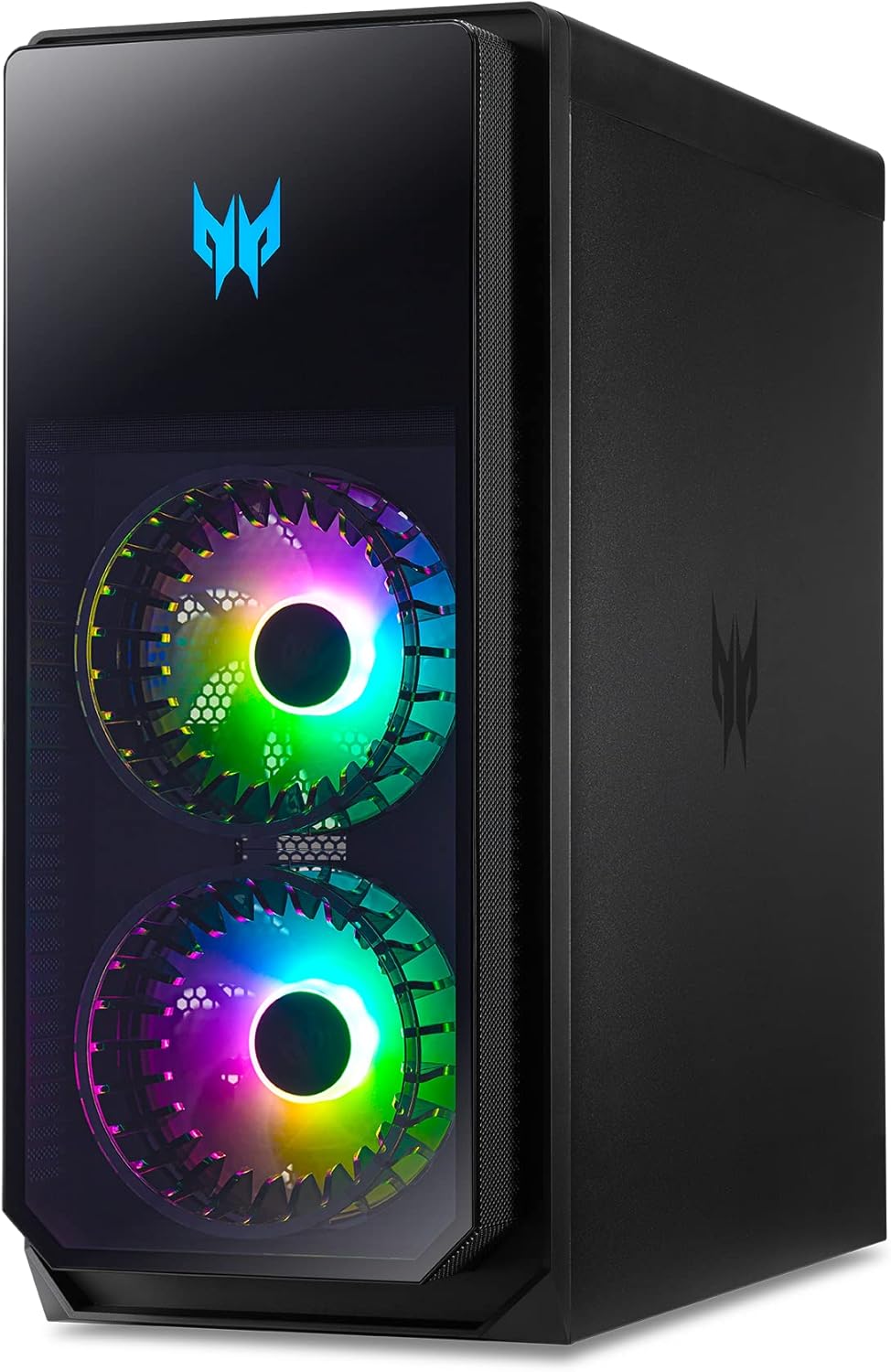
Image: The Acer Predator Orion 5000 desktop, showcasing its vibrant RGB lighting and sleek design, connected to a gaming monitor.
2. Setup
- Unpacking: Carefully remove the desktop, keyboard, mouse, and power cord from the packaging. Retain all packaging materials for future transport or service.
- Placement: Place the desktop on a stable, flat surface with adequate ventilation. Ensure no vents are obstructed.
- Connect Peripherals:
- Connect your monitor(s) to the NVIDIA GeForce RTX 3080 graphics card using DisplayPort 1.4a or HDMI 2.1.
- Connect the included Predator RGB Gaming Keyboard and Predator RGB Gaming Mouse to available USB ports.
- Connect any other desired peripherals (e.g., speakers, headset) to the appropriate audio jacks or USB ports.
- Power Connection: Connect the power cord to the desktop's power input and then to a grounded electrical outlet.
- Initial Power On: Press the power button on the desktop. Follow the on-screen instructions to complete the Windows 11 Home setup.
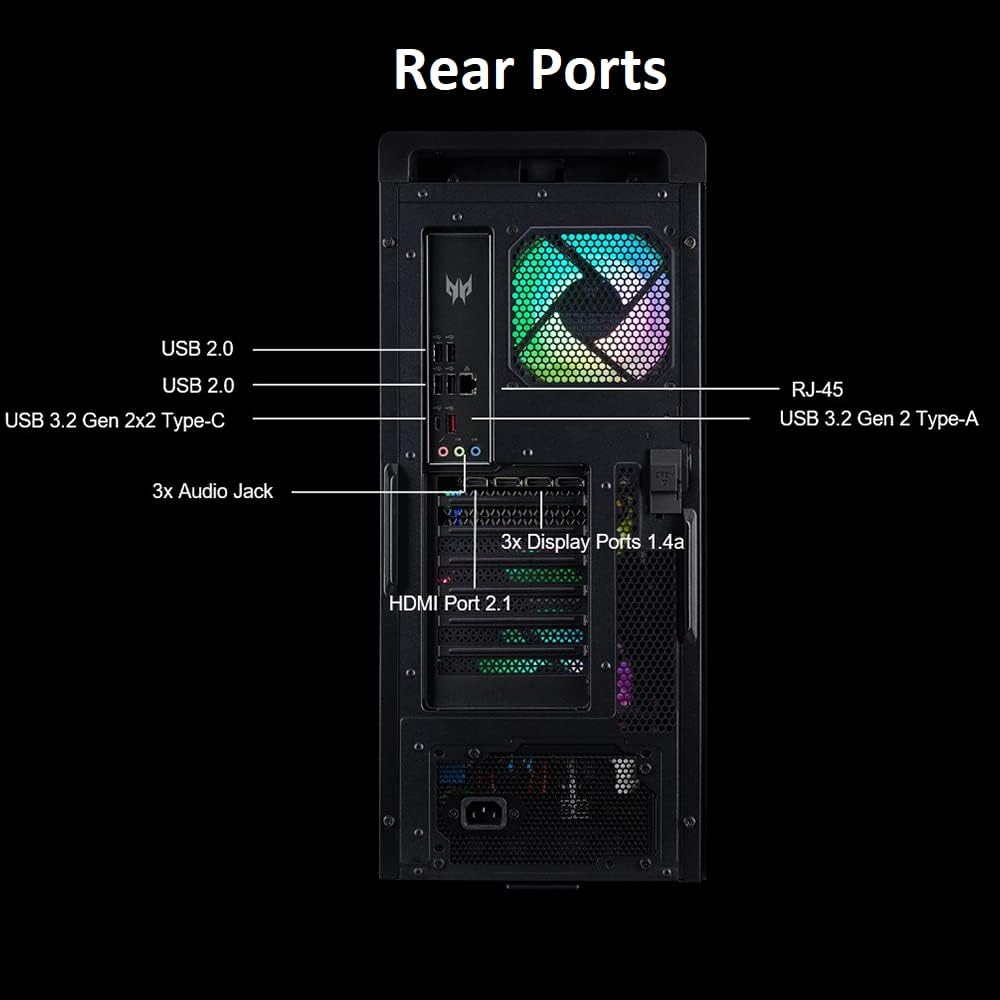
Image: Conveniently located top ports for easy access, including USB 3.2 (Type C) Gen 1 and USB 3.2 (Type-A) Gen 1 ports, along with audio jacks.

Image: A detailed view of the rear I/O panel, highlighting USB 2.0, USB 3.2 Gen 2x2 Type-C, USB 3.2 Gen 2 Type-A, RJ-45 Ethernet, and multiple DisplayPort 1.4a and HDMI 2.1 outputs.
3. Operating Instructions
- Power On/Off: Press the power button on the front of the chassis to turn the system on or off. For a controlled shutdown, use the Windows Start menu.
- Windows 11 Home: Your desktop comes pre-installed with Windows 11 Home. Familiarize yourself with its interface and features for optimal use.
- PredatorSense Software: Utilize the pre-installed PredatorSense software to monitor system performance, customize RGB lighting effects, and manage fan speeds for optimal cooling.
- DTS X: Ultra Audio: Configure your audio settings through the DTS X: Ultra Audio application for an immersive sound experience with headphones or speakers.
- Networking: Connect to the internet using the Intel Wi-Fi 6E AX211 (Gig+) for wireless connectivity or the Killer Ethernet E3100G 2.5G Ethernet LAN for a wired connection.
Video: Official Acer Predator Orion 3000 Product Video. This video provides a visual overview of the desktop's features and design, including internal components and RGB lighting.
4. Key Features
Processor
Equipped with a 12th Generation Intel Core i7-12700F 12-Core Processor, capable of reaching up to 4.9GHz, providing robust performance for gaming and demanding applications.

Image: A visual representation of the Intel Core i7 processor, highlighting its 12 cores and 20 threads for advanced multitasking and gaming.
Graphics
Features an NVIDIA GeForce RTX 3080 Graphics card with 10GB of GDDR6X Video Memory, offering advanced ray tracing, AI capabilities, and high frame rates for immersive gaming. It includes 3 Display Ports 1.4a and 1 HDMI 2.1 Port.

Image: A close-up of the NVIDIA GeForce RTX 3080 graphics card, emphasizing its powerful design for high-fidelity gaming.
Memory and Storage
Comes with 16GB DDR5 4400MHz Memory (expandable to 64GB) for smooth multitasking. Storage includes a fast 1TB M.2 PCIe Gen 4 SSD for rapid boot times and game loading, complemented by a 2TB 7200RPM SATA III HDD for ample additional storage.
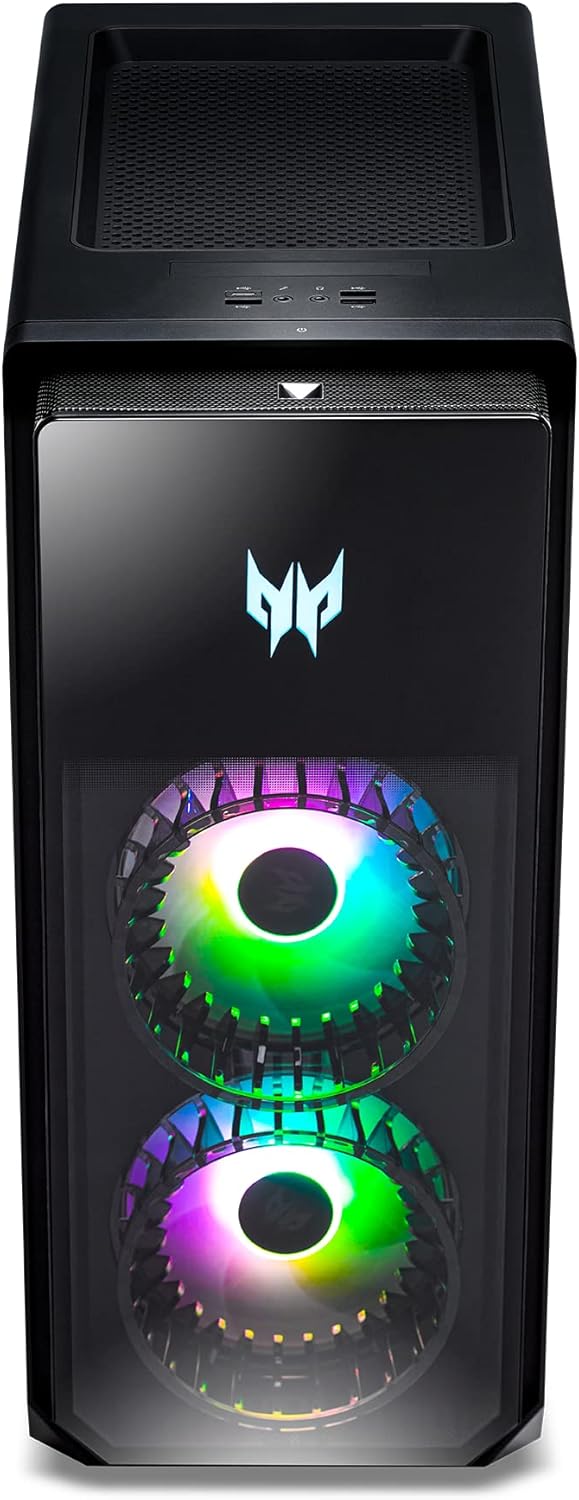
Image: An internal view of the desktop, showcasing the RAM modules and M.2 SSD slots, indicating upgradeability and high-speed storage.
Cooling System
Features ARGB-infused Predator FrostBlade™ 2.0 fans designed to maintain optimal temperatures during intense gaming sessions. These fans utilize eight ARGB LEDs and a static pressure design to optimize airflow, reduce vibration, and minimize noise.

Image: The Predator Orion 5000 desktop with visual effects demonstrating the efficient cooling provided by the FrostBlade fans, keeping internal components cool.
Connectivity
Equipped with Intel Wireless Wi-Fi 6E AX211 (Gig+) for high-speed wireless networking and Killer Ethernet E3100G 10/100/1000 2.5G Ethernet LAN for stable wired connections. A variety of USB ports are available: 1x USB 3.2 (Type C) Gen 1 (Top), 3x USB 3.2 (Type-A) Gen 1 (Top), 1x USB 3.2 (Type C) Gen 2x2 (Rear), 1x USB 3.2 (Type-A) Gen 2 (Rear), and 4x USB 2.0 (Type A) (Rear).
5. Maintenance
- Dust Cleaning: Regularly clean dust from the chassis vents and internal components using compressed air to ensure optimal airflow and prevent overheating.
- Software Updates: Keep your operating system, drivers (especially graphics drivers), and PredatorSense software updated to the latest versions for performance improvements and security patches.
- Cable Management: Ensure internal and external cables are neatly organized to prevent airflow obstruction and accidental disconnections.
- System Backups: Periodically back up important data to an external drive or cloud storage to prevent data loss.
6. Troubleshooting
- No Power: Ensure the power cable is securely connected to both the desktop and the electrical outlet. Test the outlet with another device.
- No Display: Verify that the monitor cables are correctly connected to the graphics card ports. Ensure the monitor is powered on and set to the correct input source.
- System Freezes/Crashes: Update graphics drivers. Check system temperatures using PredatorSense. Ensure adequate ventilation.
- Peripheral Not Detected: Try connecting the peripheral to a different USB port. Ensure drivers for the peripheral are installed and up to date.
- Slow Performance: Close unnecessary background applications. Check for malware. Ensure sufficient free storage space on the SSD.
7. Specifications
| Feature | Specification |
|---|---|
| Processor | 12th Generation Intel Core i7-12700F 12-Core (Up to 4.9GHz) |
| RAM | 16GB DDR5 4400MHz (expandable to 64GB) |
| Storage | 1TB M.2 PCIe Gen 4 SSD + 2TB 7200RPM SATA III HDD |
| Graphics Card | NVIDIA GeForce RTX 3080 with 10GB GDDR6X |
| Video Outputs | 3 x Display Ports 1.4a & 1 x HDMI 2.1 Port |
| Operating System | Windows 11 Home |
| Wireless Connectivity | Intel Wireless Wi-Fi 6E AX211 (Gig+) |
| Ethernet | Killer Ethernet E3100G 10/100/1000 2.5G LAN |
| USB Ports (Top) | 1x USB 3.2 (Type C) Gen 1, 3x USB 3.2 (Type-A) Gen 1 |
| USB Ports (Rear) | 1x USB 3.2 (Type C) Gen 2x2, 1x USB 3.2 (Type-A) Gen 2, 4x USB 2.0 (Type A) |
| Audio | DTS X: Ultra Audio |
| Item Weight | 29 pounds |
| Product Dimensions (LxWxH) | 19.87 x 8.62 x 19.09 inches |
Video: Official Acer Predator Orion 5000 Product Video. This video highlights the key specifications and performance capabilities of the desktop.
8. What's in the Box
- Acer Predator Orion 5000 Gaming Desktop
- Predator RGB Gaming Keyboard
- Predator RGB Gaming Mouse
- Power Cord
9. Warranty and Support
For warranty information and technical support, please refer to the documentation included with your product or visit the official Acer support website. Keep your purchase receipt and product serial number (DG.E2ZAA.001) handy for any warranty claims or support inquiries.
Additional protection plans may be available for purchase. Please check with your retailer for details.


