
AIRTOK AP0601
AIRTOK HEPA Air Purifier Instruction Manual
Model: AP0601 | Brand: AIRTOK
Introduction
Welcome to the instruction manual for your new AIRTOK HEPA Air Purifier. This manual provides essential information for the safe and efficient operation, maintenance, and troubleshooting of your device. Please read it thoroughly before use.

Front view of the AIRTOK HEPA Air Purifier, black model, with an essential oil dropper adding liquid to the top.
Important Safety Instructions
To reduce the risk of fire, electric shock, or injury, please observe the following safety precautions:
- Read all instructions before operating the appliance.
- Do not operate any fan with a damaged cord or plug.
- Do not run cord under carpeting.
- Do not immerse the air purifier in water or other liquids.
- Unplug the appliance when not in use or before cleaning.
- This appliance is not intended for use by persons (including children) with reduced physical, sensory or mental capabilities, or lack of experience and knowledge, unless they have been given supervision or instruction concerning use of the appliance by a person responsible for their safety.
- Children should be supervised to ensure that they do not play with the appliance.

The official AIRTOK brand logo.
Package Contents
Verify that all items are present in your package:
- AIRTOK HEPA Air Purifier (Model AP0601)
- H13 True HEPA Filter (pre-installed)
- 12 Fragrance Sponges
- User Manual (this document)
Product Overview
The AIRTOK HEPA Air Purifier features a compact design with intuitive controls.

Top-down view of the AIRTOK air purifier showing the control panel with icons for fan speed, timer, night light, and child lock.
Components
- Control Panel: Touch-sensitive buttons for operation.
- Air Outlet: Top grille for purified air release.
- Air Inlet: Lower section with vents for air intake.
- Filter Compartment: Located at the bottom for filter access.
- Fragrance Sponge Tray: Integrated under the top cover for essential oils.

The AIRTOK air purifier with its dimensions indicated: 10.2 inches height and 6.3 inches diameter.
Setup
Before First Use
- Unpack the air purifier and remove all packaging materials.
- Turn the unit upside down and twist the base cover counter-clockwise to unlock.
- Remove the plastic packaging from the HEPA filter.
- Insert the filter back into the unit, ensuring it is seated correctly.
- Replace the base cover and twist clockwise to lock.
- Place the air purifier on a flat, stable surface. Ensure there is at least 6 inches (15 cm) of clear space around all sides for optimal airflow.
- Plug the power cord into a standard electrical outlet.

Diagram illustrating the steps to remove and install the air filter, showing the base being twisted off and the filter being unwrapped.
Operating Instructions
Power On/Off
Press the Power button on the control panel to turn the unit on or off.
Fan Speed Adjustment
The air purifier has 3 fan speeds: Low, Medium, and High.
Press the Fan Speed button repeatedly to cycle through the speeds.
Timer Function
Set the operating time for 2, 4, or 8 hours.
Press the Timer button repeatedly to select the desired duration. The unit will automatically turn off after the set time.
Night Light
The air purifier features a soft night light.
Press the Light button to turn the night light on or off.
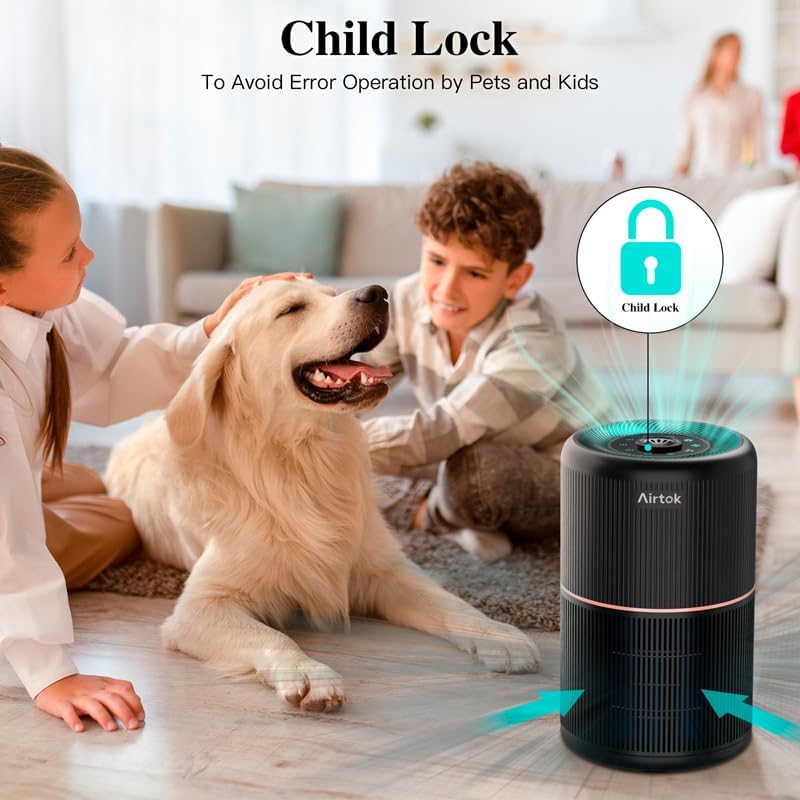
Child Lock
To prevent accidental changes to settings, activate the Child Lock.
Press and hold the Child Lock button for 3 seconds to activate or deactivate. An indicator light will confirm activation.
Close-up view of the air purifier's touch control panel, highlighting the various function buttons including power, fan speed, timer, night light, and child lock.
Fragrance Function
The unit includes a built-in fragrance sponge tray for essential oils.
- Gently lift the top cover of the air purifier.
- Locate the aroma pad slot.
- Add a few drops of your favorite essential oil onto one of the provided fragrance sponges.
- Place the scented sponge into the slot.
- Replace the top cover. The aroma will diffuse with the purified air.

Image demonstrating how to add essential oils to the fragrance sponge located under the top cover of the air purifier, with a small bottle of essential oil and a stack of aroma pads shown.
Maintenance
Filter Replacement
The filter indicator light will turn red when the filter needs replacement (approximately every 3-4 months, depending on usage and air quality).
- Unplug the air purifier from the power outlet.
- Turn the unit upside down and twist the base cover counter-clockwise to unlock.
- Remove the old filter.
- Insert a new AIRTOK H13 True HEPA replacement filter (Search B09QWXXHVM on Amazon).
- Replace the base cover and twist clockwise to lock.
- Plug in the air purifier.
- To reset the filter indicator, press and hold the Filter button for 3 seconds until a beep is heard.

A close-up image of the cylindrical HEPA filter, showing its pleated structure.
Cleaning the Air Purifier
Regularly clean the exterior of the unit with a soft, dry cloth. Do not use abrasive cleaners or solvents.
The pre-filter layer of the HEPA filter can be gently vacuumed to remove large dust particles, but the HEPA filter itself is not washable.
Troubleshooting
| Problem | Possible Cause | Solution |
|---|---|---|
| Unit does not turn on | Not plugged in; Power outage; Damaged cord/plug | Check power connection; Check circuit breaker; Contact customer support |
| Weak airflow | Filter clogged; Air inlets/outlets blocked | Replace filter; Clear obstructions |
| Unusual noise | Filter not installed correctly; Foreign object inside | Reinstall filter; Check for obstructions |
| Odor persists | Filter needs replacement; Strong external odor source | Replace filter; Identify and remove odor source |
| Filter indicator remains red after replacement | Filter reset not performed | Press and hold Filter button for 3 seconds to reset |
Specifications
| Feature | Detail |
|---|---|
| Model Number | AP0601 |
| Dimensions | 10.2 x 6.3 x 6.3 inches (25.9 x 16 x 16 cm) |
| Weight | 3 Pounds (1.36 kg) |
| Filtration System | 4-in-1 H13 True HEPA Filter (Pre-Filter, Blue Nano Nylon, H13 HEPA, Activated Carbon) |
| Coverage Area | Up to 355 sq ft (33 m²) |
| Noise Level | <25 dB (lowest speed) |
| Power Consumption | 10 Watts |
| Timer Settings | 2H, 4H, 8H |
| Certifications | CARB, FCC, ETL |
| Ozone | 100% Ozone Free |

Image displaying various certifications for the air purifier, including CARB, ETL, and FCC logos.
Warranty and Customer Support
For warranty information and customer support, please refer to the contact details provided with your purchase or visit the official AIRTOK website.
For replacement filters, search for ASIN B09QWXXHVM on Amazon.
You can also visit the AIRTOK Store on Amazon: AIRTOK Store
Related documentsAP0601


Ask a question about this manual
Ask about setup, troubleshooting, compatibility, parts, safety, or missing instructions. Manuals+ will review the question and use this page’s manual context to help answer it.