
Shadowhawk IT-S1915
Shadowhawk High Lumens LED Flashlight User Manual
Model: IT-S1915 | Brand: Shadowhawk
Introduction
Thank you for choosing the Shadowhawk High Lumens LED Flashlight, Model IT-S1915. This professional-grade, rechargeable, and waterproof flashlight is designed for various applications, from everyday use to emergency situations. This manual provides essential information for the safe and effective operation, maintenance, and troubleshooting of your new flashlight.
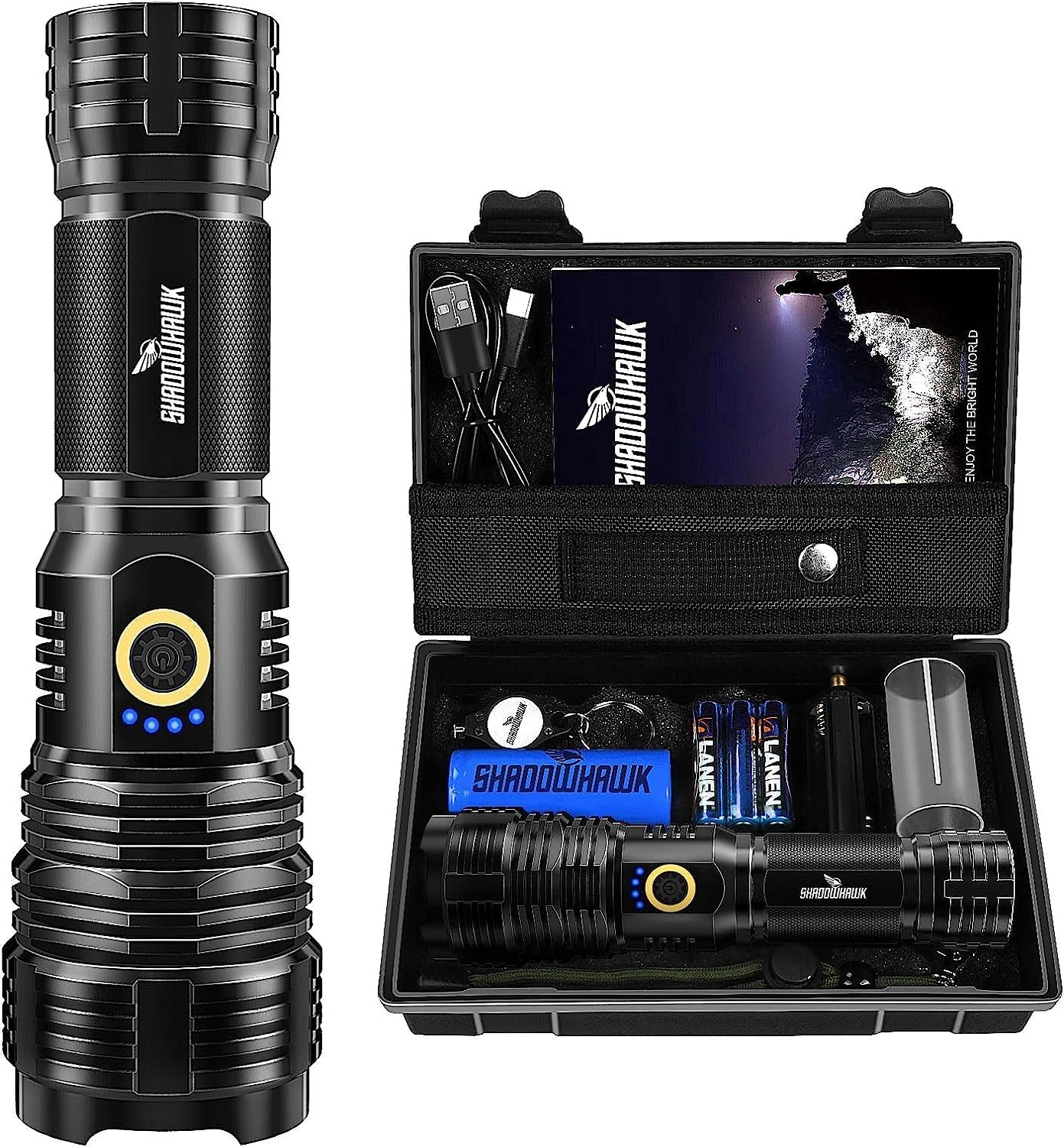
Image: The Shadowhawk High Lumens LED Flashlight alongside its protective carrying case, showcasing the product and its primary storage solution.
Safety Information
Please read all safety instructions carefully before using the flashlight. Failure to follow these instructions may result in injury or damage to the product.
- WARNING: Do not shine the light directly on the eyes. The high lumen output can cause temporary vision impairment or permanent eye damage.
- Keep out of reach of children.
- Do not disassemble the flashlight. This may void the warranty and could lead to electric shock or damage.
- Avoid exposing the flashlight to extreme temperatures or direct sunlight for prolonged periods.
- While the flashlight is waterproof (IP67 rated), it is not designed for prolonged immersion in water. Do not use for diving.
- Use only the specified batteries and charging cable.

Image: A close-up of the warning label found on the product's carrying case, emphasizing the critical safety instruction to avoid direct eye exposure to the light.
Package Contents
Upon opening your Shadowhawk High Lumens LED Flashlight package, you should find the following items:
- Shadowhawk High Lumens LED Flashlight (Model IT-S1915)
- 1 x 26700 Rechargeable Battery (6000 mAh)
- 3 x AAA Batteries
- 1 x AAA Battery Adapter
- 1 x USB-C Charging Cable
- 1 x Tactical Pouch with Belt Attachment
- 1 x Keychain
- 1 x Protective Carrying Case
- User Manual (this document)
Image: An overview of the Shadowhawk flashlight and its included accessories, neatly arranged within its protective case, demonstrating the complete package contents.
Setup
Battery Installation
Your Shadowhawk flashlight can be powered by either the included 26700 rechargeable battery or three AAA batteries using the provided adapter.
- Unscrew the tail cap of the flashlight by turning it counter-clockwise.
- For 26700 Battery: Insert the 26700 rechargeable battery with the positive (+) end facing towards the flashlight head (LED).
- For AAA Batteries: Place three AAA batteries into the AAA battery adapter, ensuring correct polarity (+/-). Then, insert the adapter into the flashlight with the positive (+) end of the adapter facing towards the flashlight head (LED).
- Screw the tail cap back on clockwise until it is securely tightened.

Image: An exploded diagram of the flashlight, illustrating its internal components including the battery compartment, power switch, and LED assembly, aiding in understanding battery installation.
Charging the Flashlight
The flashlight features a built-in USB-C charging port for convenient recharging of the 26700 battery.
- Locate the USB-C charging port on the side of the flashlight, usually protected by a rubber cover.
- Gently lift the rubber cover to expose the port.
- Connect the provided USB-C cable to the flashlight's port and the other end to a USB power source (e.g., wall adapter, power bank, computer USB port).
- The blue indicator lights on the flashlight will illuminate to show the charging progress. When all four lights are solid, the battery is fully charged.
- Once charging is complete, disconnect the cable and firmly press the rubber cover back into place to maintain water resistance.
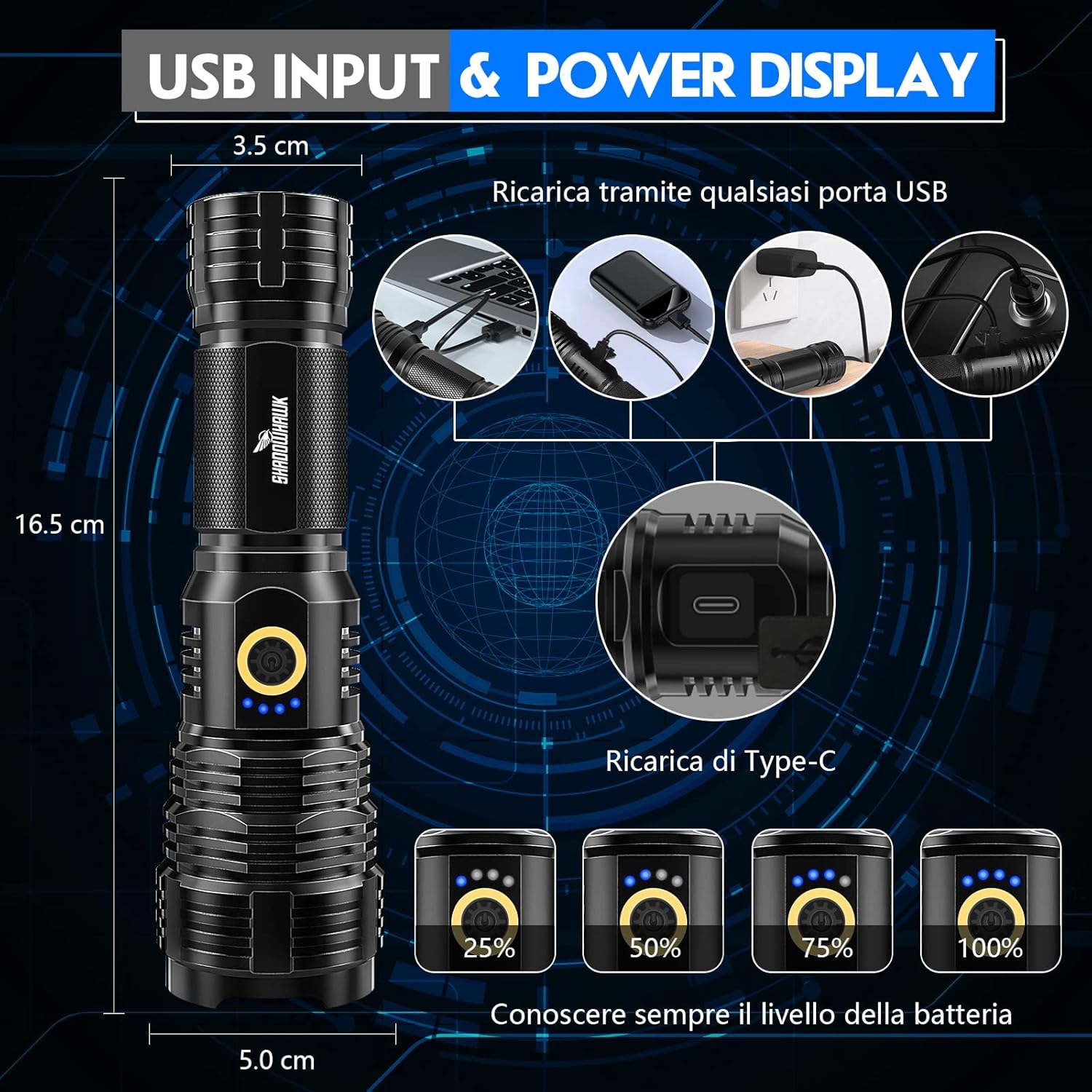
Image: A visual guide demonstrating the USB-C charging input and the four-segment power display, indicating battery charge levels (25%, 50%, 75%, 100%).
Operating Instructions
Power On/Off and Mode Selection
The flashlight features a single power button for controlling power and cycling through light modes.
- To Turn On: Press the power button once. The flashlight will turn on in the last used mode (memory function).
- To Cycle Modes: While the flashlight is on, press the power button repeatedly to cycle through the 5 available modes:
- High Brightness
- Medium Brightness
- Low Brightness
- Strobe (flashing light)
- SOS (Morse code signal)
- To Turn Off: Press and hold the power button for approximately 3 seconds.

Image: A series of photographs illustrating the five distinct lighting modes of the Shadowhawk flashlight: High, Medium, Low, Strobe, and SOS, showing their visual effect.
Adjusting Focus (Telescopic Zoom)
The flashlight features a telescopic head that allows you to adjust the beam from a wide floodlight to a focused spotlight.
- To Widen the Beam (Floodlight): Gently push the head of the flashlight forward.
- To Narrow the Beam (Spotlight): Gently pull the head of the flashlight backward.

Image: A diagram illustrating the telescopic zoom capability of the flashlight, depicting how the beam can be adjusted from a wide floodlight to a concentrated spotlight.
Battery Level Indicator
The blue indicator lights near the power button provide an approximate indication of the remaining battery charge:
- 4 Lights: 75% - 100% charge
- 3 Lights: 50% - 75% charge
- 2 Lights: 25% - 50% charge
- 1 Light: Below 25% charge (recharge soon)
Maintenance
- Cleaning: Wipe the flashlight with a soft, damp cloth. Do not use abrasive cleaners or solvents.
- Battery Care: If the flashlight will not be used for an extended period, it is recommended to remove the battery to prevent leakage. Store batteries in a cool, dry place.
- Water Resistance: Ensure the USB-C port cover and tail cap are securely closed to maintain the IP67 water resistance rating.
- Lubrication: Periodically apply a thin layer of silicone grease to the O-rings on the tail cap threads to ensure smooth operation and maintain water resistance.
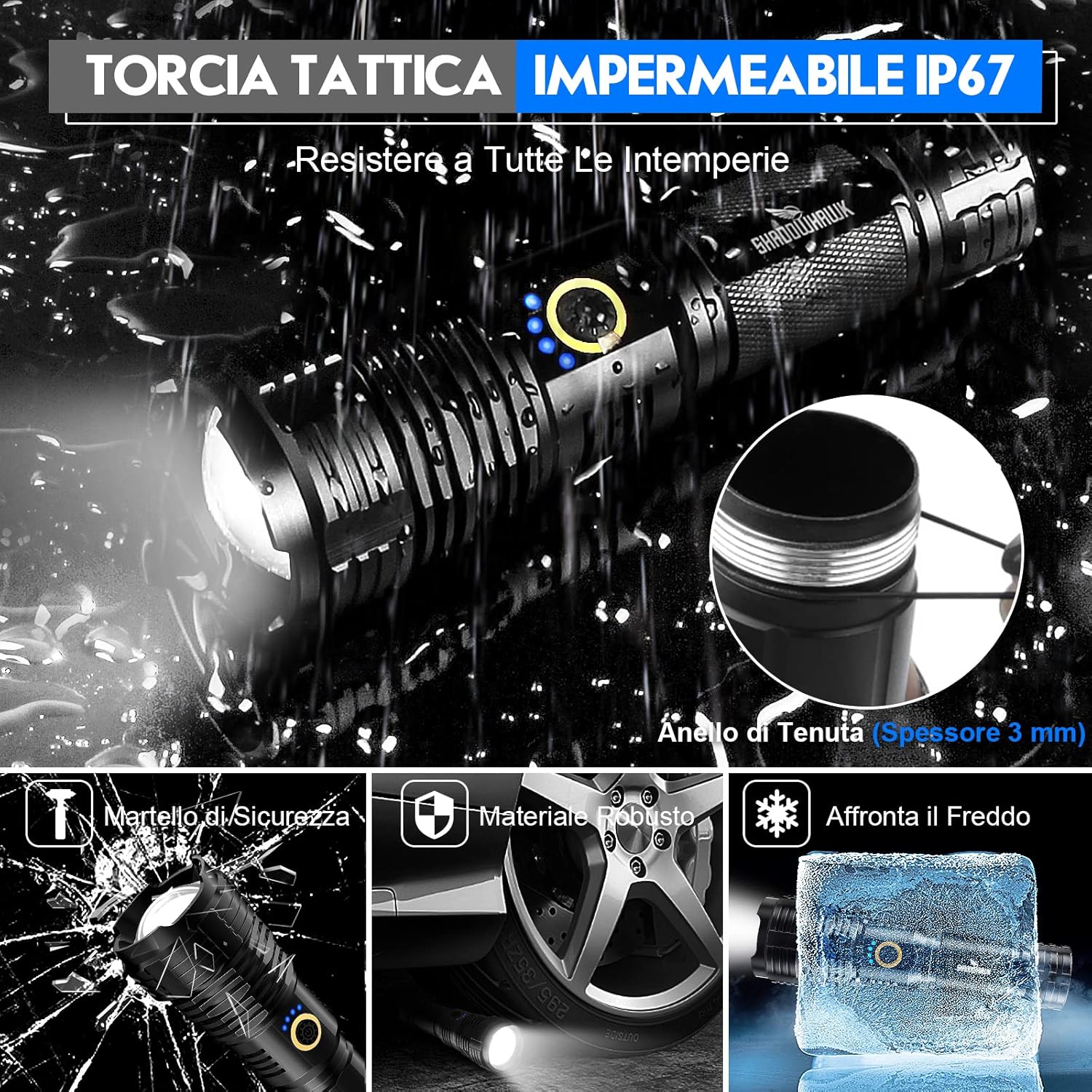
Image: A visual representation highlighting the IP67 waterproof rating of the tactical flashlight, including a detailed view of the 3mm thick sealing ring that ensures water resistance.
Troubleshooting
| Problem | Possible Cause | Solution |
|---|---|---|
| Flashlight does not turn on. | Low or dead battery. Battery inserted incorrectly. Loose tail cap. | Recharge or replace battery. Check battery polarity. Tighten tail cap securely. |
| Light is dim or flickers. | Low battery. Poor contact between battery and terminals. | Recharge battery. Clean battery contacts and terminals. |
| Cannot change modes. | Button malfunction. | Ensure button is pressed firmly. If issue persists, contact support. |
| Charging indicator lights not working. | Charging cable or power source issue. Battery fully charged. | Try a different USB-C cable or power source. Check if battery is already full. |
Specifications
| Feature | Detail |
|---|---|
| Model Number | IT-S1915 |
| Brand | Shadowhawk |
| Light Source Type | LED (XHP70.2 Chip) |
| Power Source | Battery Powered (1x 26700 rechargeable or 3x AAA) |
| Run Time | Up to 12 hours |
| Material | Aluminum (Aviation Grade) |
| Color | Dark Black |
| Special Feature | Waterproof (IP67), Telescopic Zoom, Power Display, Safety Hammer Function |
| Product Dimensions | 6.5 x 1.97 x 1.97 inches; 1.26 Pounds |

Image: A night scene demonstrating the flashlight's super luminous output and long beam range, highlighting its powerful illumination capabilities with an updated XHP70.2 LED chip.
Warranty and Support
Shadowhawk products are manufactured with high-quality materials and undergo strict quality control. For any questions, technical support, or warranty claims, please contact your retailer or the manufacturer directly.
Manufacturer: Shadowhawk
Please refer to your purchase documentation for specific warranty terms and conditions.
Ask a question about this manual
Ask about setup, troubleshooting, compatibility, parts, safety, or missing instructions. Manuals+ will review the question and use this page’s manual context to help answer it.