
1. Introduction
Welcome to the Supreme Trimmer Professional T Shaper ST5206 user manual. This cordless hair and beard liner is designed for precision grooming, offering a professional-grade experience for both barbers and home users. Its sharp DLC blade ensures clean edge-ups, fades, and detail work without pulling, while the zero-gap adjustable feature allows for ultra-close trims and sharp outlines. The lightweight design and long battery life make it convenient for daily use and travel.
2. What's in the Box
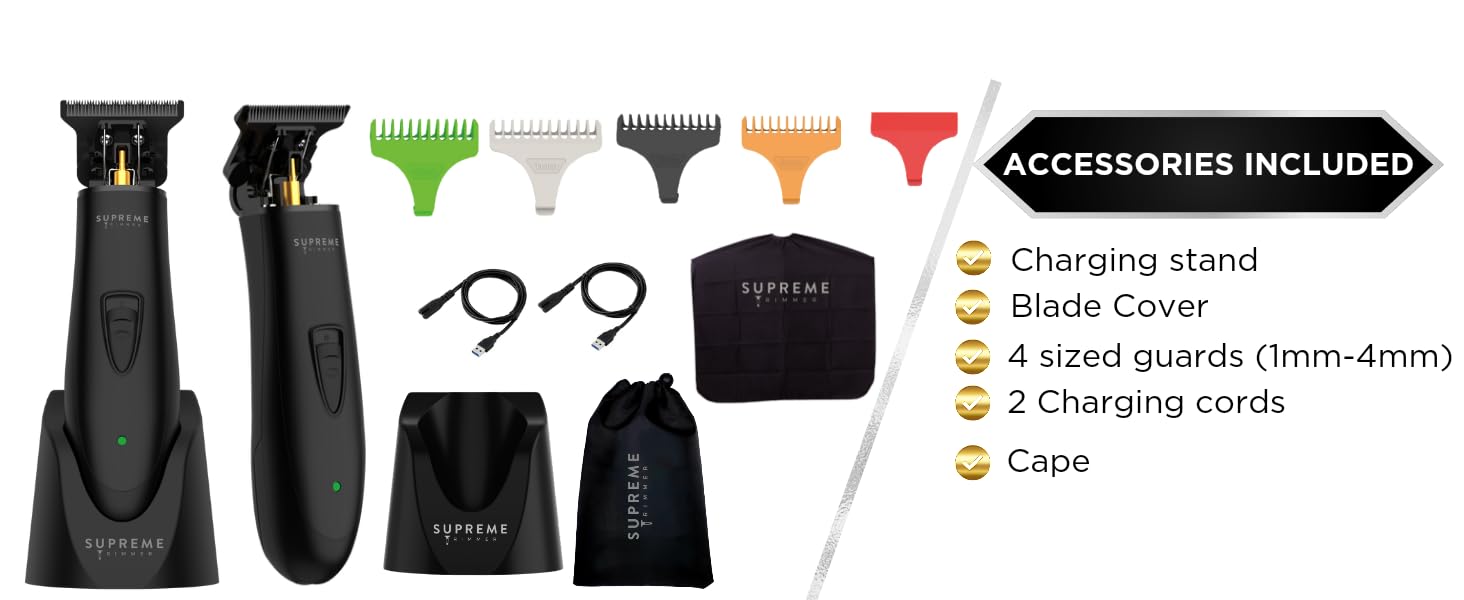
Your Supreme Trimmer ST5206 package includes everything you need for a complete grooming experience:
- Supreme Trimmer Professional T Shaper ST5206
- 4 Guide Combs (1mm, 2mm, 3mm, 4mm)
- Charging Dock
- USB Charging Cord
- Blade Cover
- Cleaning Brush
- Lubricating Oil
- Barber Cape
- Travel Pouch

Unboxing Video
Video: This video provides a detailed unboxing of the T-Shaper by Supreme Trimmer, showcasing all the items included in the package.
3. Product Features
The Supreme Trimmer ST5206 is engineered with advanced features for superior performance:
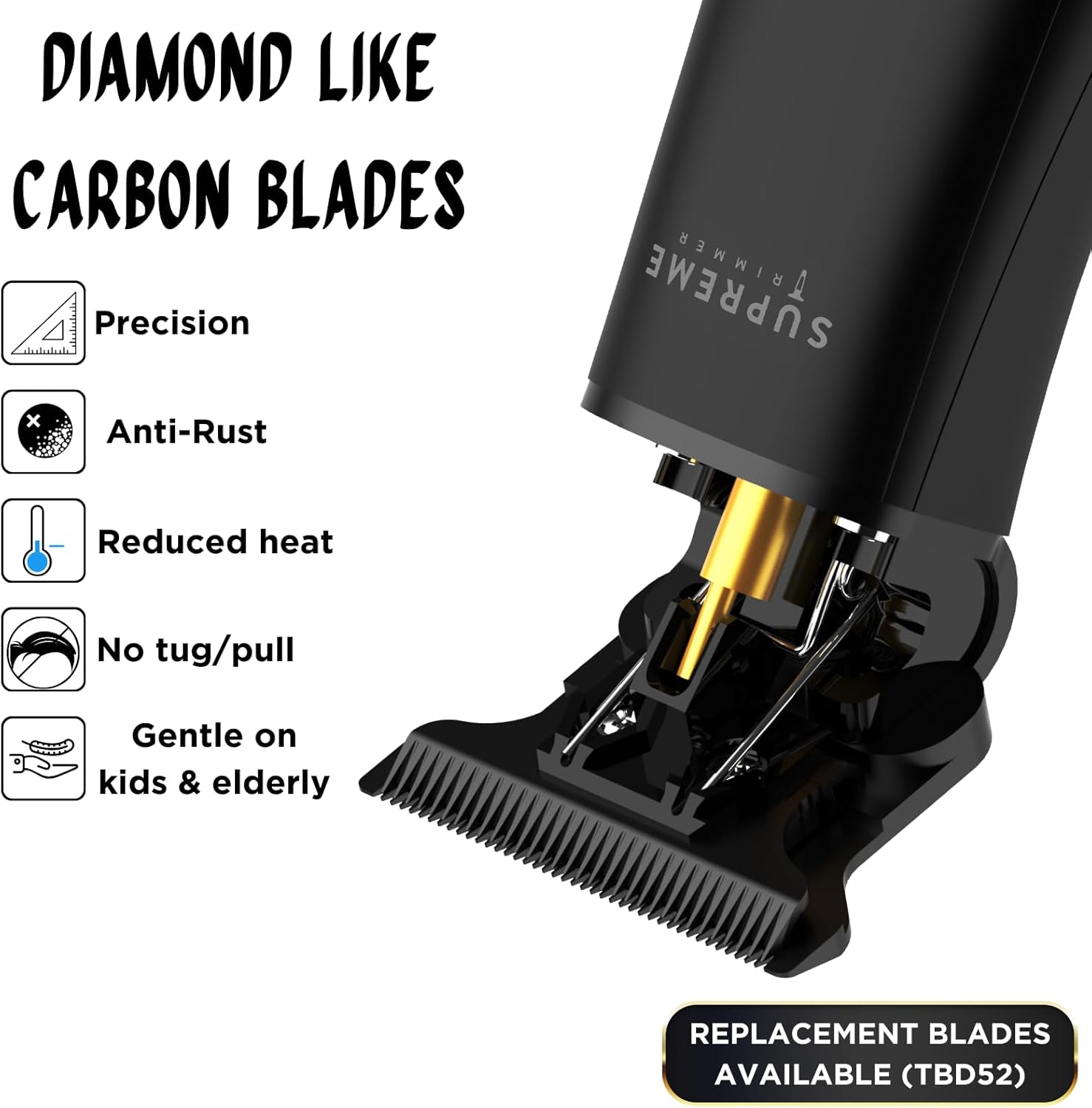
- Professional T-Blade Trimmer: Sharp DLC blade for clean edge-ups, fades, and detail work without pulling.
- Zero-Gap Adjustable: Customize the blade for ultra-close trims, sharp outlines, and precision beard shaping.
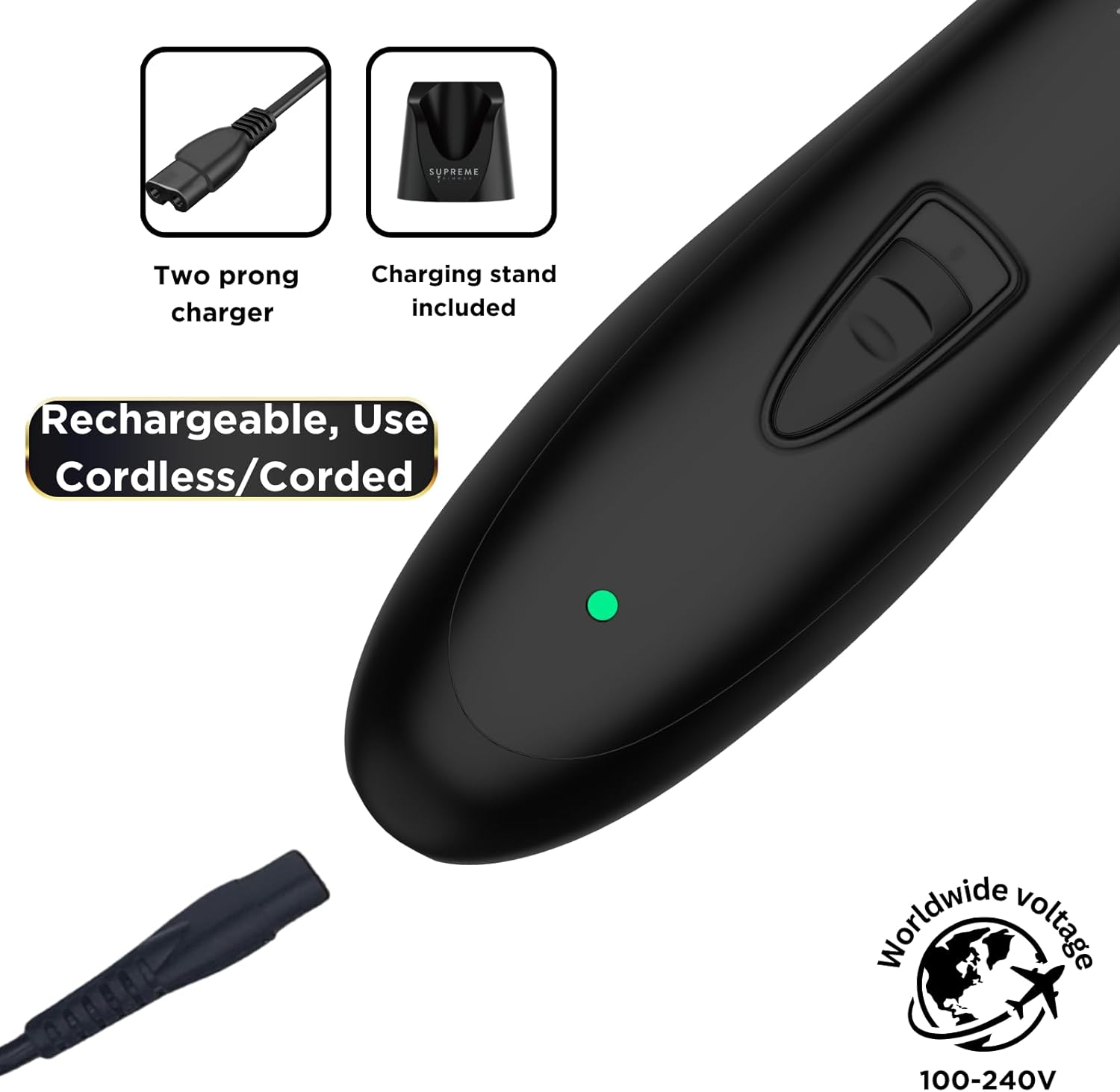
- Cordless Power with Long Runtime: Lithium battery provides up to 120 minutes of use on a full charge.
- Recharge Options: Recharge via USB cable or the included charging stand.
- Lightweight & Easy to Handle: Slim design, under 5 oz, for comfortable use and travel.
- Powerful Motor: Equipped with a 6800 RPM motor for efficient cutting.
- Low Noise Operation: Designed for quiet performance.
- LED Battery Indicator: Clearly displays battery status.

Product Overview Video
Video: This video from Supreme Trimmer USA showcases various trimmers, including the T-Shaper and Vader models, highlighting their features like debulking, lineups, charging docks, and ergonomic designs.
4. Setup
Before first use, ensure your trimmer is fully charged. The LED indicator lights will show the charging progress. For optimal performance, consider adjusting the blades for a zero-gap setting if desired. This allows for the closest possible cut.
Charging Instructions:
- Connect the USB charging cord to the charging dock or directly to the trimmer.
- Plug the USB end into a compatible USB power adapter (not included) or a USB port.
- Place the trimmer in the charging dock, ensuring the contacts align.
- The LED indicator lights will illuminate to show charging status. A full charge provides up to 120 minutes of runtime.
Attaching Guide Combs:
Select the desired guide comb (1mm, 2mm, 3mm, or 4mm) and firmly snap it onto the trimmer blade until it clicks into place. Ensure it is securely attached before use.
5. Operating Instructions
The Supreme Trimmer ST5206 is versatile for various grooming needs:
General Trimming:
- Ensure the trimmer is charged and a suitable guide comb is attached if needed.
- Turn on the trimmer using the power button.
- Hold the trimmer at a slight angle against the skin and move it against the direction of hair growth for an even cut.
- For detailing and lining, remove the guide comb and use the bare blade.
Beard Trimming and Lining:
Use the trimmer to define your beard lines, trim stray hairs, and maintain your desired beard length. The precision blade is ideal for creating sharp edges around the neck, cheeks, and mustache area.


6. Maintenance
Regular cleaning and maintenance will ensure the longevity and optimal performance of your Supreme Trimmer ST5206.
Cleaning the Blades:
- Turn off the trimmer and detach the blade head by gently pushing it forward.
- Use the provided cleaning brush to remove any hair clippings from the blades and the trimmer body.
- For a deeper clean, the blades can be rinsed under running water. Ensure the trimmer body remains dry.
- Allow the blades to air dry completely before reattaching them to the trimmer.
Lubricating the Blades:
After cleaning and drying, apply a few drops of the provided lubricating oil to the blades. Turn on the trimmer for a few seconds to distribute the oil evenly. This helps maintain blade sharpness and smooth operation.
7. Troubleshooting
If you encounter any issues with your Supreme Trimmer ST5206, please refer to the following common solutions:
- Trimmer not turning on: Ensure the trimmer is fully charged. Check the charging cable and dock for any damage.
- Blades pulling hair: Clean the blades thoroughly to remove any trapped hair. Apply lubricating oil to the blades. If the issue persists, the blades may need to be re-aligned or replaced.
- Reduced cutting performance: Clean and oil the blades. Ensure the battery is fully charged.
- Unusual noise: Clean and oil the blades. If the noise continues, contact customer support.
8. Specifications
| Model Number | ST5220/FB |
| Blade Material | Alloy Steel (DLC) |
| Power Source | Battery Powered, Corded/Cordless |
| Battery Life | Up to 120 minutes |
| Item Weight | 4.5 Ounces |
| Package Dimensions | 8.54 x 7.83 x 3.15 inches |
| Manufacturer | Supreme Trimmer |
| UPC | 688201435311 |
9. Safety Information
Please read and follow these safety guidelines to ensure safe operation and prevent injury:
- Use with caution to avoid skin irritation.
- Keep away from water sources. Do not use near bathtubs, showers, basins, or other vessels containing water.
- Follow recommended cleaning and maintenance procedures.
- Avoid use on infants.
- Keep out of reach of children.
- Do not disassemble the trimmer beyond routine maintenance.
- If the charging cable or trimmer is damaged, do not use it. Contact customer support for assistance.
10. Warranty and Support
For warranty information, product support, or to purchase replacement parts, please visit the official Supreme Trimmer website or contact their customer service. Keep your purchase receipt as proof of purchase for any warranty claims.
Supreme Trimmer USA: Visit Store