
1. Introduction
This manual provides essential information for the setup, operation, and maintenance of your Fastrack Reflex Vox Smartwatch. Please read it carefully to ensure proper use and to maximize the device's features.

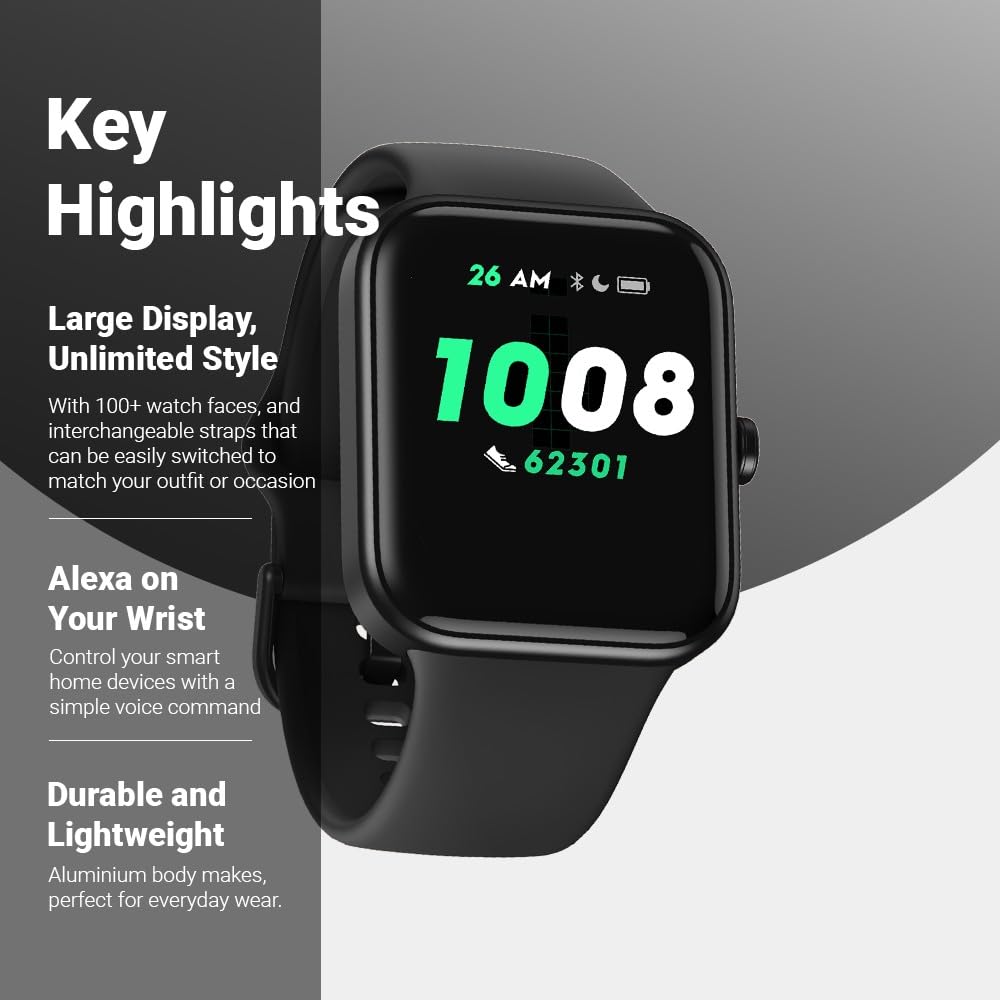
Front view of the Fastrack Reflex Vox Smartwatch.
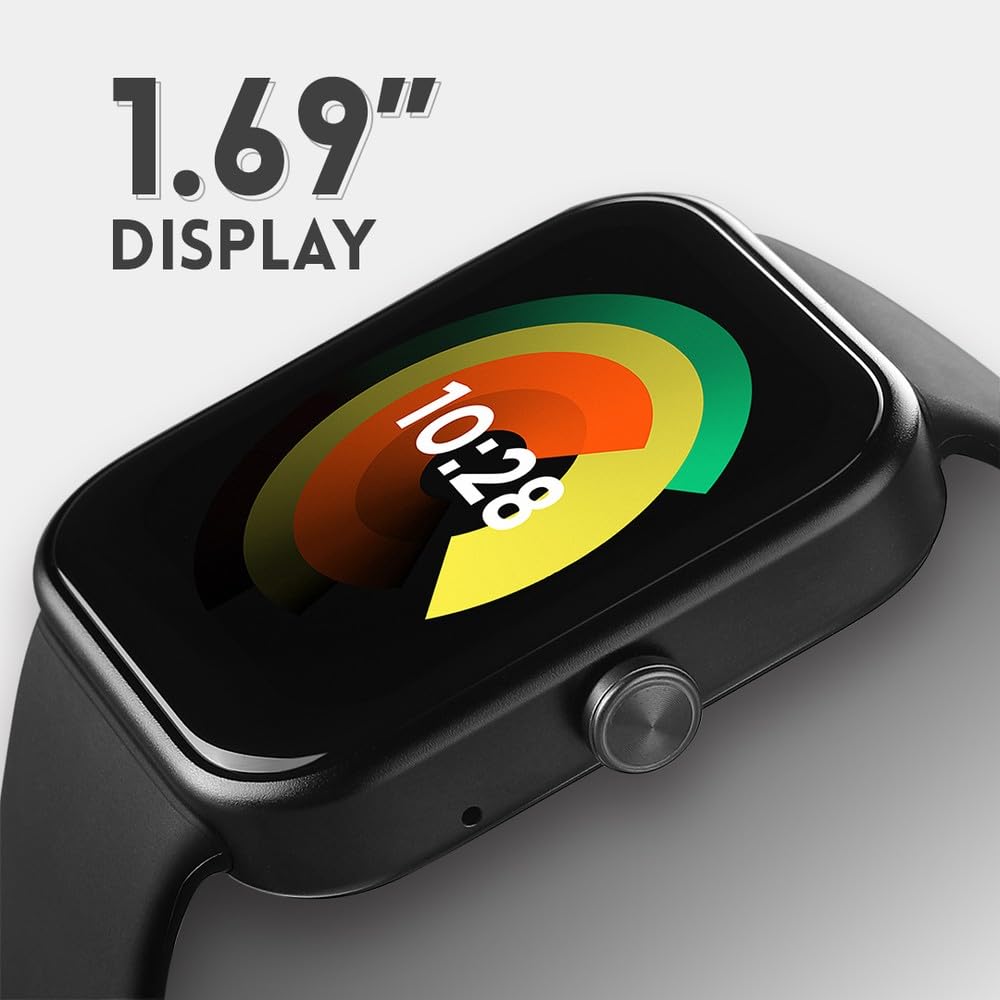
Side view of the Fastrack Reflex Vox Smartwatch, showing the button.

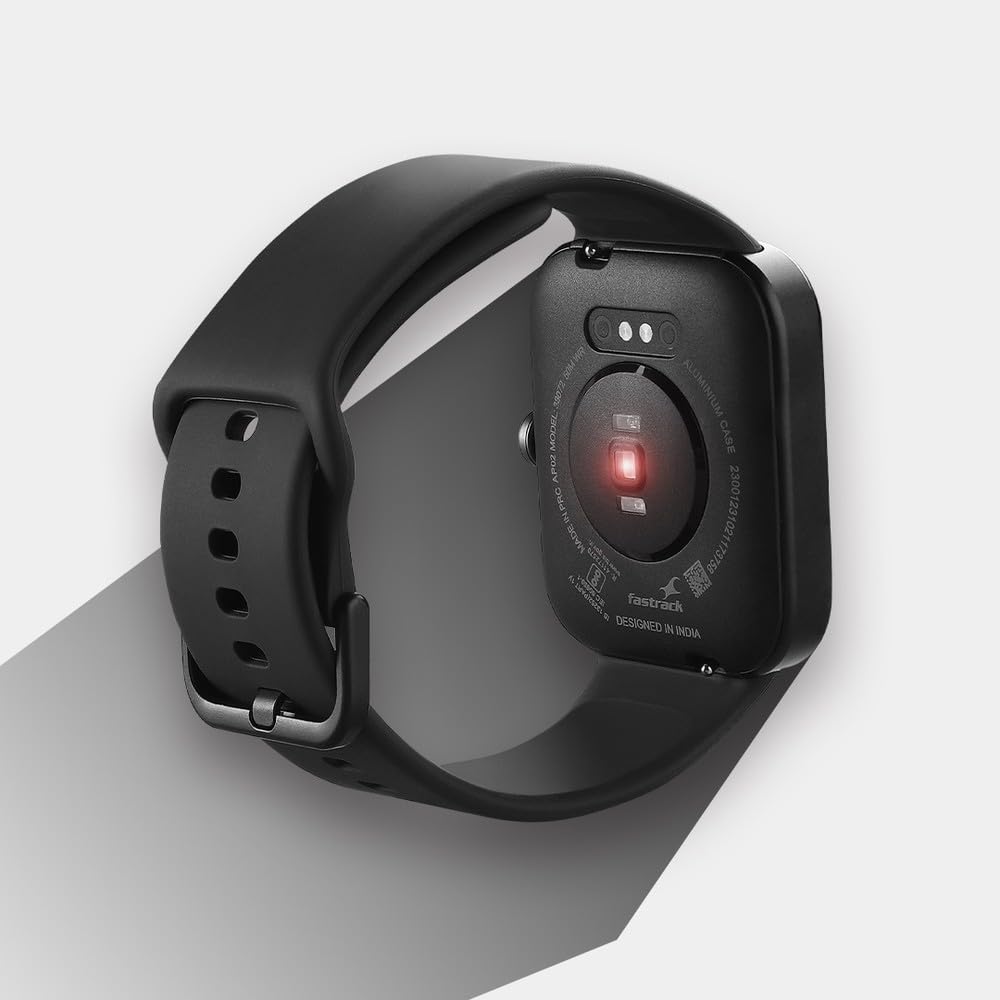
Back view of the Fastrack Reflex Vox Smartwatch, highlighting the health sensors.
2. Setup
2.1 Unboxing and Initial Charge
Upon unboxing, ensure all components are present: the Fastrack Reflex Vox Smartwatch, charging cable, Quick Start Guide, and this product manual. Before first use, fully charge the smartwatch using the provided charging cable. Connect the magnetic end of the cable to the charging pins on the back of the watch and the USB end to a compatible power adapter (not included).
2.2 Pairing with Your Smartphone
- Download the official Fastrack Reflex app from your smartphone's app store (available for Android and iOS).
- Ensure Bluetooth is enabled on your smartphone.
- Open the Fastrack Reflex app and follow the on-screen instructions to create an account or log in.
- Select 'Add Device' or 'Pair New Device' within the app.
- The app will search for your Fastrack Reflex Vox. Select it from the list of available devices.
- Confirm the pairing request on both your smartphone and the smartwatch.
2.3 Alexa Setup
The Fastrack Reflex Vox features Alexa Built-in. To activate and use Alexa:
- Ensure your smartwatch is successfully paired with your smartphone and has an active internet connection.
- Open the Fastrack Reflex app on your smartphone.
- Navigate to the Alexa settings within the app.
- Log in to your Amazon account when prompted. This links your watch to your Alexa services.
- Once logged in, you can use voice commands on your watch to set reminders, alarms, add items to shopping lists, and control smart home devices.
The Alexa setup screen on the Fastrack Reflex Vox Smartwatch.
3. Operating Instructions
3.1 Display and Watch Faces
The smartwatch features a 1.69-inch Ultravu display. You can customize the watch face from over 100 available options through the Fastrack Reflex app. To change watch faces directly on the watch, long-press the current watch face and swipe to select a new one.

The Fastrack Reflex Vox Smartwatch showcasing various customizable watch faces.
3.2 Sports Modes
The Fastrack Reflex Vox supports over 14 multisport modes to track your physical activities. To access sports modes, swipe on the watch screen or use the side button to navigate to the sports menu. Select your desired activity to begin tracking.

The Fastrack Reflex Vox Smartwatch displaying the 'Outdoor Run' sports mode.
3.3 Health Monitoring
- 24x7 Heart Rate Monitor (HRM): The watch continuously tracks your heart rate. View your current and historical heart rate data on the watch or in the app.
- SpO2 (Blood Oxygen Level) Tracker: Measure your blood oxygen saturation levels. Ensure the watch is worn snugly on your wrist for accurate readings.
- Stress Monitor: The watch monitors your stress levels throughout the day.
- Sleep Tracker: Automatically tracks your sleep patterns, including deep sleep, light sleep, and awake times.
- Women's Health: Track your menstrual cycle and predict ovulation periods through the app.
3.4 Water Resistance
The Fastrack Reflex Vox is 5 ATM water-resistant, meaning it can withstand pressures equivalent to a depth of 50 meters. This makes it suitable for swimming and showering, but it is not recommended for diving or high-pressure water activities.
The Fastrack Reflex Vox Smartwatch demonstrating its 5 ATM water resistance.
4. Maintenance
4.1 Cleaning
Regularly clean your smartwatch and strap to prevent skin irritation and maintain functionality. Use a soft, lint-free cloth. If necessary, dampen the cloth with a small amount of water. Avoid using harsh chemicals, abrasive cleaners, or solvents.
4.2 Strap Care
The watch features changeable straps. Ensure straps are securely attached. If you experience skin irritation, try cleaning the strap thoroughly or consider replacing it with a different material.
4.3 Battery Life
The Fastrack Reflex Vox offers an average battery life of up to 7 days under typical usage. Actual battery life may vary based on usage patterns, notification frequency, and feature activation (e.g., continuous heart rate monitoring, Alexa use). Charge the device when the battery level is low to ensure uninterrupted use.
5. Troubleshooting
5.1 Watch Not Turning On
Ensure the watch is fully charged. Connect it to the charging cable and a power source for at least 30 minutes before attempting to turn it on.
5.2 Pairing Issues
- Ensure Bluetooth is enabled on your smartphone and the watch is within range.
- Restart both your smartphone and the smartwatch.
- Clear the Bluetooth cache on your smartphone (if applicable).
- Try unpairing and re-pairing the device through the Fastrack Reflex app.
5.3 Inaccurate Health Readings
For accurate heart rate and SpO2 readings, ensure the watch is worn snugly on your wrist, about one finger's width above your wrist bone. Avoid excessive movement during measurements. Readings may be affected by skin tone, tattoos, and environmental factors.
5.4 Short Battery Life
- Reduce the frequency of notifications.
- Decrease screen brightness or shorten screen-on time.
- Limit continuous heart rate monitoring if not essential.
- Ensure no background apps are excessively draining power.
6. Specifications
| Brand | Fastrack |
| Model | 38072AP01 |
| Display Size | 1.69 Inches |
| Display Type | LCD |
| Operating System | Smartwatch OS |
| Memory Storage Capacity | 512 MB |
| Connectivity Technology | Bluetooth |
| Special Features | Built-in Alexa, Multiple Sports Modes, Stress Monitor, Sleep Tracker, SpO2 Tracker, Touch Screen, Heart Rate Monitor, Menstrual Tracker, Water Resistant, Changeable Straps |
| Water Resistance | 5 ATM |
| Battery Type | Lithium Polymer |
| Battery Average Life | 7 Days |
| Product Dimensions | 4.4 x 3.7 x 1.3 cm |
| Item Weight | 90 g |
7. Warranty and Support
7.1 Warranty Information
Your Fastrack Reflex Vox Smartwatch comes with a 12-month warranty from the date of purchase. This warranty covers manufacturing defects. Please retain your purchase receipt as proof of purchase.
7.2 Customer Support
For any queries, technical assistance, or warranty claims, please contact Fastrack customer care:
- Telephone: 1800-266-0123
- Email: customercare@titan.co.in
- Manufacturer Address: Titan Company Ltd, 3 Sipcot Industrial Complex, Hosur - 635126
