
UBeesize UB-TR51CBK
UBeesize 50-inch Tripod Stand User Manual
Model: UB-TR51CBK | Brand: UBeesize
1. Introduction
Thank you for choosing the UBeesize 50-inch Tripod Stand. This lightweight and portable tripod is designed to provide stable support for your smartphone, camera, projector, or ring light, enhancing your photography, videography, live streaming, and vlogging experiences. This manual provides essential information on setting up, operating, maintaining, and troubleshooting your tripod to ensure optimal performance and longevity.
Please read this manual thoroughly before using the product and retain it for future reference.
2. Package Contents
Upon opening your UBeesize 50-inch Tripod Stand package, please verify that all the following components are included:
- 1 x UBeesize 50-inch Tripod Stand
- 1 x Phone Holder
- 1 x Package Bag (Carrying Bag)
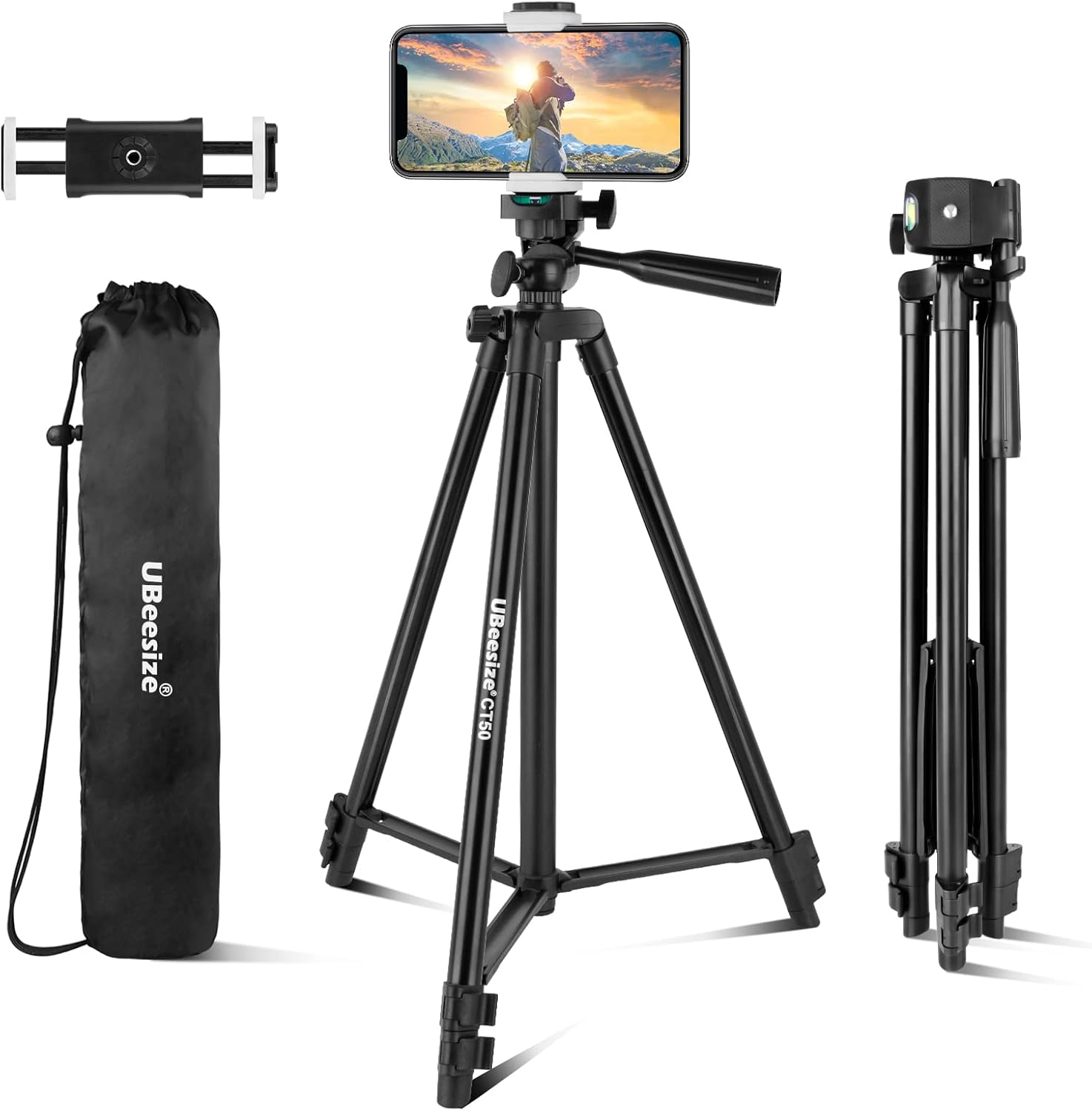
The UBeesize 50-inch Tripod Stand, shown with its included phone holder and convenient carrying bag, ready for use.
3. Setup Instructions
- Unfold the Tripod Legs: Gently spread the three legs of the tripod outwards until they are fully extended and stable. Ensure the tripod is placed on a flat, stable surface.
- Extend the Tripod Height: Loosen the quick flip locks on each leg section. Extend the legs to your desired height. The tripod can extend from 16.7 inches (42.4 cm) to 50.8 inches (129 cm). Once the desired height is reached, firmly close the quick flip locks to secure the leg sections. You can also extend the center column by twisting the center column knob and pulling it upwards, then tightening the knob to secure.
- Attach the Phone Holder or Device: The tripod features a standard 1/4-inch screw at the top. If using a smartphone, screw the provided phone holder onto this screw. If using a camera, projector, or ring light, directly attach it to the 1/4-inch screw. Ensure the device is securely fastened by rotating the knob on the tripod head.
- Adjust the Head Angle: The 3-way pan head allows for precise adjustments. Loosen the pan lock knob to rotate the head horizontally (360 degrees). Loosen the tilt lock knob to adjust the vertical angle (90 degrees). Tighten the knobs once the desired angle is achieved.

This image illustrates the adjustable height capabilities of the tripod, ranging from a compact 16.7 inches (42.4 cm) to a maximum extension of 50.8 inches (129 cm).

Detailed view highlighting key components of the UBeesize tripod, including the 1/4 standard screw for device attachment, various locking knobs for precise adjustments, durable aluminum alloy legs, and quick flip locks for easy height changes.
4. Operating Instructions
The UBeesize tripod is designed for ease of use and versatility. Follow these guidelines for optimal operation:
- Device Compatibility: The built-in 1/4-inch universal screw ensures compatibility with most smartphones (using the included holder), cameras, ring lights, projectors, and webcams.
- Adjusting Phone Holder: The phone holder securely holds devices up to 5.7 inches wide. Adjust its length by pulling the spring-loaded mechanism.
- Shooting Modes:
- 360° Panoramic Shooting: Loosen the pan lock knob on the tripod head to rotate your device horizontally for panoramic shots or to follow moving subjects. Tighten the knob to lock the position.
- 90° Vertical Shooting: Loosen the tilt lock knob to adjust the vertical angle. This allows you to easily switch between landscape and portrait orientations for your smartphone or camera. Tighten the knob to secure the angle.
- Stability: Always ensure all leg sections and head knobs are securely tightened before leaving your device unattended on the tripod. For maximum stability, extend the legs fully and avoid placing the tripod on uneven surfaces.

The tripod is versatile, designed to be compatible with a range of devices such as cellphones, projectors, cameras, and ring lights, thanks to its universal 1/4-inch standard screw.

This tripod supports both 360-degree panoramic shooting for wide-angle views and 90-degree vertical shooting, allowing for flexible composition in both landscape and portrait orientations.

The UBeesize tripod is suitable for various applications, including professional photography, content creation, video recording, and live streaming, providing stable support for diverse creative needs.
5. Maintenance
Proper care and maintenance will extend the life of your UBeesize tripod:
- Cleaning: Wipe the tripod with a soft, dry cloth after each use to remove dust and dirt. For stubborn marks, a slightly damp cloth can be used, followed by immediate drying.
- Avoid Water Exposure: While durable, the tripod is not designed for underwater use. Avoid prolonged exposure to rain or high humidity to prevent rust on metal components. If it gets wet, dry it thoroughly as soon as possible.
- Storage: When not in use, collapse the tripod fully and store it in its provided carrying bag in a cool, dry place away from direct sunlight and extreme temperatures.
- Lubrication: Do not apply lubricants to the leg locks or head mechanisms unless specifically instructed by the manufacturer, as this can attract dust and impair function.
- Handle with Care: Avoid dropping the tripod or subjecting it to strong impacts, which can damage the aluminum alloy structure or plastic components.
6. Troubleshooting
If you encounter issues with your UBeesize tripod, refer to the following common problems and solutions:
| Problem | Possible Cause | Solution |
|---|---|---|
| Tripod is unstable or wobbly. | Leg locks are not fully tightened; tripod is on an uneven surface; legs are not fully extended. | Ensure all quick flip locks on the legs are securely closed. Place the tripod on a flat, level surface. Fully extend all leg sections. |
| Device (phone/camera) is not secure on the head. | Device locking knob is loose; device is not properly seated on the 1/4-inch screw. | Tighten the device locking knob firmly. Ensure your device or phone holder is screwed completely onto the 1/4-inch screw. |
| Cannot adjust pan or tilt angle. | Pan or tilt lock knobs are too tight. | Loosen the respective pan lock or tilt lock knob to allow movement. Tighten once the desired angle is set. |
| Leg sections are difficult to extend or retract. | Dirt or debris in the leg sections; quick flip locks are too tight. | Clean the leg sections with a dry cloth. Check if the quick flip locks are properly disengaged. Do not force movement. |
7. Specifications
| Brand | UBeesize |
| Model Number | UB-TR51CBK |
| Material | Aluminum |
| Color | Black |
| Product Dimensions (Folded) | 17.32 x 2.76 x 2.76 inches |
| Item Weight | 1.1 pounds |
| Weight Limit | 7 Pounds |
| Maximum Height | 50.8 Inches |
| Minimum Height | 16.7 Inches |
| Tripod Head Type | Pan Heads |
| Compatible Devices | Camera, Projector, Ring Light, Smartphone, Webcam |
8. Warranty and Support
UBeesize provides a 12-month warranty for this product from the date of purchase. This warranty covers manufacturing defects and issues arising from normal use.
If you experience any problems with your UBeesize 50-inch Tripod Stand or have questions regarding its operation, please contact UBeesize customer service. Our team is committed to providing friendly and prompt support, aiming to resolve any issues within 24 hours.
For support, please refer to the contact information provided on the product packaging or the official UBeesize website. When contacting support, please have your product model number (UB-TR51CBK) and purchase details ready.
Related documentsUB-TR51CBK

Ask a question about this manual
Ask about setup, troubleshooting, compatibility, parts, safety, or missing instructions. Manuals+ will review the question and use this page’s manual context to help answer it.