
Introduction
Thank you for purchasing the Fossil FS5896 Men's Retro Digital Watch. This manual provides essential information for the proper setup, operation, and care of your timepiece. Please read these instructions carefully to ensure optimal performance and longevity of your watch.
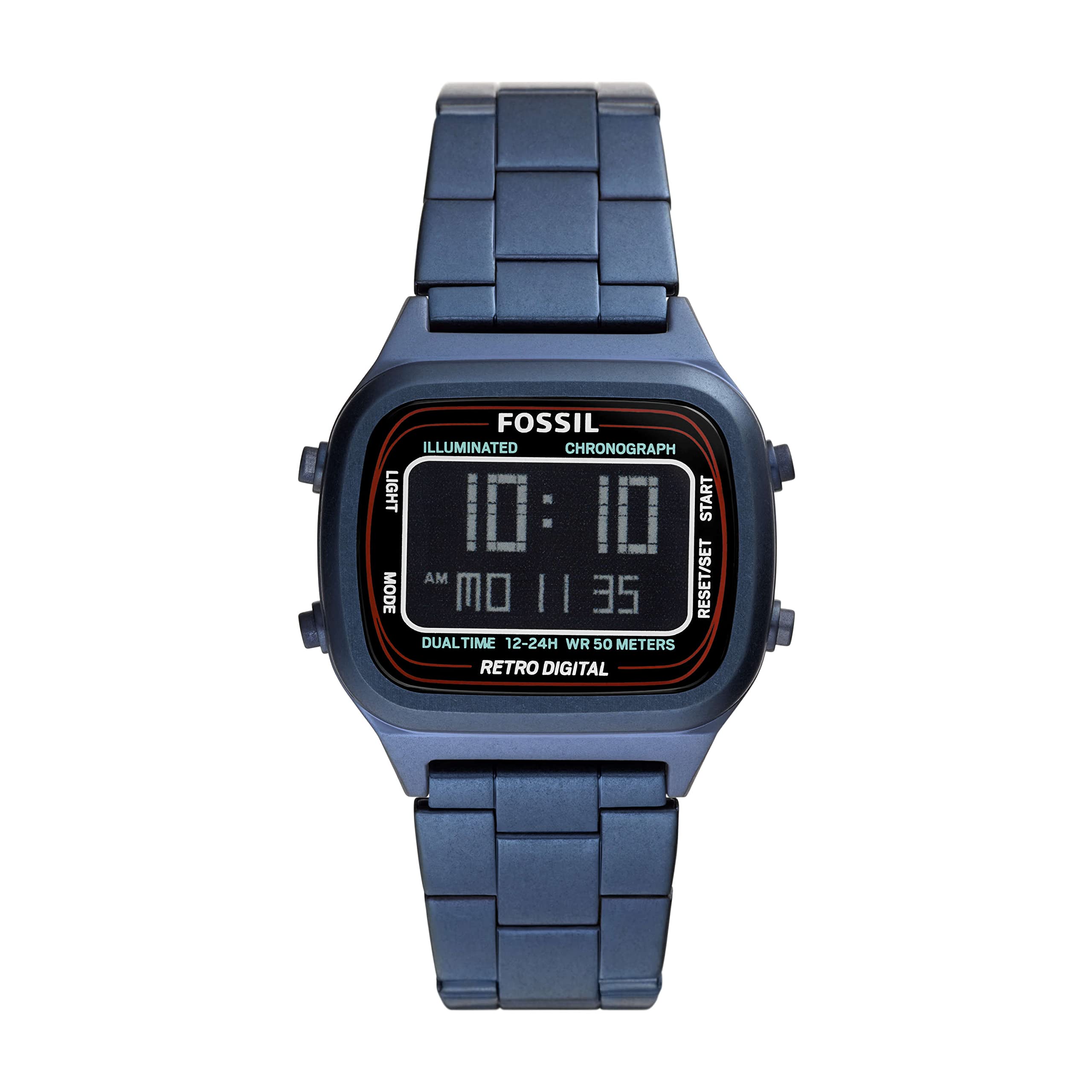
Image: Front view of the Fossil FS5896 Retro Digital Watch, showcasing its negative display and blue stainless steel bracelet.
Setup
1. Initial Inspection
Upon unboxing, inspect your watch for any visible damage. Ensure all protective films are removed from the watch face and case back.
2. Setting the Time and Date
Your Fossil FS5896 watch features a digital LCD display. The watch typically has two or more buttons on the side for setting.
- Identify Buttons: Locate the buttons on the side of the watch case. Typically, one button is for "Mode" and another for "Set" or "Adjust".
- Enter Setting Mode: Press the "Mode" button repeatedly until the time display starts flashing, or a specific setting indicator appears.
- Adjust Time: Use the "Set" or "Adjust" button to change the flashing digits (hours, then minutes). Press "Mode" again to switch between hours and minutes.
- Set Date: Continue pressing "Mode" to cycle through date settings (month, day, year) and use the "Set" button to adjust.
- Exit Setting Mode: Once all settings are correct, press the "Mode" button until the display returns to normal timekeeping, or the flashing stops automatically after a period of inactivity.

Image: Side view of the Fossil FS5896 watch, highlighting the control buttons used for setting time and other functions.
3. Bracelet Adjustment
The stainless steel bracelet comes with a double locking foldover clasp. For proper fit, the bracelet may need to be adjusted by adding or removing links. It is recommended to have this adjustment performed by a qualified jeweler or watch technician to prevent damage to the bracelet or clasp.

Image: Back view of the Fossil FS5896 watch, showing the stainless steel bracelet and the double locking foldover clasp.
Operating Your Watch
Basic Timekeeping
In its default mode, the watch displays the current time (hours, minutes, seconds) and often the date. The negative display provides a clear readout.
Mode Functions
Depending on the specific model, your watch may include additional functions accessible via the "Mode" button. These can include:
- Stopwatch: For measuring elapsed time.
- Alarm: To set a daily alarm.
- Backlight: To illuminate the display in low-light conditions (often activated by a dedicated button or a long press of a specific button).
Refer to the specific button labels on your watch for precise function activation.
Maintenance
Cleaning Your Watch
- Wipe the watch case and bracelet with a soft, damp cloth.
- Avoid using harsh chemicals, solvents, or abrasive cleaners, as these can damage the finish.
- For the stainless steel bracelet, a soft brush can be used to gently clean between links.
Water Resistance
This watch is water resistant up to 50 meters (5 ATM). This means it is suitable for short periods of recreational swimming, but not for diving or snorkeling. Avoid pressing buttons while the watch is wet or submerged to prevent water ingress.
Battery Replacement
The watch is powered by one product-specific battery (included). When the display becomes dim or stops functioning, the battery may need replacement. It is highly recommended to have the battery replaced by a professional watch technician to ensure proper sealing and maintain water resistance.
Storage
Store your watch in a cool, dry place away from direct sunlight, extreme temperatures, and strong magnetic fields when not in use.
Troubleshooting
| Problem | Possible Cause | Solution |
|---|---|---|
| Display is blank or dim. | Low or depleted battery. | Replace the battery (professional service recommended). |
| Time is incorrect. | Time not set correctly or accidentally reset. | Refer to the "Setting the Time and Date" section to reset the time. |
| Buttons are unresponsive. | Debris lodged in buttons or internal malfunction. | Gently clean around buttons. If issue persists, contact customer support. |
| Condensation under crystal. | Exposure to extreme temperature changes or water ingress. | Stop using the watch immediately and seek professional service to prevent further damage. |
Specifications
| Feature | Detail |
|---|---|
| Model Number | FS5896 |
| Display Type | Digital (Negative Display) |
| Watch Movement Type | LCD |
| Case Material | Stainless Steel |
| Case Diameter | 40 Millimetres |
| Case Thickness | 11 Millimetres |
| Band Material Type | Stainless Steel |
| Band Color | Blue |
| Band Width | 22 Millimetres |
| Clasp Type | Double Locking Foldover Clasp |
| Water Resistance Depth | 50 Metres (5 ATM) |
| Crystal Type | Mineral Glass |
| Batteries | 1 Product Specific battery (included) |
| Item Weight | 100 Grams |
Warranty and Support
For information regarding your product's warranty, please refer to the warranty card included with your purchase or visit the official Fossil website.
If you require further assistance, have questions not covered in this manual, or need to arrange for service, please contact Fossil customer support through their official channels.
