
Introduction
This manual provides detailed instructions for the Northpoint LED Night Light, a versatile device designed for various lighting needs. It functions as a wall-mounted night light, a portable flashlight, and an emergency light during power outages, all equipped with a motion sensor and induction charging capabilities.
Please read this manual thoroughly before using the product to ensure proper operation and to maximize its lifespan.
Package Contents
- Northpoint LED Night Light with Flashlight Function
- Metal Mounting Plate
- Double-Sided Adhesive Tape
- Induction Charging Station
- User Manual
Setup and Installation
- Unpack the Device: Carefully remove all components from the packaging.
- Choose an Installation Location: Select a standard electrical outlet for the induction charging station. Ensure the location is clear of obstructions and allows for optimal motion detection if desired.
- Mount the Charging Station:
- Option 1 (Adhesive): Clean the wall surface thoroughly. Apply the double-sided adhesive tape to the back of the metal mounting plate. Press the plate firmly onto the desired wall location next to the electrical outlet.
- Option 2 (Screws - not included): If a more permanent fixture is desired, use appropriate screws (not included) to secure the metal mounting plate to the wall.
- Connect the Charging Station: Plug the induction charging station into the electrical outlet.

Image: The Northpoint LED Night Light plugged into a wall outlet, demonstrating its vertical orientation and the warm light it emits.
- Place the Night Light: Attach the LED night light unit to the induction charging station. It will magnetically connect and begin charging. Ensure it is securely seated.

Image: The Northpoint LED Night Light with its integrated motion sensor, securely plugged into its induction charging base, emitting a soft, warm glow.
- Initial Charge: Allow the night light to charge fully before its first portable use. The charging indicator (if present, refer to product for specific details) will show charging status.
Operating Instructions
The Northpoint LED Night Light offers multiple modes of operation:
1. Wall-Mounted Night Light Mode (with Motion Sensor)
When the night light is attached to the induction charging station and plugged into an outlet, it functions as an automatic night light. The integrated light sensor detects ambient light levels, and the motion sensor activates the light when movement is detected in dark conditions.
- The light will automatically turn on when motion is detected in a dark environment.
- It will turn off automatically after a period of no motion.
- This mode is ideal for hallways, staircases, or children's rooms.

Image: The night light is shown plugged into a wall outlet, with its light activated as a person's legs walk past, illustrating the motion sensor functionality.
2. Portable Flashlight Mode
The night light unit can be easily detached from the induction charging station to be used as a portable flashlight.
- Simply pull the light unit away from the charging base.
- The light will activate, providing illumination for navigating in the dark.
- To turn off, press the touch switch on the unit, or return it to the charging base.

Image: A hand holds the Northpoint LED Night Light, which has been removed from its wall-mounted charging base, showcasing its function as a portable flashlight.
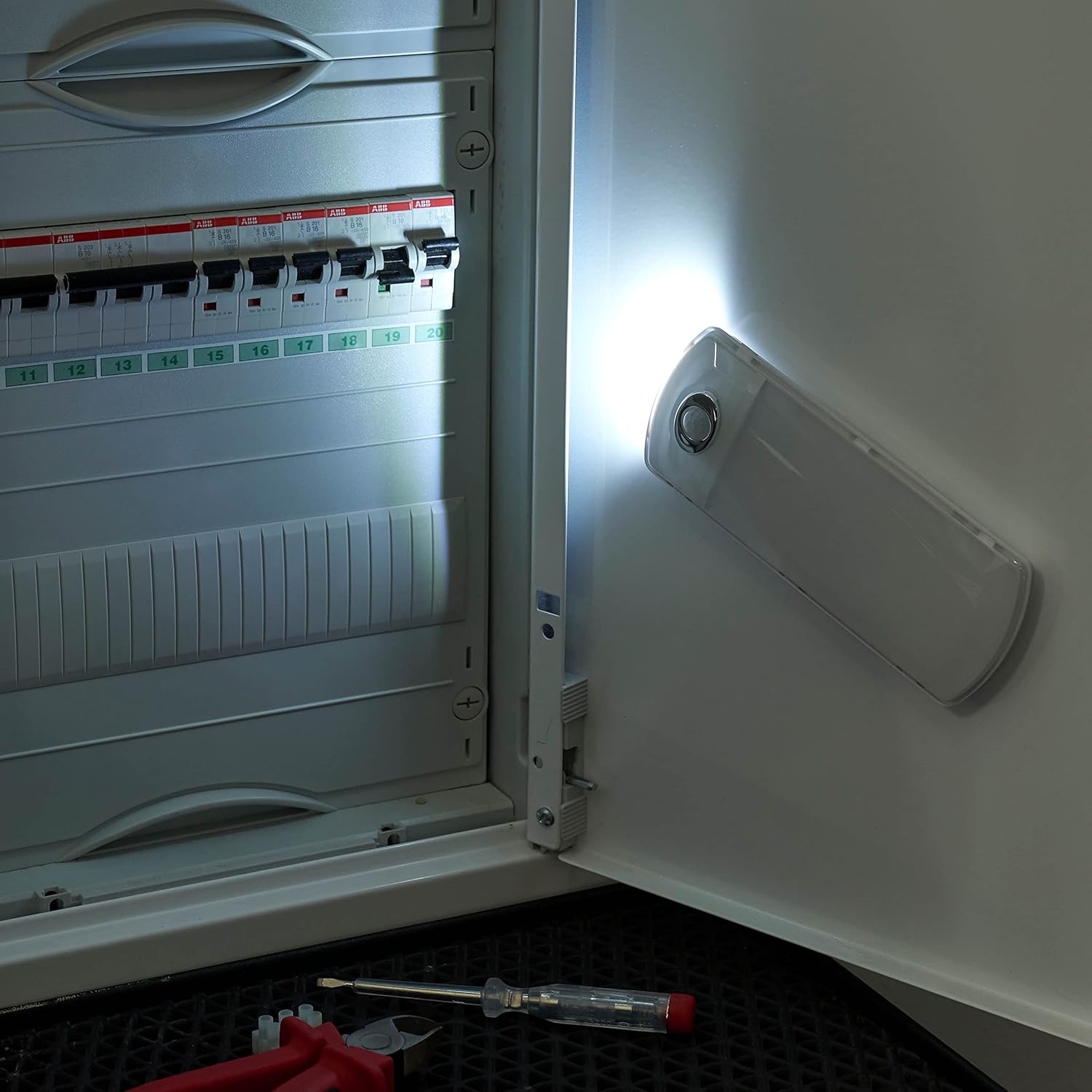
Image: The Northpoint LED Night Light is held to illuminate the interior of an electrical panel, demonstrating its utility as a portable light source for detailed tasks.

Image: The Northpoint LED Night Light is positioned horizontally on a shelf inside a closet, effectively lighting the stored items.
3. Emergency Power Outage Function
In the event of a power failure, the night light, when attached to its charging station and plugged into an active outlet, will automatically activate at full brightness. This provides immediate emergency lighting, helping to prevent panic and ensure safety during unexpected outages.
- The light will turn on instantly when the power supply to the outlet is interrupted.
- It will remain lit, utilizing its internal battery, until power is restored or the battery is depleted.
4. Touch Switch Operation
The night light features a touch switch for manual control when detached from the charging base or to override automatic modes. Locate the touch switch on the unit (typically a small button or sensor area).
- Single Touch: Turns the light ON/OFF.
- Long Press: May adjust brightness or cycle through modes (refer to specific product behavior for details).
Maintenance
- Cleaning: Disconnect the charging station from the power outlet before cleaning. Use a soft, dry cloth to wipe the surface of the night light and charging station. Do not use abrasive cleaners, solvents, or excessive moisture, as this may damage the device.
- Battery Care: The integrated battery is designed for long-term use. To maintain battery health, avoid completely discharging the unit frequently. If storing the device for an extended period, ensure it is partially charged.
- Environmental Conditions: Avoid exposing the device to extreme temperatures, direct sunlight, or high humidity. The IP20 rating indicates protection against solid objects larger than 12.5mm, but no protection against water.
Troubleshooting
| Problem | Possible Cause | Solution |
|---|---|---|
| Light does not turn on in night light mode. |
|
|
| Portable flashlight does not turn on. |
|
|
| Emergency light function does not activate. |
|
|
Technical Specifications

Image: A technical diagram illustrating the dimensions of the Northpoint LED Night Light, with measurements of 160mm in height, 65mm in width, and 82mm in depth when connected to its charging base.
- Brand: Northpoint
- Model Number: NP-MFL-Parent-FR
- Product Dimensions (L x W x H): 5 x 5 x 20 cm (approx. 160mm H x 65mm W x 82mm D including plug)
- IP Rating: IP20
- Style: Modern
- Color: Warm White
- Material: Metal
- Bulb Type: LED
- Number of Bulbs: 1
- Voltage: 5 Volts
- Specific Uses: Wall light, night light, portable flashlight, motion sensor flashlight
- Special Features: Motion detector, Automatic on/off, Induction charging
- Switch Style: Touch switch and motion detector
- Installation Type: Wall mount
- Energy Label: A
- Luminous Flux: 130 lm
- Color Temperature: 3000 Kelvin
- Color Rendering Index (CRI): 85.00
Warranty Information
Specific warranty details for the Northpoint LED Night Light are not provided in the product specifications. Please refer to your purchase receipt or contact the retailer/manufacturer directly for information regarding warranty coverage and terms.
Customer Support
For further assistance, technical support, or inquiries regarding your Northpoint LED Night Light, please contact your point of purchase or visit the official Northpoint website for contact information.
When contacting support, please have your product model number (NP-MFL-Parent-FR) and purchase details readily available.

