
1. Introduction
Thank you for choosing the Electrolux PureA9.2 Air Purifier. This manual provides essential information for the safe and efficient operation, maintenance, and troubleshooting of your appliance. Please read it thoroughly before use and keep it for future reference.
2. Safety Information
- Always ensure the power cord is securely plugged into a grounded outlet.
- Do not operate the appliance with a damaged cord or plug.
- Keep the air purifier away from water or other liquids.
- Do not insert objects into the air inlets or outlets.
- Unplug the appliance before cleaning or performing any maintenance.
- This appliance is for indoor use only.
- Keep out of reach of children and pets.
3. Product Overview
Key Features:
- PureSense System: Real-time indoor air quality measurement and automatic adjustment in Smart Mode.
- AirSurround System: Creates a spiral airflow to efficiently circulate air throughout the room.
- 360° Air Intake: Pentagonal design with a cylindrical HEPA filter for comprehensive air purification.
- Advanced Filtration: Captures dust, pollen, PM2.5, and household odors.
- RFID Filter Tag: Monitors filter life for timely replacement.
- Quiet Operation: Operates almost unnoticed at its lowest fan speed (18 dB).
- App Control: Dedicated smartphone application for remote monitoring and control (Wi-Fi 2.4GHz only).
- Nordic Design: Aesthetic design with fabric and leather-like handles.
Product Components:
The Electrolux PureA9.2 Air Purifier consists of the main unit, a cylindrical filter (pre-installed), and a power cord. Optional accessories may include different colored handles or additional filters.

Figure 3.1: Electrolux PureA9.2 Air Purifier main unit.

Figure 3.2: The Electrolux PureA9.2 Air Purifier blends seamlessly into various home environments, suitable for large spaces like living rooms or offices.
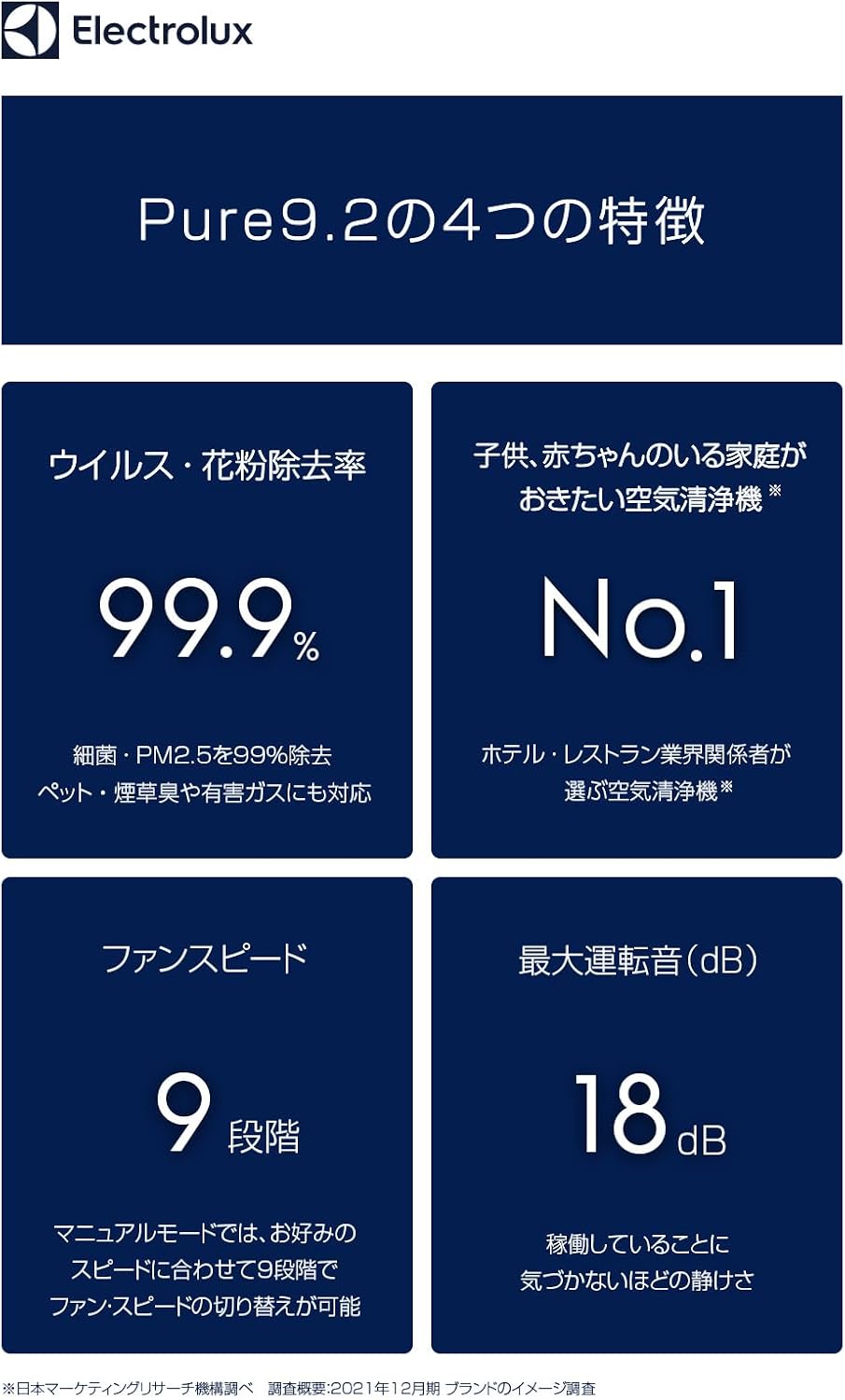
Figure 3.3: Overview of the PureA9.2's core features, including high purification efficiency, quiet operation, and multiple fan speeds.
4. Setup
4.1 Unpacking
- Carefully remove the air purifier from its packaging.
- Remove all protective materials and plastic bags.
- Check that all components are present and undamaged.
4.2 Filter Installation
The cylindrical filter is typically pre-installed. If not, or if replacing, follow these steps:
- Ensure the appliance is unplugged.
- Locate the filter compartment (usually at the bottom or by rotating the top section).
- Insert the cylindrical filter, ensuring it is seated correctly.
- Close the filter compartment securely.
4.3 Placement
- Place the air purifier on a flat, stable surface.
- Ensure there is adequate space (at least 30 cm) around the unit for optimal airflow.
- Avoid placing it near heat sources, direct sunlight, or in damp environments.
4.4 Power Connection
Plug the power cord into a suitable electrical outlet.
5. Operating Instructions
5.1 Power On/Off
- Press the power button on the top panel to turn the unit on or off.
5.2 Operating Modes
The PureA9.2 offers two main operating modes:
- Smart Mode: The PureSense system automatically detects air quality and adjusts fan speed accordingly. The air quality light changes color (Red > Orange > Green > Blue) to indicate air cleanliness.
- Manual Mode: Allows you to manually select one of 9 fan speeds.
5.3 Air Quality Indicator Light
The air quality light on the top panel provides a visual indication of the current air quality:
- Red: Heavily polluted air.
- Orange: Moderately polluted air.
- Green: Slightly polluted air.
- Blue: Clean air.
5.4 Smartphone App Control
Download the dedicated Electrolux app to your smartphone for advanced control and monitoring:
- Monitor indoor air quality in real-time.
- Switch between Smart and Manual modes.
- Adjust fan speed (9 levels).
- Turn the unit on/off remotely.
- Check filter usage and remaining life.
Note: The app requires a 2.4GHz Wi-Fi connection.
6. Maintenance
6.1 Cleaning the Exterior
- Wipe the exterior of the unit with a soft, dry cloth.
- Do not use abrasive cleaners or solvents.
6.2 Filter Replacement
The filter life is monitored by an RFID tag. Replace the filter when indicated by the appliance or the app.
- Unplug the air purifier from the power outlet.
- Open the filter compartment.
- Remove the old filter and dispose of it properly.
- Insert a new genuine Electrolux filter, ensuring it clicks into place.
- Close the filter compartment.
- Plug in the appliance and reset the filter indicator if necessary (refer to app instructions).

Figure 6.1: The 5-step filtration system, including mesh, antibacterial, HEPA, activated carbon, and ionizer layers, ensures thorough air purification.
7. Troubleshooting
| Problem | Possible Cause | Solution |
|---|---|---|
| Unit does not turn on | No power; Power cord not connected; Filter not installed correctly. | Check power outlet; Ensure power cord is firmly plugged in; Reinstall filter correctly. |
| Poor air purification performance | Filter is dirty or expired; Air inlets/outlets are blocked. | Replace the filter; Clear any obstructions from air inlets/outlets. |
| Unusual noise | Foreign object inside; Unit not on a stable surface. | Unplug and check for foreign objects; Place on a stable, flat surface. |
| App not connecting | Incorrect Wi-Fi band (only 2.4GHz supported); Poor Wi-Fi signal; App not updated. | Ensure router is on 2.4GHz; Move unit closer to router; Update app to latest version. |
8. Specifications
| Feature | Detail |
|---|---|
| Brand | Electrolux |
| Model Number | EP71-76GYA |
| Color | Gray |
| Applicable Area | Up to 58 Tatami (approx. 96 m²) |
| Product Dimensions (D x W x H) | 31.5 cm x 31.5 cm x 75 cm |
| Product Weight | 8.9 kg |
| Noise Level (Max) | 52 dB |
| Power Source | Corded Electric |
| Special Features | PM2.5 compatible, App Control, PureSense System, AirSurround System |
| Maintenance | Filter replacement |

Figure 8.1: Product dimensions of the Electrolux PureA9.2 Air Purifier.
Comparison with other models:

Figure 8.2: A comparison table detailing specifications and features across various Electrolux air purifier models.
9. Warranty and Support
For warranty information, technical support, or service inquiries, please refer to the warranty card included with your product or visit the official Electrolux website. Keep your proof of purchase for warranty claims.
Online Resources: www.electrolux.com