1. Introduction
The T'nB Urban MOOV LED Protection Helmet is designed to provide optimal head protection for users of scooters, bicycles, and hoverboards. Constructed with advanced materials and integrated safety features, this helmet enhances both protection and visibility during urban use.
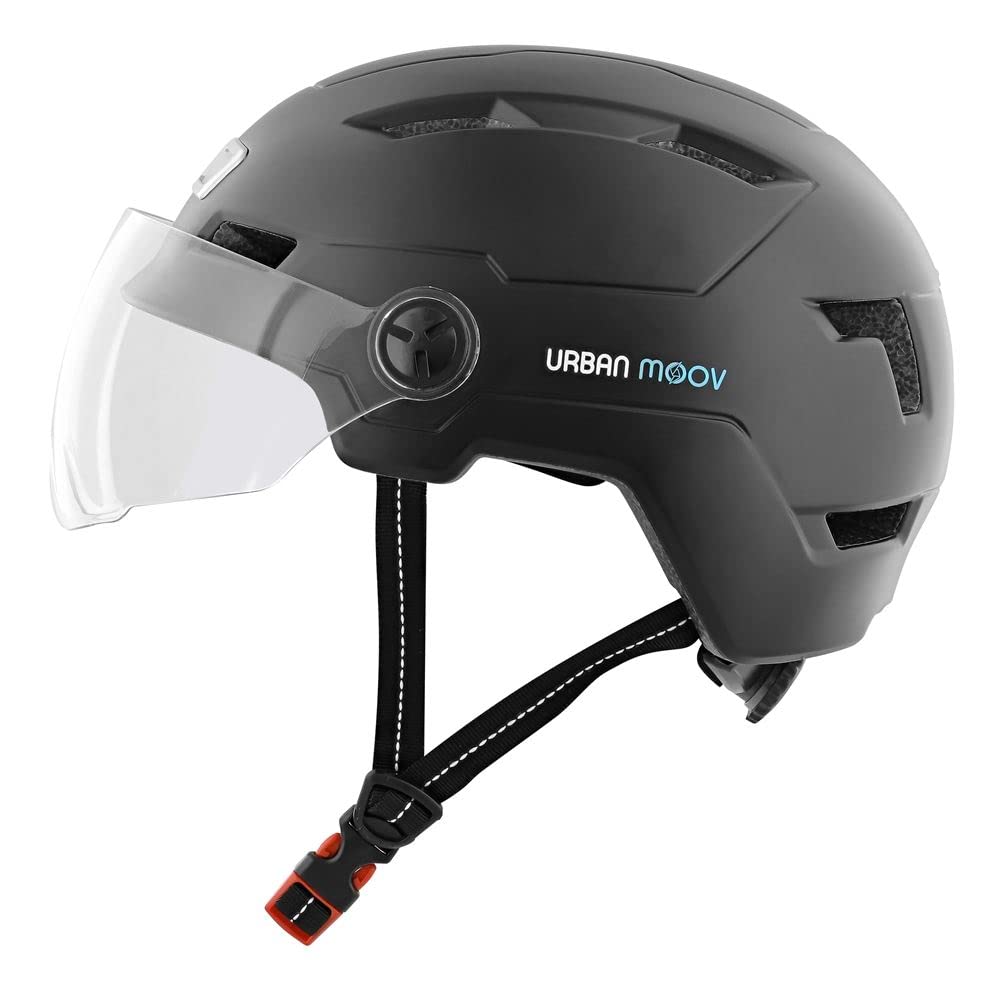
Figure 1: Front view of the T'nB Urban MOOV LED Protection Helmet with clear visor down.
2. Safety Information
Always wear your helmet correctly to ensure maximum protection. This helmet is designed to absorb impact energy through partial destruction of the shell and liner. Even if no damage is visible, a helmet that has sustained an impact should be replaced. Do not modify the helmet or attach accessories not approved by the manufacturer, as this may compromise its protective capabilities.
- Ensure the helmet fits snugly and comfortably.
- Always fasten the chin strap securely.
- Do not use the helmet if it is damaged.
- Clean the helmet only with mild soap and water.
3. Setup
3.1 Unpacking and Components
Carefully remove the helmet and all accessories from the packaging. Verify that all components are present:
- 1 x T'nB Urban MOOV LED Protection Helmet
- 1 x Micro USB Charging Cable
3.2 Adjusting the Fit
Proper fit is crucial for effective protection. The helmet features a rear adjustment system for a secure and comfortable fit.
- Place the helmet on your head, ensuring it sits level and covers your forehead.
- Adjust the chin strap so it is snug under your chin without causing discomfort. The strap should form a 'V' shape under your ears.
- Use the rotary knob located at the rear of the helmet to tighten or loosen the internal retention system until the helmet feels secure and does not move freely when you shake your head.
3.3 Visor Adjustment
The helmet includes a tinted visor for eye protection from sun and wind. The visor can be slid up or down as needed.
- To deploy the visor, gently pull it down until it covers your eyes.
- To retract the visor, gently push it up until it rests against the helmet shell.
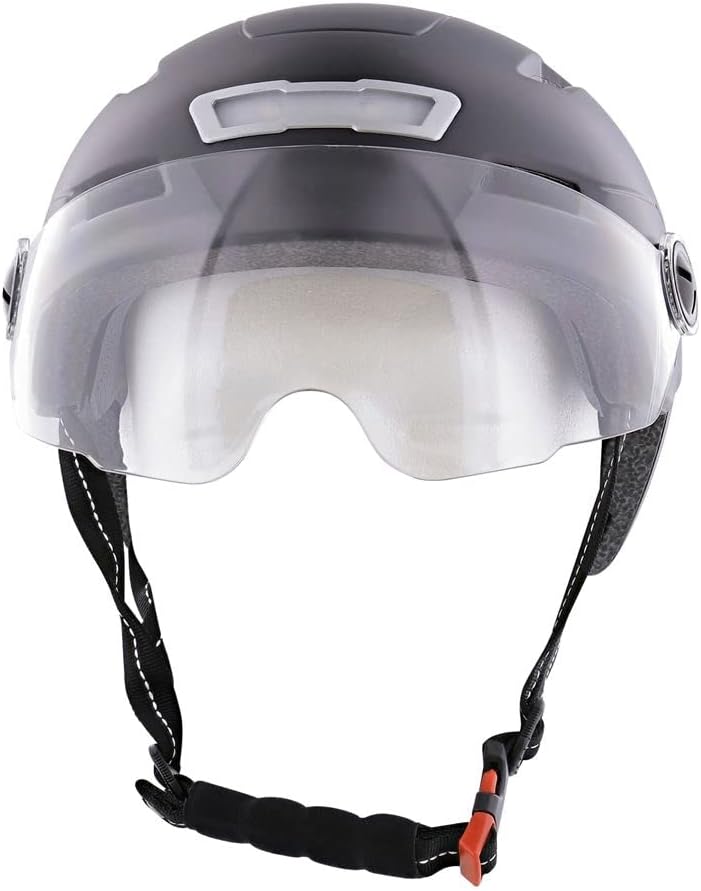
Figure 2: Side view of the helmet demonstrating visor position.
4. Operating Instructions
4.1 LED Lighting System
The helmet is equipped with front and rear LED lights to enhance visibility, especially in low-light conditions or at night. The LED system offers 3 different lighting modes.
- Charging: Connect the provided Micro USB cable to the charging port on the helmet and to a suitable USB power source. The LED indicator will show charging status.
- Power On/Off: Press and hold the power button on the rear LED unit to turn the lights on or off.
- Changing Modes: Briefly press the power button to cycle through the 3 available lighting modes (e.g., steady, slow flash, fast flash).

Figure 3: Rear view of the helmet with LED lights illuminated.

Figure 4: Rear view of the helmet with LED lights off.
5. Maintenance
5.1 Cleaning the Helmet
To maintain the helmet's integrity and appearance, follow these cleaning guidelines:
- Use only mild soap and water with a soft cloth to clean the exterior shell.
- Avoid harsh chemicals, solvents, or abrasive cleaners, as these can damage the helmet materials.
- The internal absorbent padding is detachable and hand-washable. Remove the padding, wash gently with mild soap, rinse thoroughly, and allow to air dry completely before reinserting.
5.2 Storage
Store the helmet in a cool, dry place away from direct sunlight and extreme temperatures. Do not store the helmet near heat sources or chemicals.
6. Troubleshooting
- LED lights not turning on: Ensure the battery is charged. Connect the helmet to the Micro USB charging cable and allow sufficient time for charging.
- Helmet feels loose: Re-adjust the rear rotary knob and chin strap to achieve a snug fit. Refer to Section 3.2.
- Visor not sliding smoothly: Check for any obstructions or dirt in the visor mechanism. Clean gently if necessary.
7. Specifications
| Feature | Specification |
|---|---|
| Model Name | UMHELMLED2 |
| Brand | T'nB |
| Size | L (58-61.5 cm) |
| Color | Black |
| Outer Material | Polycarbonate (PC) |
| Inner Material | Expanded Polystyrene (EPS) |
| Special Features | In-mold technology, 3-option LED system, 8 air vents, Sliding tinted visor |
| LED Lumens | 45 Lumens |
| Weight | 628 Grams |
| Included Components | 1 LED Helmet, 1 Micro USB Charging Cable |
8. Warranty and Support
This product comes with a standard manufacturer's warranty. For detailed warranty information, product support, or service inquiries, please refer to the warranty card included with your purchase or visit the official T'nB website. Keep your proof of purchase for warranty claims.