1. Important Safety Instructions
To reduce the risk of fire, electric shock, or injury when using your appliance, follow these basic precautions:
- Read all instructions before using the appliance.
- Do not store or use gasoline or other flammable vapors and liquids in the vicinity of this or any other appliance.
- Keep ventilation openings, in the appliance enclosure or in the built-in structure, clear of obstruction.
- Do not use mechanical devices or other means to accelerate the defrosting process, other than those recommended by the manufacturer.
- Do not damage the refrigerant circuit.
- Do not use electrical appliances inside the food storage compartments of the appliance, unless they are of the type recommended by the manufacturer.
- This appliance is not intended for use by persons (including children) with reduced physical, sensory or mental capabilities, or lack of experience and knowledge, unless they have been given supervision or instruction concerning use of the appliance by a person responsible for their safety.
- Children should be supervised to ensure that they do not play with the appliance.
2. Setup and Installation
2.1 Unpacking
Carefully remove all packaging materials from the appliance. Ensure all included components, such as the User's Manual, Light, and Switch, are present. Dispose of packaging materials responsibly.
2.2 Placement
Place the freezer on a flat, stable surface away from direct sunlight and heat sources. Allow adequate space around the unit for proper ventilation. This unit is designed to be garage-ready, capable of operating efficiently in a wide range of ambient temperatures.

Figure 2.2.1: Product Dimensions and Capacity. The freezer measures approximately 28 inches (W) x 29.5 inches (D) x 61.8 inches (H) and offers 13.8 cubic feet of storage.

Figure 2.2.2: Garage Ready Feature. This appliance is suitable for garage environments, providing reliable performance across various temperatures.
2.3 Leveling
The appliance is equipped with adjustable feet. Use these to level the unit, ensuring it is stable and the door closes properly. Proper leveling helps in efficient operation and prevents unnecessary wear on components.

Figure 2.3.1: Adjustable Feet. The adjustable feet allow for precise leveling of the unit on uneven surfaces.
2.4 Power Connection
Connect the appliance to a dedicated 110 Volt power outlet. Do not use extension cords or adapter plugs. Allow the unit to stand upright for at least 2-4 hours before plugging it in to allow refrigerants to settle.
3. Operating Your Appliance
3.1 Temperature Control and Conversion
Your SMETA upright freezer features an electronic control panel with an LED display located inside the unit. This allows for easy temperature adjustment and conversion between freezer and refrigerator modes. There are three temperature settings: Cold, Colder, and Coldest, ranging from -4°F to 50°F.
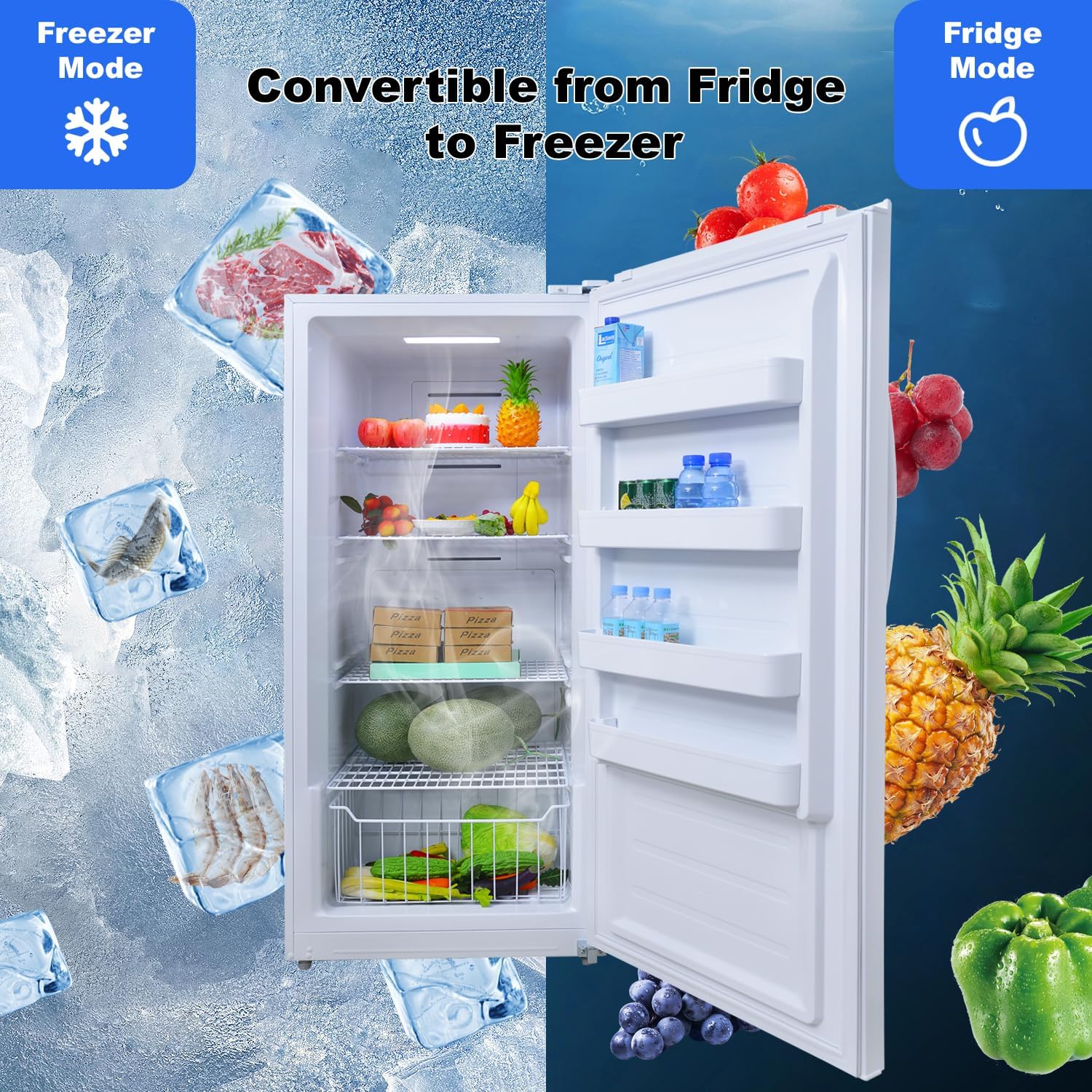
Figure 3.1.1: Convertible Mode. The appliance can be switched between freezer and refrigerator modes to suit your storage needs.
Figure 3.1.2: Interior Electronic Control Panel. Adjust temperature settings and switch modes using this panel.
Video 3.1.1: Demonstration of the SMETA 13.8 cu ft Upright Freezer's conversion feature between freezer and refrigerator modes.
3.2 Frost-Free Feature
This appliance features a total frost-free design. Cold air circulates throughout the interior, preventing ice buildup and eliminating the need for manual defrosting. This ensures consistent cooling and reduces maintenance.
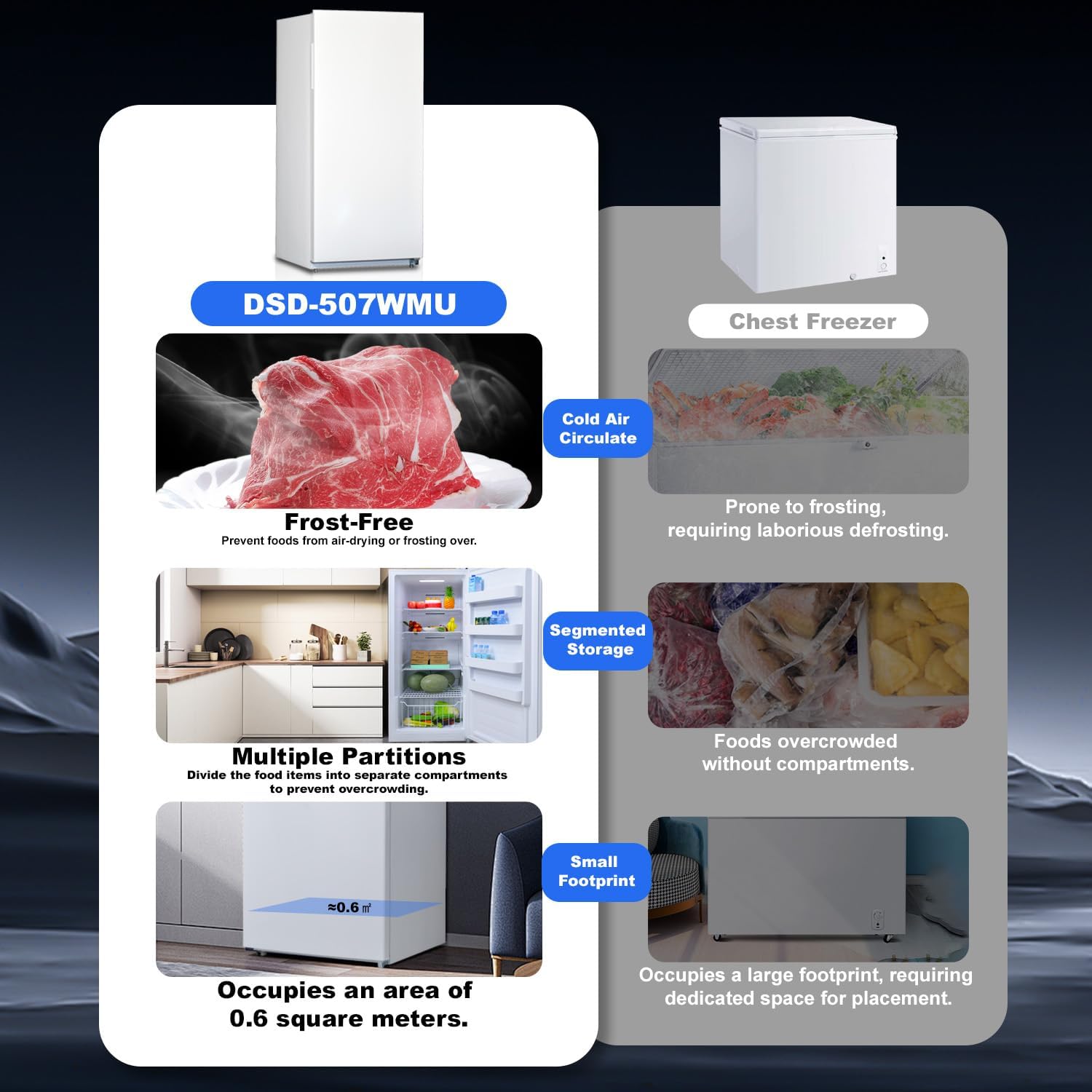
Figure 3.2.1: Frost-Free Design. The advanced air circulation system prevents frost accumulation, ensuring hassle-free operation.
3.3 Interior Organization
The interior is designed for flexible organization, featuring four slide-out metallic wire shelves, four adjustable door bins, and one deep bottom basket drawer. This allows for efficient storage and easy access to your frozen or refrigerated items.

Figure 3.3.1: Interior Storage Layout. The spacious interior with adjustable shelves and door bins provides versatile storage options.
Video 3.3.1: Overview of the SMETA upright freezer's interior, showcasing its shelves and storage capabilities.
3.4 Alarms
The appliance is equipped with a high-temperature alarm and a door opening alarm. These audible alerts notify you if the internal temperature rises above a safe level or if the door is left ajar, helping to protect your stored items.
Figure 3.4.1: High-Temperature and Door Opening Alarm. Visual representation of the alarm system for temperature and door status.
3.5 Door Features
The door features a recessed handle for a sleek look and easy opening. The door hinges are on the right by default but can be reversed for left-hand opening to better suit your space and preference.
4. Maintenance and Care
4.1 Cleaning
Regularly clean the interior and exterior of your appliance. For the interior, use a mild detergent and warm water. Wipe dry thoroughly. For the exterior, use a soft cloth and a non-abrasive cleaner. Ensure the power is disconnected before cleaning.
4.2 Defrosting
Due to the total frost-free design, manual defrosting is not required. The appliance automatically manages frost buildup, ensuring optimal performance and convenience.
4.3 Power Outage
In case of a power outage, keep the appliance door closed to maintain the internal temperature for as long as possible. Avoid opening the door unnecessarily to preserve stored food.
5. Troubleshooting
Before contacting customer service, please refer to the following table for common issues and their solutions:
| Problem | Possible Cause | Solution |
|---|---|---|
| Appliance does not operate. | Not plugged in; circuit breaker tripped; power outage. | Ensure plug is secure; reset circuit breaker; check household power. |
| Temperature is too warm. | Door not closed properly; excessive door openings; warm food added; temperature setting too high. | Check door seal; reduce door openings; allow warm food to cool before storing; adjust temperature setting lower. |
| Excessive noise. | Appliance not level; items vibrating inside; normal operating sounds. | Adjust leveling feet; rearrange items; some sounds (e.g., refrigerant flow) are normal. |
| Door will not close completely. | Appliance not level; food packages obstructing; gasket dirty/damaged. | Level the appliance; rearrange food; clean or replace gasket. |
6. Specifications
| Feature | Detail |
|---|---|
| Brand Name | SMETA |
| Model Info | DSD-507WMU |
| Item Weight | 157 pounds |
| Product Dimensions | 29 x 29 x 62 inches (D x W x H) |
| Country of Origin | China |
| Capacity | 13.8 Cubic Feet |
| Installation Type | Freestanding |
| Form Factor | Freestanding |
| Special Features | Garage ready, High-temperature door opening alarm, Interior LED light, Adjustable feet, Easy rolling wheels, Interior Electronic control panel |
| Color | White |
| Voltage | 110 Volts |
| Crispers/Drawers | 1 |
| Defrost | Automatic (Frost-Free) |
| Door Hinges | Right (Reversible) |
| Door Material Type | Stainless Steel |
| Shelf Type | Wire |
| Shelves | 4 |
| Compatible Device | Garage |
| Certification | UL |
| Included Components | Switch, Light, User's Manual |

Figure 6.1.1: High-Quality Air-Cooling System and Compressor. This system ensures quiet operation, consistent refrigeration, and energy efficiency.
7. Warranty and Customer Support
For warranty information and customer support, please refer to the warranty card included with your product or contact SMETA customer service directly. Keep your purchase receipt for warranty claims.
For additional support or inquiries, you may visit the official SMETA store on Amazon: SMETA Store.


