
Swan SM22036LGREN
Swan SM22036LGREN Digital LED Microwave User Manual
Model: SM22036LGREN | Brand: Swan
1. Introduction
This manual provides comprehensive instructions for the safe and efficient operation, setup, and maintenance of your Swan SM22036LGREN Digital LED Microwave. Designed with a modern Nordic aesthetic, this 20-liter microwave combines functionality with style, offering 800W of power and multiple cooking options to simplify your daily meal preparation. Please read this manual thoroughly before using the appliance and keep it for future reference.
2. Important Safety Instructions
When using electrical appliances, basic safety precautions should always be followed to reduce the risk of fire, electric shock, and injury to persons.
- Read all instructions before using the appliance.
- Do not operate the microwave oven if it has a damaged cord or plug, if it is not working properly, or if it has been damaged or dropped.
- Do not attempt to service or repair the appliance yourself. Contact qualified service personnel for examination, repair, or adjustment.
- Do not use corrosive chemicals or vapors in this appliance. This type of oven is specifically designed to heat, cook, or dry food. It is not designed for industrial or laboratory use.
- Do not heat liquids or other foods in sealed containers since they are liable to explode.
- Always ensure the glass turntable and turntable support are correctly positioned before operation.
- Never operate the oven empty. This could damage the oven.
- Do not allow children to use the microwave oven without supervision.
- Ensure proper ventilation around the appliance. Do not block any ventilation openings.
- Do not use metal utensils, foil, or dishes with metallic trim in the microwave, as this can cause arcing and damage the oven.
3. Product Features
Key Features:
- 800W Power: Provides efficient and quick cooking.
- 6 Power Levels: Offers versatility for various cooking needs, including a defrost setting.
- 20 Liter Capacity: Spacious interior suitable for standard dinner plates, ideal for single servings or family meals.
- 270mm Glass Turntable: Ensures even cooking by rotating food.
- Digital Display & Clock: Easy-to-read LED display for time and settings.
- 30-Minute Timer: Convenient for precise cooking durations.
- End Signal: Alerts you when cooking is complete.
- Defrost Function: Allows for quick and efficient thawing of frozen foods.
- Auto-Cooking Options: Pre-set programs for common food items (as indicated by controls).
- Nordic Design: Stylish matte green finish with wood-effect handle and dial.
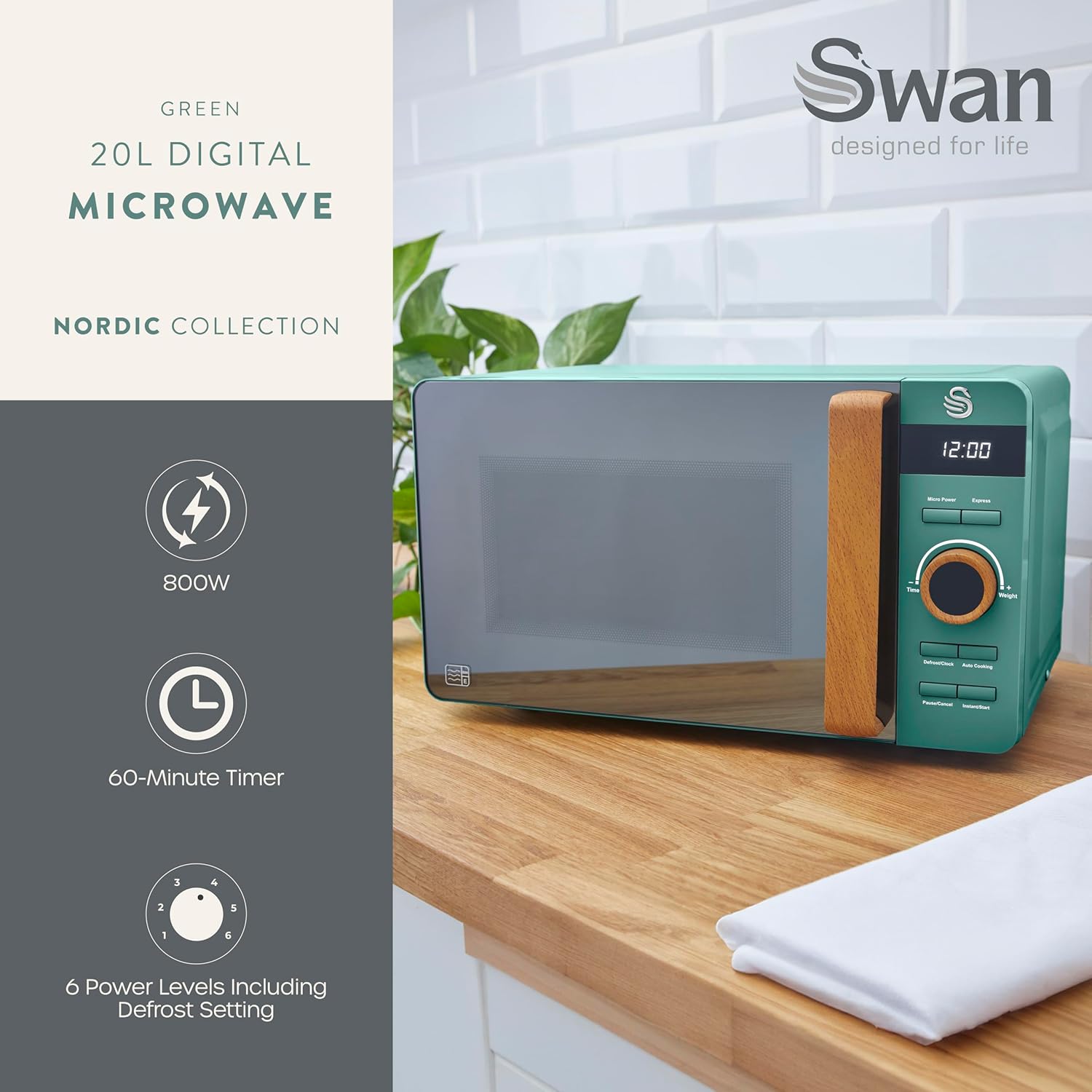
Image: Overview of the Swan SM22036LGREN microwave highlighting its 800W power, 60-minute timer, and 6 power levels including defrost.
4. Setup
- Unpacking: Carefully remove the microwave oven and all packing materials from the carton. Check the oven for any damage, such as dents or a broken door. Do not operate the oven if it is damaged.
- Placement: Place the microwave oven on a flat, stable surface that can support its weight and the heaviest food likely to be cooked in the oven. Ensure there is adequate ventilation space:
- Leave a minimum of 20 cm (7.9 inches) of space above the oven.
- Leave a minimum of 10 cm (3.9 inches) of space at the rear and sides.
- The front of the oven should be at least 8 cm (3.1 inches) from the edge of the counter to prevent tipping.
- Power Connection: Plug the power cord into a standard grounded electrical outlet. Ensure the voltage and frequency match the ratings on the appliance label.
- Initial Cleaning: Before first use, wipe the interior and exterior of the microwave with a damp cloth. Clean the glass turntable and turntable support with warm, soapy water.
- Turntable Assembly: Place the turntable support ring in the center of the oven cavity. Place the glass turntable on top of the support ring, ensuring it sits securely in the center hub.

Image: The spacious 20-liter interior of the microwave with the glass turntable in place, demonstrating its capacity for a standard dinner plate.
5. Operating Instructions
Control Panel Overview:
- Digital Display: Shows time, cooking settings, and indicators.
- Micro Power Button: Selects microwave power levels.
- Express Button: For quick start cooking.
- Time/Weight Dial: Adjusts cooking time or weight for defrosting/auto-cooking.
- Defrost/Clock Button: Initiates defrost function or sets the clock.
- Auto Cooking Button: Selects pre-programmed cooking menus.
- Pause/Cancel Button: Stops cooking, clears settings, or pauses operation.
- Instant/Start Button: Starts cooking or adds 30 seconds to cooking time.

Image: Detailed view of the microwave's digital control panel, showing all buttons and the central dial for setting time and weight.
Basic Operation:
- Setting the Clock:
- Press the "Defrost/Clock" button once.
- Turn the "Time/Weight" dial to set the hour.
- Press "Defrost/Clock" again.
- Turn the "Time/Weight" dial to set the minutes.
- Press "Defrost/Clock" to confirm.
- Microwave Cooking:
- Place food in a microwave-safe container on the turntable. Close the door.
- Press the "Micro Power" button repeatedly to select the desired power level (P100 for 100%, P80 for 80%, etc., down to P10 for 10%).
- Turn the "Time/Weight" dial to set the cooking time.
- Press "Instant/Start" to begin cooking.
- Defrost Function:
- Press the "Defrost/Clock" button (after setting clock, if applicable).
- Turn the "Time/Weight" dial to select the defrost weight or time.
- Press "Instant/Start" to begin defrosting.
- Auto Cooking:
- Press the "Auto Cooking" button repeatedly to cycle through pre-set menus (e.g., Popcorn, Potato, Pizza, Beverage, Dinner Plate, Meat, Chicken, Fish).
- Once the desired menu is selected, turn the "Time/Weight" dial to adjust the quantity/weight if prompted.
- Press "Instant/Start" to begin.
- Express Cooking:
- Press the "Express" button to start cooking immediately at full power for a pre-set duration (e.g., 30 seconds, 1 minute, 2 minutes).
- Press "Instant/Start" to add 30 seconds to the cooking time during operation.

Image: The control panel emphasizing the auto-cook settings, which allow for automatic cooking of various foods.
6. Care and Maintenance
- Cleaning the Oven Interior: After each use, wipe the interior with a damp cloth to remove any food splatters. For stubborn stains, use a mild detergent. Do not use abrasive cleaners or scouring pads.
- Cleaning the Oven Exterior: Wipe the exterior surfaces with a soft, damp cloth. Avoid getting water into the ventilation openings.
- Cleaning the Turntable and Support: The glass turntable and turntable support can be washed in warm, soapy water or in a dishwasher. Ensure they are completely dry before placing them back in the oven.
- Odor Removal: To remove odors from the oven, combine a cup of water with the juice of one lemon in a microwave-safe bowl. Microwave on high for 5 minutes. Wipe the interior with a soft cloth.
- Door Seal Care: Regularly clean the door seals and adjacent parts with a damp cloth to ensure proper sealing and operation.
- Power Cord: Periodically check the power cord for any damage. If damaged, it must be replaced by the manufacturer, its service agent, or similarly qualified persons to avoid a hazard.
7. Troubleshooting
| Problem | Possible Cause | Solution |
|---|---|---|
| Oven will not start. | Power cord not plugged in; Door not closed properly; Fuse blown or circuit breaker tripped. | Ensure plug is securely in outlet; Close door firmly; Check household fuse/circuit breaker. |
| Food not heating. | Door not closed properly; Cooking time not set; Power level too low. | Close door firmly; Set appropriate cooking time; Increase power level. |
| Turntable not rotating. | Turntable not properly seated; Turntable support dirty or damaged. | Ensure turntable is correctly placed on the support; Clean or replace turntable support. |
| Oven light not working. | Bulb burned out. | Contact qualified service personnel for replacement. |
| Unusual noise during operation. | Food container touching oven walls; Turntable not properly seated. | Adjust food container position; Re-seat turntable and support. |
8. Specifications
| Brand: | Swan |
| Model Number: | SM22036LGREN |
| Product Dimensions: | 32D x 44.1W x 25.5H cm (12.6D x 17.4W x 10H inches) |
| Weight: | 11.06 kg (24.38 lbs) |
| Capacity: | 20 Liters |
| Wattage: | 800 Watts |
| Color: | Green |
| Material: | Stainless Steel (Interior/Components) |
| Installation Type: | Countertop |
| Special Features: | 6 Power Levels, 270mm Glass Turntable, Timer Function, Cooking Signal, Digital Clock, Defrost Setting |
| Country of Origin: | China |
9. Warranty and Support
Your Swan SM22036LGREN Digital LED Microwave comes with a comprehensive warranty to ensure your peace of mind.

Image: Warranty information indicating a 2-year guarantee, comprising a 1-year manufacturer's guarantee plus an additional 1 year upon product registration.
- Manufacturer's Guarantee: The product includes a 1-year manufacturer's guarantee from the date of purchase.
- Extended Warranty: An additional 1-year warranty is available upon product registration, extending the total guarantee period to 2 years. Please refer to the manufacturer's website or included registration card for details on how to register your product.
- Customer Support: For technical assistance, warranty claims, or spare parts, please contact Swan customer support. Visit the official Swan website for contact information and support resources.
Visit the Official Swan Store on Amazon for more information and product registration.
Related documentsSM22036LGREN


Ask a question about this manual
Ask about setup, troubleshooting, compatibility, parts, safety, or missing instructions. Manuals+ will review the question and use this page’s manual context to help answer it.