
1. Introduction
Thank you for choosing the Mosiller 2-in-1 Smart Electric Bug Zapper Racket. This device is designed to effectively eliminate flying insects using both manual swatter action and an automatic UV light trap. Please read this manual thoroughly before use to ensure safe and optimal performance.

The Mosiller 2-in-1 Smart Electric Bug Zapper Racket in its charging base.
2. Safety Information
Your safety is paramount. Please observe the following precautions:
- Three-Layer Safety Mesh: The device features a 3-layer safety mesh designed to prevent accidental electric shock. The outer layers are protective, while the inner layer carries the high voltage.
- Double Switch Protection: A double switch mechanism is incorporated to prevent accidental activation, especially by children.
- High Voltage: The internal grid operates at 4000V. Avoid touching the inner mesh when the device is active.
- Charging Precautions: Do not allow water to enter the charging base. Avoid using chargers that exceed the recommended wattage.
- Environmental Use: Do not use the device in flammable, explosive, or heavy oil-stained environments.
- Children and Pets: Keep the device out of reach of children and pets.
Illustration of the three-layer safety mesh design.
3. Product Features
- 2-in-1 Functionality: Functions as a handheld electric fly swatter and a stationary mosquito trap lamp.
- Powerful Zapping: Features a 4000V high-voltage grid for instant insect elimination.
- UV Light Attraction: Emits 395nm wavelength UV light to attract mosquitoes and other flying insects in automatic mode.
- Rechargeable Battery: Equipped with a built-in 1800mAh rechargeable battery, offering extended use and reducing waste compared to disposable batteries.
- USB Charging Base: Convenient USB charging base for easy recharging and stationary use.

Key features of the Mosiller Bug Zapper.
4. Package Contents
Verify that all items are present in your package:
- Mosiller Electric Bug Zapper Racket
- USB Charging Base
- USB Charging Cable
- User Manual
5. Setup
5.1 Initial Charging
Before first use, fully charge the device:
- Place the bug zapper racket into the USB charging base.
- Connect the USB charging cable to the base and a suitable USB power source (e.g., computer, power adapter, power bank, car charger).
- The battery indicator lights on the handle will illuminate to show charging status. Ensure the device is fully charged before initial operation.

Charging the Mosiller Bug Zapper using the USB base.
6. Operating Instructions
6.1 Manual Swatter Mode ("ON1")
To use the device as a handheld swatter:
- Slide the power switch on the handle to the "ON1" position.
- Press and hold the white activation button on the handle. The working red light will illuminate, indicating the grid is active.
- Swing the racket to make contact with flying insects. A 'zap' sound confirms successful elimination.
- Release the white button when not actively swatting to conserve battery and for safety.

Steps for operating the bug zapper in Manual Mode.
6.2 Automatic Trap Lamp Mode ("ON2")
To use the device as a stationary insect trap:
- Slide the power switch on the handle to the "ON2" position.
- Place the bug zapper racket into its USB charging base.
- The UV light will activate, attracting insects to the electrified grid. This mode is most effective in dark environments.
- The device will automatically zap insects that come into contact with the grid.

The two operating modes: Manual and Automatic Trap Lamp.

Steps for operating the bug zapper in Automatic Trap Lamp Mode.
6.3 Battery Indicator
The handle features LED lights that indicate the battery level and working status. A red light typically indicates the device is active, while green lights show the remaining battery charge.
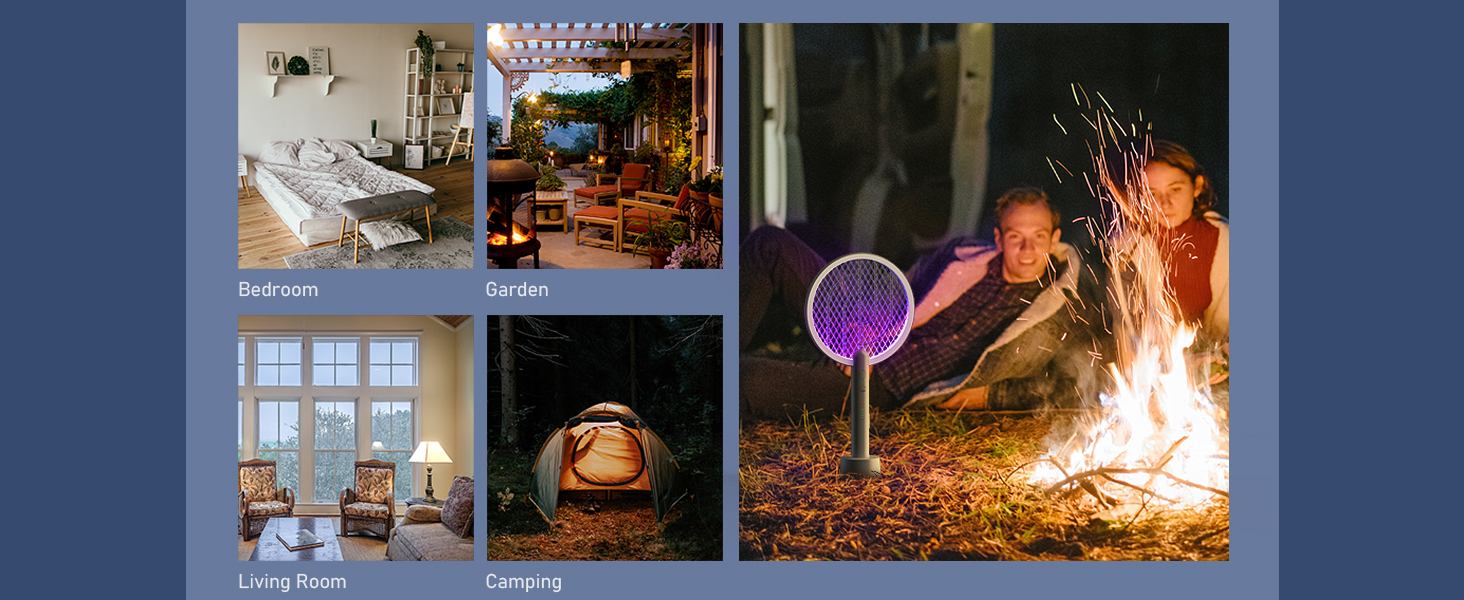
The UV light attracts insects in automatic mode.
7. Maintenance
- Cleaning: Ensure the device is turned off and completely discharged before cleaning. Use a soft, dry brush to gently remove any insect debris from the grid. Do not use water or wet cloths to clean the electrified mesh.
- Storage: Store the device in a cool, dry place away from direct sunlight and moisture when not in use.
- Battery Care: For optimal battery life, avoid completely draining the battery frequently. Recharge when the indicator shows low battery.
8. Troubleshooting
If you encounter issues with your Mosiller Bug Zapper, consider the following:
- Device not activating: Ensure the power switch is in the correct position ("ON1" or "ON2") and the battery is charged. For manual mode, confirm the activation button is pressed.
- No 'zap' sound: This may indicate a low battery or that no insect has made contact with the active grid. Ensure the device is charged and the activation button is pressed (in manual mode).
- Ineffective in automatic mode: The UV light is most effective in dark environments. Ensure the area is sufficiently dark for optimal attraction.
9. Specifications
| Feature | Detail |
|---|---|
| Brand | Mosiller |
| Model Number | WD-942 |
| Color | Gray |
| Style | 1 Pack |
| Material | Plastic |
| Product Dimensions | 9"L x 16"W x 1"H |
| Item Weight | 1.3 Pounds (1.28 pounds) |
| Number of Pieces | 1 |
| Recommended Uses | Indoor, Outdoor |
| Is Electric | Yes (Electric Bug Zapper) |
| Target Species | Fly, Mosquito, Moth |
| Unit Count | 1.0 Count |
| UPC | 710436129281 |
10. Warranty and Support
For warranty information or product support, please refer to the contact details provided with your purchase or visit the official Mosiller website. If you have any problems, please contact us immediately.