
1. Introduction
The ELEGOO UNO R3 Project Smart Robot Car Kit V4.0 is an intelligent and educational robotic kit designed for learners compatible with Arduino IDE. This kit provides a hands-on experience in assembling and programming a functional robot car, incorporating various sensor modules and components to explore concepts in STEM, engineering, and robotics.
2. Setup and Assembly
Assembly of the Smart Robot Car Kit requires careful attention to detail due to the numerous small components. Please follow the included assembly tutorial diligently. The kit includes all necessary parts, such as the UNO R3 control board, line tracking module, IR remote control module, 37-in-1 sensor modules, and 120 pieces of multicolored Dupont wires.
Key Assembly Steps:
- Unpack all components and verify against the parts list in the assembly tutorial.
- Assemble the chassis following the step-by-step diagrams.
- Mount the motors and wheels securely.
- Install the UNO R3 control board and connect all sensor modules and wires as indicated in the detailed diagrams.
- Ensure all connections are firm and correctly oriented to prevent damage.

Figure 1: All components included in the ELEGOO UNO R3 Project Smart Robot Car Kit V4.0, prior to assembly. This kit contains the main chassis, wheels, motors, control board, ultrasonic sensor, IR remote, and various fasteners and cables required for construction.

Figure 2: The fully assembled ELEGOO UNO R3 Project Smart Robot Car Kit V4.0, showcasing the integrated control board, ultrasonic sensor, and wiring connections. Also pictured are the 37-in-1 sensor modules and multicolored Dupont wires included in the kit.

Figure 3: A selection of the 37-in-1 sensor modules included in the kit, such as joystick, two-color LED, IR emission, membrane switch, photo-resistor, ultrasonic sensor, water level sensor, and more, enabling diverse project possibilities.
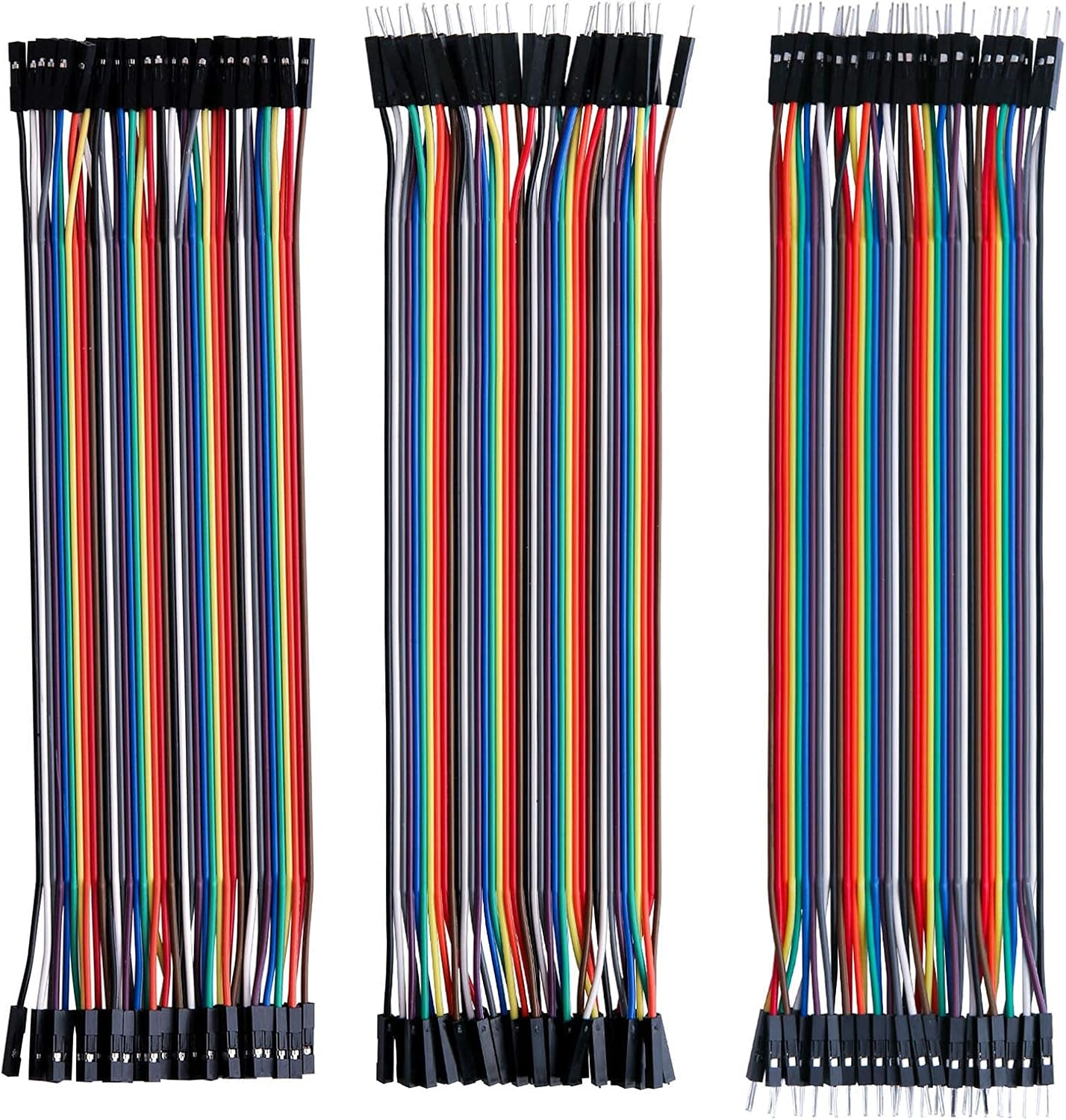
Figure 4: The 120-piece multicolored Dupont wire set, including male-to-female, male-to-male, and female-to-female jumper wires, essential for connecting components on the breadboard and control board.
3. Operating Instructions
The ELEGOO Smart Robot Car V4.0 can be operated using the included IR remote control or via a Bluetooth application on your smartphone. The manual provides detailed instructions for pairing the device with your phone and utilizing the app's interface.
Key Operating Modes and Features:
- Line Tracking Mode: The robot car can follow a designated line on the floor using its line tracking module.
- Obstacle Avoidance Mode: Equipped with an ultrasonic sensor, the robot car can detect and navigate around obstacles in its path.
- IR Remote Control: Use the provided IR remote for basic directional control and mode selection.
- Bluetooth App Control: Download the dedicated app to control the robot car via Bluetooth, offering more advanced control options and potentially live video feed from the camera module (if applicable to your specific kit version).

Figure 5: The robot car's ultrasonic sensor, capable of 180-degree rotation, which is crucial for obstacle detection and avoidance functionalities.
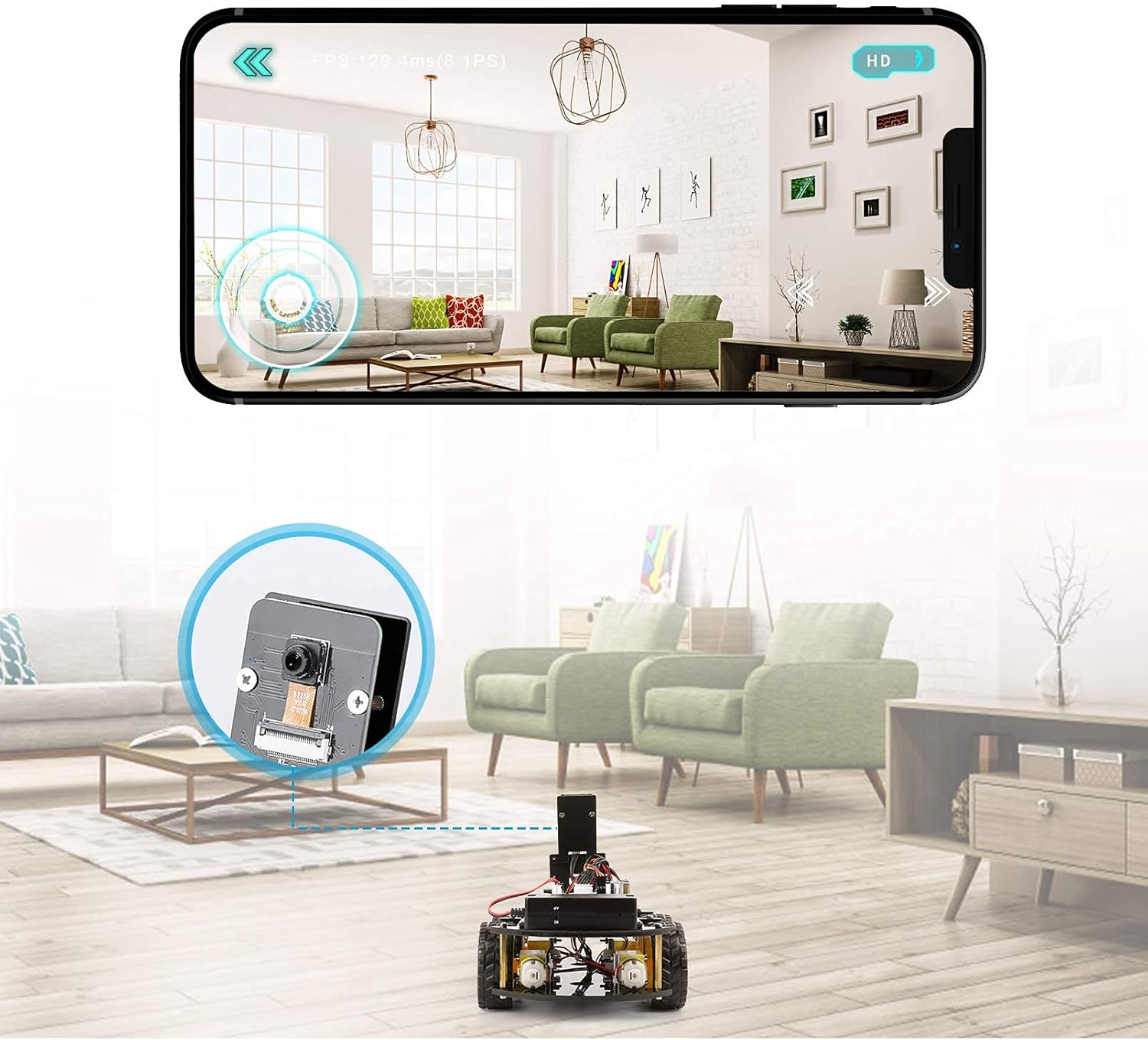
Figure 6: The robot car being controlled via a smartphone application, demonstrating the live video feed capability from the integrated camera module.
4. Maintenance
To ensure the longevity and optimal performance of your ELEGOO Smart Robot Car Kit, adhere to the following maintenance guidelines:
- Battery Charging: The robot car's battery is charged via a micro USB cable. A full charge typically provides approximately 2 hours of operation in line tracking mode. Ensure the battery is fully charged before extended use.
- Cleaning: Periodically clean the chassis and components with a soft, dry cloth. Avoid using liquids or abrasive cleaners.
- Component Inspection: Regularly check all wire connections and mounted components for looseness. Tighten screws and re-seat wires as needed.
- Storage: Store the robot car and its components in a dry, cool place away from direct sunlight and extreme temperatures.
5. Troubleshooting
If you encounter issues with your ELEGOO Smart Robot Car Kit, consider the following troubleshooting steps:
- No Power: Ensure the battery is charged and correctly connected. Check the on/off switch located on the back of the unit.
- Control Issues: Verify that the IR remote has working batteries and is pointed directly at the IR receiver on the robot. For app control, ensure Bluetooth is enabled on your device and the robot, and that they are properly paired and within range.
- Movement Irregularities: Check all motor connections and ensure wheels are securely attached and free from obstructions.
- Sensor Malfunctions: Inspect sensor connections. Refer to the assembly tutorial for correct wiring diagrams.
- Software/Programming Issues: Consult the detailed tutorial provided with the kit for programming guidance and common coding errors.
For persistent issues, refer to the comprehensive troubleshooting section in the full instruction manual or contact ELEGOO customer support.
6. Specifications
| ASIN | B09Q8FTY57 |
| Compatibility | Arduino IDE UNO R3, MEGA2560, Nano V |
| Included Modules | 37-in-1 Sensor Modules Kit, Line Tracking Module, IR Remote Control Module, etc. |
| Included Wires | 120pcs Multicolored Dupont Wire (Male to Female, Male to Male, Female to Female) |
7. Warranty and Support
For information regarding product warranty, returns, or technical support, please refer to the official ELEGOO website or contact their customer service directly. Keep your purchase receipt as proof of purchase for any warranty claims.