
1. Introduction
This manual provides essential instructions for the safe and efficient use of your mDesign Metal Curved Desk Lamp, Model 18875MDHS. Please read this manual thoroughly before assembly and operation, and retain it for future reference. This lamp is designed for indoor use only and is suitable for various settings such as home offices, bedrooms, and living rooms.
Important Safety Information
- Always disconnect the power supply before cleaning or replacing the light bulb.
- Do not use this lamp with a dimmer switch unless specifically rated for it.
- Ensure the lamp is placed on a stable, flat surface to prevent tipping.
- Avoid exposing the lamp to moisture or extreme temperatures.
- Use only the specified bulb type and wattage to prevent overheating and damage.
- Keep the power cord away from heat sources, sharp edges, and wet areas.
2. Package Contents
Please check the package carefully to ensure all components are present and undamaged. If any parts are missing or damaged, do not proceed with assembly and contact customer support.
- Lamp Base with Power Cord and In-line Switch
- Lamp Arm
- Lamp Shade
- Mounting Hardware (if applicable for assembly)

Figure 2.1: Overview of the mDesign Metal Curved Desk Lamp. This image shows the assembled lamp, which consists of a base, a curved arm, and a conical shade.
3. Setup and Assembly
Follow these steps to assemble your desk lamp:
- Unpack Components: Carefully remove all parts from the packaging. Place them on a clean, flat, and stable surface.
- Assemble Lamp Base and Arm: Attach the lamp arm to the lamp base. Ensure it is securely tightened to prevent wobbling. (Note: Some models may have pre-assembled bases and arms. If you encounter loose wiring, ensure connections are secure before proceeding, or contact support.)
- Attach Lamp Shade: Secure the lamp shade to the top of the lamp arm.
- Install Light Bulb:
- Ensure the lamp is unplugged from the power outlet.
- Screw a compatible light bulb into the lamp socket. Refer to the specifications section for bulb type and maximum wattage.
- Position the Lamp: Place the lamp on your desired surface, ensuring it is stable and the power cord can reach an outlet without being strained or obstructed.

Figure 3.1: This image illustrates the bulb requirements for the lamp. It clearly states "USES TYPE G BULBS MAXIMUM 40W".
4. Operating Instructions
Operating your mDesign Desk Lamp is straightforward:
- Power Connection: Plug the lamp's power cord into a standard electrical outlet.
- Turning On/Off: Locate the in-line switch on the power cord. Press the switch to turn the lamp ON or OFF.
- Adjusting Lamp Head: The lamp head is designed to swivel, allowing you to direct the light as needed. Gently adjust the shade to your desired angle.
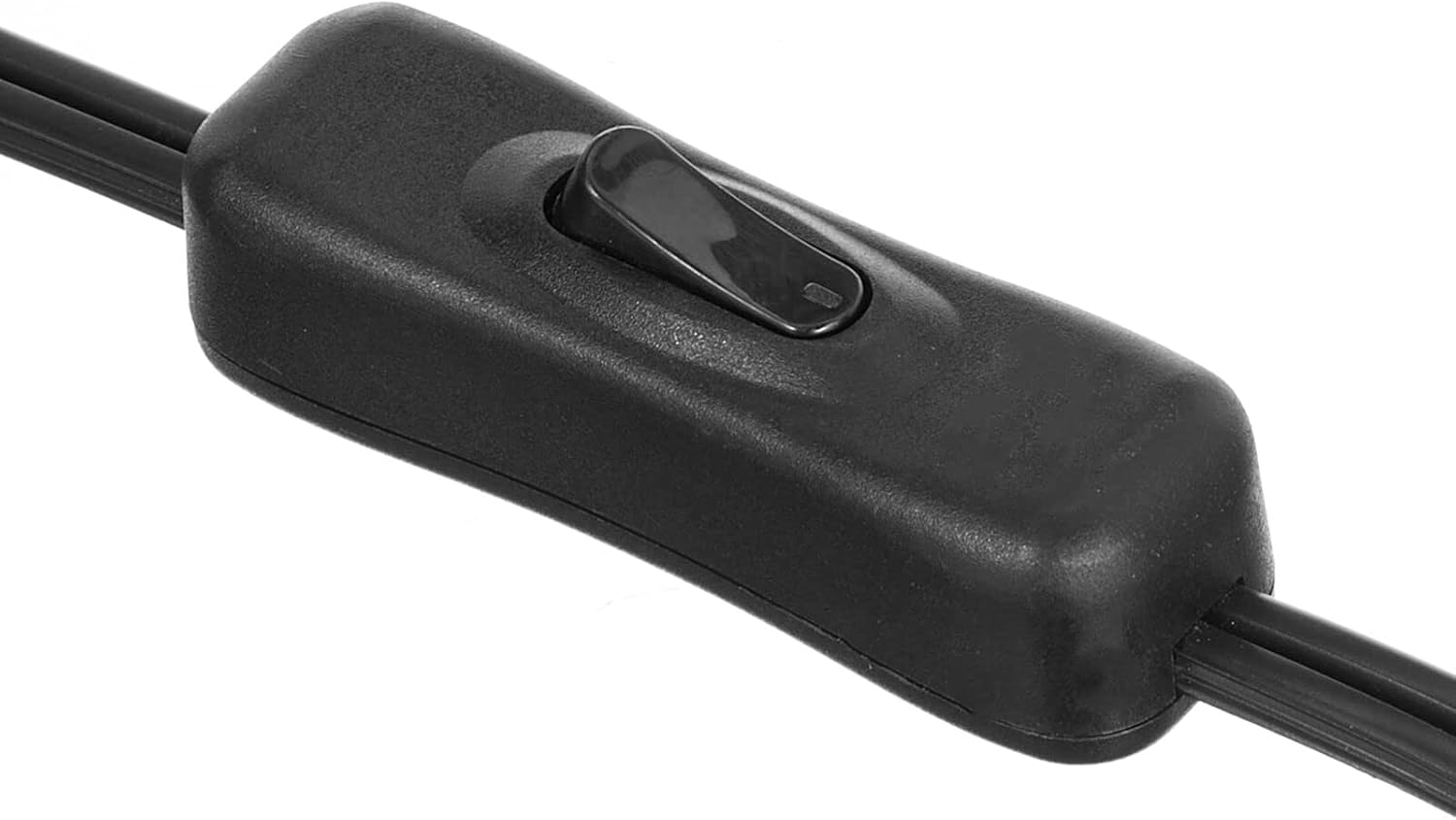
Figure 4.1: This image displays a close-up of the black in-line switch located on the power cord, used to turn the lamp on and off.

Figure 4.2: This image demonstrates the adjustable nature of the lamp head, showing it swiveling to different positions to direct light.
5. Maintenance
Cleaning
- Always unplug the lamp before cleaning.
- Wipe the lamp's surface with a soft, dry cloth.
- Do not use abrasive cleaners, solvents, or polishing agents as they may damage the finish.
Bulb Replacement
- Ensure the lamp is unplugged and the bulb has cooled completely before attempting to replace it.
- Carefully unscrew the old bulb from the socket.
- Screw in a new bulb of the correct type (E26 base, Type G) and wattage (maximum 40W).
6. Troubleshooting
If you encounter issues with your lamp, refer to the following troubleshooting guide:
| Problem | Possible Cause | Solution |
|---|---|---|
| Lamp does not turn on. |
|
|
| Light flickers. |
|
|
| Lamp is unstable. |
|
|
7. Specifications
| Feature | Detail |
|---|---|
| Model Number | 18875MDHS |
| Brand | mDesign |
| Dimensions (L x W x H) | 7 x 11 x 21 inches (17.8 x 27.9 x 53.3 cm) |
| Item Weight | 2.2 pounds (1 kg) |
| Material | Alloy Steel, Metal |
| Finish Type | Polished |
| Color | White/Soft Brass |
| Bulb Base | E26 |
| Max Wattage | 40 watts |
| Recommended Bulb Type | Type G |
| Power Source | Corded Electric |
| Control Method | In-line Switch |
| Special Feature | Adjustable Lamp Head |
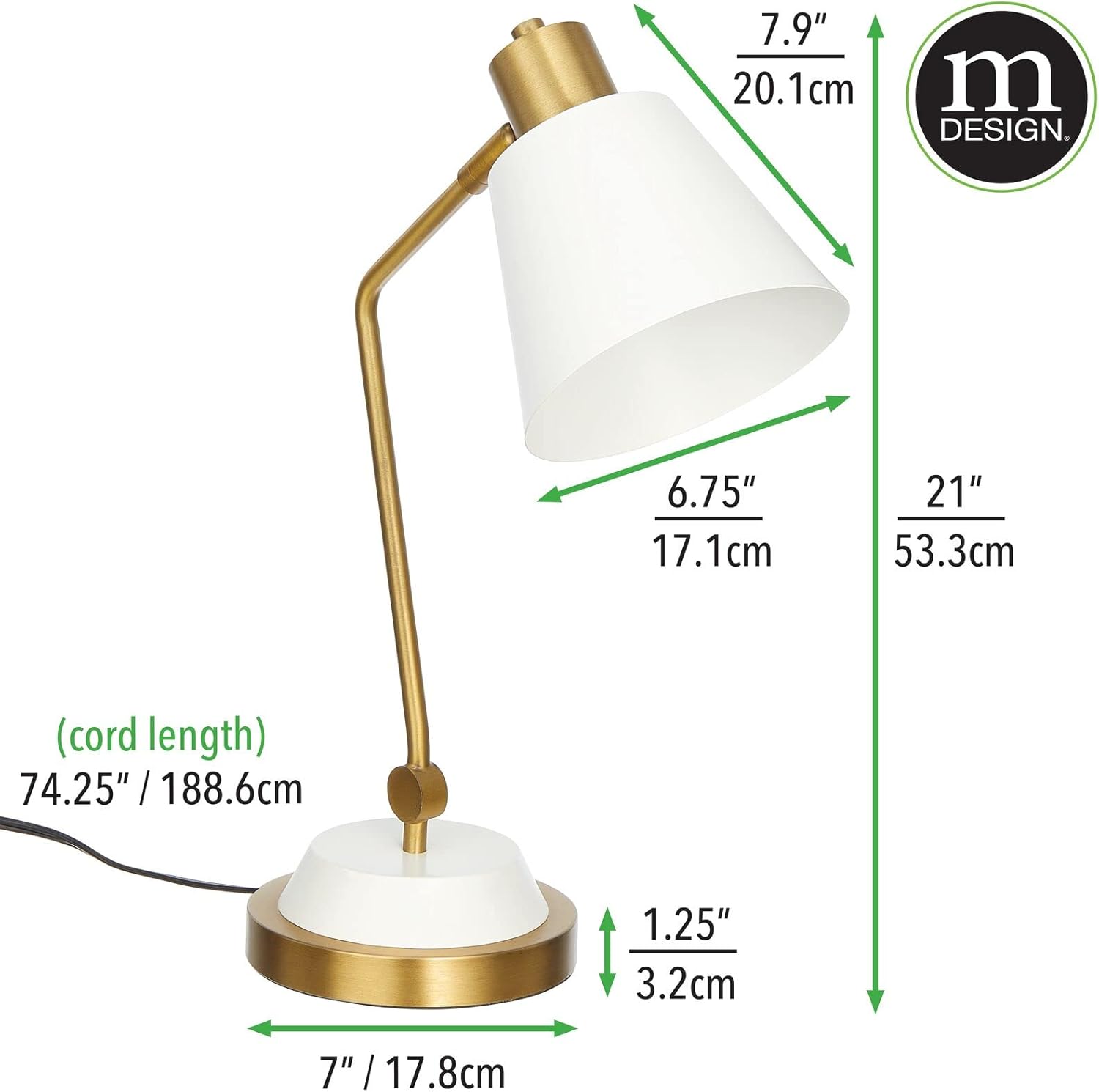
Figure 7.1: This image provides detailed measurements of the lamp, including height, width, depth, and cord length in both inches and centimeters.
8. Warranty Information
Specific warranty details for the mDesign Metal Curved Desk Lamp (Model 18875MDHS) are not provided in this manual. For information regarding warranty coverage, terms, and conditions, please refer to the product packaging or contact mDesign customer support directly.
9. Customer Support
If you have any questions, require assistance with assembly, operation, or troubleshooting beyond the scope of this manual, please contact mDesign customer support. Contact information can typically be found on the product packaging or on the official mDesign website.
For more information about mDesign products, visit: mDesign Store on Amazon