
1. Introduction
This manual provides essential information for the installation, operation, and maintenance of your JORAIR HEPA Replacement Filter. These filters are designed to be compatible with a range of air purifiers, ensuring improved air quality in your home or office.
Compatible air purifier models include: MK01, MK06, MG01JH, VOOPNU DH-JH12, ToLife TZ-K1, FreAire KN6391RGB, HAP601, POMORON MJ001H, MJ012H, Kloudi DH-JH01, Intelabe EPI080/EP1080, and Elechomes EPI081/EP1081.
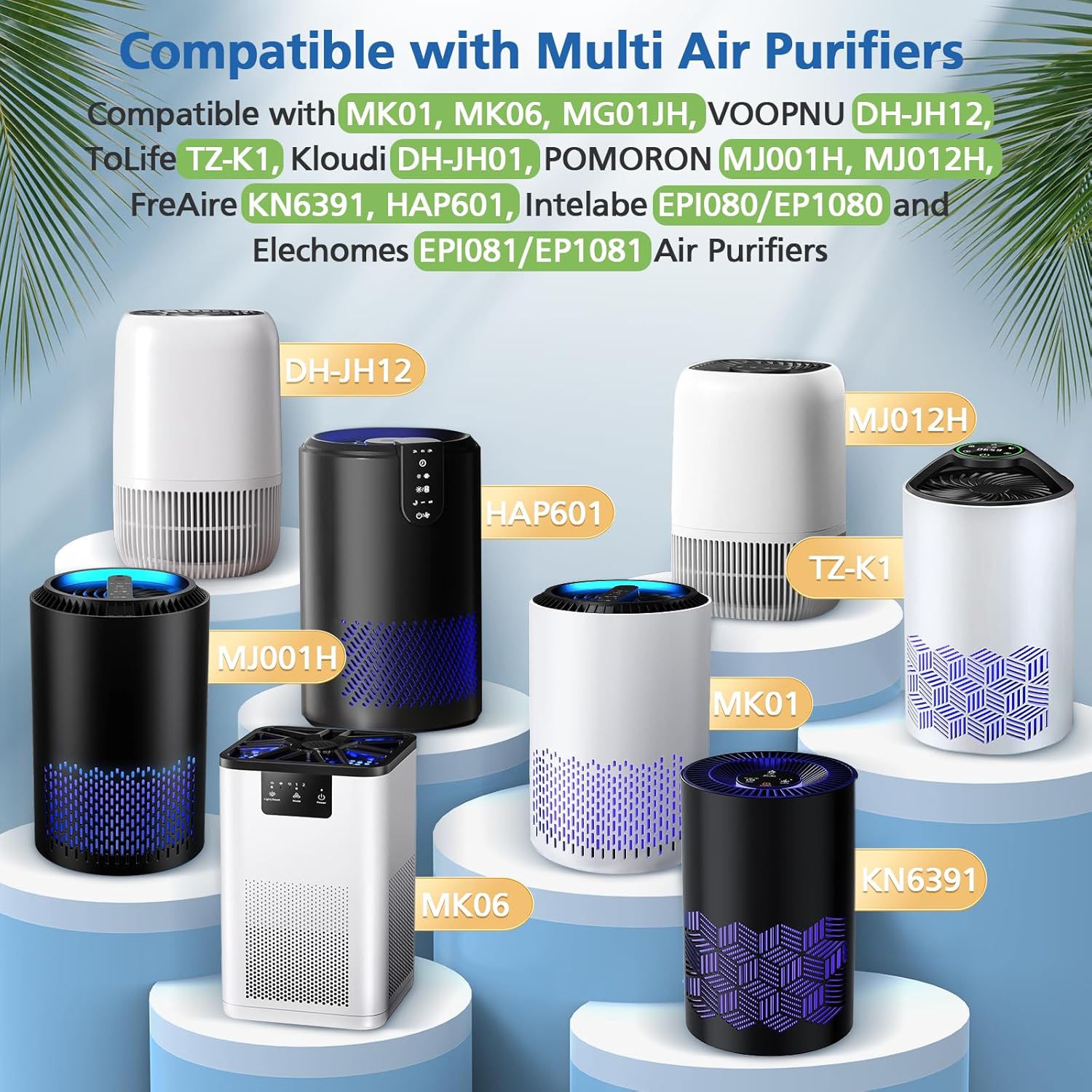
Figure 1: Visual representation of air purifier models compatible with JORAIR replacement filters.
2. Setup and Installation
The JORAIR HEPA Replacement Filter is designed for easy installation without the need for special tools. Follow your air purifier's specific instructions for accessing the filter compartment.
Installation Steps:
- Ensure your air purifier is turned off and unplugged from the power outlet.
- Locate the filter compartment on your air purifier. This is typically at the base or rear of the unit.
- Open the filter compartment cover according to your air purifier's manual.
- Carefully remove the old filter. Dispose of the used filter responsibly.
- Unpack the new JORAIR HEPA Replacement Filter.
- Insert the new filter into the compartment, ensuring it is seated correctly. Refer to any directional arrows on the filter or in your air purifier's manual.
- Close the filter compartment cover securely.
- Plug in and power on your air purifier. Reset the filter indicator light if your model has one.

Figure 2: Proper filter installation and recommended replacement schedule.
3. Operating Principles
The JORAIR HEPA Replacement Filter utilizes a 4-in-1 filtration system to effectively purify the air. This multi-layer design captures various airborne particles and odors, contributing to a healthier indoor environment.
4-in-1 Filtration System:
- Nylon Pre-filter: Captures larger particles such as dust, hair, lint, and fibers.
- Special Silver Ion Filter: Designed to react with harmful particles, preventing air pollution.
- HEPA Filter: Captures 99.97% of particles as small as 0.3 microns, including pollen, dust mites, and pet dander.
- Activated Carbon Filter: Absorbs household odors and fumes from pets, cooking, smoke, wildfires, and volatile organic compounds (VOCs).
This comprehensive system ensures that the air passing through your air purifier is thoroughly cleaned, significantly improving indoor air quality.

Figure 3: Detailed view of the 4-in-1 filtration layers.
4. Maintenance
Regular maintenance of your air purifier, specifically timely filter replacement, is crucial for optimal performance and air quality. The JORAIR HEPA Replacement Filter is disposable and not designed for cleaning.
Filter Replacement Schedule:
- For optimal performance, it is recommended to replace the HEPA filter every 3-6 months.
- The actual replacement frequency may vary depending on environmental factors such as air quality, pet presence, smoking, and the frequency of air purifier usage.
- Refer to your air purifier's indicator light or manufacturer guidelines for specific replacement alerts.
Replacing the filter regularly ensures that your air purifier continues to operate efficiently, providing clean and fresh air.
5. Troubleshooting
If you experience a decrease in air purifier performance after installing a new JORAIR HEPA Replacement Filter, consider the following:
- Check Installation: Ensure the filter is correctly seated in the compartment and the cover is securely closed. An improperly installed filter can lead to air leakage and reduced efficiency.
- Filter Indicator Reset: Many air purifiers have a filter replacement indicator. After installing a new filter, you may need to manually reset this indicator according to your air purifier's specific instructions.
- Airflow Obstruction: Verify that the air intake and output vents of your air purifier are not blocked.
- Unit Malfunction: If issues persist, consult your air purifier's instruction manual for troubleshooting steps related to the main unit.
6. Specifications
| Feature | Specification |
|---|---|
| Brand | JORAIR |
| Model Number | DH-JH01 |
| Item Weight | 9.3 ounces |
| Product Dimensions | 5.2 x 3.7 x 5.2 inches (L x W x H) |
| Compatible Devices | MK01, MK06, ToLife TZ-K1, VOOPNU DH-JH12, Kloudi DH-JH01, FreAire KN6391, HAP601, POMORON MJ001H, MJ012H Air Purifiers, Intelabe EPI080/EP1080, Elechomes EPI081/EP1081 |
| Filtration System | 4-in-1 (Nylon Pre-filter, Special Silver Ion Filter, HEPA Filter, Activated Carbon Filter) |
| HEPA Efficiency | 99.97% of particles down to 0.3 microns |
| Reusability | Disposable |
| Number of Pieces | 2 (as per product variant) |
7. Support
JORAIR is committed to providing high-quality products. Each filter undergoes rigorous testing to ensure performance and reliability.
If you encounter any issues or have questions regarding your JORAIR HEPA Replacement Filter, please do not hesitate to contact our customer support team for assistance. We are available to help resolve any concerns you may have.
For support, please refer to the contact information provided with your original purchase or visit the official JORAIR website.