
OLEVS HZ-O-G6607GJ-JJ
OLEVS Self-Winding Automatic Mechanical Watch User Manual
Model: HZ-O-G6607GJ-JJ
Introduction
Thank you for choosing the OLEVS Self-Winding Automatic Mechanical Watch. This timepiece features an exquisite skeleton tourbillon design, Roman numeral scale, and an automatic dual calendar window. Crafted from durable stainless steel, it offers both elegance and functionality. This manual provides essential information for the proper setup, operation, and maintenance of your watch.

Figure 1: OLEVS All Gold Automatic Mechanical Watch, front view.
Package Contents
Upon opening your OLEVS watch package, please verify that all items are present:
- OLEVS Self-Winding Automatic Mechanical Watch
- Gift Box
- Band Adjustment Tool
- User Guide (this manual)
Setup
1. Initial Winding
Your OLEVS watch is an automatic mechanical timepiece. If the watch has stopped, it requires initial winding to start the movement.
- Ensure the crown is in position 1 (fully pushed in).
- Turn the crown clockwise approximately 30-40 times to manually wind the mainspring. This will provide sufficient power reserve to start the watch.
- Once started, the watch will continue to wind automatically with the motion of your wrist during wear.
2. Adjusting the Watch Band
The stainless steel band can be adjusted to fit your wrist size using the provided adjustment tool.

Figure 2: Example of a band adjustment tool.
To adjust the band, locate the pins on the side of the links. Use the adjustment tool to push out the pins in the direction of the arrows on the inside of the links. Remove or add links as necessary to achieve a comfortable fit. Reinsert the pins securely.
Operating Instructions
1. Setting Time and Date
Your OLEVS watch features a dual calendar display for the day of the week and date, along with a monthly calendar and year display.

Figure 3: Watch crown and pushers for setting functions.
- Setting the Time: Pull the crown out to position 3 (farthest out). Turn the crown to set the hour and minute hands. Push the crown back to position 1 when done.
- Setting the Date: Pull the crown out to position 2 (middle position). Turn the crown to adjust the date. Push the crown back to position 1 when done.
- Setting the Day of the Week: Use the small pusher button located on the side of the watch case (often at the 2 o'clock or 4 o'clock position) to advance the day of the week.
- Setting the Month/Year: Use the other small pusher button (often at the 8 o'clock or 10 o'clock position) to advance the month and year displays.
Important: Avoid setting the date or day between 9 PM and 3 AM, as this can damage the movement while the gears are engaged in the automatic date change process.
2. Luminous Display
The watch hands and hour markers feature an HD luminous coating, allowing for clear time reading in low-light conditions or complete darkness after exposure to light.
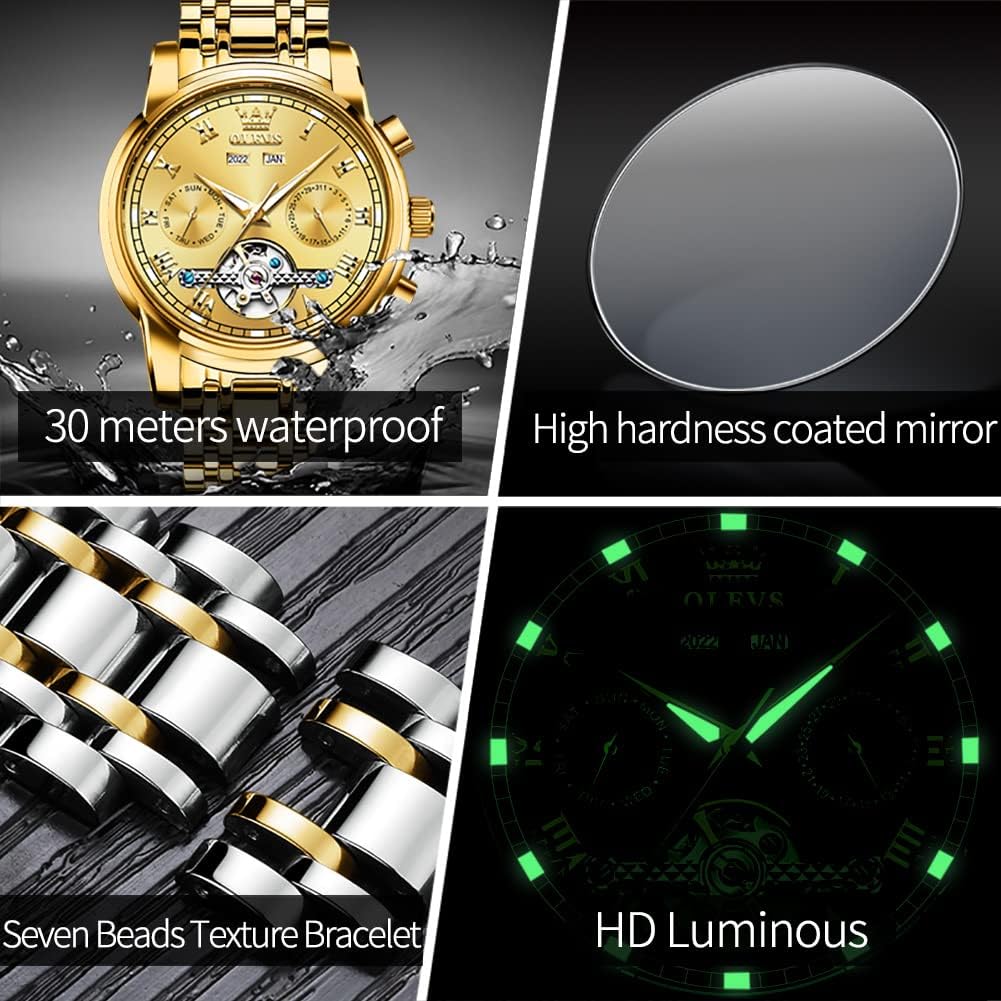
Figure 4: Luminous display of the watch in darkness.
3. Water Resistance
This OLEVS watch is rated for 3ATM water resistance. This means it is suitable for daily use, such as hand washing, rain, or accidental splashes. It can be worn for swimming and bathing in cold water.
Caution: Do not wear the watch for diving, hot water bathing, or in saunas, as extreme temperature changes and steam can compromise the water seals. Do not operate the crown or pushers while the watch is wet or submerged.
Video 1: Demonstration of the OLEVS watch's features, including water resistance and durability.
Maintenance
- Cleaning: Wipe the watch case and band regularly with a soft, dry cloth to remove dust and smudges. For stubborn dirt, a slightly damp cloth can be used, followed by immediate drying.
- Avoid Chemicals: Do not expose the watch to solvents, detergents, perfumes, or cosmetics, as these can damage the case, band, or seals.
- Temperature Extremes: Avoid exposing the watch to extreme temperatures (hot or cold) or sudden temperature changes, which can affect the movement's accuracy and water resistance.
- Magnetic Fields: Keep the watch away from strong magnetic fields (e.g., speakers, refrigerators, mobile phones, airport security scanners), as magnetism can affect the accuracy of mechanical movements. If your watch becomes magnetized, it may run fast or slow and require demagnetization by a professional.
- Storage: When not wearing the watch, store it in its original box or a watch winder to maintain its power reserve.
Troubleshooting
| Problem | Possible Cause | Solution |
|---|---|---|
| Watch has stopped or runs intermittently. | Insufficient power reserve (not worn enough or not manually wound). | Manually wind the watch by turning the crown clockwise 30-40 times. Wear the watch regularly for at least 8-10 hours a day. |
| Date/Day does not change or changes at the wrong time. | Time is set incorrectly (e.g., AM/PM confusion) or date/day was adjusted during the forbidden period. | Advance the time by 12 hours if the date changes at noon. Avoid setting date/day between 9 PM and 3 AM. Reset the time and date outside this period. |
| Watch runs too fast or too slow. | Exposure to strong magnetic fields or impact. | Keep the watch away from magnetic sources. If the problem persists, contact customer support for professional inspection and demagnetization/adjustment. |
If you encounter any problems not listed here or if the suggested solutions do not resolve the issue, please refer to the "Warranty and Support" section for assistance.
Specifications
- Brand: OLEVS
- Model Number: HZ-O-G6607GJ-JJ
- Movement: Automatic Mechanical
- Case Material: Stainless Steel
- Band Material: Stainless Steel
- Clasp Type: Double Locking Foldover Clasp
- Water Resistance: 3ATM (30 meters)
- Display: Analog with Dual Calendar (Day, Date, Month, Year) and Tourbillon-style window
- Luminous: HD Luminous Hands and Markers
- Item Weight: 14.39 ounces
- Package Dimensions: 4.53 x 4.41 x 2.91 inches
- Country of Origin: USA
Warranty and Support
OLEVS offers a 2-year product warranty from the date of purchase, covering manufacturing defects. Additionally, a 60-day free return policy is provided.
For any warranty claims, technical support, or inquiries regarding your OLEVS watch, please contact our professional after-sales team through Amazon. Provide your order details and a clear description of the issue for prompt assistance.
Contact Support: Visit the OLEVS Store on Amazon
Related documentsHZ-O-G6607GJ-JJ


Ask a question about this manual
Ask about setup, troubleshooting, compatibility, parts, safety, or missing instructions. Manuals+ will review the question and use this page’s manual context to help answer it.