
DARKBEAM A300-2 Pack
DARKBEAM A300 LED Flashlight User Manual
Brand: DARKBEAM | Model: A300-2 Pack
1. Introduction and Overview
The DARKBEAM A300 LED Flashlight is a super bright, rechargeable, and versatile lighting tool designed for various applications including camping, hiking, emergencies, and general household use. This manual provides detailed instructions to ensure safe and effective operation of your flashlight.
Key features include:
- Super Bright Illumination: Features 2000 lumens max output, capable of lighting up to 600 feet.
- Adjustable Focus: Easily zoom from a wide area floodlight to a focused spotlight.
- Multiple Modes: Offers High, Low, and SOS modes for diverse lighting needs.
- USB Rechargeable: Equipped with a rechargeable battery and USB cable for convenient charging.
- Long-lasting Performance: Provides up to 12 hours of runtime in low mode on a full charge.
- Durable and Water-Resistant: Constructed from high-quality military-grade aluminum alloy, suitable for rainy or snowy conditions.
- Compact and Portable: Mini size with an anti-slip design and a friendly pocket-clip for easy carrying.

Figure 1.1: DARKBEAM A300 LED Flashlights (2-Pack)
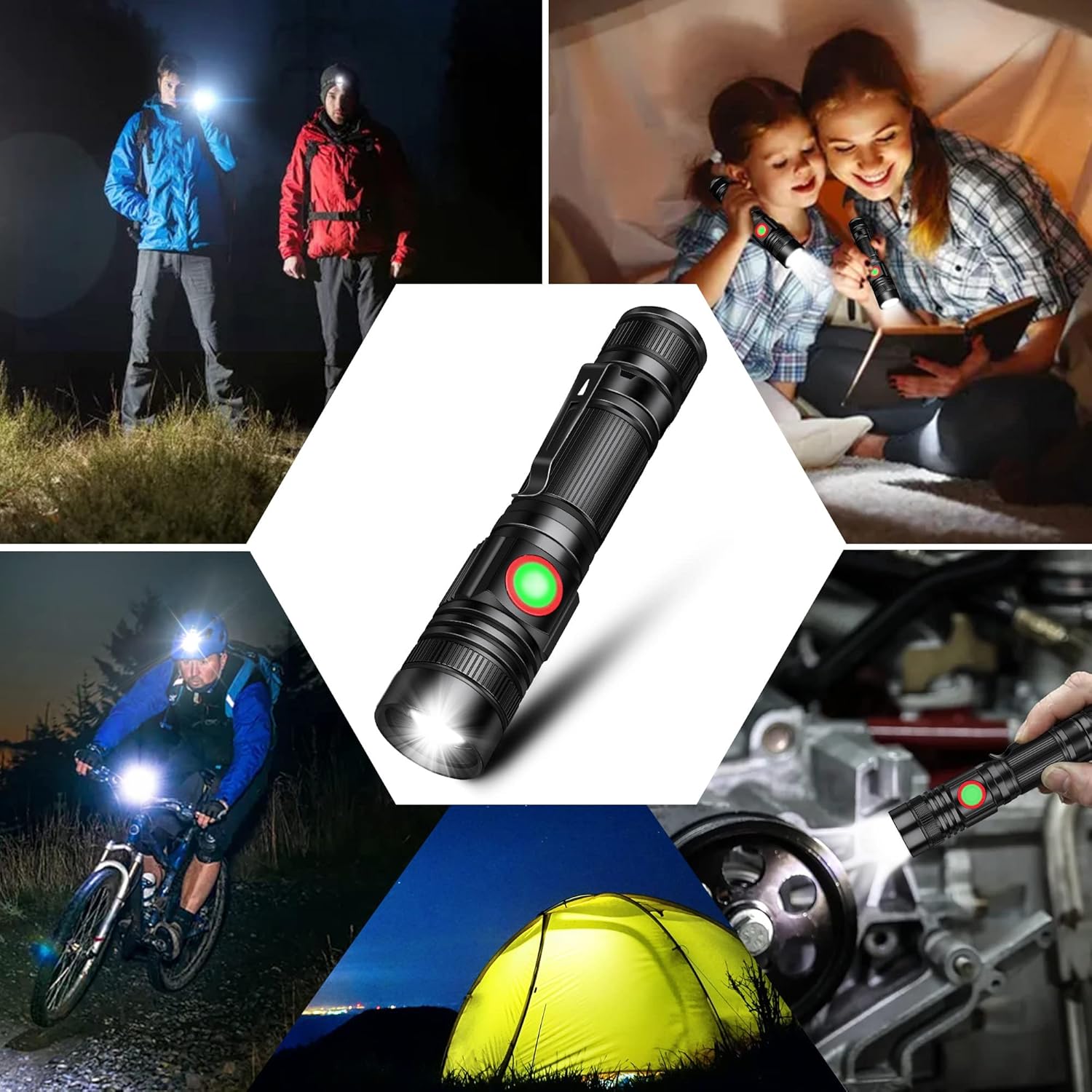
Figure 1.2: Versatile applications of the A300 flashlight.
2. What's in the Box
Your DARKBEAM A300 LED Flashlight package includes the following items:
- 2 x DARKBEAM A300 Tactical Flashlights
- 2 x High-capacity rechargeable batteries (pre-installed)
- 2 x USB charging cables
3. Setup
3.1 Initial Charging
Before first use, it is recommended to fully charge your DARKBEAM A300 flashlight. The flashlight comes with pre-installed rechargeable batteries.
- Locate the USB charging port on the flashlight. It is typically covered by a rubber flap for water resistance.
- Gently open the rubber flap to expose the USB port.
- Connect the provided USB charging cable to the flashlight's port.
- Connect the other end of the USB cable to any standard USB power source (e.g., wall adapter, computer USB port, power bank).
- The indicator light on the flashlight will turn RED to indicate that it is charging.
- Charging typically takes approximately 3 hours for a full charge.
- Once fully charged, the indicator light will turn GREEN. Disconnect the charging cable and securely close the rubber flap to maintain water resistance.
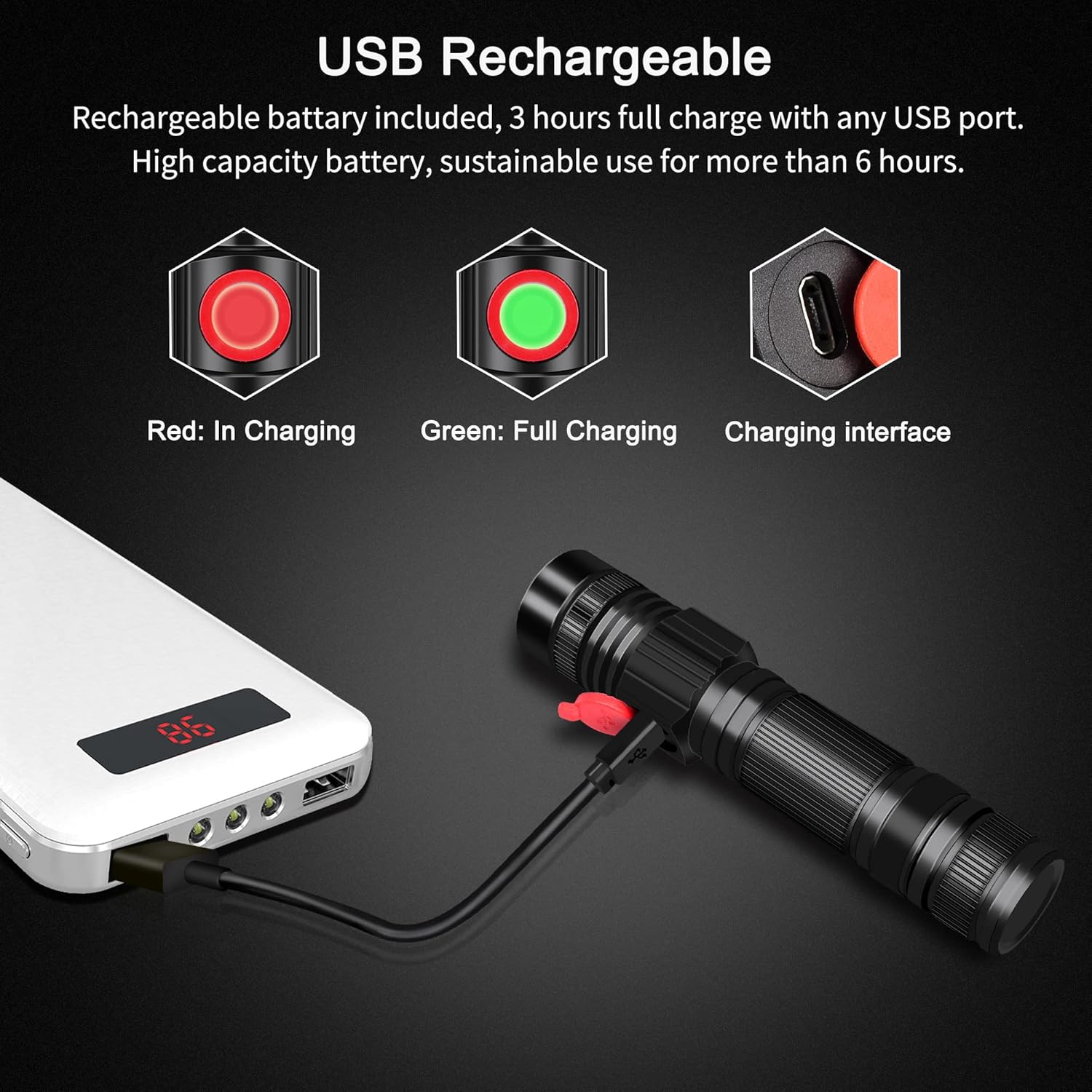
Figure 3.1: USB Charging Process and Indicators
4. Operating Instructions
4.1 Power On/Off and Mode Switching
The DARKBEAM A300 flashlight features a single button for power control and mode cycling.
- To Power On: Press the power button once. The flashlight will turn on in High mode.
- To Cycle Modes: While the flashlight is on, press the power button repeatedly to cycle through the modes: High → Low → SOS.
- To Power Off: Press the power button after the SOS mode, or hold the button down for approximately 2 seconds from any mode.

Figure 4.1: Available Light Modes
4.2 Zoom Function
The A300 flashlight features an adjustable focus mechanism to change the beam from a wide floodlight to a concentrated spotlight.
- To Zoom In (Spotlight): Gently push the head of the flashlight forward, away from the body. This will narrow the beam for long-distance illumination.
- To Zoom Out (Floodlight): Gently pull the head of the flashlight backward, towards the body. This will widen the beam for broad area illumination.

Figure 4.2: Adjustable Focus Mechanism

Figure 4.3: Beam Comparison (Zoom In vs. Zoom Out)
5. Maintenance
Proper maintenance ensures the longevity and optimal performance of your DARKBEAM A300 flashlight.
- Cleaning: Wipe the flashlight body with a soft, damp cloth. Do not use abrasive cleaners or solvents. Keep the lens clean for maximum light output.
- Battery Care: Recharge the battery regularly, even if the flashlight is not frequently used, to maintain battery health. Avoid completely draining the battery before recharging.
- Storage: Store the flashlight in a cool, dry place away from direct sunlight and extreme temperatures. If storing for extended periods, charge the battery to approximately 50% capacity.
- Water Resistance: Ensure the USB charging port's rubber flap is securely closed when not charging to maintain its water-resistant properties.

Figure 5.1: Water Resistance Feature
6. Troubleshooting
If you encounter issues with your DARKBEAM A300 flashlight, refer to the following common problems and solutions:
| Problem | Possible Cause | Solution |
|---|---|---|
| Flashlight does not turn on. | Battery is depleted or not properly installed. | Charge the flashlight fully. Ensure the battery is correctly inserted. |
| Flashlight does not charge. | USB cable or power source issue; charging port obstruction. | Try a different USB cable or power source. Check the charging port for debris. Ensure the cable is fully inserted. |
| Light is dim or flickers. | Low battery; dirty lens. | Recharge the flashlight. Clean the flashlight lens with a soft cloth. |
| Zoom function is stiff. | Normal operation; minor friction. | This is often normal for a secure zoom mechanism. Avoid forcing it. |
If the problem persists after attempting these solutions, please contact customer support.
7. Specifications
| Feature | Specification |
|---|---|
| Model Number | A300-2 Pack |
| Light Source Type | LED |
| Brightness | 2000 Lumens (Max) |
| Light Path Distance | Up to 600 Feet |
| Power Source | Battery Powered |
| Battery Type | Lithium Ion (2 required, included) |
| Runtime | Up to 12 hours (Low mode) |
| Charging Time | Approx. 3 hours |
| Material | Aluminum |
| Water Resistance Level | Waterproof |
| Item Weight | 8.8 ounces |
| Package Dimensions | 5.55 x 3.11 x 1.46 inches |

Figure 7.1: Flashlight Dimensions
8. Warranty and Support
DARKBEAM stands behind the quality of its products. Your A300 LED Flashlight comes with a 100% satisfaction guarantee and a hassle-free 180-day money-back guarantee.
For any assistance, questions, or concerns regarding your product, please contact DARKBEAM directly through your Amazon order. This allows for prompt and effective solutions.
We are committed to providing excellent customer service and support for your DARKBEAM products.
Ask a question about this manual
Ask about setup, troubleshooting, compatibility, parts, safety, or missing instructions. Manuals+ will review the question and use this page’s manual context to help answer it.