
1. Introduction
Thank you for choosing the Bsimb 17 Inch Large Digital Picture Frame. This frame offers a vibrant 1920x1200 IPS touchscreen display, dual-band Wi-Fi connectivity, and 64GB of internal storage, allowing you to easily share and display your cherished photos and videos. This manual provides detailed instructions to help you set up, operate, and maintain your digital picture frame.

The Bsimb 17 Inch Large Digital Picture Frame, showcasing its large display, remote control, and smartphone app integration.
2. What's in the Box
- Bsimb 17 Inch Digital Picture Frame
- Power Adapter
- Remote Control
- User Manual
- Quick Start Guide
3. Setup Guide
3.1 Initial Power On and Physical Setup
Connect the power adapter to the frame and a power outlet. The frame will automatically power on. You can choose to use the included stand for tabletop display or utilize the mounting hardware for wall installation. The frame supports both landscape and portrait orientations with auto-rotation.
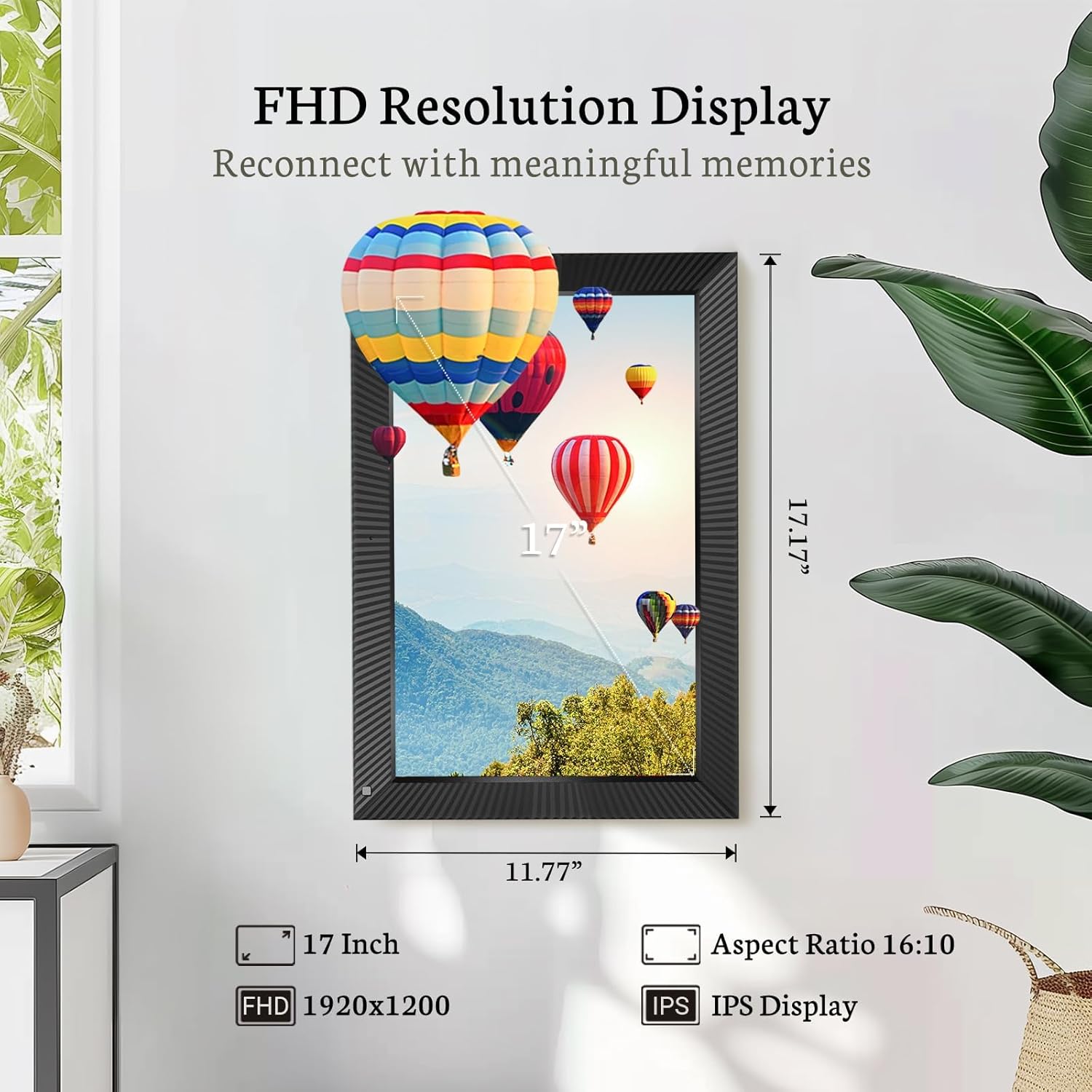
The 17-inch FHD IPS display offers a clear and wide viewing experience.

The frame supports auto-rotation and can be wall-mounted for versatile placement.
3.2 Wi-Fi Connection
The frame supports both 2.4 GHz and 5 GHz dual-band Wi-Fi networks for stable and secure photo/video sharing. On the frame's touchscreen, navigate to the Wi-Fi settings and select your network. Enter the password to connect.

The frame supports both 2.4GHz and 5GHz Wi-Fi for secure and stable connections.
3.3 VPhoto App Download and Pairing
To fully utilize the frame's sharing features, download the VPhoto app from your smartphone's app store (available on iOS and Android). Once installed, open the app and create an account. Follow the on-screen prompts to pair your frame with the app, typically by scanning a QR code displayed on the frame's screen.

Follow these three steps to get started: download the Vphoto app, connect your frame, and upload photos.
3.4 Uploading Photos and Videos
You can upload photos and videos to your frame using several methods:
- VPhoto App: Easily upload up to 50 photos at a time directly from your smartphone.
- Email: Send photos and videos to your frame's unique email address.
- USB Drive / SD Card: Insert a USB drive or SD card (up to 64GB) into the designated slots on the frame to transfer media.

Instant WiFi sharing of pictures and videos via the VPhoto app.

The frame features 64GB of internal storage, expandable via Micro SD card or USB drive.
3.5 Setup Overview Video
This video provides a comprehensive overview of the Bsimb 17-inch digital picture frame, including initial setup, Wi-Fi connection, and app pairing process.
4. Operating the Digital Picture Frame
4.1 Control Methods
The Bsimb digital picture frame can be controlled via its responsive IPS touchscreen or the included remote control, offering convenience for all users.

Experience effortless control with both the touchscreen and remote control.
4.2 Slideshow and Display Settings
Customize your viewing experience through the frame's settings:
- Brightness: Adjust the screen brightness to suit your environment.
- Volume: Control the audio volume for videos and background music.
- Slideshow Mode: Select various slideshow intervals and transition effects (e.g., random, fade, slide).
- Motion Sensor: Enable or disable the motion sensor to automatically turn the screen on/off when presence is detected.
- Sleep Mode: Set a schedule for the frame to enter sleep mode to conserve energy.
4.3 Diverse Personalized Functions
Beyond displaying photos, the frame includes multi-functionalities such as:
- Alarm: Set alarms for reminders.
- Clock: Display the current time.
- Weather: Get local weather updates.
- Calendar: View the calendar.
- Video Playback: Play uploaded video clips.
- Music Playback: Play background music with your slideshows.

The frame offers diverse personalized functions including alarm, clock, video, and music playback.
4.4 Sharing with Family and Friends
The VPhoto app allows you to invite friends and family to share photos directly to your frame. Through the 'User Management' section in the frame's settings, you can add their email addresses. They will receive a special code to connect and share their own photos, creating a collaborative photo album for everyone to enjoy.
5. Maintenance
To ensure the longevity and optimal performance of your digital picture frame, follow these maintenance guidelines:
- Cleaning the Screen: Use a soft, lint-free cloth to gently wipe the screen. For stubborn smudges, slightly dampen the cloth with water or a screen-cleaning solution. Avoid harsh chemicals or abrasive materials.
- Cleaning the Frame: Wipe the frame's exterior with a dry, soft cloth.
- Placement: Place the frame in a cool, dry environment away from direct sunlight, excessive heat, or moisture.
- Power Off: If not in use for an extended period, unplug the power adapter.
6. Troubleshooting
If you encounter issues with your Bsimb Digital Picture Frame, refer to the following common solutions:
- Frame Not Powering On: Ensure the power adapter is securely connected to both the frame and a working power outlet.
- Wi-Fi Connection Issues: Verify your Wi-Fi password is correct. Ensure the frame is within range of your router. Try restarting your router and the frame.
- Photos Not Appearing: Check your internet connection. Ensure photos are uploaded correctly via the VPhoto app, email, or USB/SD card. Verify file formats are supported.
- Screen Unresponsive: Try restarting the frame. If the issue persists, a factory data reset might be necessary (note: this will erase all data and settings).
- Poor Picture Quality: Ensure the original photos are high resolution. Adjust the brightness settings on the frame.
- Factory Data Reset: If severe issues persist, you can perform a factory data reset through the frame's settings. This will erase all apps and user data, restoring the device to its original state.
For further assistance, consult the 'Help' section within the frame's settings or the VPhoto app, or contact customer support.
7. Specifications
| Feature | Detail |
|---|---|
| Product Dimensions | 17.16 x 11.77 x 0.99 inches |
| Item Weight | 6.59 pounds |
| ASIN | B09PYPDRTH |
| Item Model Number | W17D |
| Brand | Bsimb |
| Color | Black |
| Resolution | 1920x1200 (FHD) |
| Compatible Devices | Smartphone |
| Screen Size | 17 Inches |
| Manufacturer | ShenZhen IDWELL Technology Co.Ltd |
| Date First Available | January 7, 2022 |
8. Warranty and Support
Bsimb offers a 30-day money-back guarantee and a 1-year worry-free warranty for your digital picture frame. Our dedicated customer service team is available to assist you with any questions or concerns you may have regarding your product.
For support, please refer to the contact information provided in your Quick Start Guide or through the VPhoto app's help section.


